
1. Introduction
This manual provides detailed instructions for the installation, operation, and maintenance of your BrickSoul Upgrade Light Kit, designed specifically for the Lego 10372 Hibiscus Flower Décor Building Set. This kit enhances your model with integrated lighting, featuring an ON/Off and dimmer switch for adjustable brightness and a hidden cable design for a clean aesthetic. Please note that the Lego 10372 building set is not included with this light kit.
2. Package Contents
Before beginning installation, please verify that all components listed below are present in your package:
- LED Light Kit components (various light strings and connection wires)
- One-touch Dimming Switch (wired)
- USB Power Cable
- Battery Box (requires 3 AA batteries, not included)
- Installation Guide (digital access via QR code/link)
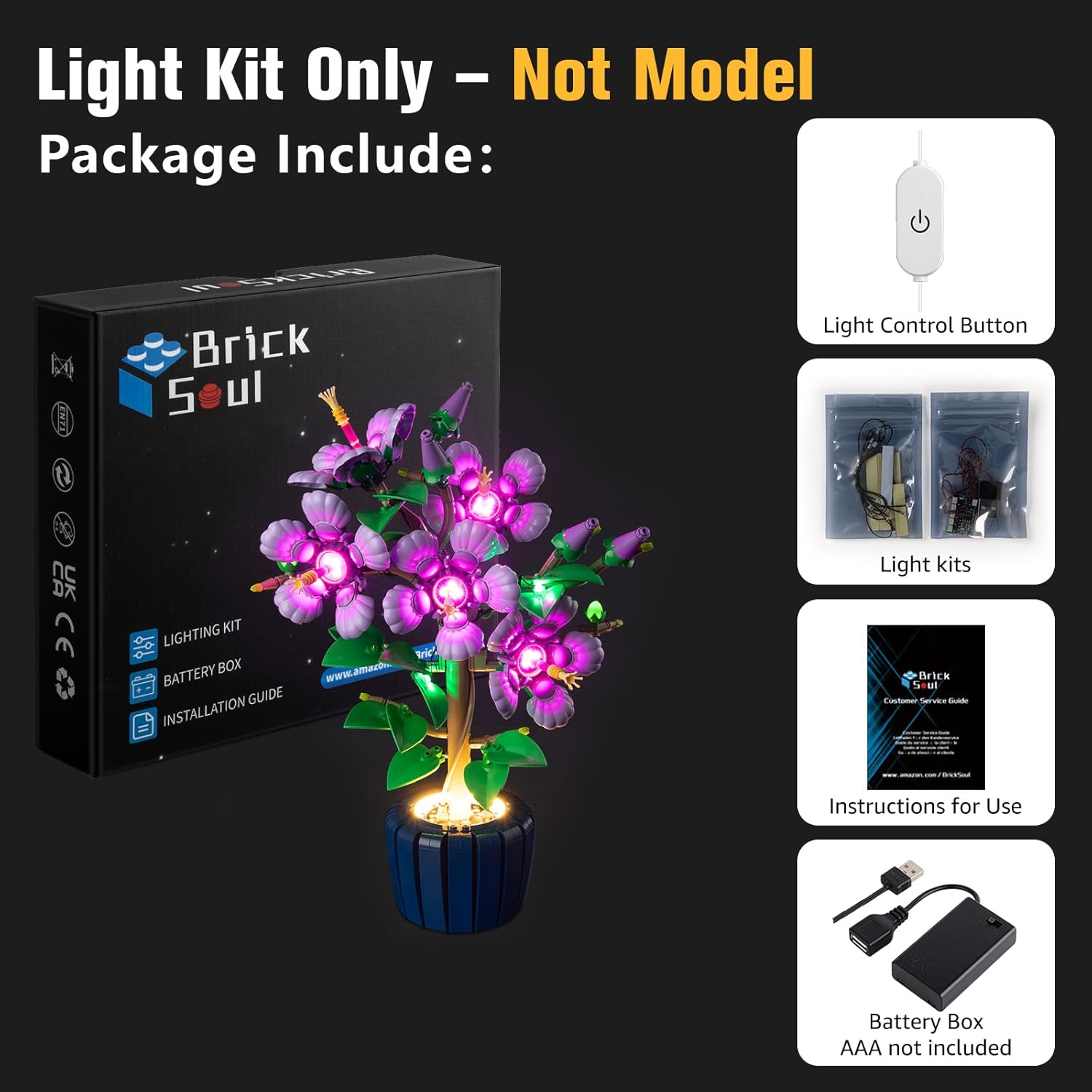
Image 2.1: Package contents of the BrickSoul Light Kit.
3. Safety Information
Please read and adhere to the following safety guidelines:
- This product is intended for users aged 14 years and older.
- The light kit operates on a stable 5V low-voltage system. Use only the provided USB cable or a compatible 5V USB power adapter (not included).
- Do not attempt to modify the wiring or components of the light kit.
- Keep small parts away from young children to prevent choking hazards.
- Ensure proper battery installation (3 AA batteries, not included) if using the battery box. Do not mix old and new batteries, or different types of batteries.
4. Setup & Installation
The BrickSoul light kit is designed for straightforward installation. Detailed, step-by-step instructions are available digitally to guide you through the process.
4.1 Accessing Digital Instructions
The kit includes clearly numbered light bags that correspond to each step in the digital instructions. To access the comprehensive video or PDF installation guide, please refer to the QR code or link provided in your physical guide or packaging. These resources will demonstrate the precise placement of lights and the integration of the hidden cable technology.
4.2 Installation Overview
- Preparation: Ensure your Lego 10372 Hibiscus Flower Décor Building Set is fully assembled and accessible. You may need to partially disassemble certain sections to integrate the lights.
- Wire Integration: Follow the digital guide to carefully route the wires. The hidden cable design utilizes pre-measured spacing and internal channels within the Lego structure to keep wires virtually invisible.
- Component Placement: Attach the LED components to the designated areas of your Lego model using the intuitive snap-on connectors.
- Connection: Connect all light strings to the main control unit.
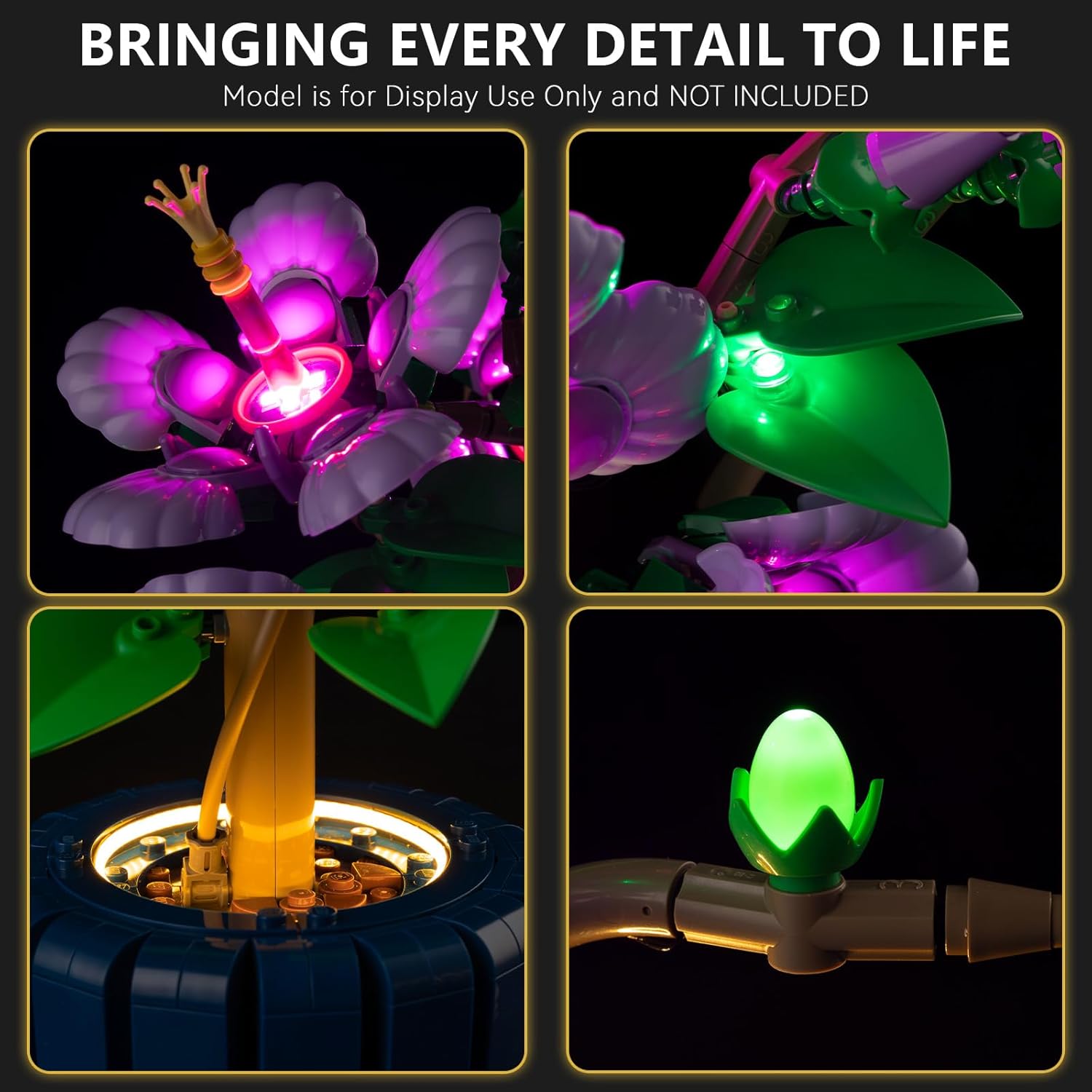
Image 4.1: Detailed view of integrated lighting on the Lego Hibiscus flower.

Image 4.2: Example of the clean wiring and vibrant illumination provided by the BrickSoul light kit.
4.3 Installation Video Guide
Video 4.1: This video demonstrates the installation process for the BrickSoul Upgrade Light Kit on the Lego Hibiscus Flower Decor 10372 Building Set, showcasing how to integrate the wired dimmable LED lights.
5. Operating Instructions
Your BrickSoul light kit features an easy-to-use one-touch dimming switch for controlling the illumination of your Lego model.
5.1 Powering the Light Kit
The light kit offers two power options:
- USB Power: Connect the included USB cable to a 5V USB power adapter (not included) or a USB port on a computer or power bank.
- Battery Power: Insert 3 AA batteries (not included) into the provided battery box and connect it to the light kit.
5.2 Using the Dimming Switch
The wired one-touch dimming switch allows you to turn the lights ON/OFF and adjust their brightness:
- Turn ON/OFF: Press the button briefly to toggle the lights on or off.
- Adjust Brightness: Press and hold the button to cycle through brightness levels. Release the button when the desired brightness is achieved. The lights will emit a soft, non-glaring glow.
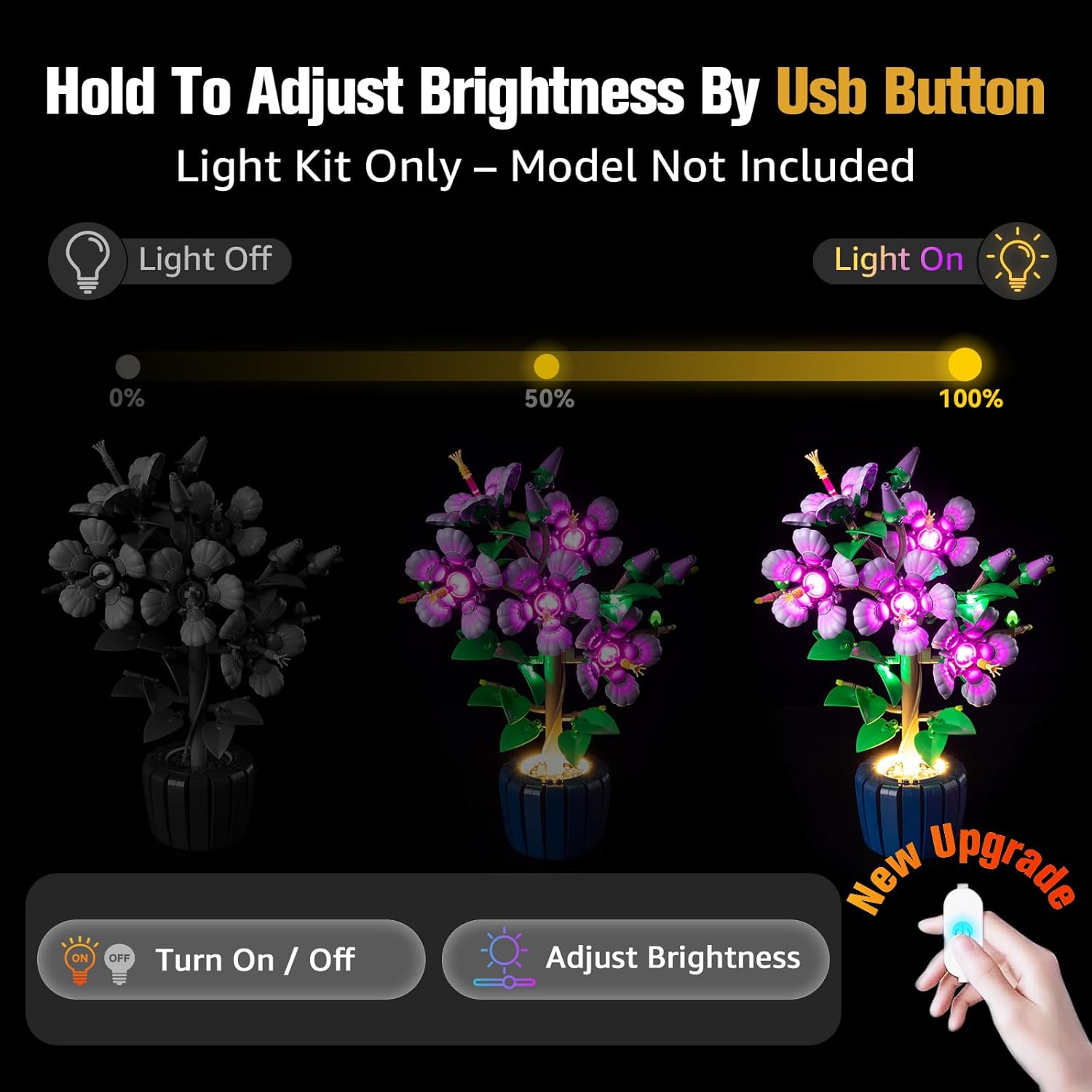
Image 5.1: Illustration of the one-touch dimming switch for brightness control.

Image 5.2: The Lego Hibiscus Flower Décor Building Set illuminated by the BrickSoul light kit.
5.3 Operation Video Guide
Video 5.1: This video demonstrates the adjustable brightness feature of the BrickSoul LED Lighting Kit compatible with Lego 10372 Hibiscus Flower Decor.
6. Maintenance
To ensure the longevity and optimal performance of your BrickSoul light kit, follow these maintenance guidelines:
- Cleaning: Gently wipe the LED components and wires with a soft, dry cloth to remove dust. Avoid using liquid cleaners directly on the electrical components.
- Battery Replacement: If using battery power, replace all 3 AA batteries simultaneously when the lights dim or cease to function. Dispose of old batteries responsibly.
- Storage: If storing the Lego model with the light kit for an extended period, remove the batteries from the battery box to prevent leakage.
7. Troubleshooting
If you encounter any issues with your light kit, please refer to the following common troubleshooting steps:
| Problem | Possible Cause | Solution |
|---|---|---|
| Lights do not turn on. |
|
|
| Lights are dim or flickering. |
|
|
| Some lights are not working. |
|
|
If these steps do not resolve the issue, please contact BrickSoul customer support for further assistance.
8. Specifications
| Feature | Detail |
|---|---|
| Product Model | 10372 Upgrade Wired Dimmable |
| Compatibility | Lego 10372 Hibiscus Flower Décor Building Set |
| Light Source Type | Light Emitting Diode (LED) |
| Number of Light Sources | 10 |
| Power Source | USB (5V) or 3x AA Batteries (not included) |
| Control Method | Wired One-Touch Dimmer Switch |
| Material | Plastic |
| Item Weight (packaging) | 4.8 ounces (approx. 136 grams) |
| Product Dimensions (packaging) | 6.36 x 4.32 x 1.33 inches (approx. 16.15 x 10.97 x 3.38 cm) |
| Recommended Age | 14 years and up |
9. Warranty & Support
BrickSoul is committed to providing high-quality products and excellent customer service. Your light kit is backed by comprehensive support.
- 1-Year Hassle-Free Support: We offer a 1-year period of support for any product-related inquiries or issues.
- Free & Fast Replacement: In the event of a manufacturing defect or component failure within the support period, we provide free and fast replacements.
- Efficient Problem-Solving: Our customer support team is available to assist you with installation, operation, or troubleshooting.
For any questions or support needs, please contact BrickSoul customer service through the platform where you purchased the product or visit our official website.
