
Introduction
This manual provides detailed instructions for the assembly, operation, and maintenance of your BEISHI Arc-shaped Art Mobile TV Stand. Designed for televisions ranging from 50 to 100 inches, this stand features a unique curved design, two-tier wooden shelves for storage, and lockable wheels for mobility. It supports a maximum weight of 220 lbs and is compatible with VESA mounting patterns up to 900x600mm. Please read this manual thoroughly before assembly and use to ensure safe and correct installation.
Safety Information
Important Safety Instructions:
- Always secure the TV stand to the wall using the provided safety straps to prevent tip-over.
- Ensure the stand is fully assembled and stable before placing any television or heavy items on it.
- Follow the assembly instructions carefully to avoid injury or damage to the product.
- Keep the area around the TV stand clear of obstructions to prevent accidents during movement.
- Do not exceed the maximum weight capacity of 220 lbs (100 kg).
- Do not allow children to climb on or play with the TV stand.
- Regularly check all screws and connections to ensure they remain tight and secure.
Package Contents
Before beginning assembly, verify that all parts are present and undamaged. If any parts are missing or damaged, do not proceed with assembly and contact customer support.
Typical package contents include:
- Main support frames (arc-shaped base and vertical posts)
- Two wooden storage shelves
- TV mounting brackets and hardware (screws, spacers, washers for various TV models)
- Caster wheels (4, with locking mechanism)
- Assembly hardware (bolts, nuts, wrenches, Allen keys)
- Cable management clips/ties
- Anti-tip safety straps
- Instruction manual
Assembly Instructions
Follow these steps carefully for proper assembly. It is recommended to have two people for assembly, especially when mounting the TV.
Step 1: Attach Caster Wheels to the Base
Secure the four caster wheels to the bottom of the arc-shaped base frames using the provided bolts and wrench. Ensure that the locking wheels are positioned at the front for easy access.

Image: Detail of the locking caster wheels on the stand's base.
Step 2: Assemble the Main Support Frames
Connect the vertical posts to the arc-shaped base frames. Use the designated bolts and tighten them securely. Ensure the frames are aligned correctly as per the diagrams in the included manual.

Image: The unique curved design of the stand's frame and shelves.
Step 3: Install the Wooden Shelves
Attach the two wooden shelves to the main support frames at the desired heights. The shelves provide space for media devices, soundbars, and other accessories. Ensure they are level and firmly secured.

Image: The TV stand with a soundbar and other items on its two wooden shelves, demonstrating storage capacity.
Step 4: Attach TV Mounting Brackets to the TV
Identify the correct VESA mounting holes on the back of your television. Select the appropriate screws, washers, and spacers from the provided hardware kit. Attach the vertical TV mounting brackets to the back of your TV. Refer to your TV's manual for specific VESA pattern details.

Image: VESA compatibility chart and stand dimensions, crucial for TV mounting.
Step 5: Mount the TV to the Stand
With assistance, carefully lift the television and hook the attached mounting brackets onto the horizontal bars of the TV stand. Secure the TV in place using the safety screws or locking mechanisms on the brackets. Ensure the TV is centered and level.
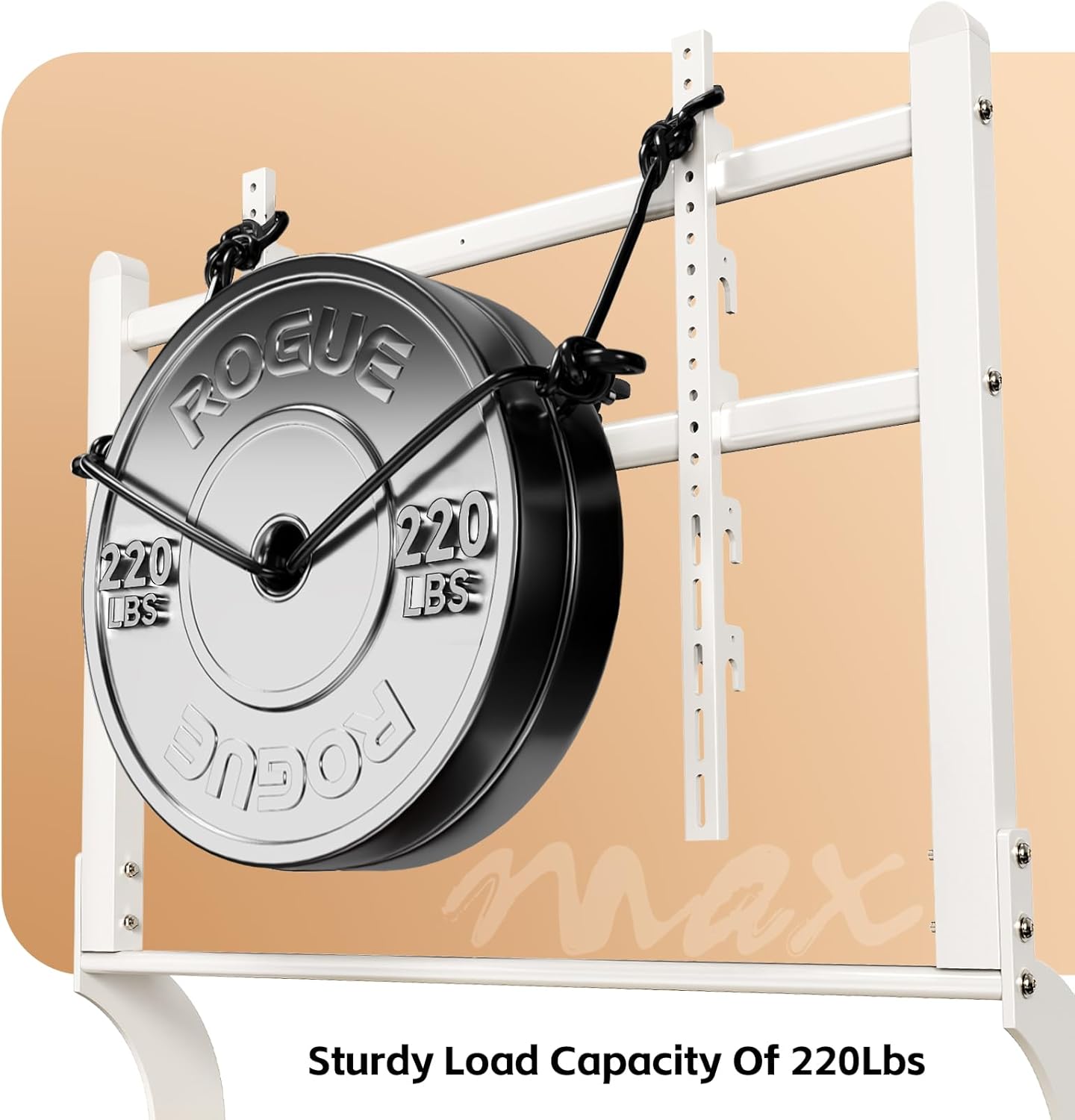
Image: Visual representation of the stand's 220 lbs load capacity, emphasizing its robustness.
Step 6: Cable Management and Anti-Tip Straps
Use the provided cable management clips or ties to organize and secure all cables, preventing tangles and trip hazards. Attach the anti-tip safety straps from the top of the TV stand to a wall stud or solid anchor point to prevent accidental tip-overs, especially in households with children or pets.
Operating Instructions
Moving the TV Stand
To move the TV stand, unlock all four caster wheels. Gently push the stand to its desired location. Once positioned, lock all four wheels to ensure stability and prevent unintended movement.
Adjusting TV Height
The TV mounting brackets allow for height adjustment. Loosen the securing bolts on the vertical TV mounting bars, adjust the TV to the preferred height (between 48.43" and 56.3"), and then securely tighten the bolts. Always ensure the TV is level after adjustment.

Image: Detailed dimensions of the TV stand, illustrating the adjustable height feature.
Utilizing Storage Shelves
The two wooden shelves are designed to hold various media components such as DVD players, gaming consoles (PS4, PS5, Xbox, Switch), soundbars, and other accessories. Distribute weight evenly on the shelves for optimal stability.
Maintenance
- Cleaning: Wipe the stand with a soft, dry cloth. For stubborn marks, use a slightly damp cloth with mild soap, then dry immediately. Avoid abrasive cleaners or solvents.
- Hardware Check: Periodically inspect all bolts, screws, and connections to ensure they are tight. Re-tighten if necessary to maintain stability.
- Wheel Functionality: Keep the caster wheels clean and free of debris to ensure smooth movement. Lubricate if needed.
Troubleshooting
| Problem | Possible Cause | Solution |
|---|---|---|
| Stand is unstable or wobbly. | Loose connections; uneven floor; overloaded shelves. | Ensure all bolts are securely tightened. Move to a level surface. Redistribute or reduce weight on shelves. |
| Caster wheels do not roll smoothly. | Debris in wheels; wheels locked. | Clear any obstructions from the wheels. Unlock the caster wheels. |
| TV is not level after mounting. | Brackets unevenly attached; stand on uneven surface. | Re-adjust TV mounting brackets. Ensure the stand is on a level surface. |
| Missing parts during assembly. | Packaging error. | Do not proceed with assembly. Contact BEISHI customer support immediately. |
Specifications
- Model: B0FMDJG3S2
- Brand: BEISHI
- Color: Cream White
- Compatible TV Sizes: 50-100 inches
- Maximum Weight Capacity: 220 lbs (100 kg)
- VESA Compatibility: 100x100mm to 900x600mm
- Height Adjustment Range: 48.43" - 56.3"
- Item Weight: 42.6 pounds
- Package Dimensions: 47.5 x 25 x 4.5 inches
- Shelves: 2-tier wooden shelves
- Mobility: Lockable caster wheels
- Assembly Required: Yes
Warranty and Support
For any questions, missing parts, or support needs regarding your BEISHI Arc-shaped Art Mobile TV Stand, please contact BEISHI customer service. Refer to your purchase documentation for specific warranty details. Keep your proof of purchase for warranty claims.
You can visit the official BEISHI store for more information: BEISHI Store on Amazon