
1. Important Safety Instructions
Read all instructions carefully before using the dehumidifier. Keep this manual for future reference.
- Electrical Safety: Ensure the unit is plugged into a grounded electrical outlet with the correct voltage. Do not use extension cords or adapter plugs. Do not operate the unit with a damaged power cord or plug.
- Placement: Place the dehumidifier on a stable, level surface. Maintain at least 8 inches (20 cm) of clearance around the unit for proper airflow. Do not block air inlets or outlets. Avoid placing near heat-generating appliances or in direct sunlight.
- Water Handling: Do not drink the collected water. Empty the water tank regularly or ensure the continuous drain hose is properly connected to prevent overflow.
- Maintenance: Always unplug the dehumidifier before cleaning or performing any maintenance. Do not attempt to repair or disassemble the unit yourself. Contact qualified service personnel for repairs.
- Children and Pets: Keep children and pets away from the dehumidifier. Ensure they do not play with the unit or access the water tank.
- Operation: Do not operate the unit in areas where flammable gases or liquids are stored. Do not insert objects into the air outlets.
2. Product Overview
The Waykar 80 Pints Energy Star Dehumidifier is designed to efficiently remove moisture from indoor spaces, improving air quality and comfort. It features a user-friendly control panel and multiple operating modes.
Key Features:
- High Capacity: Removes up to 80 pints of moisture per day, suitable for spaces up to 5,000 sq. ft.
- Energy Star Certified: Engineered for energy efficiency, reducing power consumption.
- Adjustable Humidity: Allows setting desired humidity levels from 30% to 80% Relative Humidity (RH).
- Auto Swing Airflow: Features a 30-90° auto swing range for even air circulation.
- Quiet Operation: Operates at a low noise level, down to 42 dB.
- 24-Hour Timer: Program the unit to turn on or off automatically.
- Auto Defrost: Automatically prevents frost buildup on coils in low-temperature environments.
- Auto Memory Restart: The unit restarts with previous settings after a power outage.
- Drainage Options: Includes a 1.14-gallon (4.3L) removable water tank with auto shut-off, and a 3.3 ft hose for continuous drainage.
- Washable Filter: Reusable and washable air filter for easy maintenance.
Product Components:
Familiarize yourself with the main parts of your dehumidifier:
- Control Panel
- Air Outlet with Auto Swing Louvers
- Air Inlet with Washable Filter
- Removable Water Tank
- Continuous Drain Outlet
- Power Cord
- Casters (for easy movement)
- Integrated Handle

Figure 2.1: Front view of the Waykar 80 Pints Dehumidifier.

Figure 2.2: Detachable and washable water tank with dimensions (1.14 Gallons).
3. Setup
Unpacking:
- Carefully remove the dehumidifier from its packaging.
- Remove all packing materials, including any tape or protective films.
- Inspect the unit for any shipping damage. If damaged, do not operate and contact customer support.
Placement:
- Place the dehumidifier in a room where humidity control is desired.
- Ensure the unit is placed on a firm, level surface that can support its weight when the water tank is full.
- For optimal performance, ensure there is at least 8 inches (20 cm) of space on all sides of the unit to allow for proper air circulation.
- Close all doors and windows in the room to maximize dehumidification efficiency.
- Avoid placing the unit in direct sunlight or near heat sources.
Initial Power-On:
- After placing the unit, allow it to stand upright for at least 24 hours before plugging it in. This allows the refrigerant to settle.
- Plug the power cord into a grounded electrical outlet.
- The unit will emit a beep and the display will light up briefly, indicating it is in standby mode.
4. Operating Instructions
The dehumidifier features an intuitive control panel for easy operation.
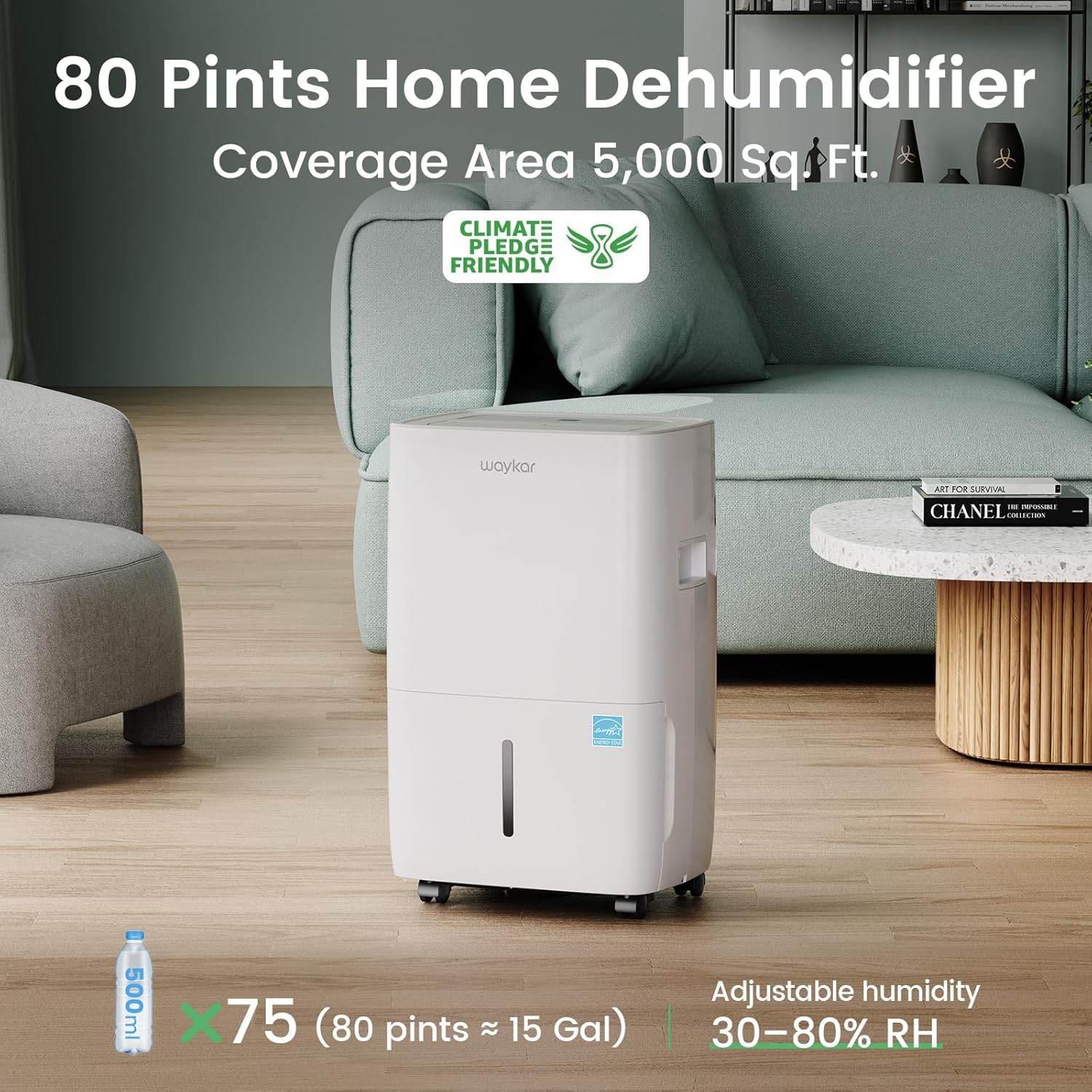
Figure 4.1: Smart Control Panel Layout.
Control Panel Functions:
- Power Button: Press to turn the unit ON or OFF.
- Humidity Setting Buttons (+/-): Adjust the desired humidity level from 30% to 80% RH in 5% increments. The unit will operate until the set humidity is reached.
- Fan Speed Button: Select between two fan speeds (Low/High) for different dehumidification needs.
- Timer Button: Set the 24-hour timer for automatic ON/OFF operation.
- Swing Button: Activates or deactivates the auto swing function of the air outlet louvers (30-90° range).
- Display: Shows the current room humidity or timer settings.
- Power Full Indicator: Lights up when the water tank is full or improperly installed.
Operating Modes:
- Auto Mode: The unit automatically adjusts its operation based on the ambient humidity to maintain the set level.
- Continuous Mode: The unit will continuously dehumidify regardless of the ambient humidity level. This mode is useful for very damp conditions.
Special Functions:
- Auto Defrost: If frost builds up on the evaporator coils, the unit will automatically enter defrost mode to melt the frost. Dehumidification will resume once defrosting is complete.
- Auto Memory Restart: In case of a power interruption, the dehumidifier will automatically restart with the last used settings once power is restored.

Figure 4.2: Auto swing airflow for even distribution.

Figure 4.3: Quiet operation in a bedroom environment.
5. Drainage Options
The Waykar dehumidifier offers two methods for water removal: manual emptying of the water tank or continuous drainage via a hose.
Manual Drainage (Water Tank):
- When the water tank is full, the unit will automatically shut off, and the "Power Full" indicator will illuminate.
- Carefully pull out the water tank from the front of the unit.
- Empty the collected water into a sink or drain.
- Replace the empty water tank firmly back into the unit. Ensure it is correctly seated to resume operation.
Continuous Drainage (Hose):
For extended operation without needing to empty the tank, use the continuous drainage option.
- Locate the continuous drain outlet on the back of the dehumidifier.
- Remove the drain plug.
- Connect the included 3.3 ft drain hose to the outlet. Ensure the connection is secure and the drain valve is fully tightened to prevent leaks.
- Route the hose to a suitable drain (e.g., floor drain, large bucket) ensuring it is sloped downwards to allow gravity to drain the water. Do not allow the hose to kink or be elevated above the drain outlet.
- The unit will now continuously drain water, bypassing the internal tank.
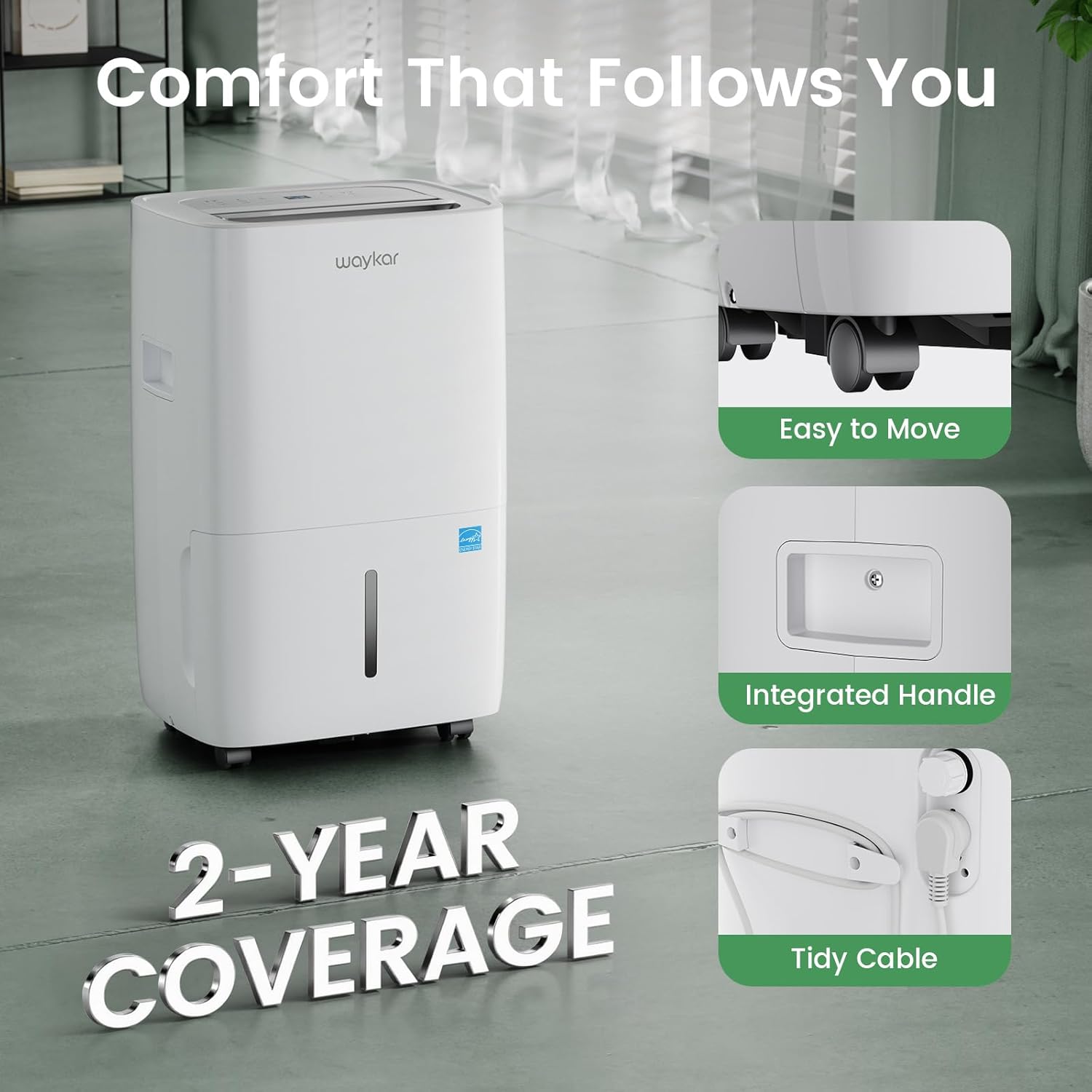
Figure 5.1: Manual and continuous drain setup.
6. Maintenance
Regular maintenance ensures optimal performance and extends the lifespan of your dehumidifier.
Cleaning the Air Filter:
The reusable and washable air filter should be cleaned every two weeks or more frequently depending on usage and air quality.
- Unplug the dehumidifier from the power outlet.
- Remove the air filter from the back of the unit.
- Rinse the filter under running tap water (not hot water) or use a vacuum cleaner to remove dust and debris.
- Allow the filter to air dry completely before reinstalling it. Do not expose to direct sunlight or high heat.
- Reinstall the dry filter into the unit.

Figure 6.1: Cleaning the detachable and washable air filter.
Cleaning the Water Tank:
Clean the water tank periodically to prevent mold and mildew growth.
- Remove the water tank from the unit.
- Wash the tank with mild detergent and warm water.
- Rinse thoroughly and dry completely before placing it back into the dehumidifier.
Unit Exterior Cleaning:
Wipe the exterior of the unit with a soft, damp cloth. Do not use harsh chemicals, abrasives, or solvents.
Long-Term Storage:
If the dehumidifier will not be used for an extended period:
- Unplug the unit and empty the water tank.
- Clean the air filter and the water tank.
- Allow the unit to dry for at least 24 hours in a well-ventilated area to prevent mold growth.
- Wrap the power cord and secure it.
- Store the unit upright in a cool, dry place, away from direct sunlight and extreme temperatures.
7. Troubleshooting
Before contacting customer support, refer to the following troubleshooting guide for common issues.
| Problem | Possible Cause | Solution |
|---|---|---|
| Dehumidifier does not turn on. | No power supply; Power cord damaged; Water tank full or improperly installed. | Check power connection; Inspect power cord; Empty and correctly reinstall water tank. |
| Unit runs but does not dehumidify. | Air filter clogged; Room temperature too low (below 41°F/5°C); Humidity setting too high; Doors/windows open. | Clean air filter; Unit may be in defrost mode, wait for it to complete; Lower desired humidity setting; Close doors and windows. |
| Unit is noisy. | Unit not on a level surface; Air filter clogged; Obstruction in fan. | Place on a level surface; Clean air filter; Check for and remove any obstructions. |
| Water leaks from the unit. | Water tank improperly installed; Continuous drain hose loose or kinked. | Reinstall water tank correctly; Ensure continuous drain hose is securely connected, not kinked, and sloped downwards. |
| Frost on coils. | Operating in low temperatures. | This is normal. The unit will automatically enter defrost mode. Dehumidification will resume after defrosting. |
8. Specifications
| Specification | Value |
|---|---|
| Brand | Waykar |
| Model Name | JD-CE |
| Item Model Number | JD025CE-80 |
| Dehumidification Capacity | 80 Pints per Day |
| Floor Area Coverage | 5000 Square Feet |
| Tank Volume | 1.14 Gallons (4.3 Liters) |
| Product Dimensions (D x W x H) | 9.84"D x 13.39"W x 21.86"H |
| Item Weight | 31 Pounds |
| Wattage | 275 watts |
| Number of Speeds | 2 |
| Operation Mode | Auto Mode, Continuous Mode |
| Upper Temperature Rating | 95 Degrees Fahrenheit |
| Special Features | Energy Star Certified, Auto swing, 1-24 Hour Timer, Reusable Washable Filter, Quiet operation, Auto defrost, Overload protection |
| Included Components | Detachable & Washable Filter x 1, Drain Hose (3.3 ft), Power Cord, Visible Water Tank x 1, Waykar 80 Pint Dehumidifier x 1 |
9. Warranty and Support
Waykar is committed to providing reliable products and excellent customer service.
- 2-Year Coverage: Your Waykar dehumidifier is covered by a 2-year warranty.
- 30-Day Hassle-Free Returns: Refer to your purchase platform's return policy for details.
- Lifetime Expert Support: Our dedicated customer support team is available 24/7 to assist with any questions or concerns you may have regarding your product.
For assistance, please visit the official Waykar website or contact their customer service directly.
10. Product Videos
Waykar 80 Pints Energy Star Dehumidifier Overview
This video provides an overview of the Waykar 80 Pints Energy Star Dehumidifier's features, including its capacity, quiet operation, auto-swing, timer, and energy efficiency.
Waykar 80 Pints Dehumidifier for 5,000 Sq. Ft Features
This video showcases the Waykar 80 Pints Energy Star Dehumidifier's effectiveness in reducing humidity, its smart features like auto-restart and auto-defrost, and easy maintenance options.


