
AULA F2066
AULA F2066 Mechanical Keyboard User Manual
Model: F2066
Introduction
This manual provides detailed instructions for the AULA F2066 Mechanical Keyboard. Please read this guide thoroughly before using the product to ensure proper setup, operation, and maintenance. This keyboard features Blue Switch mechanical keys, customizable RGB lighting, and a durable metal frame, suitable for both gaming and professional use.
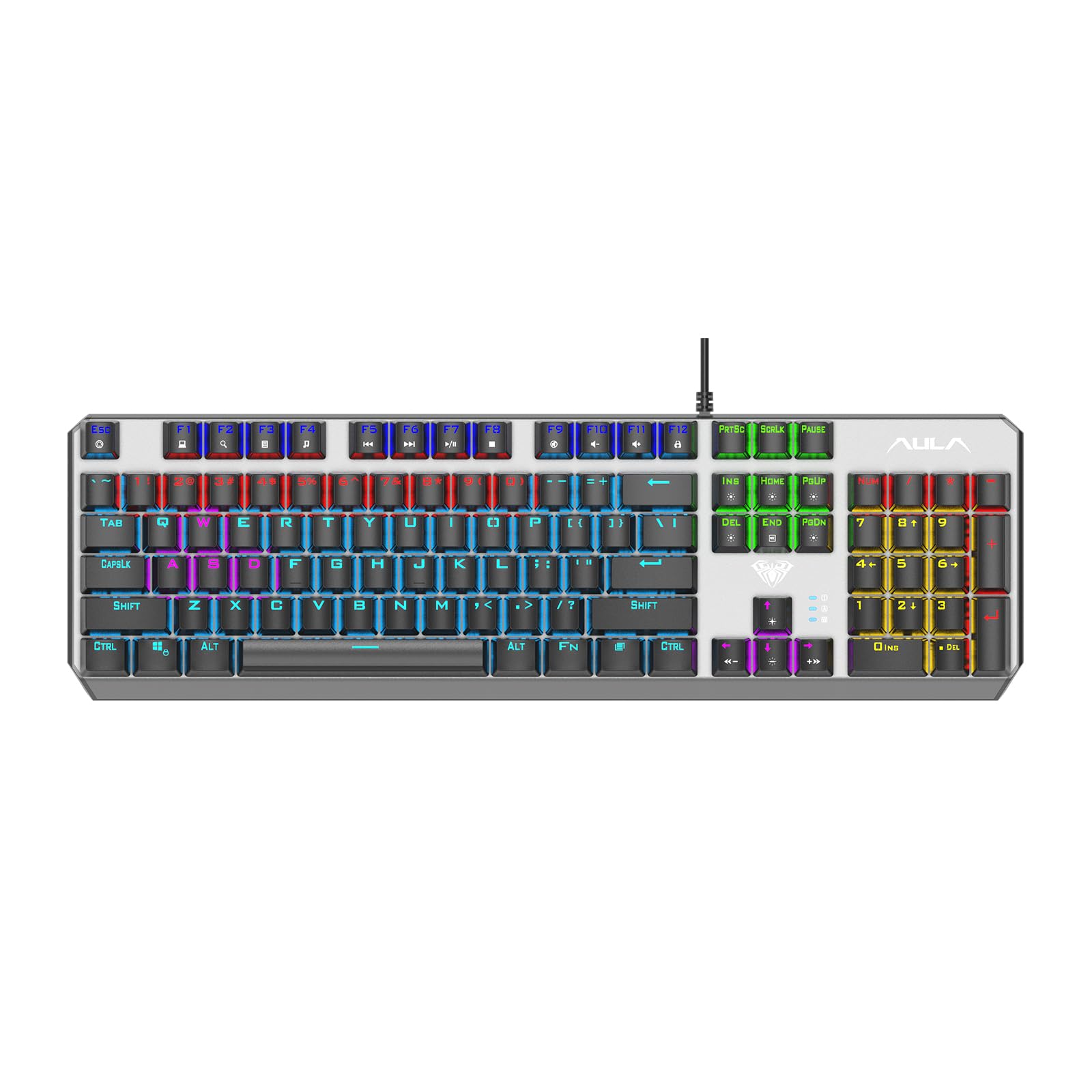
Image: The AULA F2066 mechanical keyboard, showcasing its full layout and vibrant RGB backlighting.

Image: A close-up view of the AULA F2066 keyboard highlighting its simple and stylish metal panel construction.
Setup Instructions
- Unpacking: Carefully remove the keyboard from its packaging. Ensure all components are present: the AULA F2066 keyboard and the USB-A cable.
- Connection: Connect the USB-A cable from the keyboard to an available USB-A port on your computer.
- Driver Installation: The keyboard is plug-and-play and typically does not require additional driver installation. Your operating system should automatically detect and configure the device.
- Placement: Place the keyboard on a stable, flat surface. Adjust the keyboard feet if desired for a more comfortable typing angle.
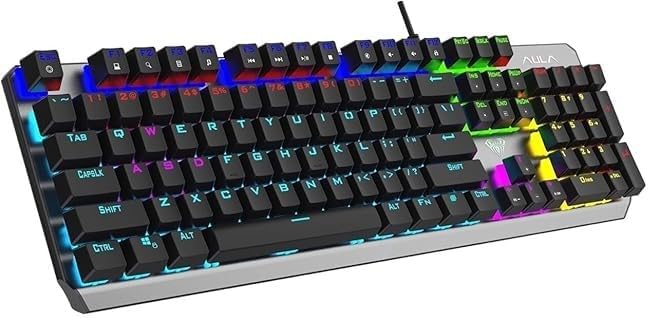
Image: A close-up view of the AULA F2066 keyboard, ready for connection to a computer.
Operating Instructions
Key Features:
- Blue Switch Mechanical Keys: Experience fast response and a distinct click sound with tactile feedback, ideal for typing and gaming.
- Customizable RGB Lighting: The keyboard features multiple RGB lighting effects. Use the function keys to cycle through different modes and adjust brightness.
- Durable Metal Frame: The robust metal construction ensures high durability and stability during intensive use.
- Versatile Use: Optimized for both gaming and work, providing excellent performance in fast-paced games and efficient typing.

Image: Detailed view of the mechanical switch (Needle Mechanical Shaft) used in the AULA F2066 keyboard, illustrating its design for a smart feel.
Multimedia Key Combinations:
The AULA F2066 keyboard includes multimedia function keys accessible via the FN key combined with the F1-F12 keys. Refer to the image below for specific functions.

Image: Diagram illustrating the multimedia key combinations (FN+F1 to FN+F12) and other special functions like lighting effects and N-key rollover.
- FN + F1: My Computer
- FN + F2: Search
- FN + F3: Calculator
- FN + F4: CD Player
- FN + F5: Previous Song
- FN + F6: Next Song
- FN + F7: Play/Pause
- FN + F8: Stop
- FN + F9: Mute
- FN + F10: Volume Down
- FN + F11: Volume Up
- FN + F12: Lock/Unlock Full Keyboard
- FN + WIN-L: Lock WIN + APP keys
- FN + PRT SC: 6-Key Rollover (6KRO)
- FN + SCRLK: N-Key Rollover (NKRO)
- FN + (+/-): Adjust lighting speed
RGB Lighting Control:
The keyboard offers various lighting effects. Use the dedicated lighting control keys (often located near the arrow keys or function row) to cycle through different modes, adjust brightness, and change speed. Refer to the keyboard layout for specific key assignments.

Image: The AULA F2066 keyboard highlighting its capability for 20 different lighting effects, enhancing the gaming experience.
N-Key Rollover (NKRO) Support:
The AULA F2066 supports N-Key Rollover (NKRO) mode, which allows all keys to be registered simultaneously, preventing ghosting or missed key presses during rapid input. This is particularly beneficial for gaming. The keyboard also supports 6-Key Rollover (6KRO) mode. Use FN + SCRLK for NKRO and FN + PRT SC for 6KRO.

Image: Illustration showing the N-Key Rollover feature of the AULA F2066 keyboard, ensuring all key presses are registered accurately.
Maintenance
- Cleaning: Use a soft, dry cloth to wipe the surface of the keyboard. For dust between keys, use compressed air. Avoid using liquid cleaners directly on the keyboard.
- Keycap Removal: If necessary, keycaps can be carefully removed for deeper cleaning using a keycap puller (not included). Be gentle to avoid damaging the switches.
- Storage: When not in use for extended periods, store the keyboard in a dry, dust-free environment.
- Avoid Spills: Keep liquids away from the keyboard to prevent damage to the internal components.
Troubleshooting
| Problem | Solution |
|---|---|
| Keyboard not responding. |
|
| RGB lighting not working or stuck. |
|
| Certain keys not working. |
|
Specifications
| Feature | Detail |
|---|---|
| Brand | AULA |
| Model Number | F2066 |
| Connectivity Technology | USB Type A |
| Keyboard Description | Mechanical (Blue Switch) |
| Special Features | Backlit (RGB) |
| Compatible Devices | Computer |
| Recommended Uses | Business, Gaming |
| Color | Black |
| Material | Metal |
| Product Dimensions (LxWxH) | 40 x 20 x 7 cm |
| Item Weight | 150 grams |
| Country of Origin | China |
Warranty Information
This product may be eligible for extended warranty plans offered by third-party providers. Please review the options below for additional coverage:
- 1-Year Extended Warranty: Available from Boxy. Delivery via email.
- 2-Year Extended Warranty: Available from Boxy. Delivery via email.
For details on coverage, terms, and conditions, please refer to the specific warranty plan documentation provided by the third-party provider.
Support
For technical assistance, product inquiries, or further support, please contact the retailer or manufacturer directly. Refer to your purchase documentation for specific contact information.
Manufacturer: AULA
Related documentsF2066


Ask a question about this manual
Ask about setup, troubleshooting, compatibility, parts, safety, or missing instructions. Manuals+ will review the question and use this page’s manual context to help answer it.