
1. Introduction
The CARABC DB601 is an intelligent navigation system specifically designed for BMW motorcycles equipped with a 3-pin interface. This device integrates advanced features such as wireless CarPlay and Android Auto, providing a seamless and enhanced riding experience. It features a high-definition, anti-glare touchscreen display and is built to withstand various environmental conditions.

Figure 1: CARABC DB601 Touchscreen device with Android Auto and Apple CarPlay logos.
2. Setup and Installation
The CARABC DB601 is designed for plug-and-play installation on compatible BMW motorcycles. Ensure your motorcycle has the necessary 3-pin interface for proper connection.
2.1 Device Placement
The device securely attaches to the BMW original navigation base. Align the connectors on the underside of the DB601 with the motorcycle's subframe interface and gently push until it clicks into place.

Figure 2: Quick and non-destructive installation of the DB601 onto the BMW navigation base.
2.2 Initial Power-On
Once securely mounted, turn on your motorcycle's ignition. The DB601 should power on automatically. If not, ensure all connections are firm.
2.3 Video Guide: Unboxing and Installation
Video 1: Detailed unboxing and installation guide for the CARABC DB601 on a BMW motorcycle.
3. Operating Instructions
3.1 CarPlay and Android Auto Connectivity
The DB601 supports wireless CarPlay and Android Auto. To connect your smartphone:
- Ensure Bluetooth and Wi-Fi are enabled on your smartphone.
- On the DB601, navigate to the connectivity settings.
- Select either CarPlay or Android Auto.
- Pair your phone via Bluetooth as instructed on the screen.
- Once paired, the system will automatically establish a Wi-Fi connection for CarPlay/Android Auto functionality.

Figure 3: Dual Bluetooth 5.0 connectivity for seamless smartphone and helmet pairing.
3.2 Control Methods
The DB601 offers multiple ways to interact with its interface:
- Touchscreen Control: Directly interact with the 6-inch HD display.
- BMW 'Magic Wheel' Control: Utilize your motorcycle's original control wheel for navigation and selection within the CarPlay/Android Auto interface.
- Voice Control: Access Siri or Google Assistant for hands-free commands, such as navigation or music playback.

Figure 4: Various control methods including the BMW 'Magic Wheel' and touchscreen for navigation and media.

Figure 5: Voice control functionality for navigation and music.
3.3 Data Reading
The DB601 can display real-time data from your motorcycle, providing insights into engine performance and other key metrics. This includes speed, RPM, engine temperature, voltage, tire pressure (if TPMS is connected), and lean angle.
Video 2: Demonstration of the CARABC DB601 displaying motorcycle data and CarPlay features.
4. Key Features
- 1000-Nit Anti-Glare HD Display: The 6-inch, 1280x720 HD screen offers exceptional clarity and remains visible under various lighting conditions, including direct sunlight. It supports 60 FPS for smooth interactions.
- IP68 Waterproof Rating: Designed to withstand dust and water, ensuring reliable performance even in heavy rain. Note: Avoid using high-pressure washers directly on the screen.
- Integrated GPS: Provides accurate location tracking and navigation capabilities.
- 5G Wi-Fi and Bluetooth Connectivity: Stay connected with enhanced dual-Bluetooth technology and Wi-Fi, supporting Bluetooth helmets/headsets for music, navigation, and calls.

Figure 6: Key display and connectivity specifications of the DB601.
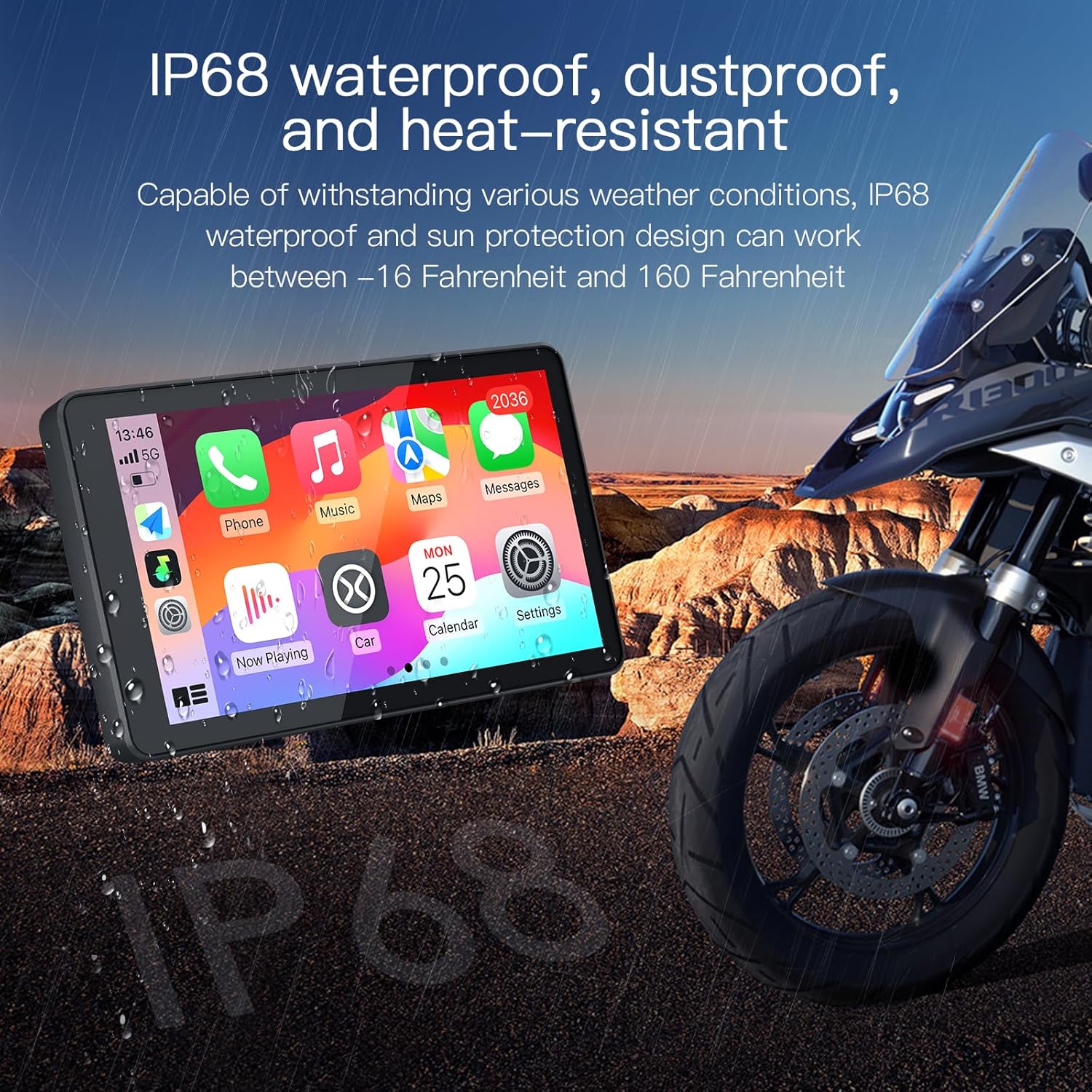
Figure 7: The DB601's IP68 waterproof, dustproof, and heat-resistant design.
5. Maintenance
To ensure the longevity and optimal performance of your CARABC DB601, follow these maintenance guidelines:
- Regularly clean the screen with a soft, lint-free cloth. Avoid abrasive materials or harsh chemicals.
- While the device is IP68 waterproof, do not expose it to high-pressure water jets, as this may cause damage.
- Ensure the device is securely mounted before each ride to prevent accidental detachment.
6. Troubleshooting
If you encounter any issues with your CARABC DB601, consider the following:
- Device Not Powering On: Check the connection to the motorcycle's power source. Ensure the motorcycle ignition is on.
- Connectivity Issues (CarPlay/Android Auto): Verify your smartphone's Bluetooth and Wi-Fi are active. Try restarting both your phone and the DB601. Ensure your phone is within range.
- Screen Glare: The 1000-nit anti-glare display is designed to minimize glare. Adjust your riding position or screen angle if glare persists.
- Unresponsive Touchscreen: Ensure the screen is clean and dry. If wearing gloves, ensure they are touchscreen-compatible.
For persistent issues or technical assistance, please refer to the Warranty and Support section.
7. Specifications
| Feature | Detail |
|---|---|
| Product Dimensions | 7.87 x 5.91 x 0.79 inches |
| Item Weight | 1.06 pounds |
| Model Name | DB601 |
| Vehicle Service Type | Motorcycle |
| Screen Size | 6 Inches |
| Special Feature | Built-In Bluetooth, Designed specifically for BMW motorcycles, Touchscreen, Waterproof |
| Connectivity Technology | Wireless |
| Map Type | Road |
| Included Components | Power cable |
| Mounting Type | Dashboard Mount |
| Touch Screen Type | Capacitive |
8. Warranty and Support
Every customer who purchases a CARABC DB601 is entitled to a 24-month warranty and lifetime technical support. If you have any questions during installation or use, please contact the seller directly for assistance.
CARabc offers one-on-one engineer support with professional guidance to help resolve potential issues. Please do not return the product directly without reaching out for assistance first.

Figure 8: The CARABC DB601 in use, providing navigation on a BMW motorcycle.


