
1. Introduction
This manual provides essential information for the proper setup, operation, and maintenance of your Fastrack Mynd Smart Watch. Please read this manual thoroughly before using the device to ensure optimal performance and longevity.
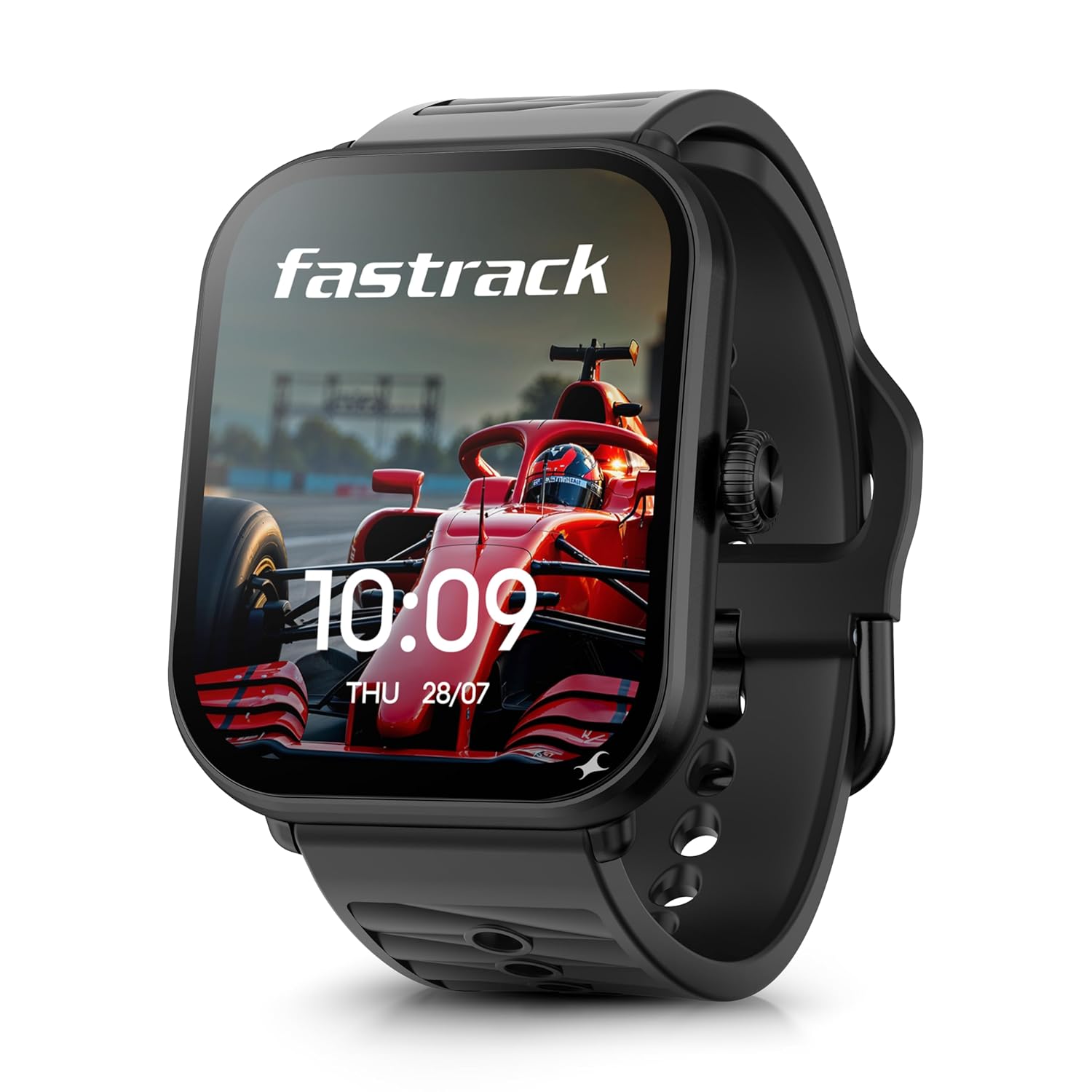
Image 1: Fastrack Mynd Smart Watch, Onyx Black.
The Fastrack Mynd Smart Watch features a 1.93-inch AMOLED display, AI-powered functionalities including AI Chat and customizable watch faces, offline voice commands, Bluetooth calling, and a comprehensive health suite. It is designed for daily wear and activity tracking.
2. Package Contents
Verify that all items are present in the package:
- Fastrack Mynd Smart Watch
- Magnetic Charging Cable
- Quick Start Guide
- Warranty Card
3. Setup Guide
3.1 Initial Charging
Before first use, fully charge your Fastrack Mynd Smart Watch.
- Connect the magnetic charging cable to the charging pins on the back of the watch.
- Connect the USB end of the cable to a compatible USB power adapter (not included) or a computer's USB port.
- The watch display will indicate charging status. A full charge takes approximately 70 minutes.
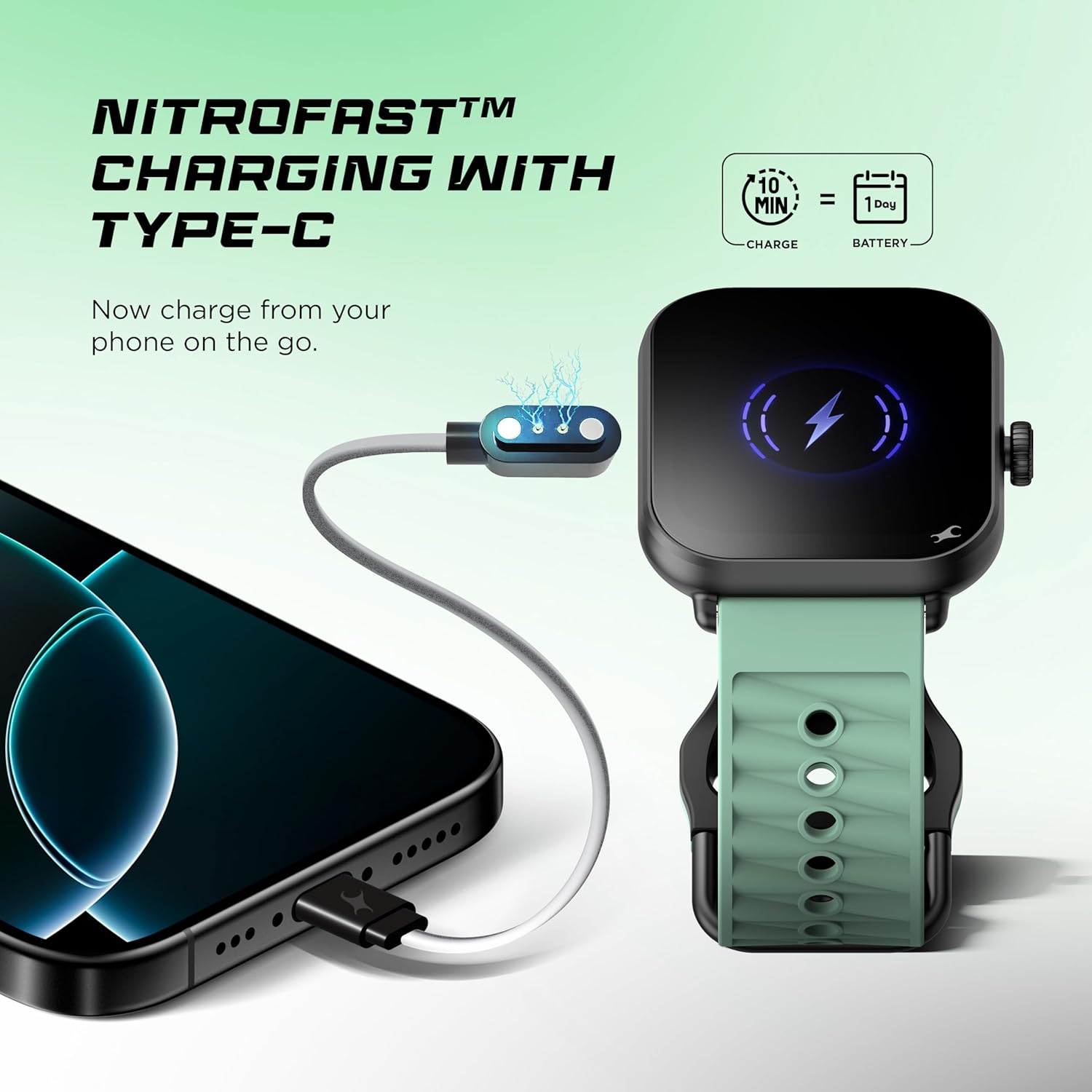
Image 2: Charging the Fastrack Mynd Smart Watch.
The watch features NitroFast™ charging, providing approximately one day of battery life with just 10 minutes of charging.
3.2 Pairing with Smartphone
To access all smart features, pair your watch with a compatible smartphone (Android 9.0+ or iOS 16+).
- Download the official Fastrack companion application from your smartphone's app store.
- Ensure Bluetooth is enabled on your smartphone.
- Open the Fastrack application and follow the on-screen instructions to add a new device.
- Select "Fastrack Mynd" from the list of available devices.
- Confirm the pairing request on both your watch and smartphone.
4. Operating Instructions
4.1 Display and Navigation
The Fastrack Mynd features a 1.93-inch AMOLED touchscreen display and a functional crown for navigation.
- Touchscreen: Swipe left, right, up, or down to navigate through menus and notifications. Tap to select items.
- Functional Crown: Rotate the crown to scroll through lists or adjust settings. Press the crown to return to the home screen or confirm selections.
- Always-On Display: This feature allows the time and essential information to remain visible without needing to activate the screen fully.
- Multiple Menu Styles: Customize the appearance of your watch's menu interface through the settings.
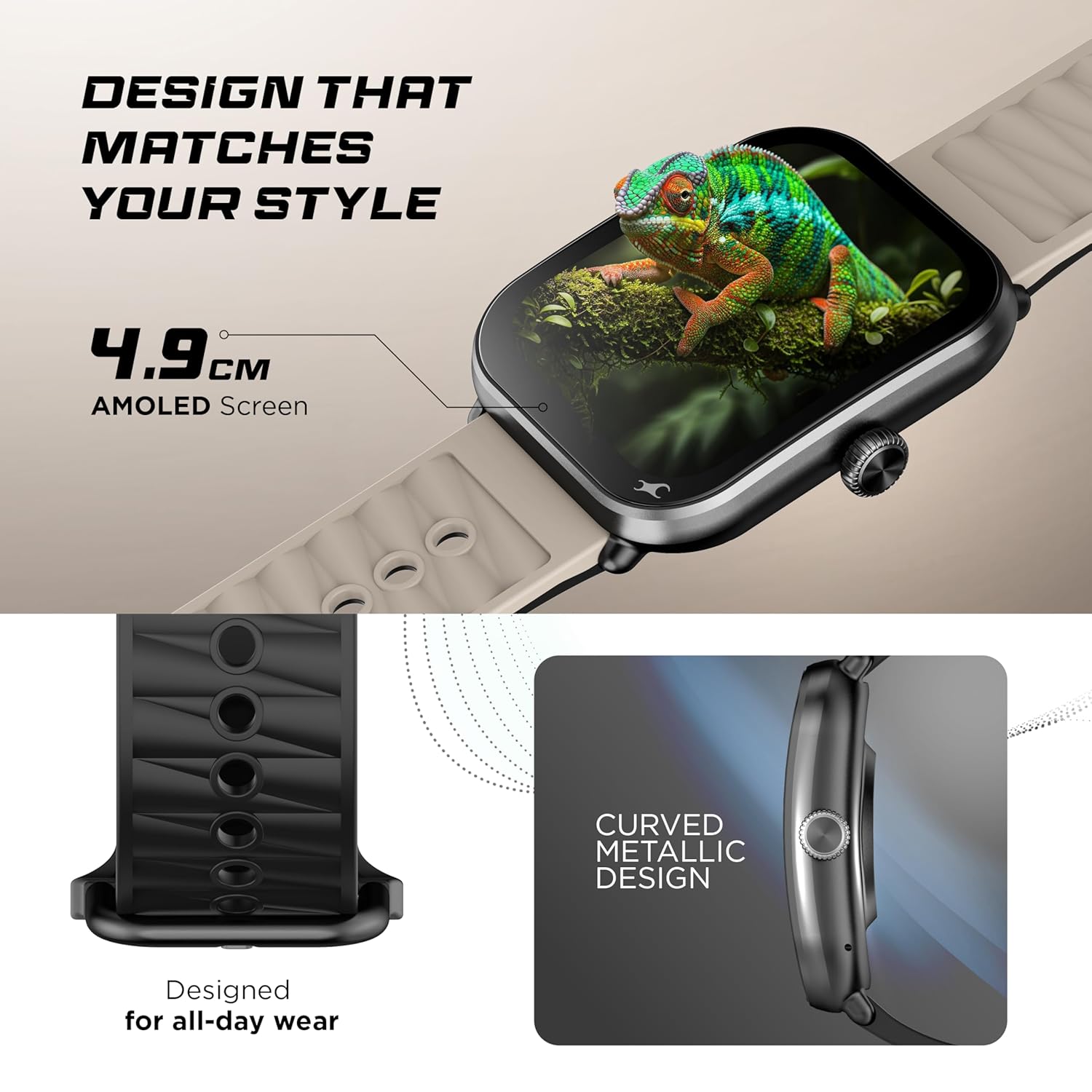
Image 3: Fastrack Mynd Smart Watch design and display.
4.2 AI Features and Watch Faces
Your Fastrack Mynd Smart Watch integrates Artificial Intelligence for enhanced personalization and interaction.
- AI Watch Faces: Generate unique watch faces based on your preferences. Access this feature through the watch or the companion app.
- AI Chat: Engage with the AI Chat feature for quick information or assistance directly from your wrist.
- Offline Voice Commands: Control various watch functions using your voice, even without an internet connection.

Image 4: AI Watch Faces and AI Chat functionality.

Image 5: AI Chat in action on the Fastrack Mynd Smart Watch.
4.3 Bluetooth Calling
The watch supports Bluetooth calling for convenient communication.
- Ensure your watch is paired with your smartphone via Bluetooth.
- Answer or make calls directly from your watch using the built-in microphone and speaker.
4.4 Health Monitoring
The Fastrack Mynd Smart Watch includes a comprehensive health suite to track your well-being.
- Heart Rate Monitoring (HRM): Continuous 24/7 heart rate tracking.
- SpO2 Monitoring: Measure your blood oxygen saturation levels.
- Sleep Tracking: Monitor your sleep patterns, including Nap and REM sleep.
- Stress Tracking: Assess and track your stress levels.
- Women's Health: Dedicated tracking features for women's health.
- 100+ Multisport Modes: Track various activities and workouts with detailed metrics.
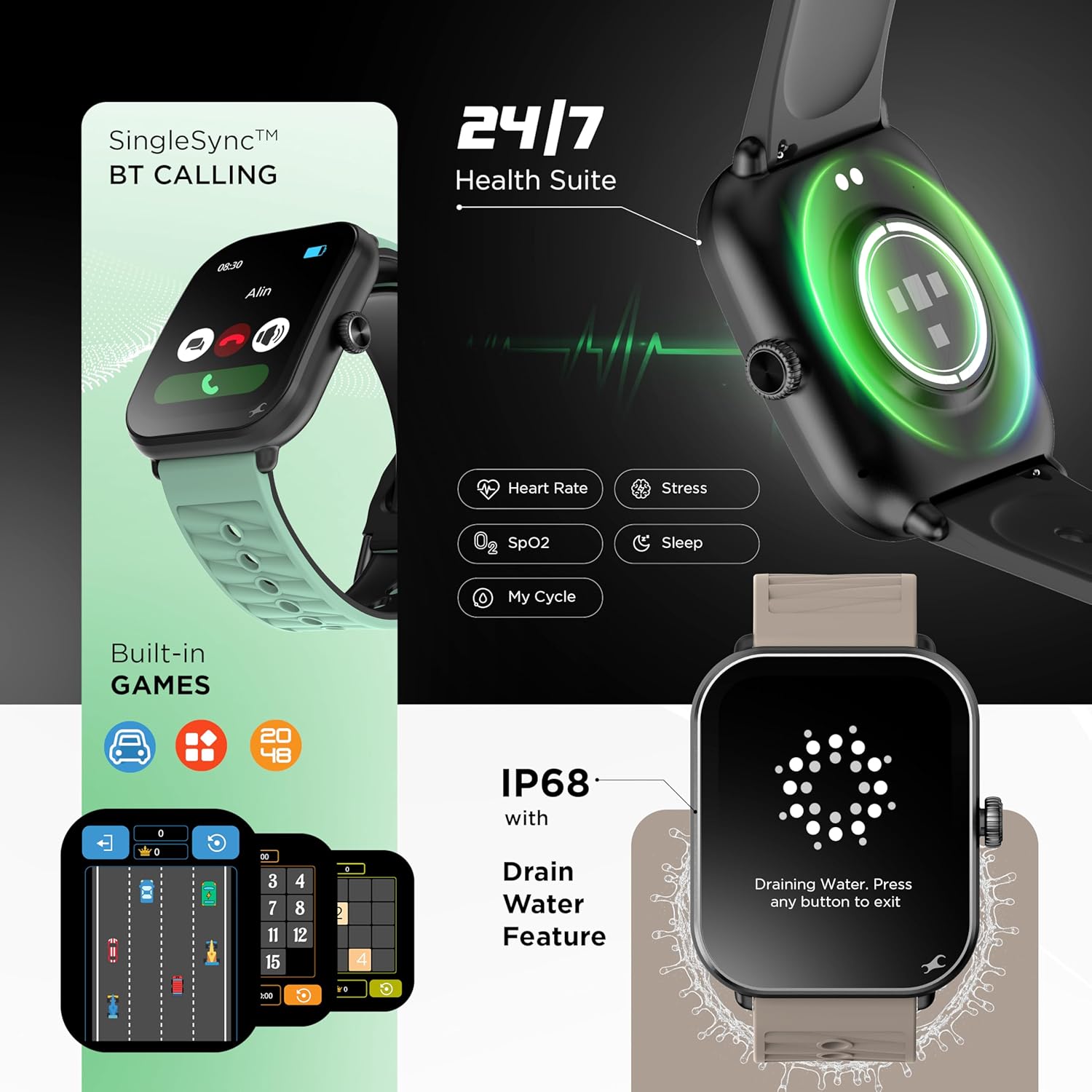
Image 6: Health Suite and Bluetooth Calling features.
4.5 Productivity Tools and Other Features
The watch offers several utility features:
- Calculator
- Calendar
- Stopwatch
- Timer
- Flashlight
- Password Protection
- SOS Mode
- Find My Phone
- Camera Control
- Built-in Games
5. Maintenance and Care
- Cleaning: Wipe the watch and strap regularly with a soft, dry cloth. For stubborn dirt, use a slightly damp cloth and mild soap, then rinse and dry thoroughly.
- Water Resistance: The watch has an IP68 rating for water and dust resistance. This means it can withstand immersion in water up to 1.5 meters for 30 minutes. Avoid hot water, steam, or prolonged submersion.
- Drain Water Feature: After exposure to water, use the watch's drain water feature to expel any trapped moisture from the speaker and microphone.
- Avoid Chemicals: Do not expose the watch to harsh chemicals, solvents, or detergents, as these can damage the materials.
- Storage: Store the watch in a cool, dry place when not in use.
6. Troubleshooting
| Problem | Possible Solution |
|---|---|
| Watch does not turn on | Ensure the watch is fully charged. Connect to the magnetic charger and wait for the charging indicator. |
| Cannot pair with smartphone |
|
| Inaccurate health data | Ensure the watch is worn snugly on your wrist, not too tight or too loose. Clean the sensor area regularly. |
| Short battery life |
|
| Voice commands not responding | Ensure the microphone is not obstructed. Speak clearly and at a normal volume. Check watch settings for voice command activation. |
7. Specifications
| Feature | Detail |
|---|---|
| Brand | Fastrack |
| Model Name | Fastrack MYND |
| Model Number | 38184PP01K |
| Display Size | 1.93 Inches (4.9 cm) |
| Display Type | AMOLED |
| Memory Storage Capacity | 256 MB |
| Operating System | Smartwatch OS |
| Compatible Devices | Smartphone (Android 9.0+, iOS 16+) |
| Special Features | Activity Tracker, Heart Rate Monitor, Multisport Tracker, Phone Call, Stress Tracking, AI Chat, AI Watch Faces, Offline Voice Commands |
| Connectivity Technology | Bluetooth |
| Battery Average Life | 5 Days |
| Charging Time | 70 Minutes |
| Battery Type | Lithium Polymer |
| Water Resistance | IP68 |
| Item Weight | 45 g |
| Country of Origin | India |
8. Warranty and Support
Your Fastrack Mynd Smart Watch comes with a warranty. Please refer to the included Warranty Card for detailed terms and conditions, including the warranty period and coverage.
For technical support, service, or further inquiries, please contact Fastrack customer service. Contact information can typically be found on the Warranty Card or the official Fastrack website.
Manufacturer: Titan Company Limited 3 Sipcot Industries complex, Hosur- 635126


