
1. Introduction
The AOTOS Smart Rideable Luggage L2 is an innovative carry-on suitcase designed to enhance your travel experience. It features a durable hardshell, integrated motor for rideable functionality, app control, and a removable power bank for charging devices. This manual provides essential information for safe and efficient use of your luggage.
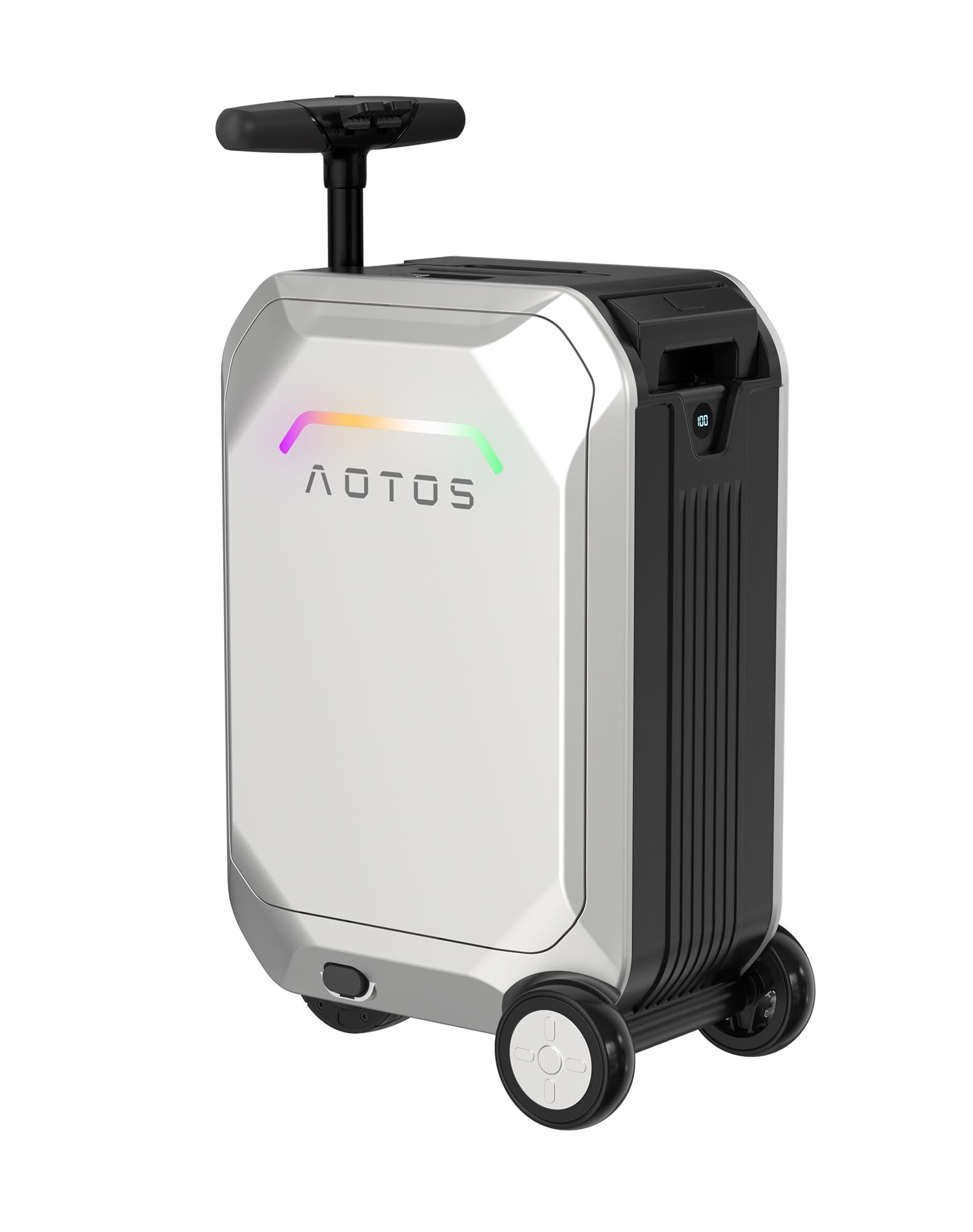
Image 1: The AOTOS Smart Rideable Luggage L2 in Silver, showcasing its sleek design and integrated lighting.
2. Safety Information
Please read all safety warnings and instructions before operating the AOTOS Smart Rideable Luggage L2. Failure to follow these instructions may result in injury or damage to the product.
- Battery Safety: The luggage contains a removable lithium-ion battery. For air travel, the battery MUST be removed from the luggage and carried in your carry-on bag. Always check with your airline for specific regulations regarding lithium-ion batteries.
- Riding Safety: Always wear appropriate safety gear, including a helmet, when riding the luggage. Do not exceed the maximum load capacity of 242 lbs (110 kg). Avoid riding on uneven surfaces, wet conditions, or in crowded areas. Maintain a safe speed and be aware of your surroundings.
- Age Restriction: This product is intended for adults.
- Charging: Use only the provided charger and power bank. Do not attempt to charge the battery with unauthorized equipment.
- Maintenance: Do not attempt to disassemble or repair the motor or battery components. Contact customer support for assistance.
3. Setup
3.1 Unboxing and Initial Inspection
Carefully remove all components from the packaging. Verify that all items are present:
- AOTOS Smart Rideable Luggage L2
- Removable Power Bank
- Power Bank Charger
- User Manual (this document)
3.2 Charging the Power Bank
Before first use, fully charge the removable power bank. Connect the provided charger to the power bank's input port and plug it into a wall outlet. The power bank's display will indicate the charging status.
3.3 Inserting the Power Bank
Locate the power bank compartment on the luggage, typically near the telescopic handle. Insert the fully charged power bank into the compartment. Ensure it is securely connected to power the luggage's smart features and motor.

Image 2: A user charging their phone from the integrated power bank of the AOTOS luggage while seated.
3.4 Setting the TSA Combination Lock
The luggage features a built-in TSA-approved combination lock. The factory default code is usually 0-0-0. To set your personal code:
- Open the lid and unzip the gauze on the top to access the lock mechanism.
- Locate the reset button (often a small lever or button) next to the dials.
- Push the reset button/lever to the 'B' position (or as indicated).
- Set your desired 3-digit combination.
- Push the reset button/lever back to the 'A' position (or as indicated) to confirm your new code.

Image 3: A close-up view of the TSA-approved combination lock, highlighting the dials and reset mechanism.
4. Operating Instructions
4.1 Riding Mode Activation
- Press the handle button to pull up the riding pole of the luggage.
- Extend the telescopic foot pedals on both sides.
- Hold the riding handle and press the rotation button, then rotate it 90 degrees outward to position it for riding.
- Press the power button of the power bank to turn on the motor.

Image 4: A person comfortably riding the AOTOS luggage through an airport terminal, demonstrating its mobility.
4.2 Using the Riding Controls
- Accelerator: Located on the right side of the handle. Press to move forward.
- Brake: Located on the left side of the handle. Press to slow down or stop.
- Reverse: Press and hold both the accelerator and brake simultaneously to engage reverse.

Image 5: A detailed view of the riding handle, showing the accelerator and brake levers for intuitive control.
4.3 App Control
Download the AOTOS app to your smartphone for advanced control and monitoring:
- Speed and Direction: Control the luggage's movement remotely.
- Battery Life: Monitor the remaining battery charge.
- Self-Diagnostic Alerts: Receive notifications for potential issues.
- Ambient Lighting: Customize the luggage's integrated LED lights.

Image 6: A user interacting with the AOTOS mobile application to control the luggage, displaying its smart features.
4.4 Standard Luggage Mode
When not in riding mode, the luggage functions as a standard carry-on. Retract the riding handle and foot pedals. Use the telescopic handle for pulling or the top handle for carrying.

Image 7: A person pulling the AOTOS luggage using its telescopic handle, demonstrating its use as a traditional carry-on.
4.5 Internal Storage and Access
The luggage features a 31L capacity with a top-opening hardshell design for easy access. It includes a padded laptop compartment (up to 14 inches), compression straps, and zippered pockets for organized storage.

Image 8: The AOTOS luggage opened, revealing a quick-access 14-inch laptop compartment and privacy-focused design.
5. Maintenance
- Cleaning: Wipe the hardshell exterior with a damp cloth. Avoid harsh chemicals.
- Wheels: Regularly check the inline skate wheels for debris and ensure smooth operation.
- Battery: Store the power bank in a cool, dry place when not in use. Charge it periodically to maintain battery health, even if not used frequently.
- Storage: Store the luggage in a dry environment, away from direct sunlight and extreme temperatures.
6. Troubleshooting
- Luggage not powering on: Ensure the removable power bank is fully charged and correctly inserted into its compartment. Press the power button on the power bank.
- Motor not engaging: Check if the riding handle is fully extended and rotated into the riding position. Verify the power bank is on and has sufficient charge.
- App connectivity issues: Ensure Bluetooth is enabled on your smartphone and the luggage. Restart the app and try reconnecting.
- Unusual noises or vibrations: Discontinue use immediately and contact customer support.
7. Specifications
| Feature | Specification |
|---|---|
| Model | L2 |
| Dimensions (L x W x H) | 14.2" x 9.9" x 21.7" (22x14x9in) |
| Weight | 22.7 lbs |
| Capacity | 31 Liters |
| Motor Power | 200W |
| Max Speed | 6.2 MPH |
| Max Load | 242 lbs |
| Battery Capacity | 92.5Wh (Removable) |
| Wheel Type | In-Line Skate (3 wheels) |
| Lock Type | TSA Combination Lock |
| Material | Acrylonitrile Butadiene Styrene (ABS) Hardshell |
8. Official Product Videos
AOTOS Compact Electric Scooter Suitcase You Ride
Video 1: This video demonstrates the compact design and electric scooter functionality of the AOTOS luggage, showing how users can ride it for convenient travel.
Why Choose AOTOS Smart Luggage Scooter Suitcase?
Video 2: This video highlights the key benefits and features of the AOTOS Smart Luggage, explaining why it's an ideal travel companion.
AOTOS Rideable Scooter Suitcase
Video 3: A demonstration of the AOTOS luggage in action, showcasing its rideable scooter functionality and ease of use in various environments.
AOTOS Suitcase Scooter Carry On
Video 4: This video provides a comprehensive look at the AOTOS Suitcase Scooter, emphasizing its convenience as a carry-on and its integrated scooter feature.
9. Warranty and Support
AOTOS products are designed for durability and performance. For warranty information and customer support, please refer to the contact details provided on the official AOTOS website or your purchase documentation.
Protection plans are available for purchase:
- 4-Year Protection Plan: One-time payment of $84.99.
- Complete Protect: Monthly payment of $16.99, covering all eligible past and future purchases.
For further assistance, visit the AOTOS Store on Amazon.

