
SLuB HGD T2
SLuB Bluetooth 5.4 Wireless Earbuds HGD T2 User Manual
Model: HGD T2
1. Product Overview
The SLuB HGD T2 Wireless Earbuds feature advanced Bluetooth 5.4 technology, delivering stable connectivity and high-fidelity audio. Designed for comfort and versatility, these ear-hook style earbuds offer ENC noise cancellation for clear calls, IPX6 water resistance, and intuitive touch controls.

Image: SLuB HGD T2 Wireless Earbuds in their charging case, displaying battery levels on an LED screen.
Key Features

Image: Visual representation of the earbuds' key features: Noise Reduction, Bluetooth 5.4, Hi-Fi Sound Quality, Stable Fit, Battery Level Display, and Long Playback Time.
- Bluetooth 5.4 Technology: Ensures stable connection, reduced audio delay, and efficient power consumption.
- Hi-Fi Audio Quality: Equipped with high-sensitivity dynamic drivers for balanced sound reproduction, enhanced bass, and immersive audio.
- ENC Noise Cancelling: Effectively reduces ambient noise for clear call quality.
- Ergonomic Ear-Hook Design: Provides a secure and comfortable fit, ideal for sports and extended wear, preventing accidental drops.
- IPX6 Water Resistance: Protects against sweat and rain, suitable for outdoor activities and workouts.
- Smart Touch Controls: Manage music playback, calls, volume, and activate voice assistants with simple taps.
- Long Battery Life with LED Display: Up to 7 hours of playback per charge, with the charging case providing multiple recharges. The case features an LED display for battery status.
- Single/Dual Earbud Mode: Use either earbud independently or both together.
Package Contents

Image: Illustration of the package contents, including earbuds, charging case, USB Type-C cable, and user manual.
- SLuB HGD T2 Wireless Earbuds (Left and Right)
- Charging Case
- USB Type-C Charging Cable
- User Manual
2. Setup Guide
2.1 Charging the Earbuds and Case
- Initial Charge: Before first use, fully charge the earbuds and the charging case.
- Charging the Case: Connect the provided USB Type-C cable to the charging port on the case and to a USB power adapter (not included). The LED display on the case will show the charging progress.
- Charging the Earbuds: Place the earbuds into the charging case. Ensure they are correctly seated. The LED indicators on the earbuds and the case display will show charging status.
- Full Charge Indication: The LED display will show "100" when the charging case is fully charged. The individual earbud indicators will turn off when fully charged.
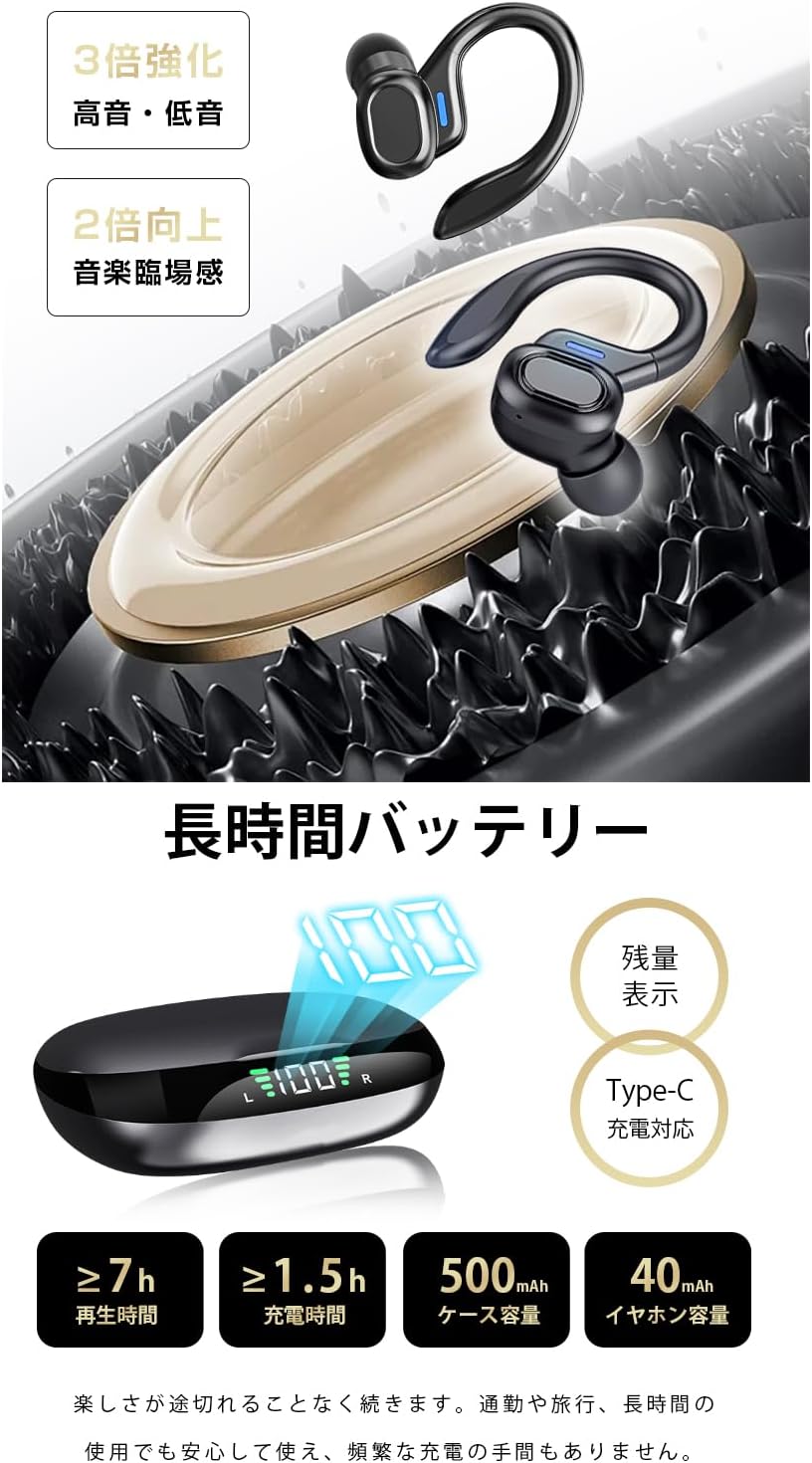
Image: The charging case displaying battery percentage and individual earbud charge status.
2.2 Pairing with Your Device
- First-time Pairing:
- Open the charging case. The earbuds will automatically enter pairing mode.
- On your device (smartphone, tablet, etc.), enable Bluetooth.
- Search for "HGD T2" in the list of available Bluetooth devices and select it to connect.
- Once connected, a voice prompt will confirm successful pairing.
- Automatic Reconnection: After the initial pairing, the earbuds will automatically connect to the last paired device when removed from the charging case and Bluetooth is enabled on the device.
- Single Earbud Mode: You can use either the left or right earbud independently. Simply take one earbud out of the case, and it will connect. The other earbud can remain in the case or be used later.

Image: Illustration showing the automatic connection process when opening the charging case and pairing with a smartphone.
3. Operating Instructions
3.1 Touch Controls
The SLuB HGD T2 earbuds feature intuitive touch controls on each earbud. The functions are as follows:

Image: Visual guide to the touch controls for music playback, calls, volume adjustment, and voice assistant activation.
| Action | Left Earbud | Right Earbud |
|---|---|---|
| Play/Pause Music | Single Tap | Single Tap |
| Next Track | Double Tap | Double Tap |
| Previous Track | Triple Tap | Triple Tap |
| Volume Up | N/A | Long Press (1s) |
| Volume Down | Long Press (1s) | N/A |
| Answer/End Call | Single Tap | Single Tap |
| Reject Call | Long Press (2s) | Long Press (2s) |
| Activate Voice Assistant (Siri/Google Assistant) | Long Press (2s) | Long Press (2s) |
4. Maintenance and Care
4.1 Cleaning
- Regularly clean the earbuds and charging case with a soft, dry, lint-free cloth.
- Do not use abrasive cleaners, solvents, or aerosol sprays.
- Ensure charging contacts on both earbuds and case are clean and free of debris to maintain proper charging.
4.2 Storage
- When not in use, store the earbuds in their charging case to protect them and keep them charged.
- Store the device in a cool, dry place, away from extreme temperatures and direct sunlight.
4.3 Water Resistance (IPX6)
- The earbuds are rated IPX6, meaning they are resistant to powerful water jets. This makes them suitable for workouts and light rain.
- Important: IPX6 rating does not mean they are waterproof for submersion. Do not submerge the earbuds in water.
- Ensure the earbuds are dry before placing them back into the charging case to prevent damage to the charging contacts.
5. Troubleshooting
| Problem | Possible Solution |
|---|---|
| Earbuds not pairing/connecting. |
|
| Only one earbud is working. |
|
| No sound or low volume. |
|
| Charging case not charging. |
|
6. Specifications
| Feature | Detail |
|---|---|
| Brand | SLuB |
| Model Number | HGD T2 |
| Bluetooth Version | 5.4 |
| Supported Profiles | HSP, HFP, A2DP, AVRCP |
| Transmission Distance | Approx. 10 meters (33 feet) |
| Operating Frequency Band | 2.402GHz ~ 2.480GHz |
| Earbud Battery Capacity | 40mAh (each) |
| Charging Case Battery Capacity | 500mAh |
| Music Playback Time | ≥ 7 hours |
| Charging Time (Earbuds) | Approx. 1.5 hours |
| Charging Port | Type-C |
| Water Resistance Rating | IPX6 |
| Compatible Devices | iOS/Android devices |
7. Warranty and Support
For warranty information and customer support, please refer to the documentation included with your purchase or contact SLuB customer service through the retailer where you purchased the product.
SLuB is committed to providing a worry-free experience. If you encounter any issues or have questions regarding your HGD T2 Wireless Earbuds, please do not hesitate to reach out for assistance.
Related documentsHGD T2

Ask a question about this manual
Ask about setup, troubleshooting, compatibility, parts, safety, or missing instructions. Manuals+ will review the question and use this page’s manual context to help answer it.