
1. Product Overview
The Shark Stratos 2-in-1 Robot Vacuum & Mop RV2720ZE offers advanced cleaning capabilities for your home. This innovative device combines powerful vacuuming with sonic mopping, providing a comprehensive cleaning solution for various floor types. Key features include a NeverTouch Self-Cleaning Base for up to 30 days of hands-free operation, precision mapping with 360° LiDAR vision, Autolift Technology to navigate different surfaces, HEPA filtration, and Edge Detect technology for thorough cleaning along walls and corners.

Image: Shark Stratos Robot Vacuum and Mop with NeverTouch Base.
2. Setup Guide
Follow these steps to set up your Shark Stratos Robot Vacuum & Mop for the first time.
2.1 Unboxing and Initial Preparation
Carefully remove all components from the packaging. Remove any protective films or tape from the robot and the base station. Ensure all accessories, including side brushes, mop pads, and cleaning solution, are accounted for.
Video: Unboxing and initial setup of the Shark Stratos Robot Vacuum and Mop.
2.2 Base Station Placement
Place the NeverTouch Base against a wall in an area with good Wi-Fi coverage. Ensure there is at least 1 foot of clear space on either side of the base and 2 feet of clear space in front of it for the robot to maneuver. Plug the base station into a power outlet.

Image: The NeverTouch Base, which automatically self-empties, self-cleans, and self-refills.
2.3 Robot Preparation
- Attach the two side brushes to the bottom of the robot by pressing them onto the square pegs until they click into place.
- Install the mop pad onto the mop pad holder, ensuring it is securely attached.
- Fill the clean water tank in the base station with cold water and the provided Shark VACMOP cleaning solution (12 oz starter bottle).
- Insert the odor neutralizer cartridge into its designated slot on the base.
2.4 App Connection and Mapping
Download the SharkClean app on your smartphone. Follow the in-app instructions to connect your robot to your home Wi-Fi network. The robot will perform an initial exploration run to map your home. This 360° LiDAR vision mapping allows for precise navigation and the creation of customized cleaning zones.

Image: The SharkClean app allows for customized cleaning experiences, including setting no-go zones and scheduling sessions.
3. Operating Instructions
The Shark Stratos offers versatile cleaning modes to suit your needs.
3.1 Cleaning Modes
- Vacuum Mode: Provides ultra-powerful suction for whole-home performance on both carpets and hard floors. The self-cleaning brushroll with Anti-Hair Wrap Technology effectively picks up debris, hair, and dirt.
- Mop Mode (Sonic Mopping): Scrubs hard floors up to 100 times per minute with antimicrobial mop pads to tackle stains. The robot will automatically avoid carpets and rugs when mopping.
- Vacuum & Mop Mode: Combines both functions for a complete clean. The Autolift Technology raises the mop pad when transitioning to carpets, ensuring they remain dry.

Image: Powerful vacuum performance on both carpets and hard floors, effectively picking up pet hair.

Image: Sonic Mopping scrubs hard floors up to 100 times per minute, effectively cleaning muddy footprints.
Video: Demonstration of the Shark Stratos Robot Vacuum's mopping capabilities on a hard floor.
3.2 Smart Navigation and Obstacle Avoidance
The robot uses 360° LiDAR vision for precision navigation and home mapping, allowing it to methodically clean your home. It detects and avoids objects in its path and adapts to everyday changes. Edge Detect technology uses blasts of air and corner recognition to pull debris into the cleaning path.
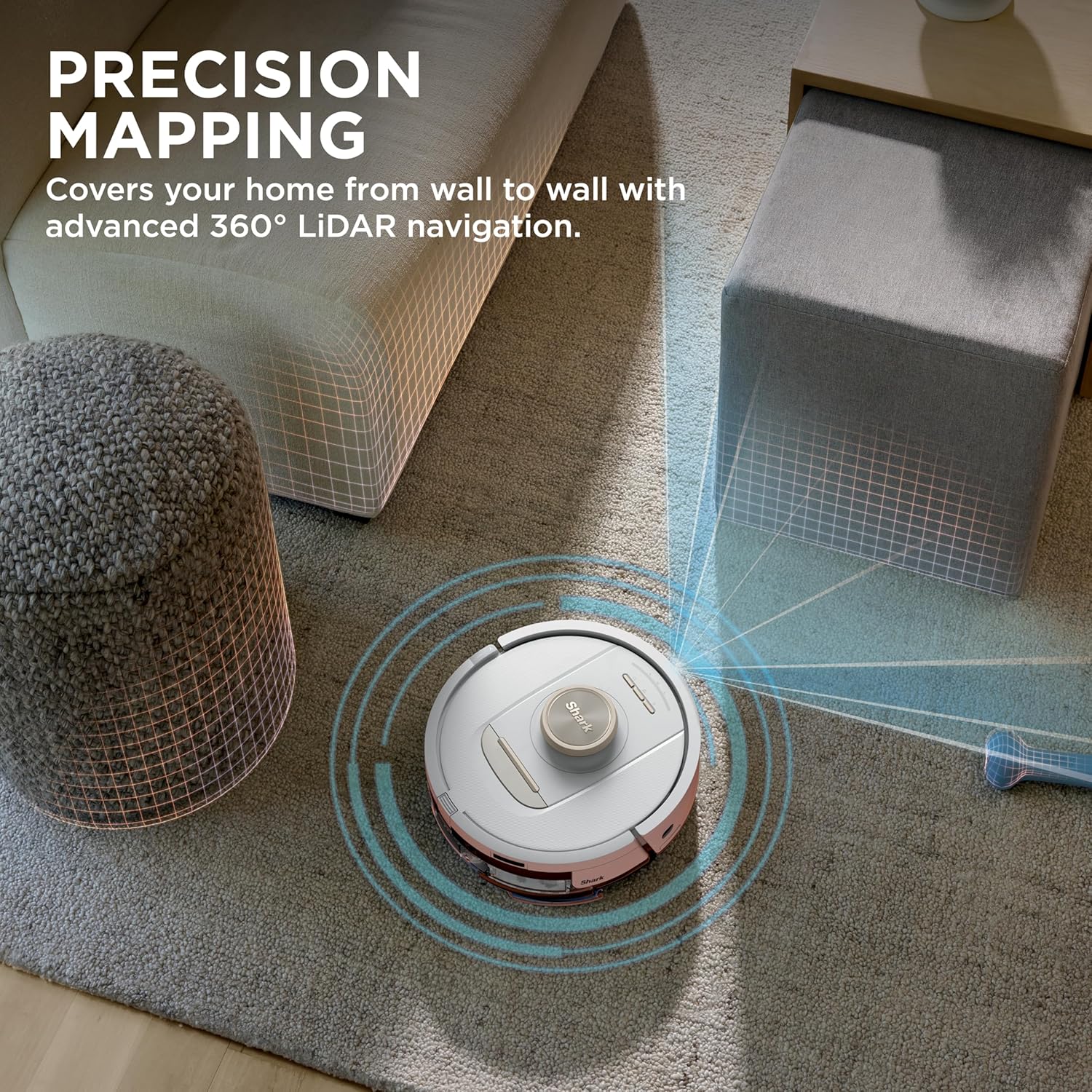
Image: Precision mapping covers your home from wall to wall with advanced 360° LiDAR navigation.

Image: The robot sees objects in the cleaning path and navigates around them.
3.3 App Control and Voice Commands
Customize your cleaning experience using the SharkClean app. You can set no-go zones, schedule cleaning sessions, and control the robot through Amazon Alexa and Google Voice commands.
4. Maintenance
Regular maintenance ensures optimal performance and longevity of your Shark Stratos Robot Vacuum & Mop.
4.1 NeverTouch Base Maintenance
- Emptying Debris: The base automatically empties the robot's dustbin. You will need to manually empty the base's dustbin approximately every 30 days, or as needed.
- Refilling Water: The base automatically refills the robot's water tank. Ensure the clean water tank in the base is filled with water and cleaning solution.
- Cleaning Mop Pads: The base washes and dries the mop pads after every mission.
- HEPA Filtration: The base features HEPA filtration and an Anti-Allergen Seal. Clean the pre-motor filters every 30 days or as needed (rinse with cold water and air-dry for 48 hours). Replace every 6 months. The post-motor filter should be cleaned every year or as needed.
- Odor Neutralizer: Replace the odor neutralizer cartridge as needed to keep your home smelling fresh.
4.2 Robot Maintenance
- Self-Cleaning Brushroll: The robot features a self-cleaning brushroll with Anti-Hair Wrap Technology. Periodically check and clean the brushroll for any tangled hair or debris.
- Side Brushes: Inspect side brushes regularly for wear or damage. Replace if necessary.
- Sensors: Wipe the robot's sensors (front smart sensor, cliff sensors, carpet sensors) with a clean, dry cloth to ensure optimal navigation and performance.
5. Troubleshooting
If you encounter issues with your Shark Stratos Robot Vacuum & Mop, refer to the following common troubleshooting tips:
- Robot not charging or returning to base: Ensure the base station is plugged in and has clear space around it. Check that the charging contacts on both the robot and base are clean.
- Poor suction or cleaning performance: Empty the robot's dustbin and the base's dustbin. Clean all filters (pre-motor, post-motor) and the self-cleaning brushroll. Check for any blockages in the suction path.
- Robot getting stuck or navigating erratically: Clean all sensors on the robot. Ensure there are no loose cables, small objects, or high thresholds that might impede its movement. Update the home map via the SharkClean app if your home layout has changed.
- Mop not dispensing water or cleaning effectively: Ensure the clean water tank in the base is filled with water and solution. Check that the mop pad is correctly attached and clean. Clean the water nozzles on the mop pad holder.
- App connectivity issues: Ensure your Wi-Fi network is stable and the robot is within range. Restart your router, the robot, and the app.
For more detailed troubleshooting, consult the SharkClean app or the full product manual.
6. Specifications
| Feature | Specification |
|---|---|
| Brand | Shark |
| Model Name | Stratos 2-in-1 Robot Vacuum & Mop |
| Model Number | RV2720ZE |
| Surface Recommendation | Carpets & Hardfloors |
| Special Feature | Wet/Dry, Self-Cleaning Base, Precision Mapping, Autolift Technology, HEPA Filtration, Edge Detect |
| Color | White |
| Controller Type | App Control |
| Filter Type | Cloth, HEPA |
| Battery Life | 110 minutes |
| Battery Type | Lithium Ion |
| Voltage | 120 Volts |
| Item Dimensions L x W x H | 14.17"L x 9.25"W x 16.85"H |
| Item Weight | 23.91 Pounds |
| Included Components | 1 Shark Stratos Robot Vacuum & Mop, 1 NeverTouch Base, 2 Side Brushes, 2 Antimicrobial Mopping Pads, 12oz. Starter VACMOP Cleaning Solution, 1 Odor Neutralizer |
7. Warranty and Support
For warranty information, product registration, or additional support, please visit the official SharkClean website or contact customer service at 1-800-798-7398. Maintenance notifications and alerts will appear within the SharkClean app when intervention is required.


