
Introduction
Thank you for choosing the DEWALT Heavy Duty True Wireless Earbuds. These earbuds are designed for durability and performance, featuring a rugged construction suitable for various environments, including job sites. This manual provides essential information for the proper setup, operation, and maintenance of your earbuds.

Image: DEWALT Heavy Duty True Wireless Earbuds and their charging case.
Package Contents
Ensure all items are present in your package:
- DEWALT True Wireless Earbuds
- Ruggedized Charging Case
- S/M/L Ear Cushions (Total of 8 sets for customizable fit)
- Type C USB Charging Cable
- User Manual (this document)
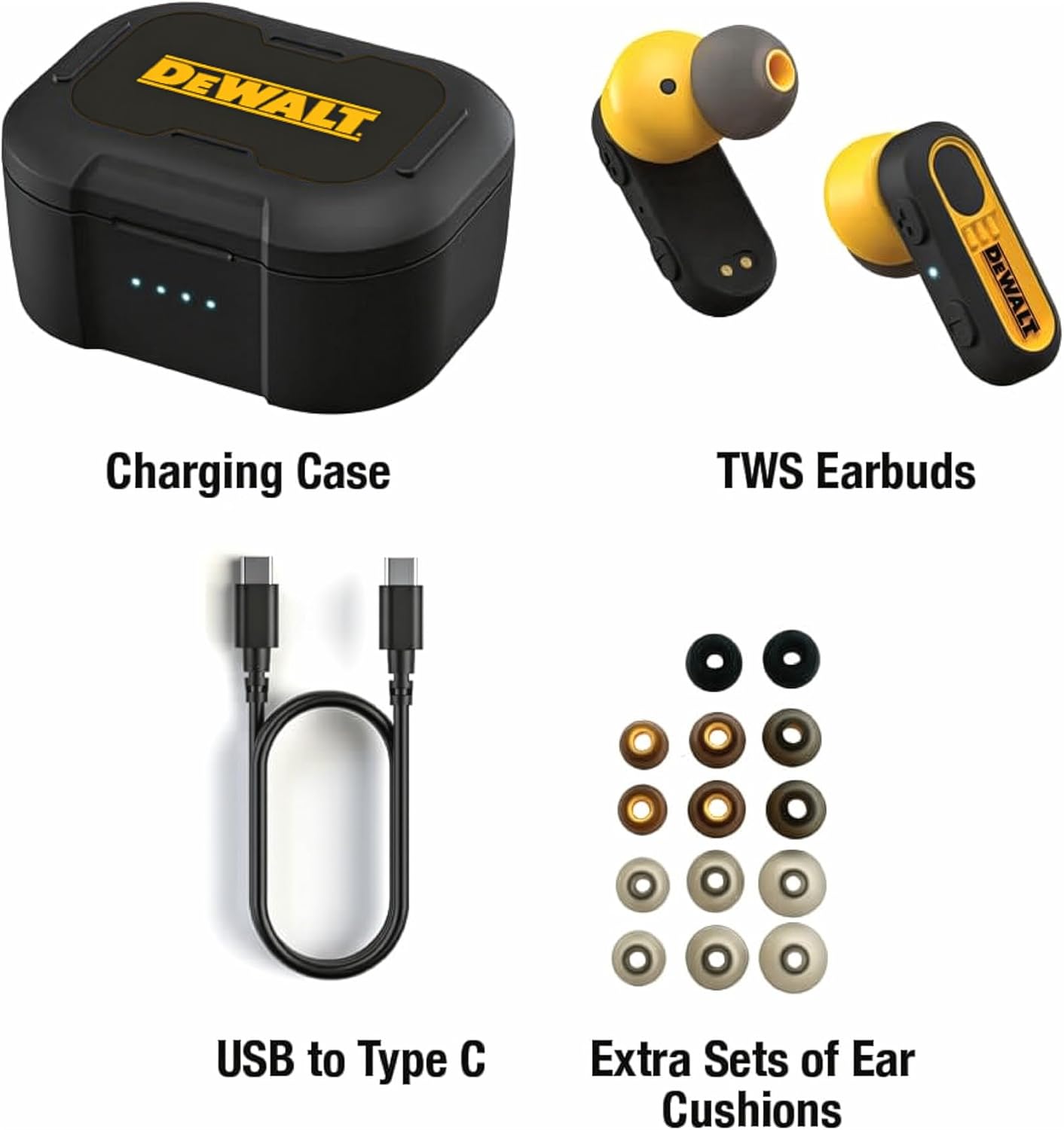
Image: All components included in the DEWALT Earbuds package.
Product Features
- Extended Playtime: Up to 37 hours of combined battery life with the charging case.
- Environmental Noise Control: Enhances call clarity in noisy environments.
- In-Ear Smart Sensors: Automatically pauses/plays audio when earbuds are removed/inserted.
- IPX6 Water and Sweat Resistance: Designed to withstand dusty and sweaty conditions.
- Durable Design: Ruggedized charging case and earbuds built for demanding use.
- Comfortable Fit: Multiple ear cushion sizes for personalized comfort.
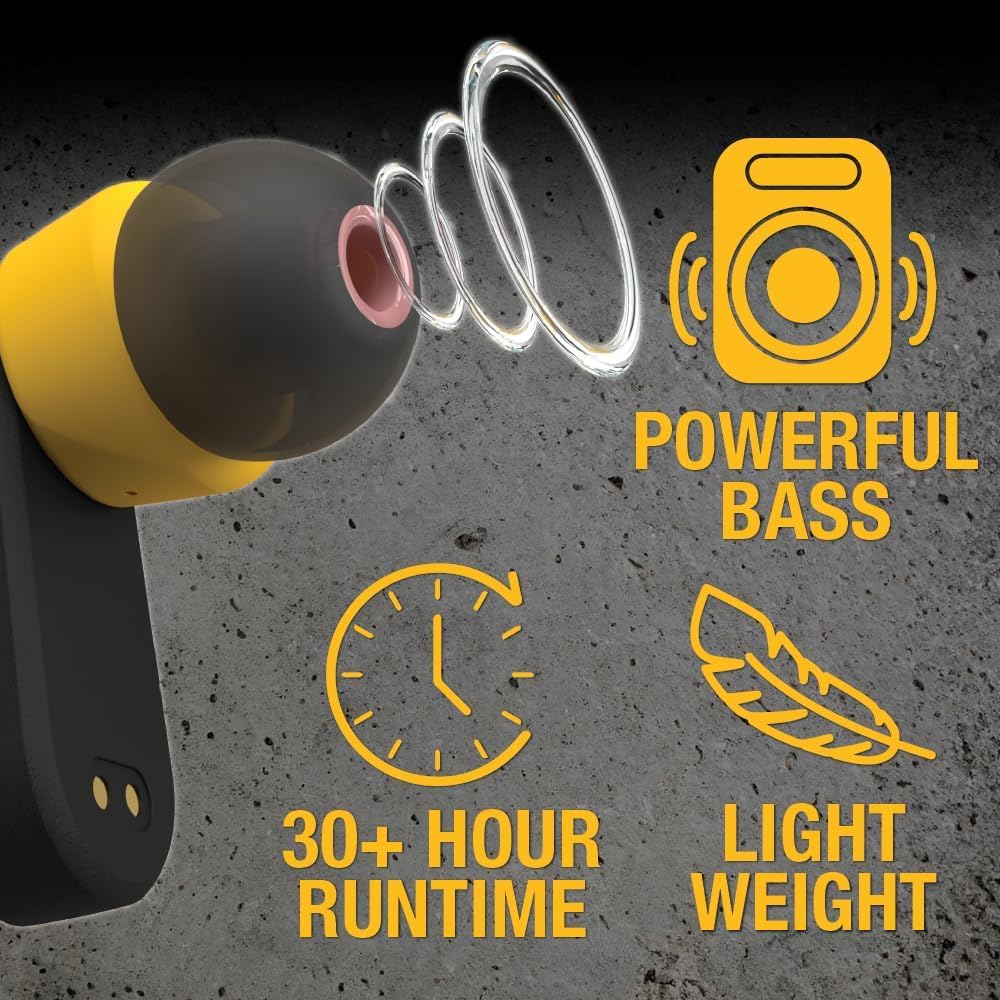
Image: Key features highlighting powerful bass, extended runtime, and lightweight design.
Setup
1. Charging the Earbuds and Case
Before first use, fully charge the earbuds and the charging case.
- Place the earbuds into the charging case. Ensure they are seated correctly; the indicator lights on the earbuds should illuminate.
- Connect the Type C USB charging cable to the charging port on the case and the other end to a USB power source (e.g., wall adapter, computer USB port).
- The LED indicators on the charging case will show the charging status. A full charge typically takes approximately 1.5 hours for the earbuds. The case provides up to 37 hours of total playtime.

Image: Earbuds correctly seated in the charging case.
2. Bluetooth Pairing
Pair your earbuds with your device (smartphone, tablet, etc.) for wireless audio.
- Open the charging case. The earbuds will automatically enter pairing mode.
- On your device, go to Bluetooth settings and ensure Bluetooth is enabled.
- Look for "DEWALT Earbuds" (or similar name) in the list of available devices and select it to connect.
- Once connected, your device will indicate successful pairing, and the earbud indicator lights may change.
Note: The earbuds are designed for auto-pairing when removed from the case after initial setup.
3. Fitting the Earbuds
Proper fit is crucial for sound quality and comfort. Experiment with the included ear cushion sizes.
- Select the ear cushions that provide a snug and comfortable seal in your ear canal.
- Gently insert each earbud into your ear, twisting slightly until it feels secure.
Operating Instructions
Power On/Off
- Power On: Open the charging case, and the earbuds will automatically power on.
- Power Off: Place the earbuds back into the charging case and close the lid. They will automatically power off and begin charging.
Media Playback (Touch Control)
The earbuds feature touch controls for media management:
- Play/Pause: Single tap on either earbud.
- Next Track: Double tap on the right earbud.
- Previous Track: Double tap on the left earbud.
- Volume Up/Down: (Specific gesture not detailed in product info, typically long press or triple tap. User should refer to full manual if available or experiment.)
Call Management (Touch Control)
Manage calls using the touch controls:
- Answer/End Call: Single tap on either earbud.
- Reject Call: Long press on either earbud.
Smart Sensor Functionality
The in-ear smart sensors enhance user experience:
- Auto-Pause: Audio playback will automatically pause when an earbud is removed from your ear.
- Auto-Play: Audio playback will resume automatically when the earbud is re-inserted into your ear.

Image: Illustration of the in-ear smart sensor feature.
Maintenance
To ensure the longevity and optimal performance of your DEWALT earbuds, follow these maintenance guidelines:
- Cleaning: Regularly wipe the earbuds and charging case with a soft, dry, lint-free cloth. For ear cushions, remove them and clean with a damp cloth, then allow to air dry completely before reattaching. Avoid using harsh chemicals or abrasive materials.
- Water and Dust Resistance: The earbuds are IPX6 rated, meaning they are resistant to high-pressure water jets and dust. However, they are not designed for submersion. Ensure the charging port is dry before charging.
- Storage: When not in use, store the earbuds in their charging case to protect them from dust and physical damage. Store in a cool, dry place away from extreme temperatures.

Image: Earbuds demonstrating IP56 water and rust resistance.
Troubleshooting
If you encounter issues with your earbuds, refer to the following common solutions:
| Problem | Possible Solution |
|---|---|
| Earbuds not pairing with device |
|
| No sound or low volume |
|
| Earbuds not charging |
|
| In-Ear Smart Sensor not working |
|
Specifications
| Feature | Detail |
|---|---|
| Model Name | DEWALT True Wireless Bluetooth Earbuds |
| Model Number | DXMA1902092 |
| Connectivity Technology | Wireless (Bluetooth) |
| Noise Control | Active Noise Cancellation |
| Frequency Response | 20 KHz |
| Water Resistance Level | IPX6 (Water Resistant) |
| Control Method | Touch |
| Material | Acrylonitrile Butadiene Styrene (ABS) |
| Item Weight | 0.15 Kilograms (5.3 ounces) |
| Product Dimensions | 2.1 x 3 x 1.75 inches |
| UPC | 826341056632 |
Warranty and Support
DEWALT products are built for durability. These earbuds come with a Limited Lifetime Warranty. For detailed warranty information, product support, or to contact customer service, please visit the official DEWALT website or refer to the warranty card included with your purchase.
Manufacturer: E-filliate Inc.
For further assistance, please visit the DEWALT Store on Amazon.


