
EMMO PP_BLACK_48156
EMMO Paralo Electric Fat Tire Bicycle User Manual
Model: PP_BLACK_48156
Introduction
Welcome to the EMMO Paralo Electric Fat Tire Bicycle user manual. This manual provides essential information for the safe operation, maintenance, and troubleshooting of your new EMMO Paralo e-bike. Please read this manual thoroughly before your first ride to ensure proper usage and to maximize the lifespan of your bicycle.
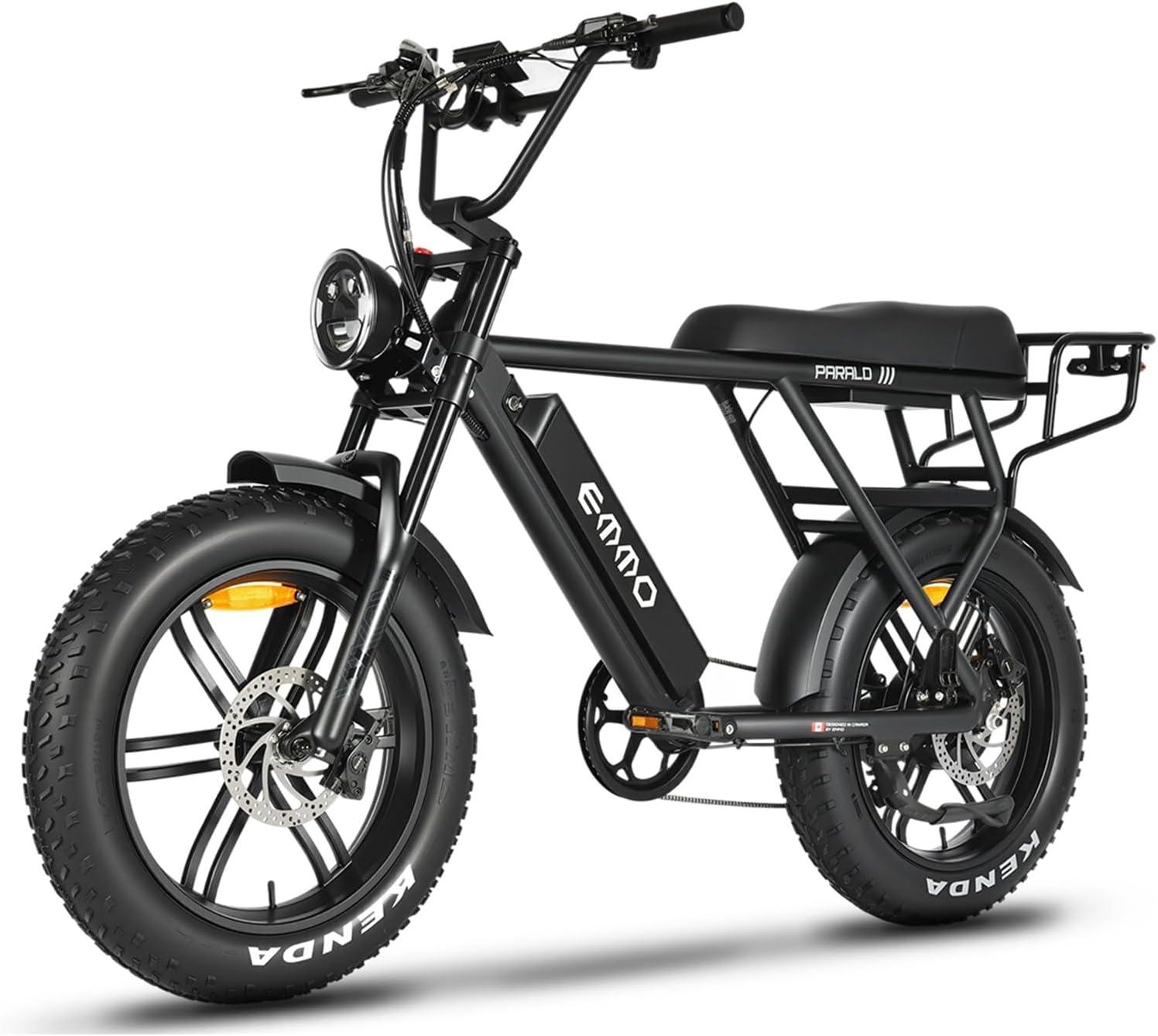
Figure 1: The EMMO Paralo Electric Fat Tire Bicycle, showcasing its robust frame and fat tires.
General Safety Information
Your safety is paramount. Always wear a helmet and appropriate safety gear when riding. Adhere to all local traffic laws and regulations. Perform pre-ride checks before each use.
- Helmet Use: Always wear a certified bicycle helmet.
- Pre-Ride Inspection: Check brakes, tires, battery level, and lights before every ride.
- Traffic Laws: Obey all traffic signs, signals, and local regulations.
- Weather Conditions: Exercise caution in wet or slippery conditions.
- Weight Limit: Do not exceed the maximum weight capacity of the bicycle.
- Battery Safety: Use only the provided charger. Do not modify or puncture the battery.
Setup
1. Unboxing and Initial Assembly
Your EMMO Paralo comes partially assembled. Carefully remove all packaging materials. The package includes the e-bike, battery, charger, and a multifunction toolkit.
- Attach the handlebars: Securely fasten the handlebars to the stem using the provided bolts and toolkit.
- Install pedals: Note that pedals are typically left (L) and right (R) specific. Thread them carefully to avoid cross-threading.
- Check tire pressure: Inflate tires to the recommended PSI indicated on the tire sidewall.
2. Battery Installation and Initial Charge
The EMMO Paralo features a removable 48V/15.6Ah Lithium battery. Ensure the battery is fully charged before your first ride.

Figure 2: The removable battery pack, designed for easy installation and charging.
- Insert the battery into its compartment on the frame. Ensure it clicks securely into place.
- Connect the charger to the battery charging port, then plug the charger into a standard wall outlet.
- The charger indicator light will change (e.g., red to green) when charging is complete.
- Unplug the charger once charging is complete. Do not overcharge.
Operating
1. Controls Overview
Familiarize yourself with the controls located on the handlebars.
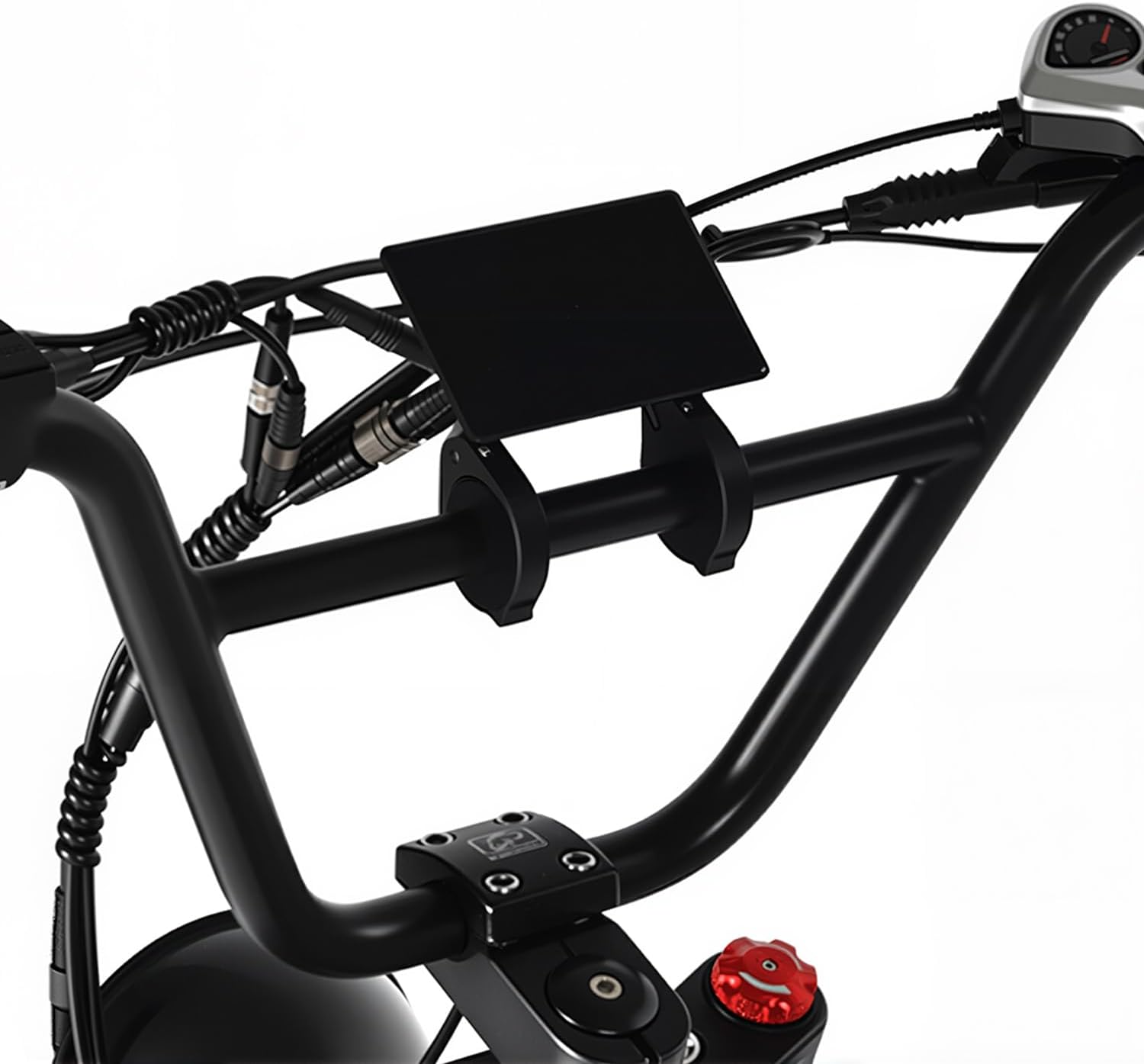
Figure 3: The handlebar assembly, showing the digital display and control buttons.
- Digital Display: Shows speed, battery level, pedal assist level, and other ride data.
- Power Button: Turns the e-bike system on/off.
- Pedal Assist (PAS) Level Buttons: Adjusts the level of motor assistance (typically 0-5).
- Throttle: Provides power without pedaling (if applicable and legal in your region).
- Brake Levers: Activates the hydraulic disc brakes.
- Headlight/Taillight Switch: Controls the integrated LED lighting system.

Figure 4: The integrated LED headlight, providing illumination for night riding.
2. Starting and Riding
- Press and hold the power button on the display to turn on the system.
- Select your desired pedal assist level using the +/- buttons.
- Begin pedaling, and the motor will engage to provide assistance.
- To use the throttle (if equipped), gently twist it while riding.
3. Braking
The EMMO Paralo is equipped with dual-piston hydraulic disc brakes for reliable stopping power.

Figure 5: Detail of the front hydraulic disc brake system, ensuring strong and consistent braking performance.

Figure 6: Detail of the rear hydraulic disc brake system, complementing the front for balanced stopping.
- Apply both front and rear brakes simultaneously for optimal stopping.
- Avoid sudden, hard braking, especially at high speeds or on slippery surfaces.
Maintenance
Regular maintenance ensures the longevity and safe operation of your EMMO Paralo e-bike.
1. Battery Care
- Charge the battery regularly, even if not in use, to maintain its health.
- Store the battery in a cool, dry place, away from direct sunlight and extreme temperatures.
- Do not fully deplete the battery before recharging.
2. Tire Maintenance
- Check tire pressure before each ride. Refer to the PSI indicated on the tire sidewall.
- Inspect tires for wear, cuts, or embedded objects.
3. Brake System
- Regularly check brake pads for wear and replace them when necessary.
- Ensure brake levers provide firm and consistent feel. If spongy, bleeding may be required by a professional.
4. General Cleaning
- Clean the bike with a damp cloth and mild soap. Avoid high-pressure washers directly on electrical components.
- Lubricate the chain regularly with bicycle-specific chain lubricant.
Troubleshooting
| Problem | Possible Cause | Solution |
|---|---|---|
| Bike does not power on | Battery not installed correctly, low battery, loose connection. | Ensure battery is fully seated. Charge battery. Check all cable connections. |
| Motor not assisting | Pedal assist level is 0, brake lever engaged, motor error. | Increase PAS level. Release brake levers. Check display for error codes. |
| Short battery range | Under-inflated tires, heavy load, frequent throttle use, cold weather. | Inflate tires to correct PSI. Reduce load. Use pedal assist more. Battery performance decreases in cold. |
| Brakes feel spongy | Air in hydraulic lines, worn brake pads. | Have brakes bled by a qualified technician. Replace brake pads. |
Specifications
Detailed specifications for the EMMO Paralo Electric Fat Tire Bicycle.

Figure 7: Geometry diagram with key dimensions of the EMMO Paralo.
| Feature | Detail |
|---|---|
| Model Name | PARALO PRO |
| Motor | 750W High-Torque Motor |
| Battery | Removable 48V/15.6Ah Lithium (UL Certified SafeSeal) |
| UL Certification | UL 2271 (Battery), UL 2849 (Full System) |
| Brakes | Dual-Piston Hydraulic Disc Brakes |
| Tires | All-terrain Fat Tires |
| Rims | MAG Rims |
| Display | TFT Color Display with Navigation |
| Lighting | Full LED Lighting with Turn Signals |
| Assembled Dimensions | 175.26 x 76.2 x 109.22 cm (69 x 30 x 43 inches) |
| Item Weight | 45.36 kg (99.99 lbs) |
| Number of Speeds | 7 |
| Material | Aluminum |
| Included Components | Ebike x1, battery x1, charger x1, multifunction toolkit x1 |
Warranty and Support
For warranty information and technical support, please contact EMMO directly.
- Manufacturer: EMMO
- Place of Business: EMMO Inc., 1224 Dundas Street E, Unit 6, Mississauga, ON L4Y 2C5
- Telephone: 1-888-510-3666
- Email: info@emmo.ca
- Website: www.emmo.ca
Please retain your proof of purchase for warranty claims.
Ask a question about this manual
Ask about setup, troubleshooting, compatibility, parts, safety, or missing instructions. Manuals+ will review the question and use this page’s manual context to help answer it.