
1. Product Overview
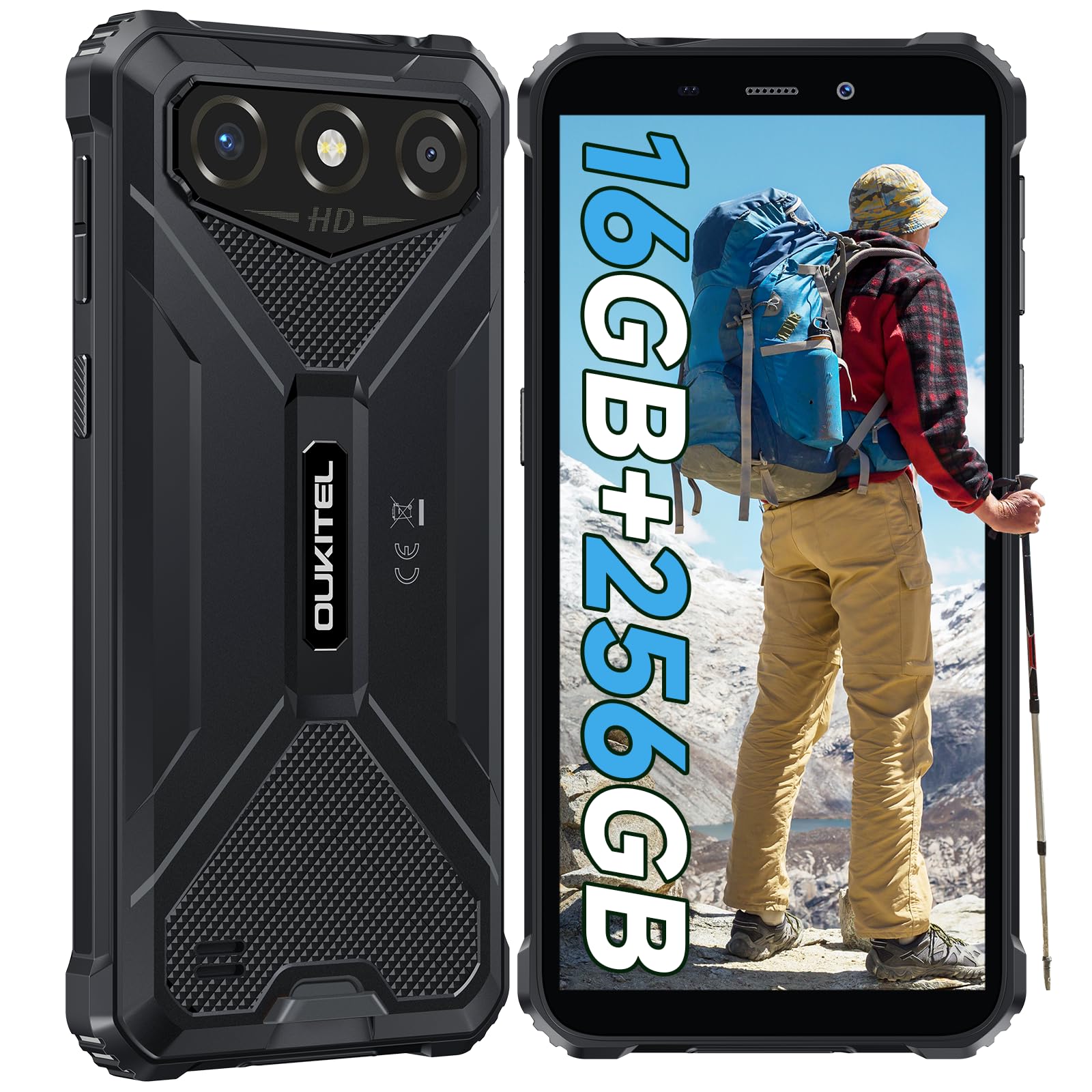
The OUKITEL G3 is a rugged smartphone designed for durability and performance in challenging environments. It features a 6.0-inch HD display, a 6300mAh battery, 16GB RAM (expandable), 256GB ROM (expandable to 1TB), and a 13MP main camera. The device is certified with IP68, IP69K, and MIL-STD-810H ratings, ensuring resistance to water, dust, and drops. It operates on Android 14 and supports 4G Dual SIM, GPS, Face ID, and OTG functionality.
2. Package Contents
Verify that all items are present in your package:
- 1x OUKITEL G3 Smartphone
- 1x Charger
- 1x Type-C Cable
- 1x SIM Card Ejector Pin
- 1x User Manual

3. Initial Setup
3.1. Inserting SIM Cards and TF Card
- Locate the SIM card tray on the side of the device.
- Use the provided SIM ejector pin to open the tray.
- Carefully place your Nano SIM cards (up to two) and/or a TF card (for memory expansion up to 1TB) into the designated slots.
- Ensure the cards are correctly oriented as indicated on the tray.
- Gently push the tray back into the phone until it clicks into place.

3.2. Charging the Battery
Before first use, fully charge the device. Connect the Type-C cable to the phone's charging port and the other end to the provided charger. Plug the charger into a power outlet. The battery indicator on the screen will show charging status. The OUKITEL G3 features a 6300mAh battery for extended use.
3.3. Powering On/Off
- To power on: Press and hold the Power button until the OUKITEL logo appears.
- To power off: Press and hold the Power button, then select "Power off" from the options on the screen.
- To restart: Press and hold the Power button, then select "Restart" from the options.
4. Operating Instructions
4.1. Display and Navigation
The OUKITEL G3 features a 6.0-inch HD display with 450 nits brightness and Corning Glass 5 protection. Navigate the Android 14 interface using touch gestures: tap, swipe, pinch-to-zoom. Access quick settings by swiping down from the top of the screen.

4.2. Camera Functions
The device is equipped with a 13MP rear camera and a 5MP front camera. Open the Camera app to capture photos and videos. Features include:
- Standard Photo Mode: For everyday photography.
- AI Beauty Mode: Enhances facial features in portraits.
- Underwater Camera Mode: Allows capturing photos and videos while submerged up to 1.5m for 30 minutes. Ensure all ports are securely sealed before underwater use.
- Panorama Mode: For wide-angle landscape shots.

4.3. Battery Management and OTG
The 6300mAh battery provides extended usage. To optimize battery life, manage screen brightness, close unused applications, and enable power-saving modes when needed. The device supports OTG (On-The-Go) reverse charging, allowing you to use your OUKITEL G3 to charge other compatible devices via a Type-C OTG cable (sold separately).

4.4. Custom Key and Security Features
- Custom Key: A programmable button on the side of the device for quick access to specific applications or functions. Configure its actions (single click, double click, long press) in the phone settings.
- Face ID: Use facial recognition for secure unlocking of your device. Set up Face ID in the Security settings.
- GPS Navigation: The OUKITEL G3 supports GPS, GLONASS, Beidou, and Galileo navigation systems for accurate positioning.

5. Maintenance and Durability
The OUKITEL G3 is built to withstand harsh conditions, certified with IP68, IP69K, and MIL-STD-810H standards.
- IP68 Water Resistance: Protected against continuous immersion in water up to 1.5 meters for 30 minutes. Ensure all port covers are tightly sealed before exposure to water.
- IP69K Dust Resistance: Fully protected against dust ingress and high-pressure, high-temperature water jets.
- MIL-STD-810H Drop Resistance: Designed to withstand drops from up to 1.5 meters. The aluminum frame and rubberized corners provide enhanced shock absorption.
To clean the device, use a soft, damp cloth. Avoid harsh chemicals or abrasive materials. Regularly check port covers for proper sealing to maintain water and dust resistance.

6. Troubleshooting
If you encounter issues with your OUKITEL G3, refer to the following common solutions:
| Problem | Possible Solution |
|---|---|
| Device does not power on | Ensure the battery is charged. Connect the charger and wait a few minutes before attempting to power on again. |
| Poor network signal | Check if SIM cards are correctly inserted. Move to an area with better network coverage. Contact your service provider if the issue persists. |
| Applications crashing or freezing | Close background applications. Clear the cache of the problematic app. Restart the device. Ensure sufficient storage space is available. |
| Battery drains quickly | Reduce screen brightness. Disable unused features like Wi-Fi, Bluetooth, GPS. Close power-intensive apps. Check battery usage in settings to identify culprits. |
| Touchscreen unresponsive | Restart the device. If the issue persists, perform a factory reset (backup data first). |
7. Technical Specifications
| Feature | Detail |
|---|---|
| Brand | OUKITEL |
| Model | G3 |
| Operating System | Android 14 |
| RAM | 4GB (expandable to 16GB virtual RAM) |
| Internal Storage (ROM) | 256GB |
| Expandable Storage | Up to 1TB (TF card) |
| Display Size | 6.0 inches |
| Display Resolution | HD (450 nits brightness, Corning Glass 5) |
| Refresh Rate | 60Hz |
| Rear Camera | 13 Megapixels |
| Front Camera | 5 Megapixels |
| Battery Capacity | 6300 mAh |
| Charging Port | USB Type-C |
| Durability Ratings | IP68, IP69K, MIL-STD-810H |
| SIM Card Support | Dual 4G Nano SIM |
| Navigation | GPS, GLONASS, Beidou, Galileo |
| Biometric Security | Face ID |
| Audio Jack | 3.5mm |
For detailed energy efficiency information, please refer to the EU EPREL database: https://eprel.ec.europa.eu/qr/2400970

8. Warranty and Support
OUKITEL provides the following support for the G3 smartphone:
- Return Policy: 30-day no-reason return.
- Warranty: TWO-YEAR warranty.
- Technical Support: Long-term technical assistance.
- Customer Service: 24-hour online customer service.
For any inquiries or support, please contact OUKITEL official customer service.


