
1. Product Overview
The ECOVACS DEEBOT N30 Plus White is an advanced 2-in-1 robotic vacuum and mop designed to provide efficient and hands-free floor cleaning. It features powerful suction, intelligent navigation, and an auto-empty station for enhanced convenience.

Figure 1: ECOVACS DEEBOT N30 Plus White Robot Vacuum and Mop with Auto-Empty Station.
Key Features:
- 2-in-1 Vacuum & Mop: Simultaneous cleaning for both dry debris and wet stains.
- 10,000 Pa Suction: Powerful suction for deep cleaning on various floor types.
- Multi-Cyclone Auto-Empty Station: Automatically empties the robot's dustbin, providing up to 95% dust separation.
- 5200mAh Battery: Offers up to 300 minutes of runtime, suitable for large areas.
- Zero Tangle 2.0: Triple V-shaped roller brush design to minimize hair tangles.
- Advanced TrueMapping: Precise navigation and mapping for optimized cleaning paths.
- Smart App Control: Manage cleaning modes, schedules, and no-go zones via the ECOVACS HOME app.
2. Setup and Installation
2.1 Unboxing and Component Identification
Carefully remove all components from the packaging. Ensure all items listed in the package contents are present.
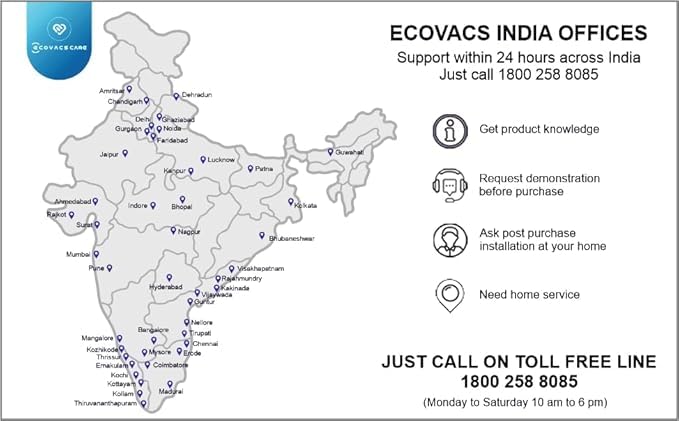
Figure 2: Unboxed components of the DEEBOT N30 Plus. This includes the robot, auto-empty station, side brushes, main roller brush, HEPA filter, mopping pad, and power cord.
2.2 Charging Station Placement
Place the auto-empty station against a wall in an open area, ensuring there are no obstacles within 1.5 meters in front and 0.5 meters on either side. Connect the power cord to the station and plug it into a power outlet.
2.3 Initial Robot Setup
- Install Side Brushes: Snap the side brushes onto the corresponding posts on the bottom of the robot.
- Install Main Roller Brush: Open the main brush cover on the bottom of the robot and insert the roller brush, then close the cover securely.
- Attach Mopping Pad: Slide the mopping pad onto the mopping plate and attach it to the bottom of the robot.
- Fill Water Tank: Open the water tank cap, fill with purified water (do not use cleaning solutions), and close the cap. Insert the water tank into the robot.
- Install Dustbin and Filter: Lift the top cover of the robot to access the dustbin. Ensure the HEPA filter is properly seated inside the dustbin, then insert the dustbin back into the robot and close the cover.
- Charge the Robot: Place the robot onto the charging station. Ensure the charging contacts align. The robot will announce that it is charging.

Figure 3: Filling the water tank with purified water. Only purified water should be used to prevent damage.

Figure 4: Accessing the dustbin and HEPA filter for installation or cleaning.
3. Operating Instructions
3.1 Powering On/Off
- Power On: Press and hold the power button on the robot until it powers on.
- Power Off: Press and hold the power button until the robot powers off.
3.2 ECOVACS HOME App Control
Download the ECOVACS HOME app from your smartphone's app store. Follow the in-app instructions to connect your DEEBOT N30 Plus to your home Wi-Fi network (2.4GHz recommended). The app allows you to:
- Start/Pause/Stop cleaning.
- Select cleaning modes (e.g., Auto, Area, Custom).
- Adjust suction power and water flow levels.
- Schedule cleaning tasks.
- View cleaning maps and set virtual boundaries/no-go zones.
- Monitor battery level and cleaning status.

Figure 5: The ECOVACS HOME app provides comprehensive control over your DEEBOT N30 Plus.
3.3 Cleaning Modes
- Auto Cleaning: The robot intelligently navigates and cleans your entire home.
- Vacuum & Mop: The DEEBOT N30 Plus performs simultaneous vacuuming and mopping in a single pass.
- Advanced TrueMapping: The robot uses advanced sensors to create accurate maps of your home, enabling efficient route planning and thorough coverage.

Figure 6: The DEEBOT N30 Plus efficiently vacuums and mops simultaneously.
4. Maintenance
Regular maintenance ensures optimal performance and extends the lifespan of your DEEBOT N30 Plus.
4.1 Auto-Empty Station Maintenance
The Multi-Cyclone Auto-Empty Station automatically collects debris from the robot's dustbin. Periodically check and empty the station's dust bag as indicated by the app or station indicator.
4.2 Robot Component Cleaning
- Dustbin and Filter: Empty the dustbin after each cleaning cycle. Clean the HEPA filter regularly by tapping it against a trash can to remove dust. Replace the HEPA filter every 3-6 months, or as needed.
- Main Roller Brush (Zero Tangle 2.0): Remove the main brush and use the cleaning tool to cut and remove any tangled hair or debris.
- Side Brushes: Remove and clean the side brushes. Replace them if they are worn or damaged.
- Mopping Pad: Remove the mopping pad after each use and wash it. Allow it to air dry completely before reattaching.
- Sensors: Wipe all sensors (anti-drop, anti-collision, charging contacts) with a clean, dry cloth.
5. Troubleshooting
If you encounter issues with your DEEBOT N30 Plus, refer to the following common solutions:
- Robot gets stuck: Ensure the cleaning area is free of loose cables, small objects, or thick rugs that might obstruct the robot's movement.
- Poor cleaning performance: Check if the dustbin is full, the filter is clogged, or the brushes are tangled. Clean or replace components as necessary.
- App connectivity issues: Ensure your smartphone and the robot are connected to a 2.4GHz Wi-Fi network. Restart the app or the robot if needed.
- Robot does not charge: Verify that the charging station is powered on and the robot's charging contacts are clean and properly aligned with the station.
For persistent issues, consult the ECOVACS HOME app for further diagnostics or contact customer support.
6. Specifications
| Feature | Specification |
|---|---|
| Brand | ECOVACS |
| Model Name | ECOVACS DEEBOT N30 Plus White |
| Special Feature | Smart Mapping Technology, Vacuum & Mop Simultaneously |
| Colour | White |
| Product Dimensions | 30L x 30W x 11H Centimeters |
| Included Components | ECOVACS DEEBOT N30 PLUS WHITE Robot Vacuum Cleaner, Multi-Cyclone Auto-Empty Station, Side Brush X 1, Zero Tangle 2.0 Roller Brush X 1, HEPA Filter X 1, Mopping Pad X 1 |
| Filter Type | HEPA |
| Battery Life | 300 Minutes |
| Voltage | 240 Volts |
| Power Source | Battery Powered |
| Are Batteries Included | Yes |
| Control Method | App |
| Compatible Devices | Amazon Echo, Google Home, Smartphones, Tablets |
| Form Factor | Square |
| Item Weight | 5 kg |
| Country of Origin | China |
7. Warranty and Support
ECOVACS provides comprehensive customer support for the DEEBOT N30 Plus White. This includes:
- Doorstep Service: Available across India.
- Free Installation: Assistance with product setup.
- Toll-Free Support: Contact for demonstrations, installations, and service requirements.
- Warranty: The product is backed by a 1-year warranty, ensuring long-term durability and peace of mind.
For assistance, please reach out via the toll-free number provided in your product documentation or visit the official ECOVACS website.
