
1. Introduction
The Cecotec FastTacker Manual Stapler is a versatile and ergonomic tool designed for various fastening tasks, including DIY projects, upholstery, and quick repairs. Its lightweight design ensures comfortable use, and its compatibility with multiple staple and nail sizes makes it adaptable for different applications. This manual provides essential information for the safe and effective operation, maintenance, and troubleshooting of your FastTacker stapler.
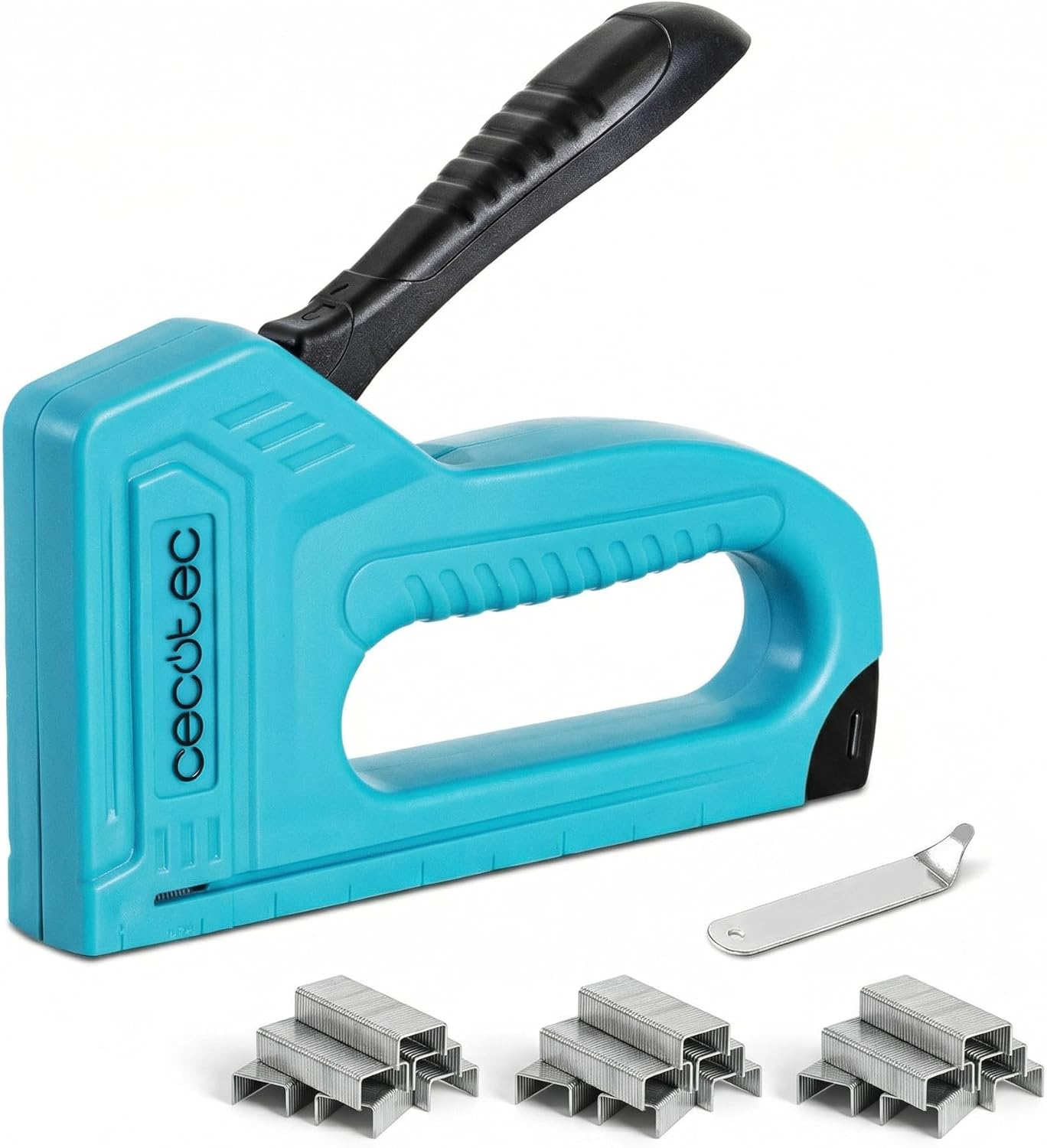
Image 1.1: The Cecotec FastTacker Manual Stapler positioned on a workbench, surrounded by various tools and stacks of staples, illustrating its intended use in a practical environment.
2. Safety Instructions
Always follow these safety guidelines to prevent injury and ensure proper operation:
- Wear Eye Protection: Always wear safety glasses to protect your eyes from flying debris or staples.
- Keep Hands Clear: Never place your hands or fingers near the stapler's firing mechanism or staple exit area.
- Point Away: Always point the stapler away from yourself and others.
- Unload When Not in Use: Unload staples when the tool is not in use or before performing any maintenance.
- Use Correct Staples: Only use staples and nails compatible with this model. Refer to the specifications section.
- Store Safely: Store the stapler in a dry, secure place, out of reach of children.
- Inspect Before Use: Before each use, inspect the stapler for any damage or loose parts. Do not use if damaged.
3. Package Contents
Verify that all items are present in the package:
- Cecotec FastTacker Manual Stapler
- 3000 Staples (various sizes)
- Staple Remover
4. Setup and Loading Staples
Follow these steps to load staples into your FastTacker:
- Open the Staple Magazine: Locate the pusher rod at the rear of the stapler. Press the release button or pull the rod backward until the magazine opens.
- Insert Staples: Place a strip of compatible staples into the magazine with the staple points facing downwards. Ensure the staples are seated correctly and do not obstruct the pusher rod.
- Close the Magazine: Push the pusher rod forward until it locks securely into place, applying gentle pressure to the staples.

Image 4.1: A close-up view of hands carefully inserting a strip of staples into the open magazine of the Cecotec FastTacker Manual Stapler.

Image 4.2: The Cecotec FastTacker Manual Stapler with a strip of staples visible in its magazine, ready for use.
5. Operating the Stapler
To operate the FastTacker manual stapler:
- Position the Stapler: Place the stapler firmly against the material you wish to staple, ensuring the base is flat against the surface.
- Depress the Handle: Apply firm, even pressure to the handle until a staple is driven into the material. Release the handle to reset the mechanism.
- Using the Staple Remover: To remove staples, position the staple remover's prongs under the staple head. Apply leverage to lift and extract the staple from the material.

Image 5.1: A user operating the Cecotec FastTacker Manual Stapler to secure fabric onto a wooden frame, demonstrating its application in upholstery or DIY projects.

Image 5.2: A close-up of hands utilizing the provided staple remover to extract a staple from a surface, highlighting the ease of staple removal.
6. Maintenance
Proper maintenance ensures the longevity and performance of your stapler:
- Cleaning: Periodically clean the stapler with a dry cloth to remove dust and debris. Do not use harsh chemicals or solvents.
- Lubrication: A small amount of light machine oil can be applied to moving parts occasionally to ensure smooth operation.
- Storage: Store the stapler in a dry environment to prevent rust. Ensure it is unloaded before storage.
7. Troubleshooting
If you encounter issues with your FastTacker, refer to the following common problems and solutions:
| Problem | Possible Cause | Solution |
|---|---|---|
| Staples not firing | Empty magazine; incorrect staple size; jammed staples. | Reload staples; ensure correct size is used; clear any jammed staples. |
| Staples bending or not fully penetrating | Material too hard; insufficient pressure applied; dull stapler blade. | Ensure material is suitable; apply more firm, even pressure; consider professional service if blade is dull. |
| Staple jams frequently | Incorrect staple size; debris in magazine; bent staples. | Use correct staples; clean magazine thoroughly; use only straight, undamaged staples. |
8. Specifications
Key technical specifications for the Cecotec FastTacker Manual Stapler:
- Model: A01_EU01_108193
- Brand: Cecotec
- Type: Manual Stapler
- Material: Plastic (Kunststoff)
- Color: Blue
- Product Dimensions: 5.71"L x 4.72"W
- Item Weight: 0.13 Kilograms
- Handle Type: Manual
- Additional Features: Ergonomic, Lightweight
- Included Components: Stapler, 3000 Staples, Staple Remover
- Compatibility: Compatible with different sizes of staples and nails (4-in-1 functionality)
9. Warranty and Support
For warranty information or technical support, please refer to the documentation included with your purchase or contact Cecotec customer service. Keep your proof of purchase for any warranty claims.