
1. Introduction
This manual provides detailed instructions for the safe and effective use of your WEP 927-IV 110W Soldering Iron Kit and WEP S200 Red Soldering Wire Holder. Please read this manual thoroughly before operation to ensure proper functionality and to prevent damage or injury.

Figure 1.1: Complete WEP 927-IV Soldering Iron Kit and S200 Wire Holder.
This image displays the entire WEP 927-IV 110W Soldering Iron Kit, including the main soldering station, soldering iron, WEP S200 Red Soldering Wire Holder, various soldering tips, solder wire, desoldering pump, ESD-safe tweezers, brass wool tip cleaner, cleaning sponge, helping hands, and an LED magnifier.
2. Safety Instructions
Always observe the following safety precautions to prevent electric shock, fire, or personal injury:
- Ensure the product is connected to a 110-127V USA specification power socket. Do not connect to a 220V power socket.
- Use in a well-ventilated area to avoid inhaling solder fumes.
- Wear appropriate personal protective equipment, such as safety glasses, to protect against splashes of molten solder.
- The soldering iron tip reaches high temperatures (up to 480°C / 896°F). Avoid direct contact with the tip or heating element.
- Always place the soldering iron in its designated holder when not in use.
- Do not leave the soldering station unattended when powered on.
- Keep out of reach of children and pets.
- Disconnect the power cord from the outlet before cleaning or maintenance.
- Do not use the soldering station if the power cord or any part of the unit is damaged.
3. Package Contents
Verify that all items listed below are present in your package:
- WEP 927-IV 110W Soldering Station with Digital Display
- WEP S200 Red Soldering Wire Holder
- Soldering Iron
- 5 Soldering Tips (I, B, 3C, 3.2D, 5.2D)
- 30g Lead-Free Solder Wire
- Desoldering Pump
- ESD-Safe Tweezers
- Brass Wool Tip Cleaner
- Cleaning Sponge
- Helping Hands with LED Magnifier
- Detachable Tip Storage Block
4. Product Overview
The WEP 927-IV is a compact, multi-functional soldering station designed for various soldering applications. It integrates several tools into a space-saving design.

Figure 4.1: Integrated features of the WEP 927-IV Soldering Station.
This image highlights the integrated features of the WEP 927-IV soldering station, including the helping hands for holding components, a built-in solder wire dispenser, and convenient tip storage slots.
4.1. WEP S200 Red Soldering Wire Holder
The WEP S200 is a heat-resistant silicone holder designed to securely position wires during soldering operations. It features multiple V-shaped grooves and a built-in brass wool tip cleaner.

Figure 4.2: WEP S200 Wire Holder accommodating various wire gauges.
This image illustrates the WEP S200 Red Soldering Wire Holder's ability to adapt to various wire diameters, from 32AWG to 7AWG, using its V-shaped grooves. It shows different colored wires placed in the grooves, demonstrating its versatility.

Figure 4.3: Dimensions and portability of the WEP S200 Wire Holder.
This image provides the dimensions (2.8 x 3.8 x 1.6 inches) and weight (0.20 lb) of the WEP S200 Red Soldering Wire Holder, emphasizing its compact and portable design.
5. Setup
- Unpack Components: Carefully remove all items from the packaging and verify against the "Package Contents" list.
- Position the Soldering Station: Place the WEP 927-IV soldering station on a stable, heat-resistant, and well-ventilated workbench.
- Install Soldering Iron: Connect the soldering iron cable to the designated port on the soldering station.
- Prepare Tip Cleaner: Place the brass wool into the designated compartment on the soldering station or in the WEP S200 holder. Dampen the cleaning sponge with water and place it in its tray.
- Attach Helping Hands/Magnifier: Secure the helping hands and LED magnifier arms into their respective slots on the station.
- Load Solder Wire: If using the integrated solder wire dispenser, load the solder wire spool onto the dispenser arm.
- Connect Power: Ensure the power switch is in the "OFF" position. Plug the power cord into a 110-127V AC power outlet.
6. Operating Instructions
6.1. Power On and Temperature Setting
- Flip the power switch to the "ON" position. The digital display will illuminate.
- The station will display the current actual temperature and the set temperature.
- Use the UP and DOWN buttons to adjust the desired temperature. The temperature range is 90°C to 480°C (194°F to 896°F).
- The soldering iron will rapidly heat up to the set temperature.

Figure 6.1: Digital temperature display and range.
This image shows the WEP 927-IV soldering station's dual digital display, indicating both the actual and set temperatures. It also highlights the operational temperature range of 194°F to 896°F (90°C to 480°C).
6.2. Using Preset Channels
The WEP 927-IV features 3 preset channels for quick temperature recall:
- To set a preset: Adjust the temperature to your desired value using the UP/DOWN buttons. Press and hold the MEMORY button until the channel number (CH1, CH2, or CH3) flashes, then press the corresponding channel button (e.g., CH1) to save the temperature.
- To recall a preset: Simply press the desired channel button (CH1, CH2, or CH3). The station will automatically adjust to the saved temperature.

Figure 6.2: Customizing and recalling temperature settings with 3 channels.
This image demonstrates the WEP 927-IV soldering station's capability to customize and recall temperature settings using three preset channels (CH1 for general soldering, CH2 for micro soldering, CH3 for sensitive components).
6.3. Sleep Mode
The sleep mode feature helps reduce wear on the soldering tip and extends its lifespan. You can set a timer for this function:
- The sleep mode timer can be set from 0 to 99 minutes.
- When the soldering iron is placed in its holder and the timer expires, the station will automatically lower the tip temperature to a safe, standby level.
- To reactivate, simply pick up the soldering iron, and it will quickly return to the set operating temperature.
6.4. Using the WEP S200 Wire Holder
The WEP S200 holder provides a stable platform for holding wires during soldering:
- Place the WEP S200 on a flat, stable surface. Its silicone construction ensures non-slip stability.
- Identify the appropriate V-shaped groove for your wire gauge (32AWG to 7AWG).
- Place the wire(s) into the grooves. The holder can secure multiple wires simultaneously.
- Proceed with soldering. The holder is heat-resistant up to 500°C (932°F).
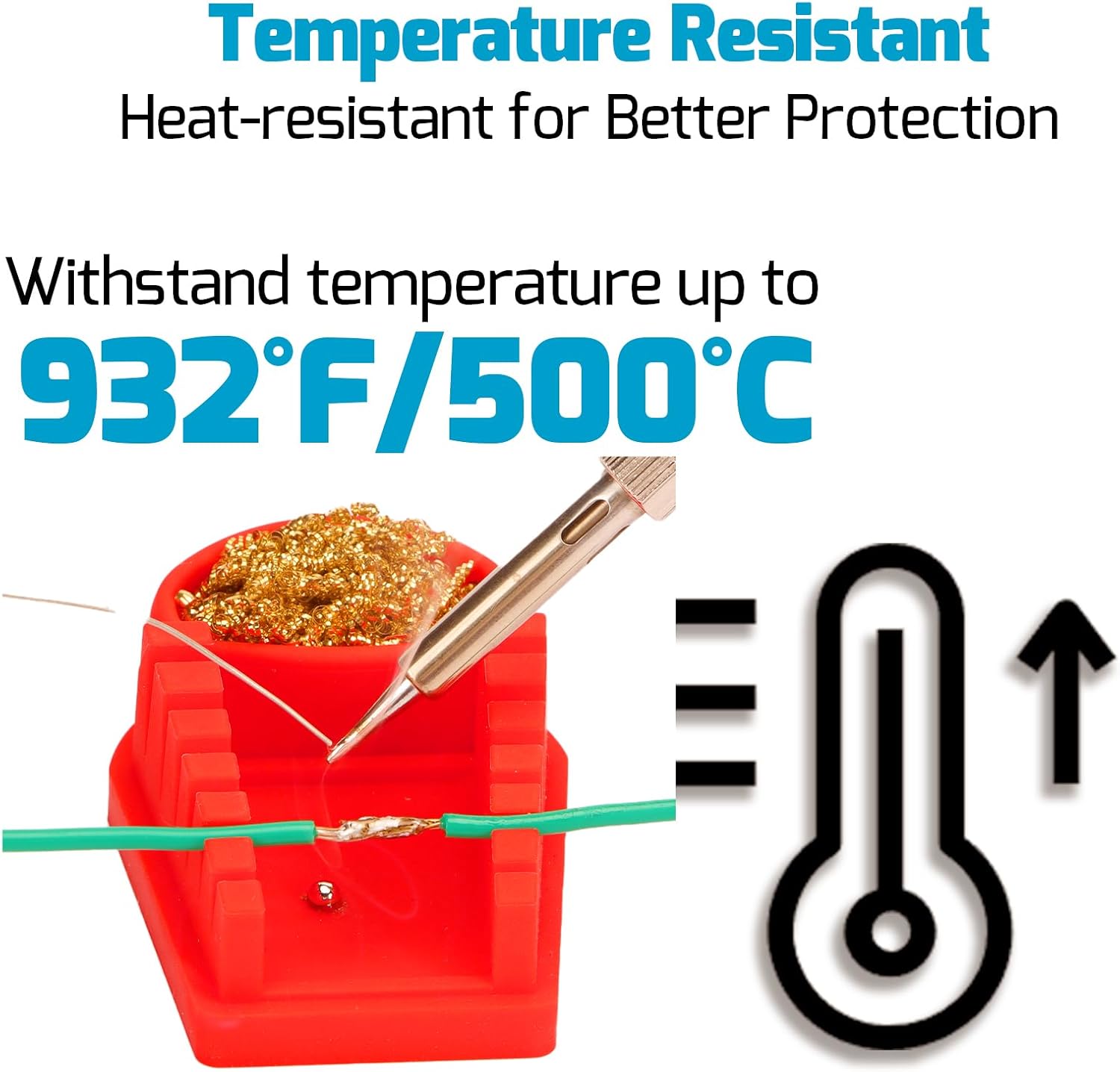
Figure 6.3: Practical use of the WEP S200 Wire Holder.
This image shows a user actively soldering wires that are securely held in the V-shaped grooves of the WEP S200 Red Soldering Wire Holder, demonstrating its utility in maintaining wire position during the soldering process.

Figure 6.4: Heat resistance of the WEP S200 Wire Holder.
This image visually confirms the WEP S200 Red Soldering Wire Holder's high heat resistance, capable of withstanding temperatures up to 932°F (500°C), ensuring durability and safety during soldering operations.
7. Maintenance
7.1. Soldering Tip Care
- Cleaning: Regularly clean the soldering tip using the brass wool tip cleaner or the damp sponge. This removes excess solder and oxidation.
- Tinning: After cleaning and before storing, always tin the tip with a small amount of fresh solder. This prevents oxidation and prolongs tip life.
- Replacement: Replace tips when they become excessively pitted, corroded, or no longer hold solder effectively. The kit includes 5 different tips (I, B, 3C, 3.2D, 5.2D) for various applications.
7.2. Station and Holder Cleaning
- Ensure the unit is powered off and unplugged before cleaning.
- Wipe the exterior of the soldering station and the WEP S200 holder with a soft, damp cloth. Do not use abrasive cleaners or solvents.
- Empty and clean the brass wool compartment and sponge tray as needed.
8. Troubleshooting
- No Power:
- Check if the power cord is securely plugged into both the station and the outlet.
- Ensure the power switch is in the "ON" position.
- Verify the outlet is functional.
- Iron Not Heating:
- Check the connection between the soldering iron and the station.
- Ensure the set temperature is above the ambient temperature.
- If the tip is heavily oxidized, clean and re-tin it.
- Temperature Fluctuation:
- Ensure the soldering iron tip is properly seated and tightened.
- Clean the tip to remove any contaminants that might affect heat transfer.
- Solder Not Melting Easily:
- Increase the set temperature.
- Ensure the tip is clean and properly tinned.
- Verify you are using appropriate solder for the application.
9. Specifications
| Feature | Specification |
|---|---|
| Brand | WEP |
| Model | 927-IV |
| Wattage | 110 watts |
| Temperature Range | 90°C - 480°C (194°F - 896°F) |
| Display Type | Digital |
| Input Voltage | 110-127V AC (USA specifications) |
| WEP S200 Holder Heat Resistance | Up to 500°C (932°F) |
| WEP S200 Holder Wire Compatibility | 32AWG to 7AWG |
| Included Components | Soldering Station, Soldering Iron, 5 Tips, Solder Wire, Desoldering Pump, Tweezers, Brass Wool, Sponge, Helping Hands, LED Magnifier, Tip Storage Block, WEP S200 Holder |
10. Warranty and Support
This WEP product is covered by a 1-year USA technical support warranty. For assistance, please contact our dedicated support team. They are available to provide 24-hour assistance for any technical inquiries or issues you may encounter.


