
1. Introduction
Thank you for choosing the SHIDU 30W Waterproof Voice Amplifier. This device is designed to provide clear and powerful sound amplification for various indoor and outdoor activities. Please read this manual carefully before use to ensure proper operation and to maximize the product's lifespan.
The SHIDU 30W Voice Amplifier features a 30-watt output, covering areas up to 21,000 square feet, making it suitable for audiences of up to 260 people. Its IPX6 waterproof rating ensures durability in various environments. It includes a built-in rechargeable battery, Bluetooth connectivity, recording capabilities, and support for TF card, U disk, and AUX input.
2. Package Contents
Please check the package for the following items:
- 1 x SHIDU Voice Amplifier
- 1 x Wireless Microphone
- 1 x Wired Microphone
- 1 x Waistband
- 1 x DV 9V Adapter
- 1 x DV 5V Adapter
- 1 x USB Cable
- 1 x AUX Audio Cable
3. Product Overview
Familiarize yourself with the main components and features of your voice amplifier.

Figure 3.1: Front view of the SHIDU 30W Voice Amplifier highlighting its 30W output, support for TF card, USB flash drive, recording, and AUX audio input.
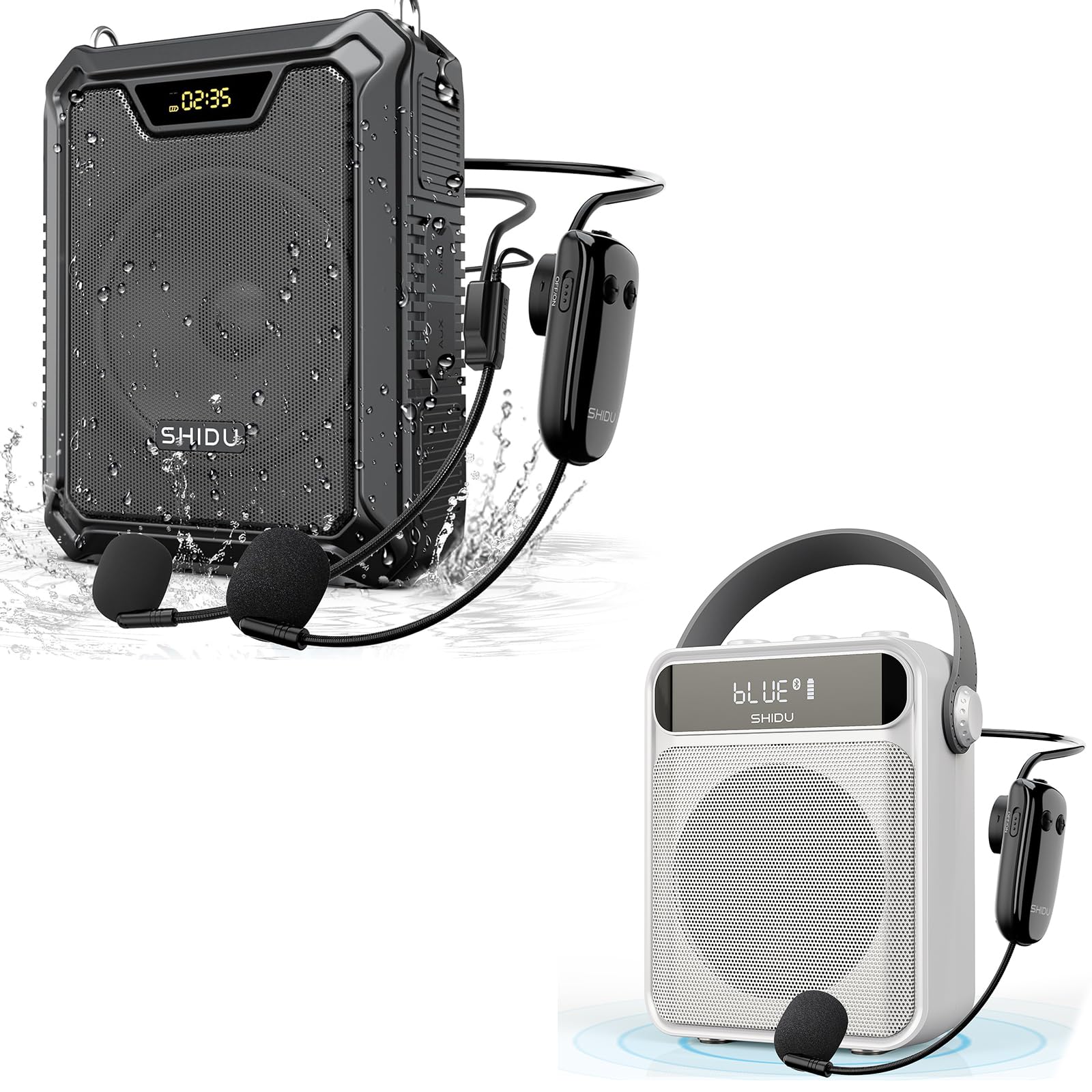
Figure 3.2: The SHIDU Voice Amplifier demonstrating its IPX6 waterproof capability, suitable for use in various weather conditions.
4. Setup Instructions
4.1 Charging the Voice Amplifier
- Connect the provided USB cable to the charging port on the voice amplifier.
- Connect the other end of the USB cable to the DV 5V adapter or a compatible USB power source.
- The charging indicator light will illuminate. A full charge typically takes 3-5 hours.
- Once fully charged, the indicator light will change or turn off. Disconnect the charger.
Note: The amplifier has a built-in 2500mAh battery, providing up to 12 hours of use on a full charge. An image (Figure 4.1) visually represents extended battery life, showing 4000mAh and 15 hours, which is a general illustration of long-lasting power.

Figure 4.1: Visual representation of the voice amplifier's extended battery life.
4.2 Connecting the Microphone
Wireless Microphone Headset:
- Ensure both the voice amplifier and the wireless microphone are charged.
- Turn on the voice amplifier and the wireless microphone.
- The devices should automatically pair. If not, refer to the troubleshooting section for manual pairing instructions.
- Adjust the microphone headset for comfortable wear.

Figure 4.2: The UHF Wireless Microphone Headset demonstrating its effective range, capable of transmitting up to 164 feet even through obstacles.
Wired Microphone:
- Insert the wired microphone's plug into the microphone input jack on the voice amplifier.
- Ensure a secure connection.

Figure 4.3: Illustrates typical usage scenarios for both UHF Wireless and Wired Voice Amplifiers, showing flexibility for different environments.
4.3 Powering On/Off
- To power on, press and hold the power button until the display illuminates.
- To power off, press and hold the power button until the display turns off.
5. Operating Instructions
5.1 Volume Control
- Use the volume control knob or buttons on the amplifier to adjust the output volume.
- Adjust the microphone volume separately if available on your microphone.
5.2 Bluetooth Pairing
- Turn on the voice amplifier and switch to Bluetooth mode (if not automatic).
- On your mobile device, enable Bluetooth and search for available devices.
- Select "SHIDU" or a similar name from the list to pair.
- Once paired, you can play audio from your device through the amplifier.

Figure 5.1: The voice amplifier's recording function buttons and its capability to connect as a Bluetooth speaker to a smartphone.
5.3 Recording Function
- Insert a TF card or U disk into the respective slot.
- Press the 'REC' button to start recording.
- Press 'REC' again to stop and save the recording.
- Recordings are saved in MP3 format.
5.4 TF Card / U Disk Playback
- Insert a TF card or U disk containing MP3 audio files into the corresponding slot.
- The amplifier will automatically detect and begin playing the audio files.
- Use the playback controls (play/pause, next/previous track) on the amplifier.
5.5 AUX Input Usage
- Connect an external audio device (e.g., smartphone, MP3 player) to the AUX input port using the provided AUX audio cable.
- The amplifier will switch to AUX mode, and audio from the connected device will play through the amplifier.
6. Maintenance
6.1 Cleaning
- Wipe the amplifier's surface with a soft, damp cloth.
- Do not use harsh chemicals or abrasive cleaners.
- Ensure all ports are dry before use, especially after exposure to water.
6.2 Storage
- Store the amplifier in a cool, dry place away from direct sunlight and extreme temperatures.
- If storing for an extended period, charge the battery to approximately 50% every three months to maintain battery health.
6.3 Battery Care
- Avoid fully discharging the battery frequently.
- Use only the provided charging adapters and cables.
- Do not expose the battery to high temperatures or puncture it.
7. Troubleshooting
7.1 No Sound Output
- Check Power: Ensure the amplifier is powered on and has sufficient battery charge.
- Volume: Increase the volume on both the amplifier and the connected microphone/device.
- Microphone Connection: For wired microphones, ensure it is securely plugged in. For wireless, ensure it is paired and charged.
- Input Mode: Verify the amplifier is in the correct input mode (e.g., Bluetooth, AUX, Mic).
7.2 Wireless Microphone Not Pairing
- Recharge: Ensure both the amplifier and wireless microphone are fully charged.
- Power Cycle: Turn both devices off and then on again.
- Manual Pairing: Refer to the microphone's specific instructions for manual pairing if automatic pairing fails. Typically, this involves holding a pairing button on both devices simultaneously.
- Distance: Ensure the microphone is within range of the amplifier.
7.3 Poor Sound Quality / Feedback
- Microphone Position: Avoid pointing the microphone directly at the amplifier's speaker.
- Distance: Maintain an appropriate distance between the microphone and the amplifier.
- Volume: Reduce the overall volume if feedback occurs.
- Obstructions: Ensure no objects are blocking the microphone or speaker.
8. Specifications
| Feature | Specification |
|---|---|
| Output Power | 30W |
| Sound Coverage | Up to 21,000 sq ft (2,350 m²) |
| Audience Capacity | Up to 260 people |
| Waterproof Rating | IPX6 |
| Battery Capacity | 2500mAh |
| Battery Life | Up to 12 hours (on full charge) |
| Charging Time | 3-5 hours |
| Connectivity | Bluetooth, TF Card, U Disk, AUX |
| ASIN | B0FKTD5G87 |
| Date First Available | November 2, 2024 |
9. Warranty and Support
The SHIDU 30W Waterproof Voice Amplifier comes with a 36-month warranty from the date of purchase.
If you encounter any issues or have questions regarding the product, please do not hesitate to contact us via Amazon. Our customer support team is available to assist you.


