
Introduction
This manual provides detailed instructions for the setup, operation, and maintenance of your LIGE EF13-B Military Smart Watch. Please read this manual thoroughly to ensure proper use and to maximize the features of your device.
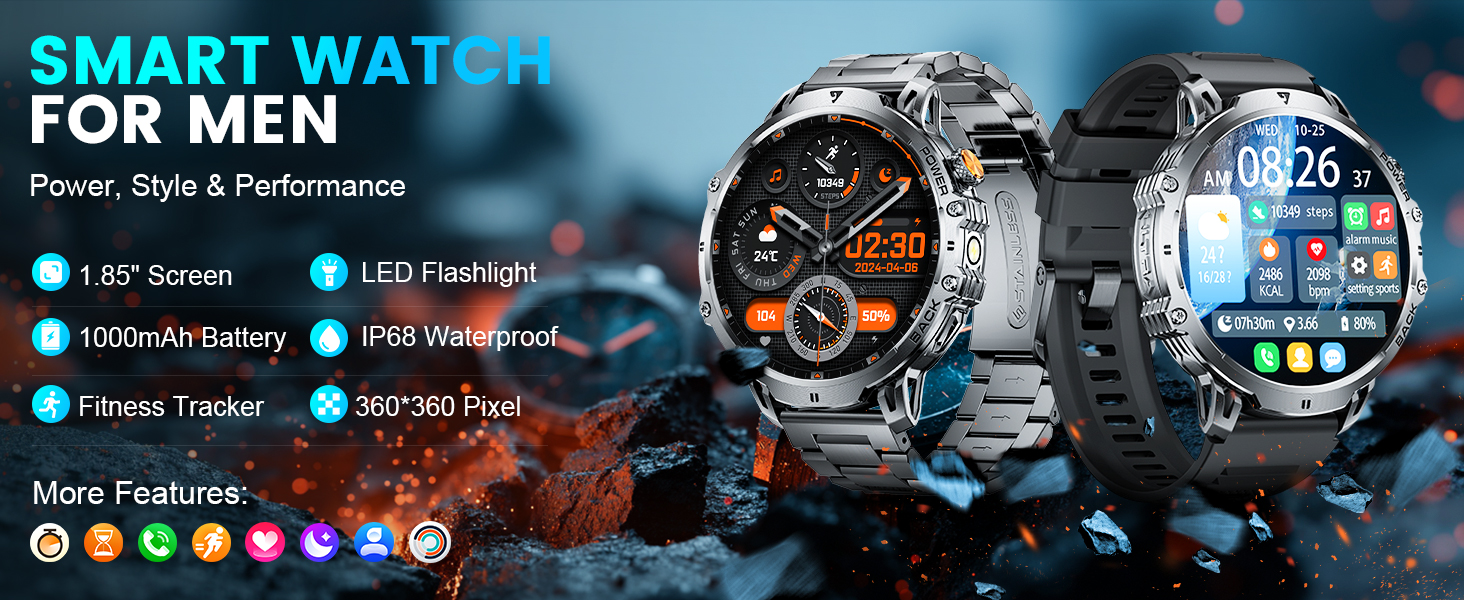
Image: Overview of the LIGE EF13-B Smart Watch highlighting its 1.85" screen, LED flashlight, 1000mAh battery, IP68 waterproof rating, and fitness tracking capabilities.
Package Contents
Before you begin, please verify that all items are present in the package:
- LIGE EF13-B Smart Watch
- Charging Cable
- Watch Straps (typically black silicone, orange silicone, and black leather)
- Watch Setting Tools (if applicable for strap adjustment)
- User Manual

Image: The LIGE EF13-B Smart Watch with its included charging cable and interchangeable watch straps.
Setup
1. Charging the Smart Watch
Before first use, fully charge your smart watch. Connect the magnetic charging cable to the charging points on the back of the watch and plug the USB end into a power adapter (not included) or a computer's USB port. The watch display will indicate charging status.

Image: The LIGE EF13-B Smart Watch connected to its magnetic charging cable, illustrating its 1000mAh battery capacity and long standby time.
2. App Installation
To unlock all features and synchronize data, download the companion app:
- Scan the QR code in the manual or search for "FitCloudPro" on the Google Play Store (for Android) or Apple App Store (for iOS).
- Install the "FitCloudPro" application on your smartphone.
3. Pairing with Your Smartphone
Follow these steps to pair your LIGE EF13-B Smart Watch with your smartphone:
- Ensure your smart watch is charged and powered on.
- Open the "FitCloudPro" app on your smartphone.
- Enable Bluetooth on your smartphone.
- In the app, navigate to "Device" or "Add Device" and search for "EF13-B".
- Select "EF13-B" from the list of available devices.
- Confirm the pairing request on both your watch and smartphone.
- Grant necessary permissions for notifications and other features when prompted by the app.
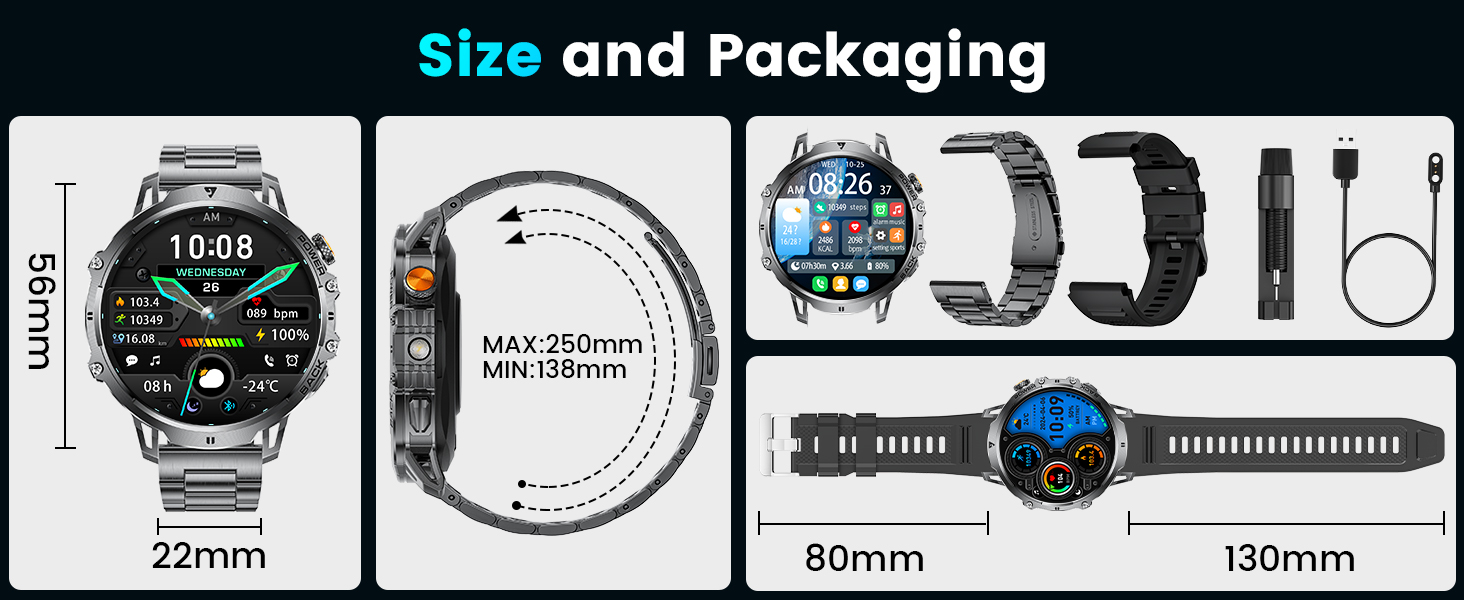
Image: Visual guide demonstrating the five steps to connect the LIGE EF13-B Smart Watch to a smartphone via the FitCloudPro app, including Bluetooth pairing and notification permissions.
Operating Instructions
Basic Navigation
- Touchscreen: Swipe left/right, up/down to navigate through menus and features. Tap to select.
- Side Buttons: The watch features two physical buttons. Typically, one acts as a power/home button, and the other provides quick access to specific functions or sports modes. Refer to the on-screen prompts for specific button functionalities.
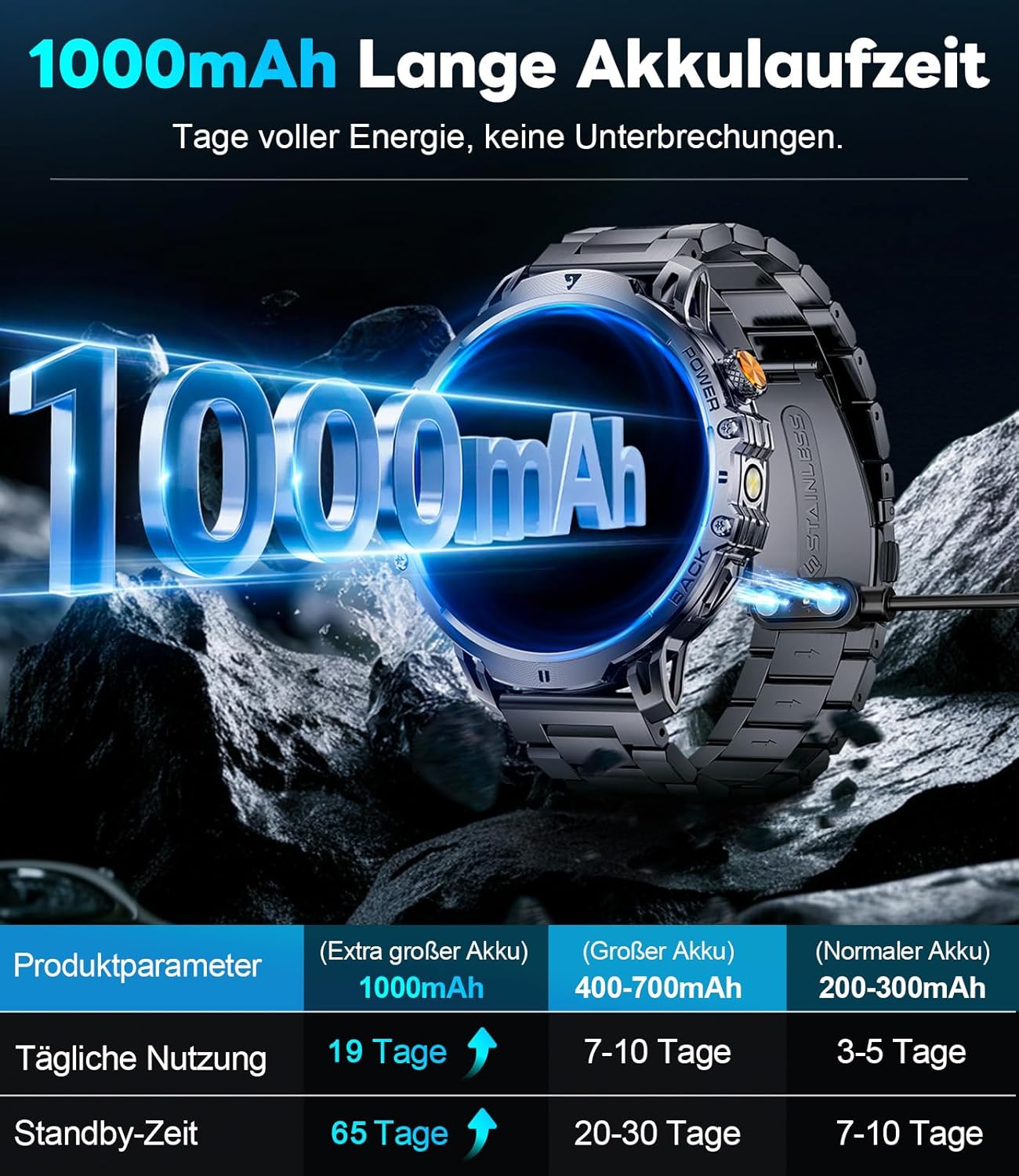
Image: The LIGE EF13-B Smart Watch display, showcasing its clear interface with time, date, step count, heart rate, and weather information.
Key Features
- Bluetooth Calls & Message Notifications:
Once paired, you can make and receive calls directly from your watch. The watch also displays real-time notifications for SMS, WhatsApp, and other apps. Manage these settings within the FitCloudPro app.

Image: The LIGE EF13-B Smart Watch displaying its Bluetooth calling interface, voice assistant, and various message notification icons.
- 24/7 Health Monitoring:
The watch continuously monitors your heart rate, blood oxygen levels (SpO2), and sleep quality. View detailed data in the FitCloudPro app to track your health trends.

Image: The LIGE EF13-B Smart Watch showing real-time heart rate tracking with a graph and current BPM.
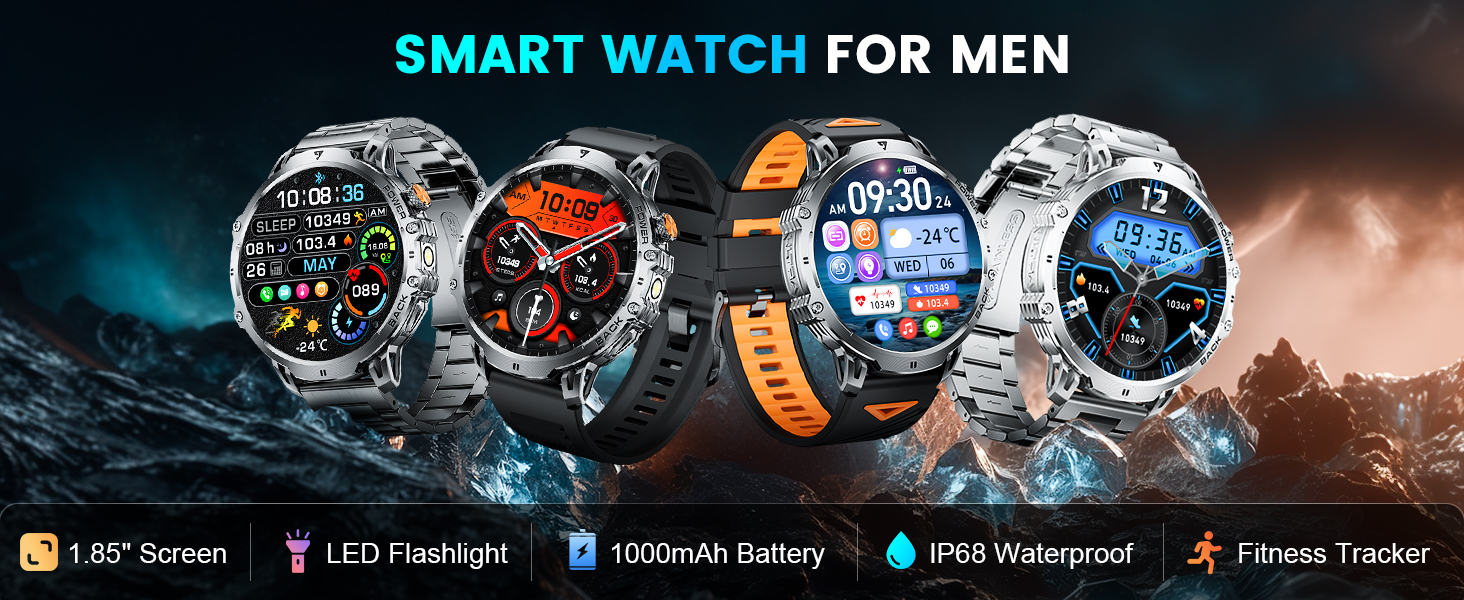
Image: The LIGE EF13-B Smart Watch displaying sleep duration and quality, including deep sleep, light sleep, and awake time, with a weekly trend.
- 110+ Sports Modes:
Select from over 110 sports modes to accurately track your activities, including running, cycling, and strength training. The watch records calories burned, distance, and steps.

Image: The LIGE EF13-B Smart Watch interface displaying various sports modes and tracking metrics like steps, distance, calories, and heart rate during physical activity.
- Built-in LED Flashlight:
Activate the integrated LED flashlight for convenience in low-light conditions. This feature is useful for outdoor activities or finding items in the dark.

Image: The LIGE EF13-B Smart Watch with its powerful LED flashlight illuminated, demonstrating its utility in various dark environments such as outdoor adventures or power outages.
- Voice Assistant:
Utilize the voice assistant feature for quick commands, setting alarms, checking weather, and more, directly from your wrist.
- Music & Camera Control:
Control music playback on your smartphone and remotely trigger your phone's camera shutter directly from the watch.

Image: The LIGE EF13-B Smart Watch showcasing its multi-functional assistant features, including music control, stopwatch, alarm clock, weather display, calculator, and camera remote control.
- Customizable Watch Faces:
Choose from over 200 watch faces or create your own within the FitCloudPro app to personalize your device.

Image: A collection of diverse watch faces available for the LIGE EF13-B Smart Watch, demonstrating customization options to match different styles and preferences.
Maintenance
Cleaning
Regularly clean your smart watch and straps to prevent skin irritation and maintain functionality. Use a soft, damp cloth to wipe the watch body and straps. Avoid harsh chemicals or abrasive materials.
Water Resistance
The LIGE EF13-B Smart Watch is IP68 waterproof, meaning it is resistant to dust and can withstand immersion in water up to 1.5 meters for 30 minutes. It is suitable for daily use, hand washing, and light rain. Avoid hot water, saunas, or diving, as these can compromise the seal.
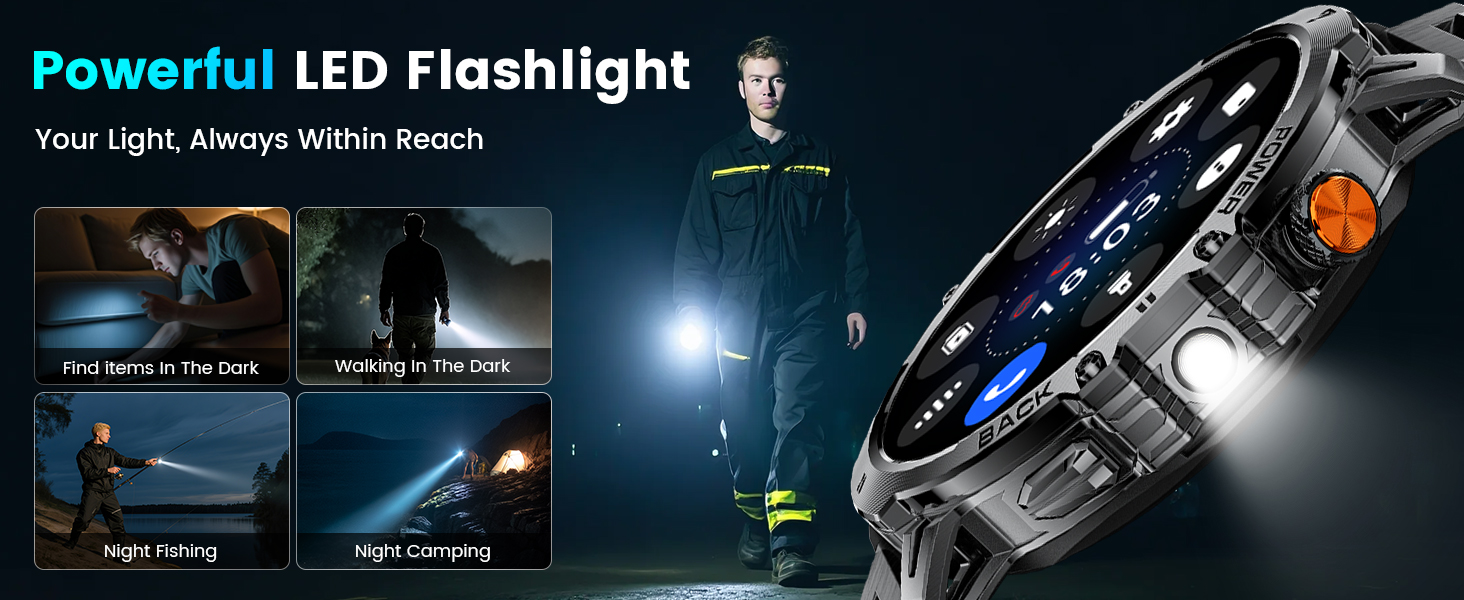
Image: The LIGE EF13-B Smart Watch highlighting its military-grade standard features, including dustproof, anti-impact, and anti-fluid corrosion properties, suitable for harsh conditions.
Battery Care
- Avoid fully discharging the battery frequently.
- Do not expose the watch to extreme temperatures.
- Use only the provided charging cable.
Troubleshooting
If you encounter issues with your LIGE EF13-B Smart Watch, try the following solutions:
- Watch not turning on: Ensure the watch is fully charged.
- Cannot pair with phone:
- Ensure Bluetooth is enabled on your phone.
- Make sure the watch is within range of your phone.
- Restart both the watch and your phone.
- Check if the "FitCloudPro" app has all necessary permissions.
- Notifications not received:
- Verify notification permissions are granted in the "FitCloudPro" app and your phone's settings.
- Ensure the app is running in the background.
- Inaccurate health data: Ensure the watch is worn snugly on your wrist, not too tight or too loose. Clean the sensor on the back of the watch.
- Short battery life: Reduce screen brightness, disable unnecessary notifications, and limit continuous health monitoring if not required.
If the problem persists, please contact customer support.
Specifications
| Feature | Detail |
|---|---|
| Model Number | EF13-B |
| Display Size | 1.85 Inches |
| Display Resolution | 360x360 pixels |
| Battery Capacity | 1000 mAh Lithium Polymer |
| Connectivity | Bluetooth |
| Operating System Compatibility | Android 4.4+ and iOS 8.0+ |
| Water Resistance | IP68 |
| Special Features | 1.85" HD Display, LED Flashlight, 110+ Sport Modes, Sleep Monitor, Alarm Clock, Music Player, Sedentary Reminder, Activity Tracker, Calorie Tracker, Distance Tracker, Bluetooth Calls, Notifications, Weather Forecast, Voice Assistant, Camera Control, Mini-games. |
| Item Weight | 7.8 ounces |
| Package Dimensions | 8.07 x 3.82 x 0.87 inches |

Image: Diagram illustrating the dimensions of the LIGE EF13-B Smart Watch and its components, including the watch face, strap length, and packaging contents.
Warranty and Support
LIGE is committed to ensuring customer satisfaction. If you have any questions, require support, or experience issues with your LIGE EF13-B Smart Watch, please contact our customer service team.
For further assistance, you may visit the official LIGE store on Amazon: LIGE Store.
Protection plans are available for extended coverage. Please refer to the product listing for details on available 2-Year and 3-Year Protection Plans.


