
Introduction
This manual provides detailed instructions for the installation, operation, and maintenance of your AWESAFE Android 12.0 Car Radio. This device features a 9-inch touchscreen, 2GB RAM, 64GB ROM, and supports wireless CarPlay/Android Auto, GPS navigation, Bluetooth, and Wi-Fi connectivity.
Compatible Mercedes-Benz Models:
- A-Class W169 (A150/A160/A170/A180/A200) 2004-2012
- B-Class W245 (B160/B170/B180/B200) 2004-2012
- V-Class W639 Vito/Viano 2006-2014
- Sprinter W906 (2500/3000) 2006-2012
Please confirm your vehicle's model and year before installation. The unit's dimensions are approximately 24.5cm x 13cm.
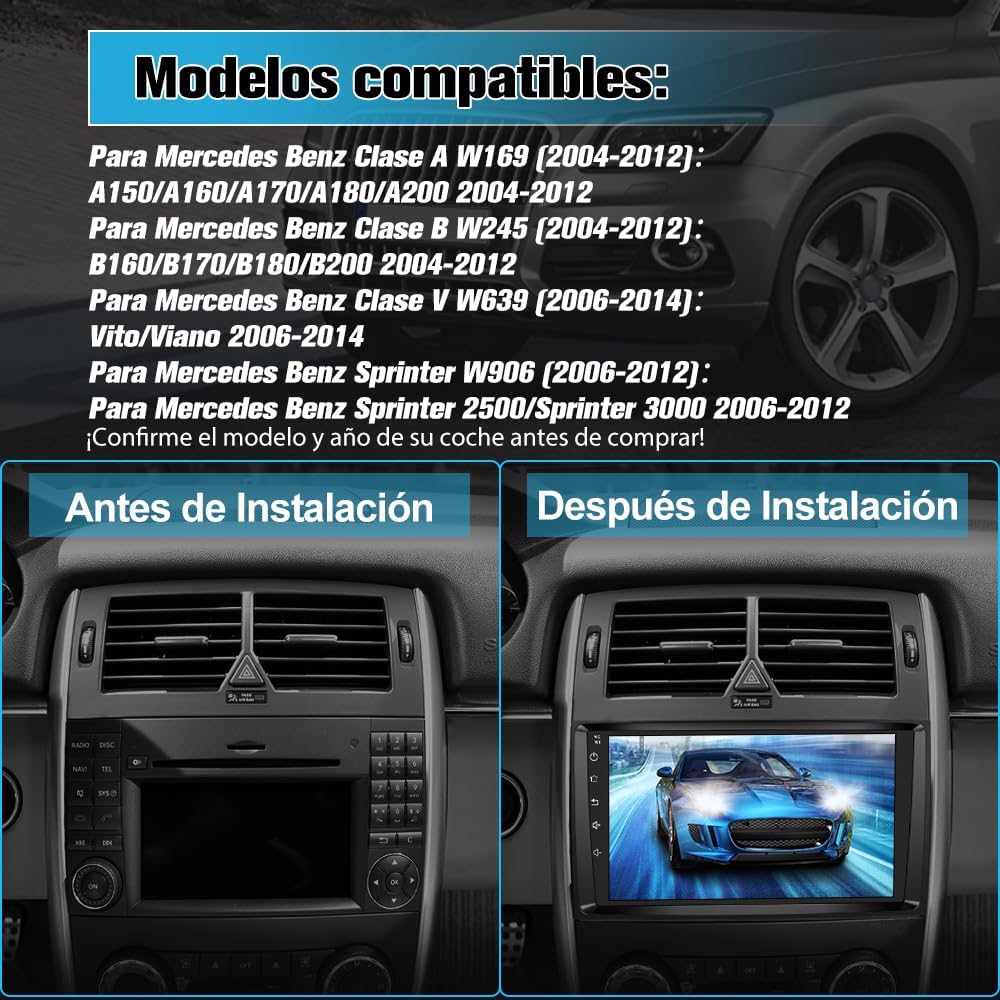
Image: Front view of the AWESAFE Android 12.0 Car Radio, showcasing its 9-inch touchscreen display.
Setup and Installation
Careful installation is crucial for optimal performance. It is recommended to have the unit installed by a professional if you are unfamiliar with car audio systems.
Pre-Installation Check
- Verify the compatibility of the car radio with your vehicle model and year.
- Ensure the unit's dimensions (24.5cm x 13cm) fit your car's dashboard opening.
- If your vehicle has a fiber optic amplifier or other external amplifier system, an additional adapter may be required (not included).
Connecting Components
The package includes various connectors and accessories for installation:
- Power Connectors: For connecting the unit to your vehicle's power supply.
- RCA Connector: For audio/video input/output, including subwoofer connection.
- GPS Antenna: For navigation functionality. Position it in a location with clear sky view.
- External Microphone: Connect this if you experience low voice volume during hands-free calls.
- USB Cables: For connecting external devices and wired CarPlay/Android Auto.
- Canbus: For integrating with your vehicle's steering wheel controls and other systems.
- Radio Antenna: For FM/RDS radio reception.
- Camera Input: For connecting an optional rear camera (not included).
- Installation Tools: Basic tools to assist with the installation process.

Image: A visual representation of all components included in the package, such as power connectors, RCA cables, GPS antenna, external microphone, USB cables, Canbus, radio antenna, camera input, and installation tools.
Installation Process Overview
The images below illustrate the typical appearance of a dashboard before and after the installation of the AWESAFE car radio. Ensure all cables are securely connected and routed properly to avoid interference or damage.
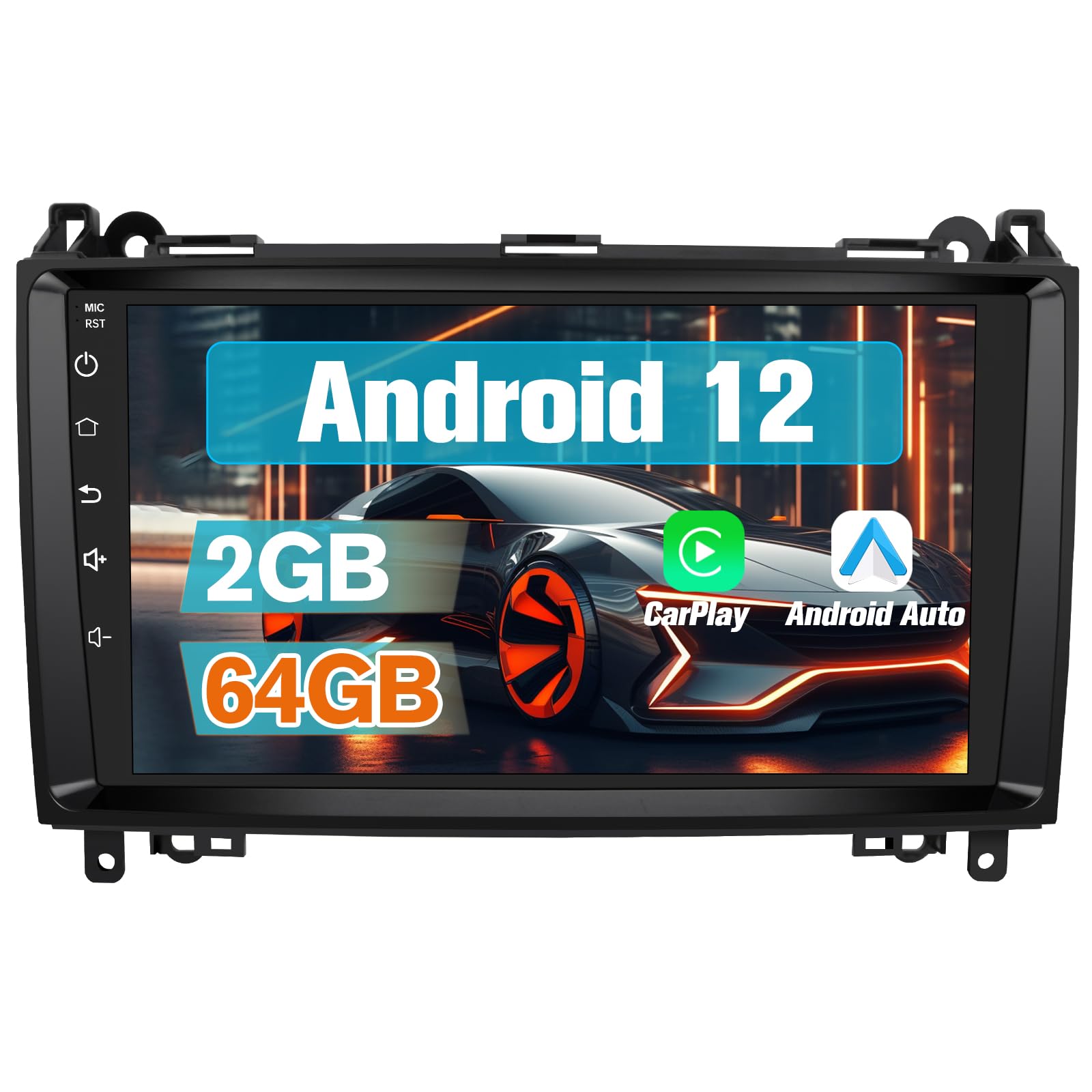
Image: A split image showing a car dashboard with the original radio (left, 'Before Installation') and the same dashboard with the AWESAFE 9-inch car radio installed (right, 'After Installation').
Operating Instructions
Multimedia Playback
The unit supports various multimedia playback options:
- Bluetooth: Stream audio from your smartphone or other Bluetooth-enabled devices.
- USB: Play music or videos from USB storage devices connected via the USB ports.
- FM/RDS Radio: Tune into your favorite radio stations with clear reception and RDS information display.
- Wi-Fi: Connect to a Wi-Fi hotspot to access online streaming services for music and video, or download content for offline use.
CarPlay and Android Auto
The car radio features built-in wireless CarPlay and Android Auto. These functions allow seamless integration with your smartphone for navigation, calls, messages, and music.
- Wireless Connection: Connect your smartphone via Bluetooth and Wi-Fi for a cable-free experience.
- Wired Connection: Alternatively, connect your phone using a USB cable to the 4-pin USB port on the radio.
- Features: Use intelligent voice assistants, get directions, make calls, send/receive messages, and enjoy music directly from your phone's interface displayed on the car radio screen.

Image: The car radio display showing the CarPlay and Android Auto interfaces, with icons for phone, music, maps, messages, and other applications. Two smartphones are shown below, illustrating the connection options.
GPS Navigation and Wi-Fi Functionality
The unit includes a GPS antenna and supports various navigation programs.
- Online Navigation: With Wi-Fi connectivity and 64GB memory, you can download navigation applications directly to the radio and use them online.
- Offline Maps: The radio supports downloading specific offline maps for navigation without an internet connection.
- Phone Navigation: Use your mobile phone's navigation apps by connecting via CarPlay, Android Auto, or MirrorLink.

Image: A split image showing the car radio display. The left side ('GPS Navegación') shows a map with navigation routes. The right side ('Función de WiFi') shows the display with various app icons like YouTube, TikTok, and Facebook, indicating internet connectivity.
Bluetooth and FM Radio
Enjoy hands-free communication and diverse radio entertainment.
- Bluetooth Hands-free: Make and receive calls safely via Bluetooth. The system is compatible with both Android and iOS phones. If call volume is low, connect the external microphone provided.
- FM Radio: Access a wide range of FM stations. The RDS feature provides additional information like station name and song title.

Image: A split image. The left side ('Bluetooth') shows the car radio display with a phone dial pad and an incoming call notification, along with an illustration of a microphone for hands-free calling. The right side ('FM Radio') shows the radio tuning interface with frequency display and station presets.
Control Methods and Parking Assistance
Control your multimedia system through multiple interfaces and enhance your parking safety.
- Control Options: Operate the unit using the responsive touchscreen, basic buttons on the panel, or your vehicle's original steering wheel controls (most are supported).
- Voice Command: Please note that this unit does not support voice commands.
- Parking Assistance: If a rear camera (not included) is connected via the RCA connector, the screen will automatically display parking assistance lines when reversing, aiding in safer parking maneuvers.

Image: The car radio display showing a rear camera view with parking assistance lines, integrated into a car dashboard.
Sound Customization and Display
- DSP Sound Effects: Customize your audio experience with various DSP stereo settings (Jazz, Rock, Pop, Classical, etc.). RCA ports are available for connecting a subwoofer.
- Themes: Choose from 28 different themes to personalize the visual appearance of your display.
- Split Screen: Utilize the split-screen function to run two applications simultaneously.
Maintenance
To ensure the longevity and optimal performance of your AWESAFE car radio, follow these general maintenance guidelines:
- Cleaning: Use a soft, dry cloth to clean the touchscreen and exterior surfaces. Avoid abrasive cleaners or solvents that could damage the display or finish.
- Software Updates: Periodically check for available software updates via Wi-Fi to ensure you have the latest features and performance enhancements. Follow the on-screen prompts for any updates.
- Environmental Conditions: Avoid exposing the unit to extreme temperatures, direct sunlight for prolonged periods, or excessive moisture.
- Cable Connections: Periodically check all cable connections to ensure they are secure and free from damage.
Troubleshooting
If you encounter issues with your AWESAFE car radio, refer to the following common solutions:
- No Power/Unit Not Turning On:
- Check all power connections to ensure they are securely fastened.
- Verify your vehicle's fuse box for any blown fuses related to the car radio.
- No Sound/Poor Audio Quality:
- Ensure speaker wires are correctly connected.
- Check volume settings on the unit and any connected devices.
- If your vehicle has a fiber optic amplifier or other external amplifier system, an additional adapter may be required.
- Adjust DSP sound settings.
- Bluetooth Connectivity Issues:
- Ensure Bluetooth is enabled on both the car radio and your smartphone.
- Delete previous pairings and try re-pairing the devices.
- If voice volume is low during calls, connect the external microphone.
- GPS Not Working/Inaccurate:
- Ensure the GPS antenna is properly connected and positioned with a clear view of the sky.
- Check GPS settings within the unit.
- Verify that navigation apps are up to date.
- CarPlay/Android Auto Not Connecting:
- For wireless connection, ensure both Bluetooth and Wi-Fi are active on your phone and the radio.
- For wired connection, ensure the USB cable is connected to the correct 4-pin USB port and is not damaged.
- Update your phone's operating system and the CarPlay/Android Auto apps.
- Steering Wheel Controls Not Responding:
- Ensure the Canbus adapter is correctly installed and configured.
- Refer to the installation guide for specific Canbus wiring instructions.
- Unit Freezes/Unresponsive:
- Perform a soft reset by pressing the reset button (if available) or by turning off the vehicle's ignition and restarting.
- If the issue persists, consider a factory reset (note: this will erase all user data and settings).
Product Specifications
| Brand | AWESAFE |
| Model Number | B0FKMTC92W |
| ASIN | B0FKMTC92W |
| UPC | 759973261412 |
| Operating System | Android 12.0 |
| Memory | 2GB RAM + 64GB ROM |
| Screen Size | 9 Inches |
| Dimensions (Package) | 28.7 x 22.3 x 14.1 cm |
| Weight (Package) | 1.7 kg |
| Connectivity Technology | Bluetooth, USB, Wi-Fi |
| Wireless Technology | Bluetooth, Wi-Fi |
| Controller Type | Touchscreen, Steering Wheel Controls |
| Special Features | Android 12 Support, Wireless/Wired CarPlay & Android Auto, GPS Navigation, Bluetooth Connection, Touch Interface |
| Compatible Devices | Smartphone, Tablet, Personal Computer, Television |
| Connector Type | USB Type A, RCA |
| Audio Output Mode | Stereo |
| Surround Sound Channel Config. | 5.1 |
| Video Encoding | MPEG-4, H.264, H.265/HEVC |
| Number of Channels | 2 |
| Audio Output Types | Speakers, Headphones, Bluetooth, RCA |
| Audio Format | Dolby |
| Country of Origin | China |
| Contents of the Box | Car Radio |
Warranty Information
This AWESAFE car radio comes with a two-year warranty from the date of purchase. The warranty covers manufacturing defects and malfunctions under normal use. Please retain your proof of purchase for warranty claims.
The warranty does not cover damages caused by improper installation, misuse, accidents, unauthorized modifications, or normal wear and tear.
Customer Support
For technical assistance, troubleshooting not covered in this manual, or warranty claims, please contact AWESAFE customer support through the retailer where you purchased the product or visit the official AWESAFE website for contact information.
When contacting support, please have your product model number (B0FKMTC92W) and proof of purchase readily available.


