
1. Introduction
This manual provides detailed instructions for the installation, operation, and maintenance of your AWESAFE Android 15 Car Stereo. Please read this manual thoroughly before using the product to ensure proper function and safety. Keep this manual for future reference.
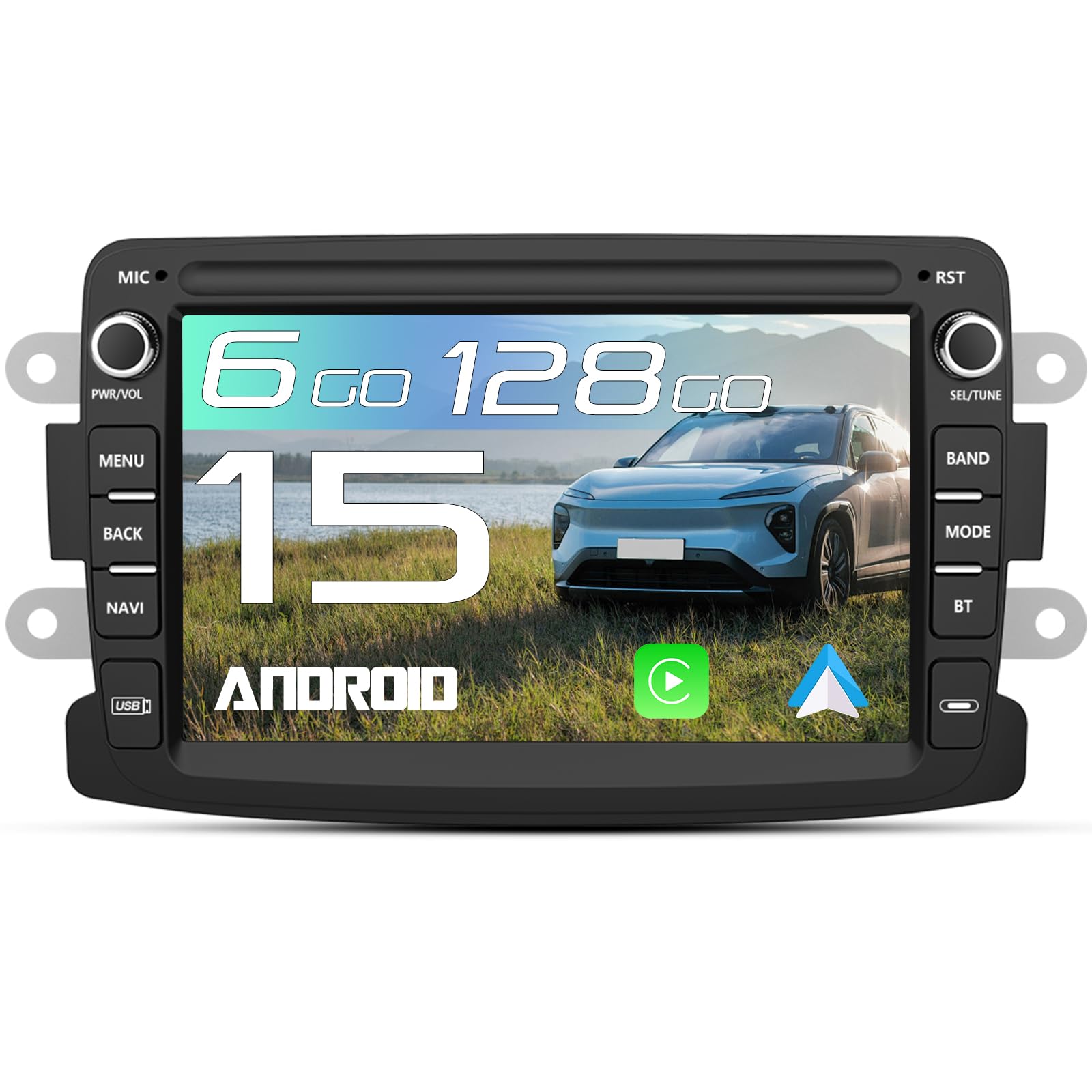
Image 1: AWESAFE Android 15 Car Stereo main unit.
2. Product Overview
Key Features
- Operating System: Android 15
- Memory & Storage: 6GB RAM + 128GB ROM
- Connectivity: Integrated 4G LTE, Wi-Fi, Bluetooth, USB
- Smartphone Integration: Wireless and Wired CarPlay & Android Auto
- Display: 7-inch High-Definition Touch Screen
- Navigation: Online GPS with real-time traffic support (G-Maps, Waze)
- Audio: DSP (Digital Sound Processor) for enhanced sound quality, FM/RDS Radio
- Control: Steering Wheel Control compatibility, Touch, Voice
- Assistance: Parking Assistance (requires external camera)
Vehicle Compatibility
This car stereo is compatible with specific Renault and Dacia models. Please verify your vehicle's model and production year before purchase.
- Renault: Captur (2013-2017), Symbol (2013-2017)
- Dacia: Sandero (2012-2017), Duster (2011-2017), Dokker (2012-2017), Logan (2012-2017), Lodgy (2012-2017)

Image 2: List of compatible Renault and Dacia vehicle models and years.
Product Dimensions
The unit features a 7-inch screen. It is crucial to confirm the dimensions of your vehicle's central console before purchasing, as some compatible car models may have different console sizes that prevent installation.

Image 3: Diagram showing the 7-inch screen dimensions of the car stereo (190mm width, 120mm height).
3. Setup
Package Contents
Before installation, ensure all components are present in the package:
- AWESAFE Car Stereo Unit
- Power Connectors
- RCA Cable
- GPS Antenna
- External Microphone
- USB Cables (x2)
- Canbus Box
- Radio Antenna
- Installation Tools
- User Manual

Image 4: Visual representation of all items included in the product package.
Installation Guidelines
Installation typically involves removing the original car radio, connecting the provided cables, and securing the new unit. It is recommended to consult a professional for installation if you are unfamiliar with car electronics. Ensure all connections are secure to prevent malfunctions.
- Preparation: Disconnect the car battery before starting installation.
- Removal: Carefully remove the existing car radio and trim.
- Wiring: Connect the power connectors, RCA cables, GPS antenna, external microphone, USB cables, Canbus box, and radio antenna to their respective ports on the car stereo and vehicle harness. Ensure the Canbus box is correctly connected for steering wheel controls and other vehicle-specific functions.
- Mounting: Secure the AWESAFE car stereo into the dashboard opening using the provided installation tools.
- Testing: Reconnect the car battery and test all functions of the car stereo before fully reassembling the dashboard.
4. Operating Instructions
Basic Operation
The car stereo features a responsive touch screen for intuitive control. Power on the device by pressing the power button. Navigate through menus and applications by tapping and swiping on the screen.
CarPlay & Android Auto
The unit supports both wired and wireless CarPlay and Android Auto for seamless smartphone integration. Access calls, messages, music, and navigation directly from your car stereo display.
- Wired Connection: Connect your smartphone to the car stereo using the original USB data cable via the 6-pin or 8-pin USB ports located at the rear of the unit.
- Wireless Connection: Ensure your phone's Bluetooth is paired with the car stereo and Wi-Fi is enabled (not disabled). If wireless functionality stops, check your phone's Wi-Fi settings.
- Application: Use the pre-installed ZLINK5 application to manage CarPlay/Android Auto functions.

Image 5: Display showing CarPlay and Android Auto interfaces with various app icons and voice command examples.
GPS Navigation
The car stereo supports online GPS navigation. You can download and use various navigation applications like G-Maps and Waze. The system provides voice guidance and real-time traffic information.
- GPS Signal: For optimal GPS signal reception, it is recommended to place the GPS module near the windshield.
- Online Maps: Connect to the internet via 4G LTE or Wi-Fi to access online maps and real-time traffic updates.

Image 6: Screen displaying GPS navigation with route information and icons for various online applications.
4G LTE & Wi-Fi Connectivity
With integrated 4G LTE and Wi-Fi, you can access the internet directly from your vehicle. This allows for streaming music, downloading applications, and using online services without relying on your phone's data plan (with a 4G SIM card inserted).
- 4G LTE: Insert a compatible 4G SIM card into the designated slot for direct internet access.
- Wi-Fi: Connect to available Wi-Fi networks or use your smartphone as a hotspot for internet access.
Bluetooth (Music & Calls)
Connect your smartphone via Bluetooth for hands-free calling and audio streaming. The system supports voice assistance for quick access to functions.
- Pairing: Enable Bluetooth on your phone and search for the car stereo. Select the device and confirm pairing.
- Calls: Make and receive calls directly from the car stereo interface.
- Music: Stream audio from your phone to the car stereo speakers.
FM/RDS Radio
Enjoy your favorite radio stations with the built-in FM/RDS tuner. The system supports frequencies from 87.5MHz to 108.0MHz.
- Antenna: Ensure the radio antenna is properly connected for optimal reception.
- RDS: Radio Data System provides additional information like station name and song titles where available.
DSP Audio Enhancement
The Digital Sound Processor (DSP) allows for personalized audio settings, enhancing your listening experience. Adjust bass, mid-range, and treble to your preference.
- Equalizer: Access the equalizer settings to customize sound profiles (e.g., Jazz, Rock, Pop, Classical).
- Sound Field: Adjust the sound field to optimize audio for different seating positions.

Image 7: Display showing Bluetooth call interface, music playback, and DSP equalizer settings with sound wave visualization.
Steering Wheel Controls
The car stereo is compatible with your vehicle's original steering wheel controls, allowing you to manage audio and other functions safely without taking your hands off the wheel.
- Configuration: If controls do not function automatically, ensure the Canbus box and the 8-pin interface are correctly connected and configured in the system settings.
Parking Assistance
The unit supports a rear-view camera (not included in the package) for parking assistance. When reverse gear is engaged, the screen will automatically display the camera feed with parking guidelines.
- Camera Connection: Connect the rear-view camera to the 'Camera IN' RCA cable.
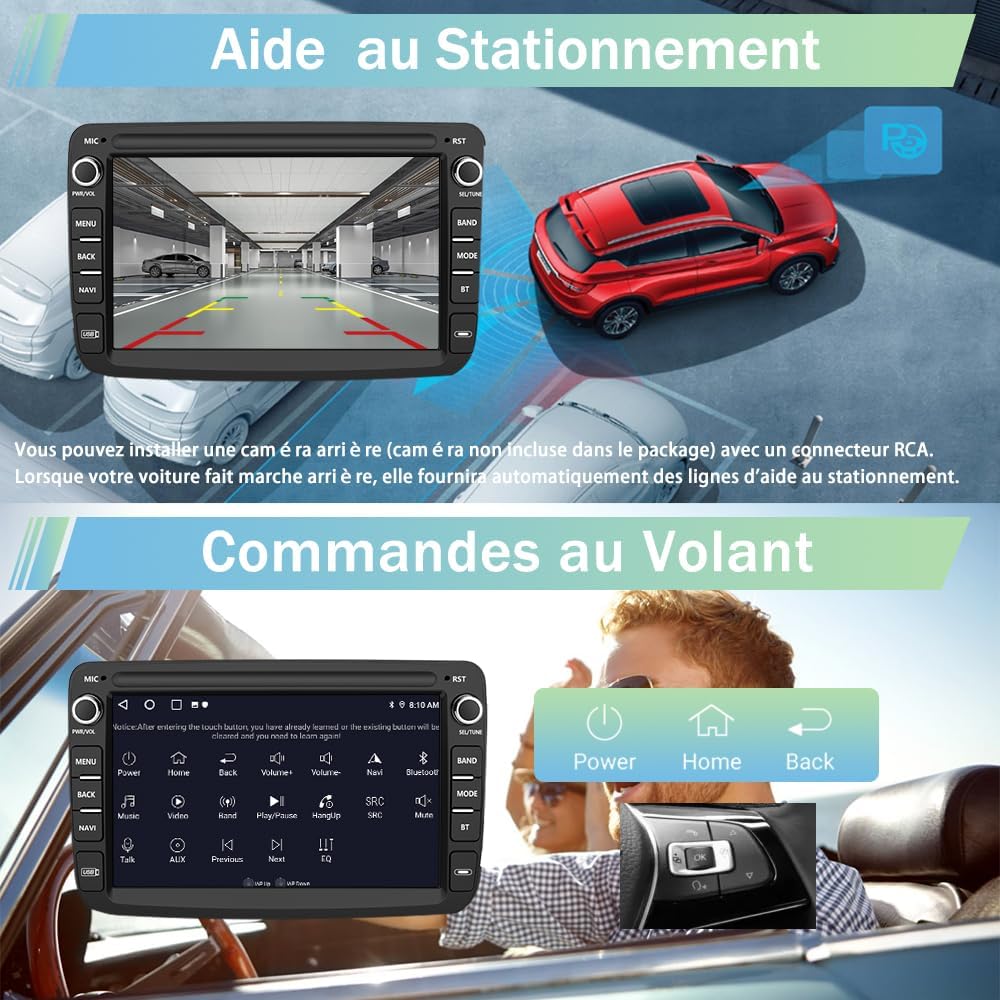
Image 8: Screen showing parking assistance view with guidelines and an interface for steering wheel controls.
Mirror Link
Mirror Link functionality allows you to display your smartphone's screen directly on the car stereo. Connect your iPhone or Android device via Wi-Fi or USB to mirror its content. Audio is transmitted via Bluetooth.

Image 9: Illustration of the Mirror Link function, displaying a smartphone's screen content on the car stereo.
5. Maintenance
To ensure the longevity and optimal performance of your AWESAFE car stereo, follow these maintenance guidelines:
- Cleaning: Use a soft, dry cloth to clean the screen and exterior. Avoid abrasive cleaners or solvents that could damage the surface.
- Software Updates: Periodically check for software updates to ensure you have the latest features and bug fixes. Updates can usually be found on the manufacturer's website or through the device's settings.
- Temperature: Avoid exposing the unit to extreme temperatures, direct sunlight for prolonged periods, or high humidity.
- Power: Ensure the car's electrical system is stable. Fluctuations can affect the unit's performance.
6. Troubleshooting
If you encounter issues with your car stereo, refer to the following common problems and solutions:
| Problem | Possible Cause | Solution |
|---|---|---|
| Unit does not power on. | Loose power connection, blown fuse, car battery issue. | Check power cables and connections. Inspect vehicle fuses. Ensure car battery is charged. |
| No sound from speakers. | Speaker wires disconnected, volume too low, incorrect audio source. | Verify speaker wire connections. Increase volume. Select correct audio source (e.g., FM, Bluetooth, USB). |
| Steering wheel controls not working. | Canbus box or 8-pin interface incorrectly connected/configured. | Ensure Canbus box and 8-pin interface are securely connected. Check system settings for steering wheel control configuration. |
| GPS signal is weak or inaccurate. | GPS antenna placement, environmental interference. | Relocate GPS antenna to a position with clear sky view (e.g., near windshield). Avoid placing near metal objects. |
| Wireless CarPlay/Android Auto not connecting. | Phone's Wi-Fi disabled, Bluetooth not paired, ZLINK5 app issue. | Ensure your phone's Wi-Fi is enabled and Bluetooth is paired. Restart the ZLINK5 application or the car stereo. |
| Touch screen unresponsive. | Temporary software glitch, screen calibration issue. | Restart the car stereo. If the issue persists, perform a factory reset (refer to system settings, note this will erase all user data). |
If the problem persists after attempting these solutions, please contact customer support.
7. Specifications
| Feature | Detail |
|---|---|
| Brand | AWESAFE |
| Model Number | B0FKLS6JRP |
| Operating System | Android 15 |
| RAM | 6GB |
| Internal Storage | 128GB |
| Screen Size | 7 inches |
| Connectivity Technology | Bluetooth, USB, Wi-Fi, 4G LTE |
| Control Method | Touch, Voice |
| Special Features | Lane Assist, Touch Screen |
| Compatible Devices | Smartphone |
| Audio Output Mode | Stereo |
| Surround Sound Configuration | 5.1 |
| Internet Services Supported | CarPlay, Android Auto |
| UPC | 759973914493 |
| Country of Origin | China |
8. Warranty & Support
Warranty Information
This AWESAFE car stereo comes with a 2-year warranty from the date of purchase. The warranty covers manufacturing defects and malfunctions under normal use. Please retain your proof of purchase for warranty claims.
Customer Support
For technical assistance, troubleshooting not covered in this manual, or warranty claims, please contact AWESAFE customer support. Contact details can typically be found on the product packaging, the manufacturer's official website, or through your retailer.
When contacting support, please provide the following information:
- Product Model Number (B0FKLS6JRP)
- Date of Purchase
- Detailed description of the issue


