
1. Introduction
Thank you for choosing the xinwld H9 Wireless Earbuds. These earbuds are designed to provide a high-quality audio experience with advanced features for active lifestyles. This manual provides detailed instructions for setup, operation, maintenance, and troubleshooting to ensure optimal performance and longevity of your device.
2. What's in the Box
- xinwld H9 Wireless Earbuds (Left and Right)
- Charging Case
- USB-C Charging Cable
- Silicone Ear Tips (S/M/L sizes)
- User Manual
3. Product Overview
The xinwld H9 Wireless Earbuds feature Bluetooth 5.4 technology for stable connectivity and low latency. They are equipped with Environmental Noise Cancelling (ENC) microphones for clear calls and a 14.2mm dynamic driver for immersive sound. The ergonomic design with earhooks ensures a secure fit, and IP7 waterproofing provides protection against sweat and rain.
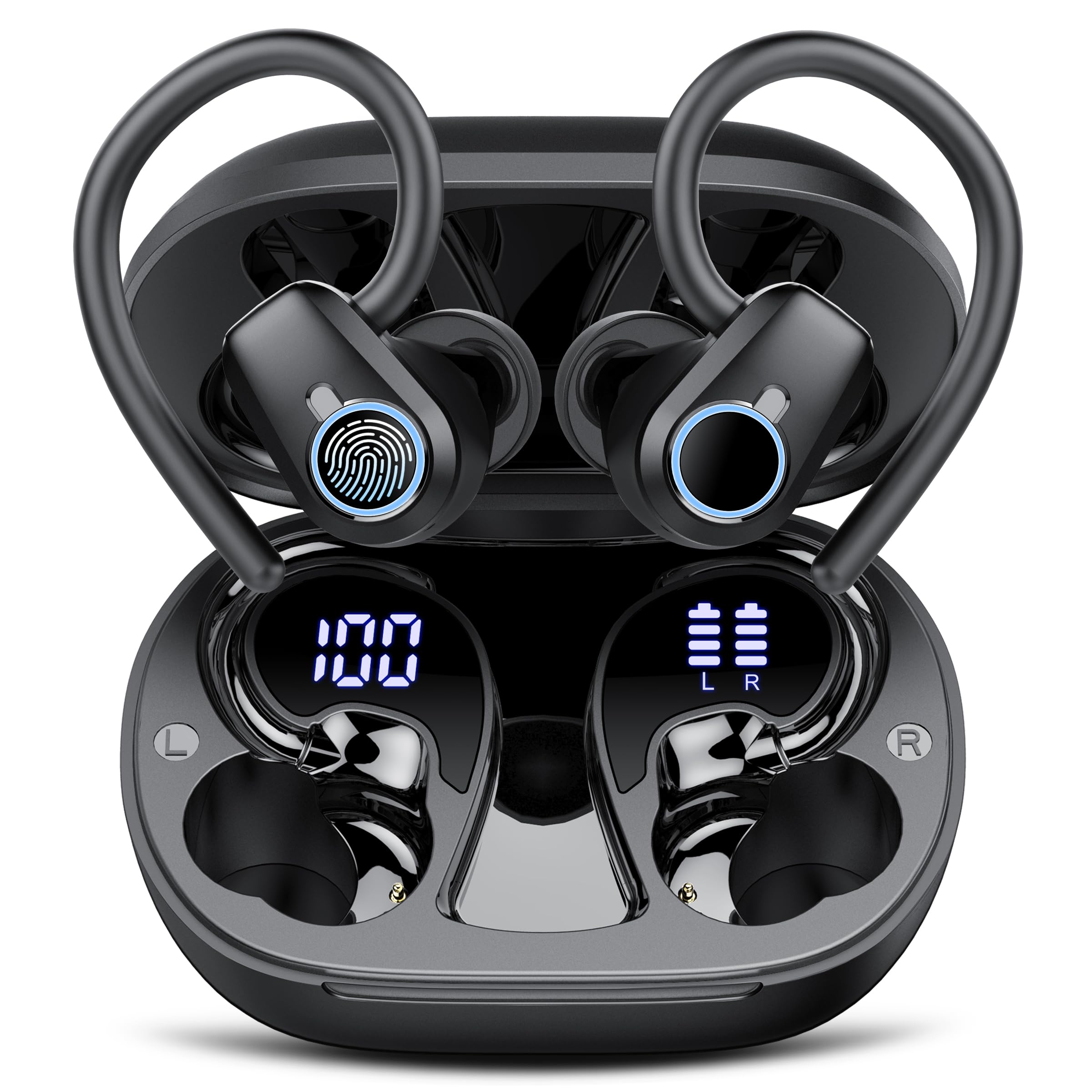
Image: xinwld H9 Wireless Earbuds and their charging case, showcasing the sleek black design.
4. Setup
4.1 Initial Charging
Before first use, fully charge the earbuds and the charging case. Connect the provided USB-C cable to the charging port on the case and to a compatible USB power source. The dual LED display on the charging case will indicate the battery levels of both the case and the individual earbuds.

Image: The charging case with earbuds inside, displaying battery percentages for the case and each earbud on its LED screen.
4.2 Ear Tip Selection and Fit
Select the ear tips (S/M/L) that provide the most comfortable and secure fit for your ears. The ergonomic design with 45° TPU elastic ear hooks ensures stability, especially during physical activity. Gently place the earbud into your ear canal and adjust the ear hook over your ear until it feels secure.

Image: Diagram illustrating the ergonomic design of the earbuds with earhooks and showing the three included sizes (S, M, L) of silicone ear tips.
5. Operating Instructions
5.1 Power On/Off
The earbuds automatically power on when removed from the charging case and power off when placed back into the case and the lid is closed.
5.2 Bluetooth Pairing
The earbuds feature one-step pairing. Open the charging case, and the earbuds will automatically enter pairing mode. On your device (smartphone, tablet, laptop), enable Bluetooth and select "xinwld H9" from the list of available devices. Once connected, the earbuds will automatically reconnect to the last paired device when removed from the case.

Image: A visual representation of the one-step pairing process, showing the open charging case with earbuds and a smartphone displaying Bluetooth connection options.
5.3 Smart Touch Controls
The earbuds are equipped with highly sensitive smart touch controls:
- Play/Pause Music: Single tap on either earbud.
- Adjust Volume: Tap and hold the right earbud to increase volume, tap and hold the left earbud to decrease volume.
- Answer/End Call: Single tap on either earbud.
- Reject Call: Double tap on either earbud.
- Next Track: Double tap the right earbud.
- Previous Track: Double tap the left earbud.
- Activate Voice Assistant: Triple tap on either earbud.
5.4 Environmental Noise Cancelling (ENC)
The 4-microphone array with advanced ENC technology effectively filters out background noise during calls, providing clear voice transmission comparable to face-to-face conversations.
5.5 IP7 Waterproof Rating
The earbuds are IP7 waterproof, protecting them from sweat and rain splashes. This makes them suitable for sports and outdoor activities. Avoid submerging the earbuds in water for extended periods.

Image: The xinwld H9 earbuds shown with water droplets, illustrating their IP7 waterproof capability against rain and sweat.
6. Maintenance
- Cleaning: Regularly clean the earbuds and charging case with a soft, dry, lint-free cloth. Do not use harsh chemicals or abrasive materials.
- Ear Tips: Remove and clean the silicone ear tips periodically with mild soap and water. Ensure they are completely dry before reattaching.
- Storage: Store the earbuds in their charging case when not in use to protect them and keep them charged. Avoid extreme temperatures.
- Charging Port: Keep the USB-C charging port free of dust and debris.
7. Troubleshooting
| Issue | Possible Solution |
|---|---|
| Earbuds not pairing | Ensure earbuds are charged. Place them back in the case, close the lid, then open to re-enter pairing mode. Forget the device on your phone's Bluetooth settings and try pairing again. |
| No sound from one earbud | Check battery level of both earbuds. Try resetting the earbuds (refer to specific reset instructions if available, otherwise re-pair). |
| Charging case not charging | Verify the USB-C cable is securely connected to both the case and the power source. Try a different cable or power adapter. |
| Poor sound quality | Ensure ear tips provide a good seal. Clean earbuds to remove any debris blocking the speaker. Move closer to your paired device to avoid interference. |
| Earbuds fall out easily | Try different sizes of silicone ear tips. Adjust the ear hooks for a more secure fit. |
8. Specifications
- Brand: xinwld
- Model Number: H9
- Connectivity Technology: Wireless (Bluetooth 5.4)
- Bluetooth Range: 15 Meters
- Ear Placement: In Ear with Earhooks
- Noise Control: Environmental Noise Cancellation (ENC)
- Audio Driver Type: Dynamic Driver (14.2mm)
- Frequency Range: 18Hz-25kHz
- Battery Life (Earbuds): Up to 8 hours (continuous playback)
- Total Playtime (with Charging Case): Up to 50 hours
- Battery Charge Time: 2 hours (for case and earbuds)
- Water Resistance Level: IP7 Waterproof
- Compatible Devices: Smartphones, Tablets, Laptops, Gaming Consoles, Desktops (Android 4.4+, iOS 8.0+, Bluetooth 4.0+)
- Material: Silicone (ear tips)

Image: Diagram illustrating Bluetooth technology, highlighting stable signal transmission and a 15-meter range.

Image: Exploded view diagram of the earbud's internal components, emphasizing the 14.2mm dynamic driver for Hi-Fi stereo sound and bass performance.
9. Warranty & Support
The product comes with a manufacturer's warranty. For specific warranty details, please refer to the documentation included with your purchase or contact xinwld customer support. For technical assistance or further inquiries, please visit the official xinwld website or contact their customer service team.
Online Support: Visit the xinwld Store on Amazon

