
Insta360 CINSAAHA
Insta360 X5 Satin White User Manual
Model: CINSAAHA
1. Introduction
Thank you for choosing the Insta360 X5 Satin White 8K 360° Action Camera. This manual provides essential information for setting up, operating, and maintaining your camera to ensure optimal performance and longevity. The Insta360 X5 is designed to capture immersive 360-degree video and photos with advanced stabilization and low-light capabilities.
2. Safety Information
- Do not expose the camera to extreme temperatures or direct sunlight for extended periods.
- Ensure all ports are securely closed before exposing the camera to water.
- Use only official Insta360 accessories and chargers.
- Keep the camera and its components out of reach of children.
- Avoid dropping or subjecting the camera to strong impacts.
3. What's in the Box
The Insta360 X5 Satin White Standard Bundle includes the following items:
- 1x Insta360 X5 Camera
- 1x USB-C Cable
- 1x Lens Cloth
- 1x Protective Pouch
- 1x User Guide (this document)
*Invisible Selfie Stick & MicroSD Card sold separately.
4. Setup
4.1. Charging the Battery
The Insta360 X5 features an upgraded battery providing up to 185 minutes of runtime. For fast charging, connect the camera to a 30W USB-C PD certified charger. The camera can charge to 80% in approximately 20 minutes.
4.2. Inserting a MicroSD Card
A MicroSD card is required for recording. Insert a compatible MicroSD card (UHS-I V30 speed class or above, exFAT format recommended) into the designated slot until it clicks into place.
4.3. Powering On/Off
To power on, press and hold the Power Button until the screen lights up. To power off, press and hold the Power Button until the camera shuts down.
4.4. Connecting to the Insta360 App
Download the official Insta360 app on your mobile device. Enable Wi-Fi and Bluetooth on your phone, then open the app and follow the on-screen instructions to connect to your Insta360 X5.
5. Key Features
5.1. 8K30fps 360° Video with Dual 1/1.28" Sensors
Capture stunning detail with dual 1/1.28" sensors shooting up to 8K30fps. Film epic adventures, everyday moments, and more, all in sharp, immersive 360° video with better clarity, color, and dynamic range.

Image: The Insta360 X5 captures ultra-clear 8K 30fps 360° videos with dual 1/1.28" sensors, delivering true-to-life colors.
5.2. Triple AI Chip Design, Better Low Light
Shoot confidently even in challenging lighting. The X5’s triple AI chip design powers advanced noise reduction and image processing, delivering crisp, vibrant footage even in dim or night conditions.

Image: Enhanced low light performance with 360° PureVideo, featuring triple AI chip noise reduction and improved brightness for clarity.
5.3. Invisible Selfie Stick Effect
Create impossible third-person views with no selfie stick in sight! Capture everything in 360°, then choose your angles later using AI-assisted reframing—perfect shots, every time.
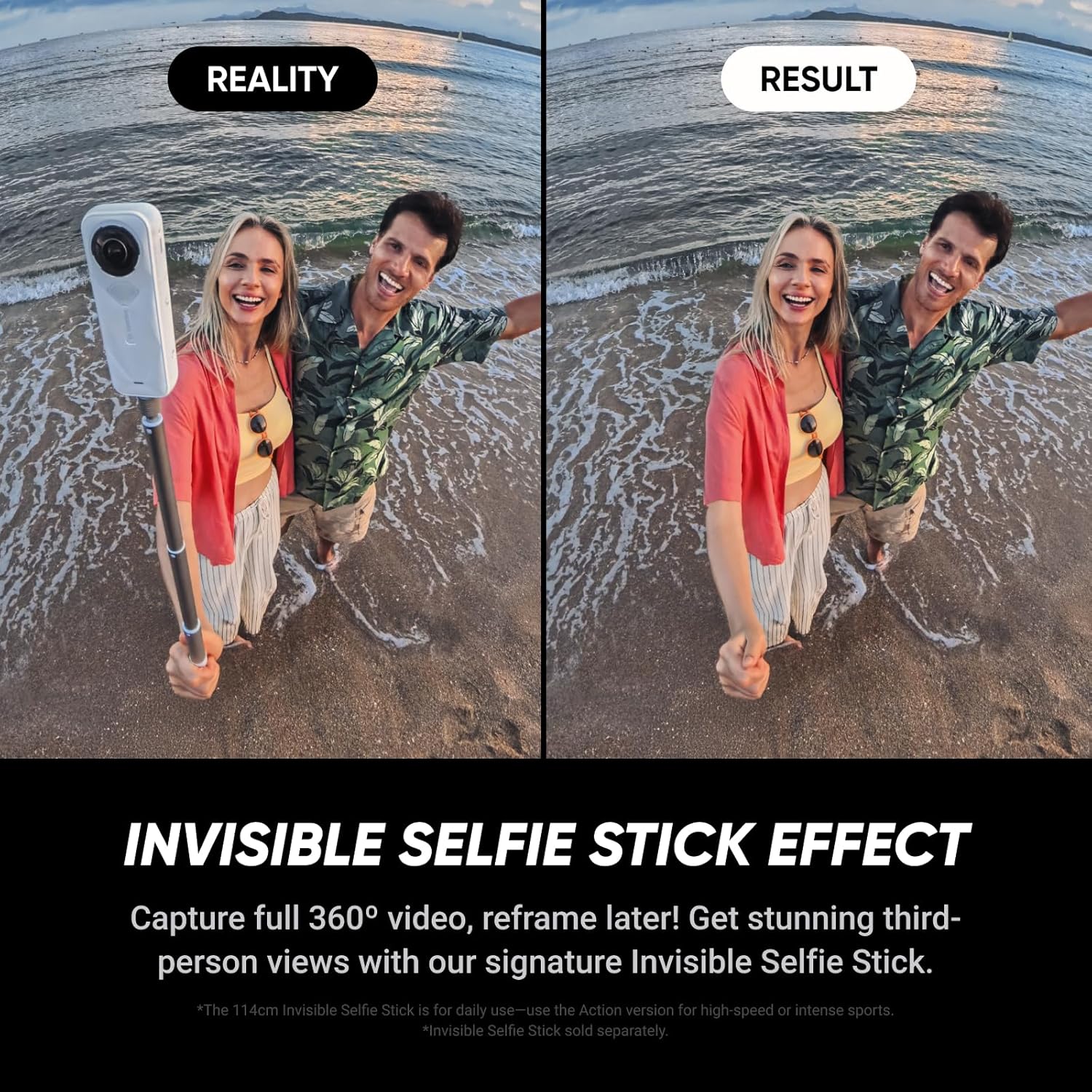
Image: The Invisible Selfie Stick effect allows for seamless third-person views, making the stick disappear from your 360° footage.
5.4. InstaFrame Mode
Get a ready-to-share flat video instantly. Choose auto-framing to let the camera track you, or lock in a fixed angle. Preview the 360° video later to add in any unexpected moments, too.
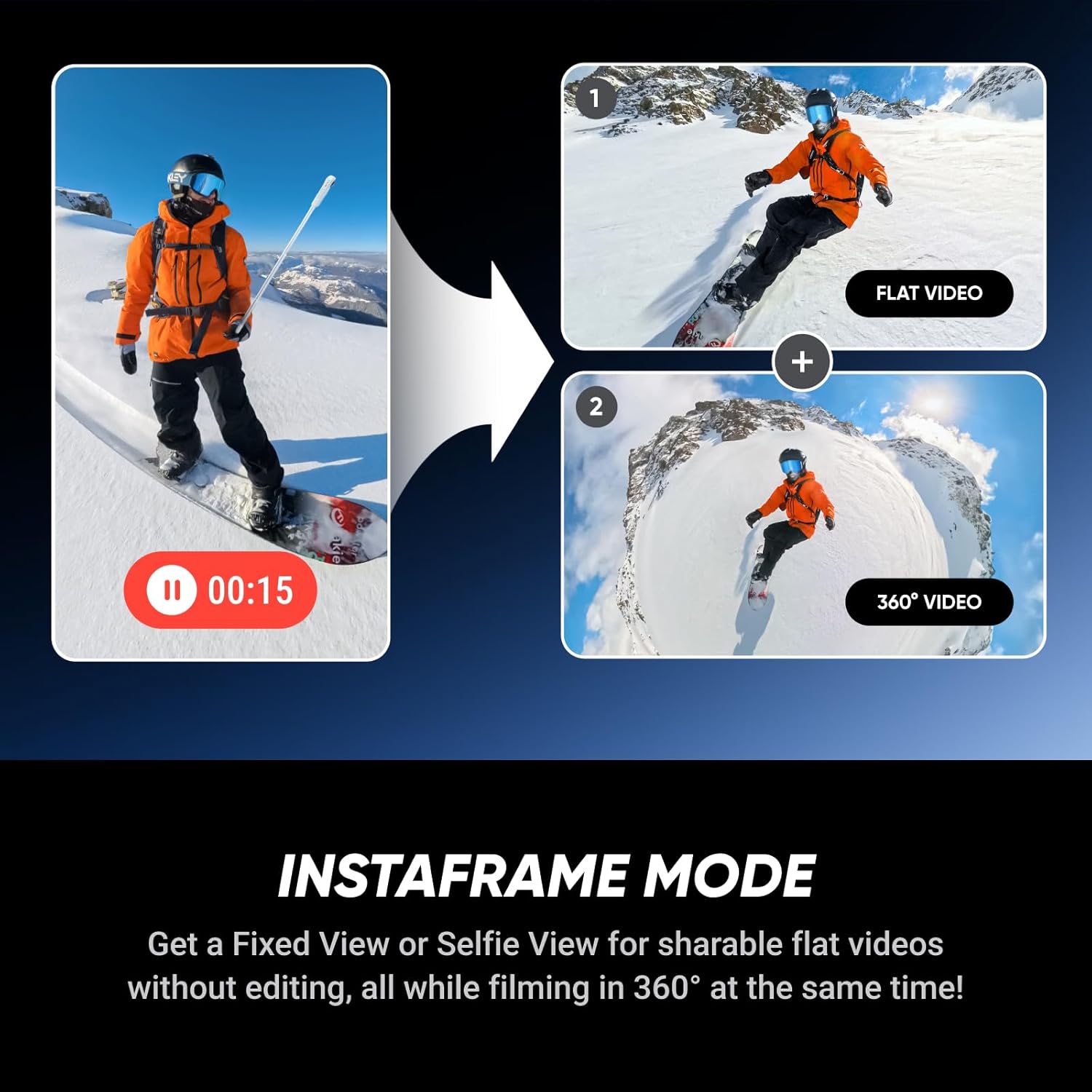
Image: InstaFrame Mode allows you to get a fixed view or selfie view for sharable flat videos without editing, while simultaneously filming in 360°.
5.5. FlowState Stabilization + 360° Horizon Lock
No gimbal needed. The X5’s FlowState Stabilization and full 360° Horizon Lock deliver buttery-smooth, level footage, even during action-packed moments, bumps, or full rotations.
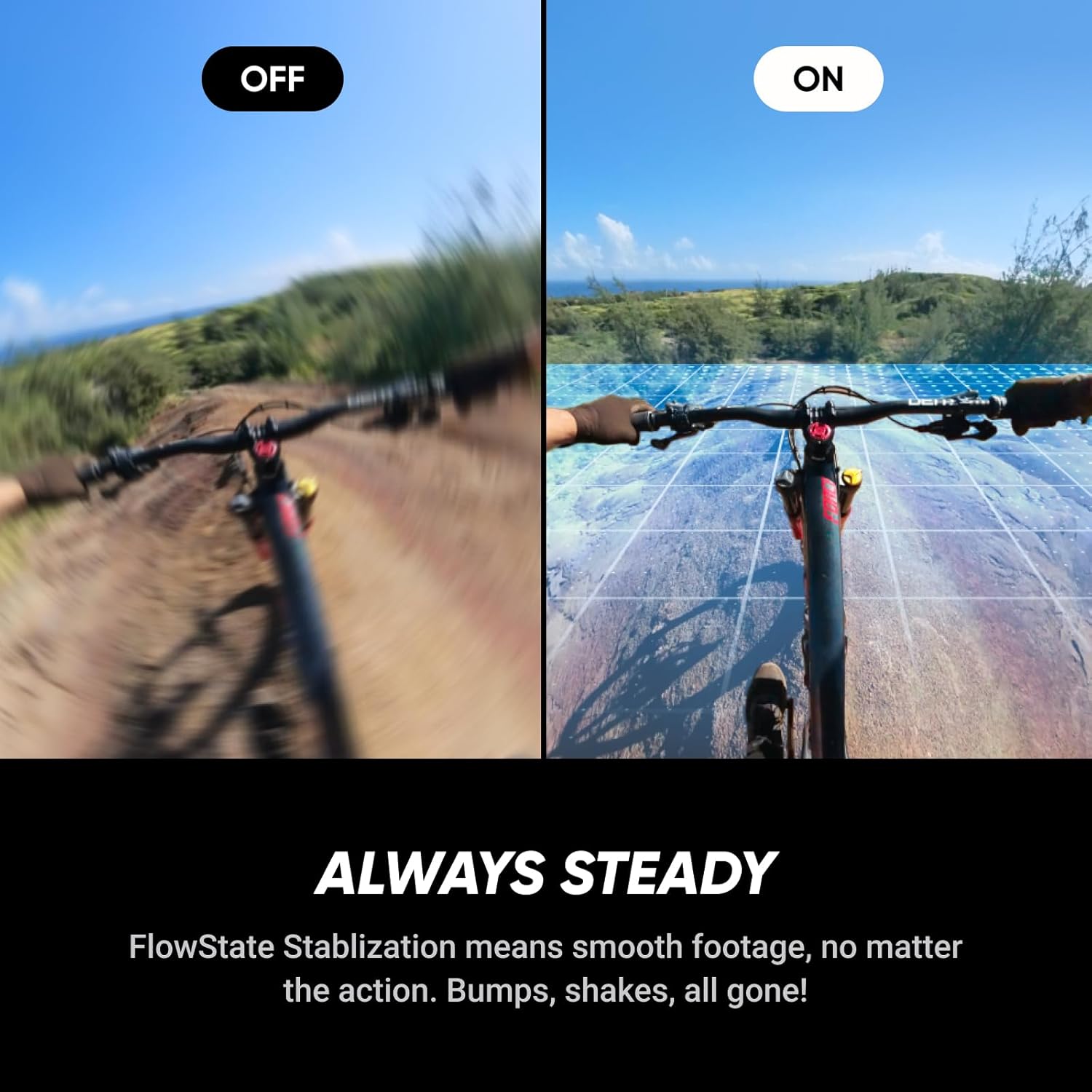
Image: FlowState Stabilization ensures smooth footage, eliminating bumps and shakes, no matter the action.
5.6. Tougher, Replaceable Lenses
Brand new, fully replaceable lenses are here. The X5’s upgraded lenses are tough, durable, and scratch-resistant. Easily replace them in seconds so you’re always ready to shoot your next mission.

Image: The Insta360 X5 features a replaceable lens design and seriously durable, scratch-resistant lenses.
5.7. New Wind Guard for Clearer Audio
Audio matters. The new 4-mic array includes an advanced Wind Guard that reduces wind interference and hones in on voices—ideal for vlogs, narration, and action scenes alike.
5.8. Waterproof to 49ft (15m)
Ready for it all. Take your X5 diving to 49ft (15m) without a case.
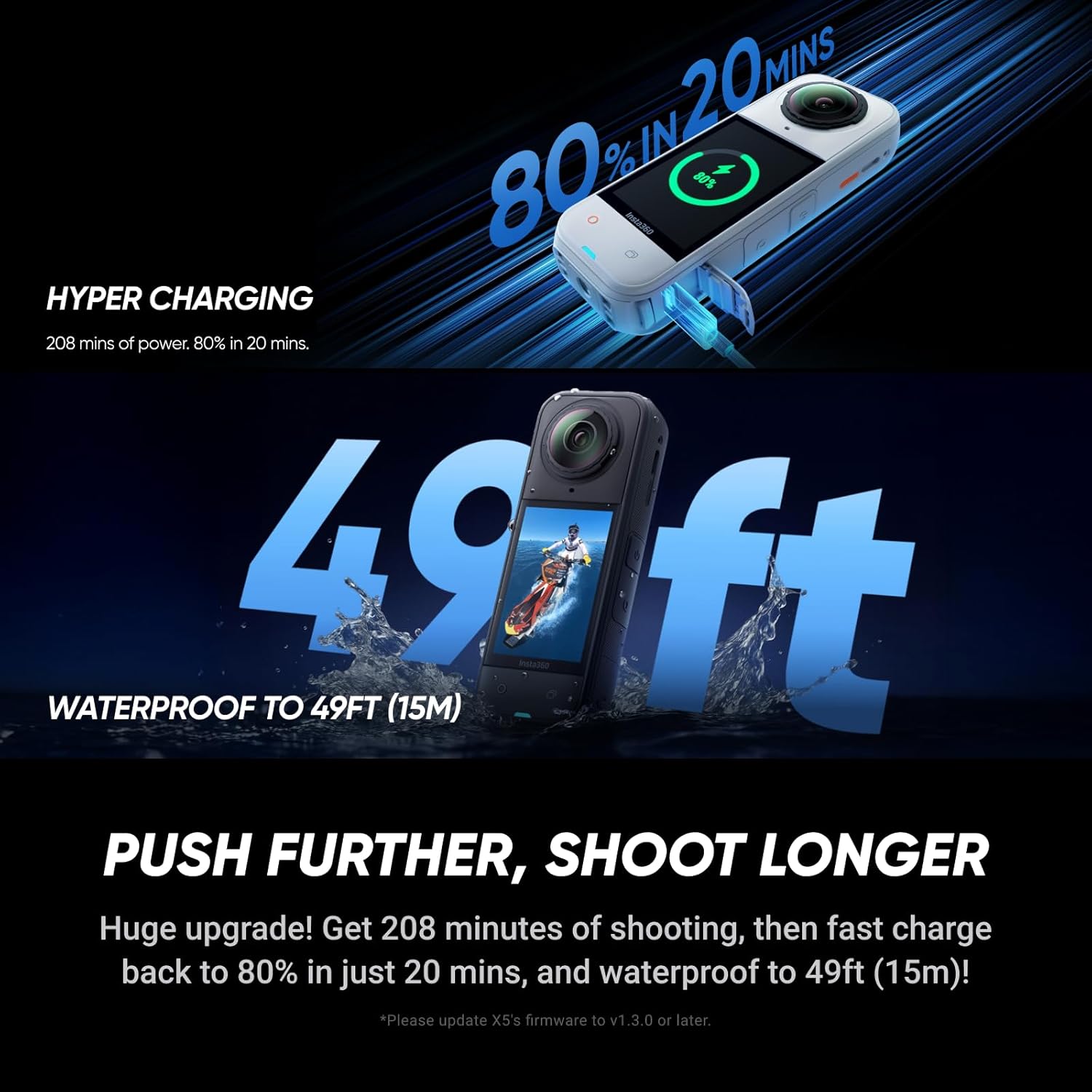
Image: The Insta360 X5 is waterproof to 49ft (15m), allowing for underwater capture without an additional case.
5.9. Export Without Editing, Using AI
Short on time? One-tap export lets you grab a quick clip without editing. Or use our revolutionary AI editing in the Insta360 app to automatically create highlights for you!
6. Operating the Camera
6.1. Basic Controls
The Insta360 X5 features intuitive controls. The main record button is prominently located for easy access. Use the touchscreen display to navigate menus and settings.
6.2. Shooting Modes
The camera offers various shooting modes, including standard 360-degree video, single-lens mode, and specialized modes like InstaFrame. Select your desired mode via the touchscreen interface.
6.3. Connecting to the Insta360 App
For advanced control, real-time preview, and editing, connect your X5 to the Insta360 mobile app. The app allows for seamless transfer of footage and access to AI-powered editing tools.
7. Maintenance
7.1. Cleaning the Lenses
Use the provided lens cloth to gently clean the camera lenses. For stubborn smudges, a specialized lens cleaning solution can be applied to the cloth. Avoid abrasive materials that could scratch the lenses.
7.2. Battery Care
To prolong battery life, avoid fully discharging the battery frequently. Store the camera with a partial charge (around 50%) if not used for extended periods. Do not expose the battery to extreme heat.
7.3. Waterproof Seal Check
Before using the camera in water, always ensure the battery compartment and USB-C port covers are securely closed and free of debris. Regularly inspect the rubber seals for any signs of wear or damage.
8. Troubleshooting
8.1. Camera Not Powering On
- Ensure the battery is sufficiently charged.
- Try removing and reinserting the battery.
- Connect the camera to a power source to see if it powers on while charging.
8.2. Footage Appears Unstable
- Ensure FlowState Stabilization is enabled in the camera settings.
- Update camera firmware to the latest version.
8.3. Connectivity Issues with App
- Restart both the camera and your mobile device.
- Ensure Wi-Fi and Bluetooth are enabled on your phone.
- Forget the camera's Wi-Fi network on your phone and reconnect.
9. Specifications
| Feature | Detail |
|---|---|
| Brand | Insta360 |
| Model Number | CINSAAHA |
| Color | Satin White |
| Item Weight | 1.19 pounds |
| Video Capture Resolution | 8K |
| Photo Sensor Technology | CMOS |
| Screen Size | 2.5 Inches |
| Flash Memory Type | Micro SD |
| Batteries | 1 AAA batteries required (included) |
| Date First Available | July 24, 2025 |
10. Warranty and Support
The Insta360 X5 comes with a standard manufacturer's warranty. For detailed warranty information, product support, firmware updates, and additional resources, please visit the official Insta360 website or contact their customer service directly. Keep your proof of purchase for warranty claims.
Related documentsCINSAAHA


Ask a question about this manual
Ask about setup, troubleshooting, compatibility, parts, safety, or missing instructions. Manuals+ will review the question and use this page’s manual context to help answer it.