
FIFINE SC8
FIFINE Ampligame SC8 Gaming Audio Mixer User Manual
Model: SC8
Brand: FIFINE
1. Introduction
The FIFINE Ampligame SC8 is a versatile gaming audio mixer designed to enhance your audio experience for gaming, streaming, and voice chat. It features an XLR microphone preamp, 7.1 virtual surround sound, voice changer effects, customizable sound pads, and intuitive controls for managing multiple audio sources.

Image 1.1: The FIFINE Ampligame SC8 Gaming Audio Mixer, showcasing its control layout and RGB lighting.
2. Safety Information
- Read all instructions carefully before use.
- Keep the device away from water, moisture, and extreme temperatures.
- Do not attempt to disassemble or repair the device yourself. Refer all servicing to qualified personnel.
- Use only the power supply specified by the manufacturer.
- Avoid placing heavy objects on the device.
- Ensure proper ventilation to prevent overheating.
3. Package Contents
Verify that all items are present in the package:
- FIFINE Ampligame SC8 Gaming Audio Mixer
- USB Cable (Type-C to USB-A)
- 3.5mm to 3.5mm Audio Cable
- User's Manual (this document)
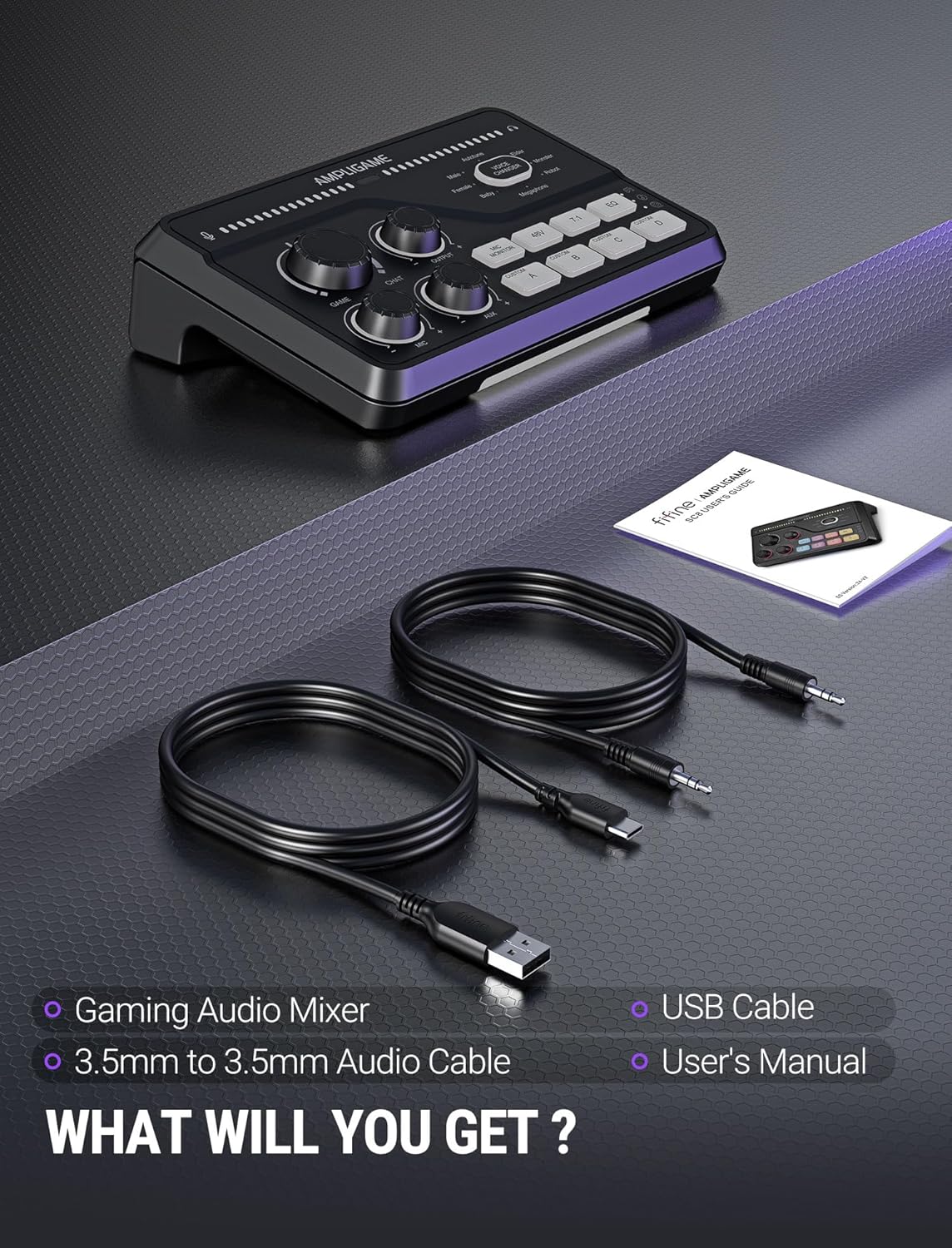
Image 3.1: Contents of the FIFINE Ampligame SC8 package, including the mixer, USB cable, 3.5mm audio cable, and user manual.
4. Product Overview (Components)
Familiarize yourself with the various ports and controls on your Ampligame SC8 mixer.
Front Panel Controls:
- Game Knob: Adjusts the volume of the game audio.
- Chat Knob: Adjusts the volume of the chat audio.
- Output Knob: Controls the overall output volume to your headphones.
- Mic Knob: Adjusts the microphone input gain.
- AUX Knob: Adjusts the volume of the AUX input.
- Mic Monitor Button: Toggles microphone monitoring (sidetone).
- 48V Button: Activates/deactivates 48V phantom power for XLR microphones.
- 7.1 Button: Toggles 7.1 virtual surround sound.
- EQ Button: Cycles through 3 EQ presets (Game, Music, Movie).
- Voice Changer Button: Activates and cycles through 8 voice changer effects.
- Custom Buttons (A, B, C, D): Programmable buttons for custom sound samples or effects.
- RGB Lighting: Customizable RGB lighting effects.

Image 4.1: Close-up of the FIFINE Ampligame SC8's front panel, highlighting the finely graduated knobs, quick press mute function, and game/chat balance control.
Rear Panel Connections:
- USB-C Port: For connection to PC, PS5, Switch, or mobile devices.
- Optical AUX Input: For connecting PS4/TV.
- 3.5mm AUX-In: For mixing commentary audio or other external audio sources.
- Headphone Output: 3.5mm jack for connecting your gaming headset or headphones.
- XLR Input: For connecting XLR microphones.
- Dynamic/Condenser Toggle: Switch to match your microphone type.
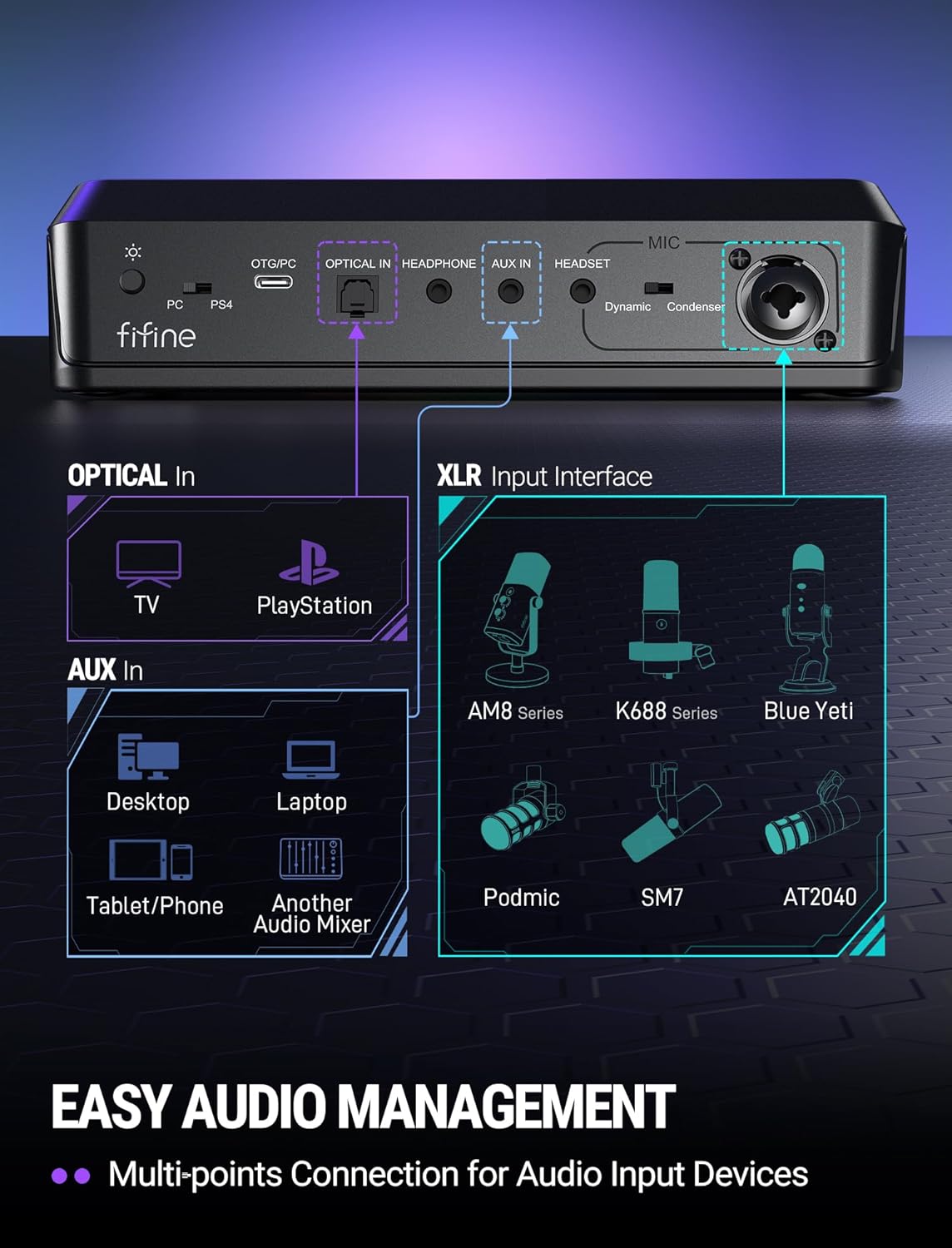
Image 4.2: Diagram of the FIFINE Ampligame SC8's rear panel, illustrating the various input and output ports and their typical connections.
5. Setup
5.1 Initial Connection
- Connect the FIFINE Ampligame SC8 to your computer (PC/PS5/Switch) using the provided USB-C to USB-A cable. The device is Plug & Play and should be recognized automatically.
- Connect your gaming headset or headphones to the 3.5mm Headphone Output jack on the rear panel.
5.2 Microphone Connection
- Connect your XLR microphone to the XLR Input port on the rear panel.
- Set the Dynamic/Condenser Toggle switch to match your microphone type.
- If using a condenser microphone that requires power, press the 48V Button to activate phantom power. The button will illuminate when active.
- Adjust the Mic Knob on the front panel to set your microphone's input gain.

Image 5.1: Illustration of the XLR connection and 48V phantom power feature, emphasizing wide compatibility with various microphones.
5.3 Connecting External Audio Sources
- Optical AUX: For PS4/TV audio, connect an optical cable from your console/TV to the Optical AUX Input on the mixer.
- 3.5mm AUX-In: For mobile devices, tablets, or other audio mixers, connect a 3.5mm audio cable from the device's output to the 3.5mm AUX-In on the mixer. Adjust its volume using the AUX Knob.
6. Operating Instructions
6.1 Volume Control and Muting
- Game Volume: Rotate the Game Knob to adjust the volume of your game audio.
- Chat Volume: Rotate the Chat Knob to adjust the volume of your voice chat.
- Game/Chat Balance: The Game and Chat knobs allow you to prioritize game audio or chat audio as needed.
- Output Volume: Rotate the Output Knob to control the master volume for your headphones. Pressing this knob will mute/unmute the output.
- Microphone Mute: Press the Mic Knob to mute/unmute your microphone.
- AUX Mute: Press the AUX Knob to mute/unmute the AUX input.
6.2 Microphone Monitoring
Press the Mic Monitor Button to toggle microphone monitoring (sidetone). This allows you to hear your own voice through your headphones, which can help prevent shouting and ensure clear communication.
6.3 7.1 Virtual Surround Sound
Press the 7.1 Button to activate or deactivate the 7.1 virtual surround sound feature. This can enhance spatial awareness in games, allowing you to better pinpoint the direction of sounds.
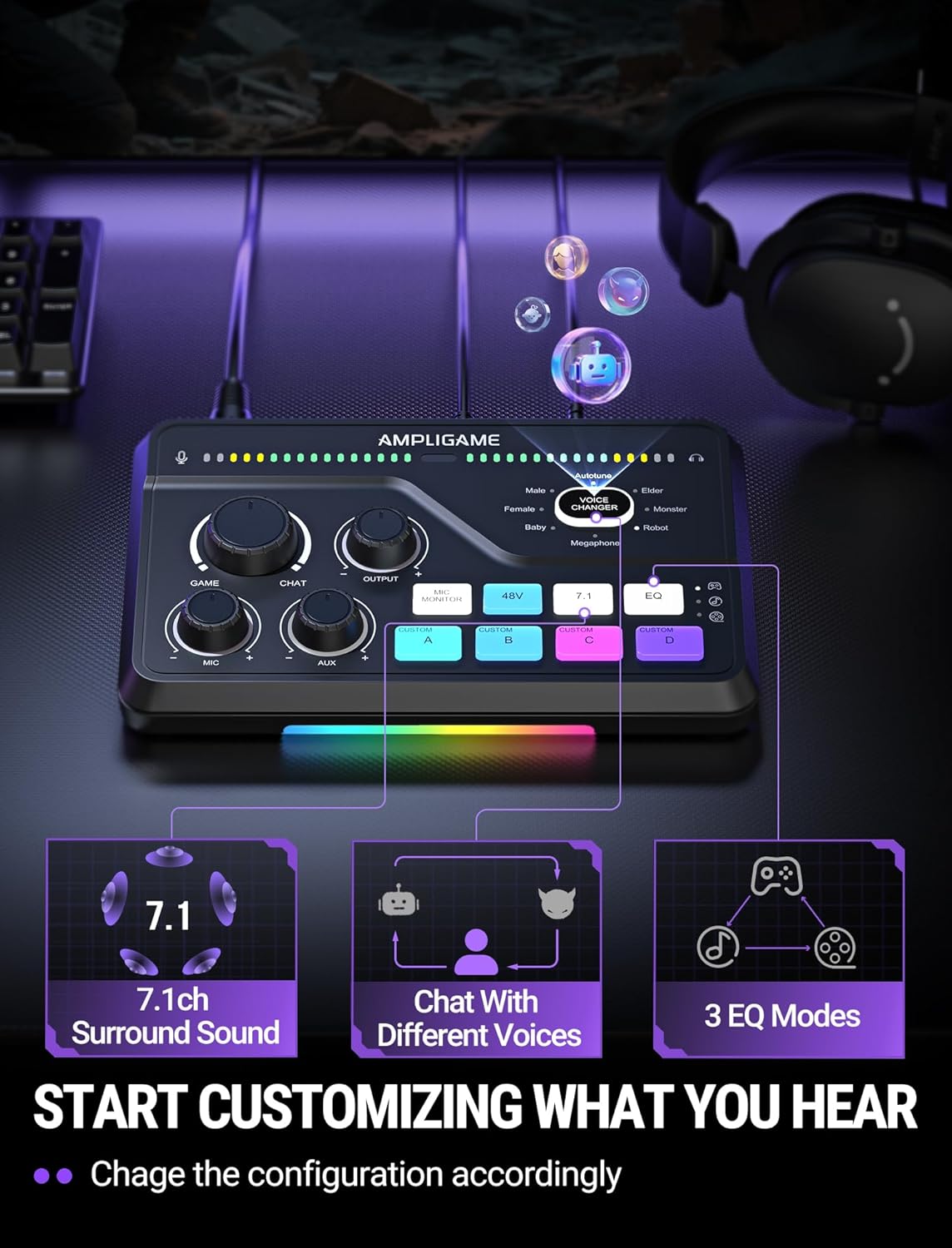
Image 6.1: Visual representation of the 7.1ch surround sound, voice chat, and 3 EQ modes features available on the mixer.
6.4 EQ Presets
Press the EQ Button to cycle through three distinct equalization presets:
- Game Mode: Optimized for in-game audio, enhancing footsteps and other critical sound cues.
- Music Mode: Balanced audio for listening to music.
- Movie Mode: Enhanced audio for cinematic experiences.
6.5 Voice Changer
Press the Voice Changer Button to activate the voice changer and cycle through 8 different voice effects, such as Demon, Robot, Megaphone, etc. This feature can be used for entertainment during streams or voice chats.

Image 6.2: A user enjoying the voice changer function of the FIFINE Ampligame SC8, illustrating the playful aspect of the device's features.
6.6 Customizable Sound Pads (Custom A, B, C, D)
The four Custom Buttons (A, B, C, D) can be programmed to play custom sound samples or effects. Refer to the FIFINE website or support resources for detailed instructions on how to load and manage custom audio files for these buttons.
6.7 RGB Lighting
The Ampligame SC8 features dynamic RGB lighting. The lighting effects can synchronize with audio peaks, providing visual feedback. Specific controls for RGB customization may be available through dedicated software or by cycling through presets on the device itself (if applicable, consult FIFINE support for details).
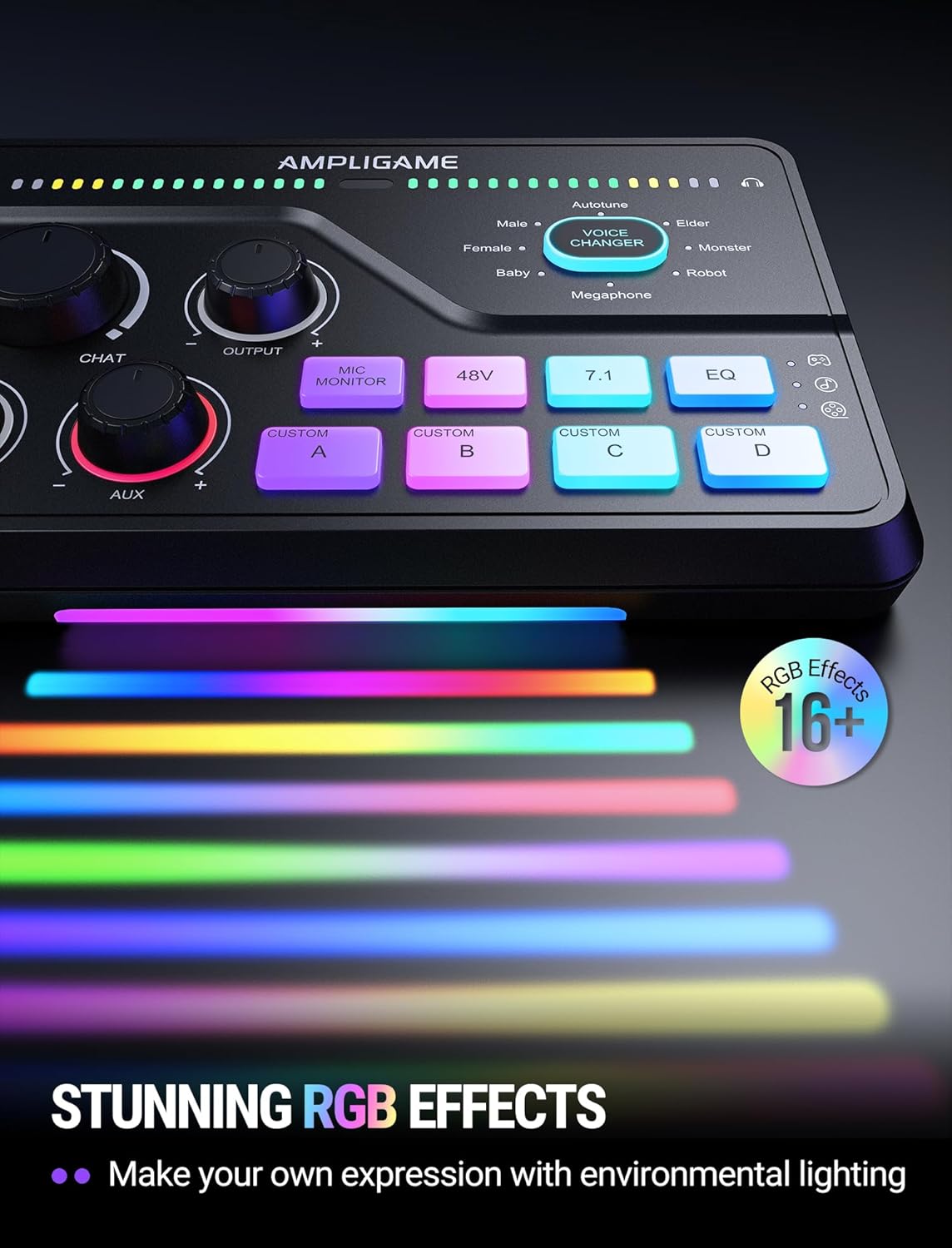
Image 6.3: The FIFINE Ampligame SC8 displaying its stunning RGB lighting effects, which can be customized to match environmental lighting.
7. Maintenance
- Clean the device regularly with a soft, dry cloth. Do not use liquid cleaners or abrasive materials.
- Keep ports free of dust and debris.
- Store the mixer in a cool, dry place when not in use.
8. Troubleshooting
| Problem | Possible Cause | Solution |
|---|---|---|
| No audio output from headphones. |
|
|
| Microphone not working. |
|
|
| No game/chat audio. |
|
|
9. Specifications
| Feature | Detail |
|---|---|
| Model Number | SC8 |
| Item Weight | 1.37 pounds |
| Package Dimensions | 9.65 x 6.22 x 2.87 inches |
| Connectivity Technology | USB |
| Output Connector Type | USB |
| Number of Channels | 5 |
| Power Source | Corded Electric |
| Compatible Devices | Headphone, Laptop, Microphone, Personal Computer, Smartphone |
| Supported Software | Discord, OBS, Twitch, Streamlabs |
10. Warranty and Support
FIFINE products are designed and manufactured to the highest quality standards. For information regarding warranty coverage, technical support, or service, please visit the official FIFINE website or contact their customer support directly. Keep your purchase receipt as proof of purchase for warranty claims.
FIFINE Official Website: www.fifinemic.com
Related documentsSC8


Ask a question about this manual
Ask about setup, troubleshooting, compatibility, parts, safety, or missing instructions. Manuals+ will review the question and use this page’s manual context to help answer it.