
Introduction
The SwitchBot Matter RGBICWW Floor Lamp is a versatile smart lighting solution designed to enhance your living space with dynamic and customizable illumination. Featuring RGBICWW technology, it offers a wide spectrum of colors, dedicated warm and cool white light, and advanced smart home integration capabilities through Matter. This manual provides essential information for setup, operation, maintenance, and troubleshooting to ensure optimal use of your floor lamp.
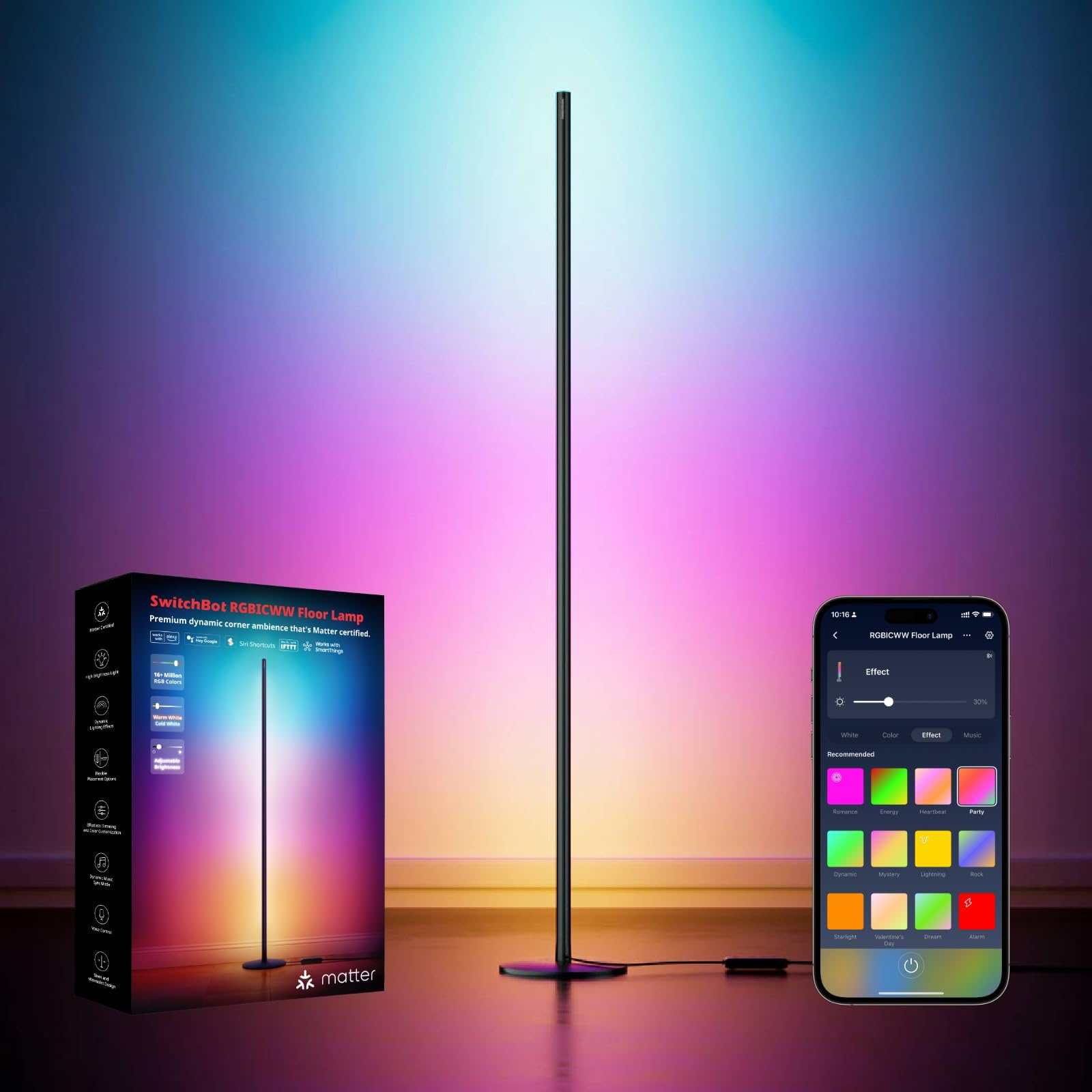
The SwitchBot Matter RGBICWW Floor Lamp provides vibrant, customizable lighting for any room.
What's in the Box
Carefully unpack the contents and ensure all items are present:
- Floor Lamp Body (multiple sections)
- Lamp Base
- Power Adapter
- User Manual
- Assembly Tools (screwdriver, screws)

All components included in the SwitchBot Floor Lamp package.
Setup Instructions
Follow these steps to assemble and set up your SwitchBot Matter RGBICWW Floor Lamp:
- Assemble the Lamp Body: Connect the individual aluminum sections of the lamp body. Ensure they are securely screwed together using the provided tools. It is recommended to assemble the sections vertically for easier alignment.
- Attach the Base: Securely attach the assembled lamp body to the lamp base using the provided screws.
- Install the Light Tube: Gently insert the light tube into the assembled lamp body. Start by positioning the top part over the top screw, then push it upwards to the very top. Carefully push the tube downwards from top to bottom until it clicks into place. No excessive force is required.
- Connect Power: Plug the power adapter into the lamp and then into a standard wall outlet.
- Initial Power On: The lamp should light up upon connection.
- App Pairing: Download the SwitchBot app from your device's app store. Follow the in-app instructions to add your new floor lamp. This typically involves enabling Bluetooth and Wi-Fi on your phone and selecting the lamp from the discovery list.
- Matter Integration (Optional): For Matter integration, ensure you have a Matter-certified hub (e.g., Apple TV, Google Nest Hub). Within the SwitchBot app, navigate to the device settings for your floor lamp and select "Matter Configuration" to access the Matter addition mode.

The lamp can be positioned vertically or horizontally to suit various spaces.
Operating Instructions
The SwitchBot Matter RGBICWW Floor Lamp offers multiple control methods and lighting options:
- SwitchBot App Control: Use the SwitchBot app to access all features. This includes turning the lamp on/off, adjusting brightness (1-100%), changing color temperature (2700K-6500K), selecting from 16 million colors, applying 26 dynamic segmented presets, and choosing from 8 scene effects. You can also create custom DIY lighting modes.
- Voice Control: With Matter compatibility, control your lamp using voice commands via Apple Home, Amazon Alexa, or Google Assistant. For example, say "Alexa, turn on the floor lamp" or "Hey Google, set the floor lamp to blue." A Matter-certified hub is required for full voice control functionality.
- Wired Controller: The lamp includes a wired controller for basic functions such as power on/off and cycling through basic modes.
- Music Synchronization: Activate the music sync feature via the SwitchBot app. The lamp's lighting will dynamically change and move to the rhythm of your music, creating an immersive audio-visual experience.
- Dynamic Scenes: Explore various pre-set dynamic scenes within the app to instantly transform your room's ambiance for activities like movie watching, gaming, or relaxation.

Multiple control methods provide flexibility for managing your lighting.

Experience dynamic music synchronization with your favorite tunes.

Control your lamp effortlessly with smart voice commands.
Maintenance
To ensure the longevity and optimal performance of your SwitchBot Matter RGBICWW Floor Lamp, follow these maintenance guidelines:
- Cleaning: Use a soft, dry cloth to wipe down the lamp body and base. Avoid abrasive cleaners or solvents that could damage the finish.
- Dust Removal: Regularly dust the light tube to prevent accumulation that could affect light output.
- Power Disconnection: Always unplug the lamp from the power outlet before cleaning or performing any maintenance.
- Avoid Water: This lamp is designed for indoor use only and is not waterproof. Avoid exposing it to water or high humidity.
Troubleshooting
If you encounter any issues with your SwitchBot Matter RGBICWW Floor Lamp, refer to the following common solutions:
| Problem | Solution |
|---|---|
| Cannot perform Matter setup without the app. | Perform a factory reset: Press and hold the On/Off button and the Music Mode button simultaneously for 15 seconds until red, green, and blue lights flash on the lamp. |
| Difficulty integrating with Apple Home or Google Home. | Matter integration requires a Matter-compatible Wi-Fi hub (e.g., Apple TV). Go to the device settings page in the SwitchBot app and select "Matter Configuration" to access the Matter addition mode. |
| SwitchBot app cannot control individual color segments. | Update the SwitchBot app to the latest version and ensure the lamp's firmware is up to date. Segmented control will be available after the update. |
| Lamp not responding when Wi-Fi is unstable or disconnected. | The SwitchBot RGBICWW Floor Lamp uses a dual Wi-Fi and Bluetooth architecture. If the network connection is unstable or interrupted, you can still control the device via Bluetooth. |
Specifications
| Model Number | W1702101 |
| Brand | SwitchBot |
| Dimensions (D x W x H) | 20 cm x 20 cm x 135 cm |
| Weight | 200 Grams |
| Material | Metal |
| Light Type | LED Floor Lamp (RGBICWW) |
| Power | 18 Watts |
| Voltage | 12 Volts |
| Color Temperature | 2700K - 6500K (Adjustable) |
| Brightness | Up to 1200lm (1-100% Dimmable) |
| Control Methods | App, Voice (Matter, Apple Home, Alexa, Google Home), Wired Controller |
| Connectivity Protocol | Matter (Wi-Fi, Bluetooth) |
| Energy Efficiency Class | F (View EPREL) |
| Indoor/Outdoor Use | Indoor |

Energy efficiency rating for the SwitchBot Floor Lamp.
Warranty Information
SwitchBot products are covered by a limited warranty from the date of purchase. Please refer to the official SwitchBot website or your purchase documentation for specific warranty terms and conditions. Keep your proof of purchase for warranty claims.
Support
For further assistance, technical support, or to report any issues, please visit the official SwitchBot support website or contact their customer service. You can usually find contact information on the SwitchBot website or within the SwitchBot app.
Online Resources:
- SwitchBot Official Website: www.switch-bot.com
- SwitchBot App: Available on iOS App Store and Google Play Store


