
SogesHome B0FJF8482J
SogesHome 39-inch Floating TV Stand with LED Lights
Model: B0FJF8482J | Brand: SogesHome
Introduction
This manual provides detailed instructions for the assembly, installation, operation, and maintenance of your SogesHome 39-inch Floating TV Stand with LED Lights. Please read all instructions carefully before beginning assembly and retain this manual for future reference. Ensure all components are present and undamaged before proceeding.
Safety Information
- Always follow local building codes and regulations when mounting the TV stand to a wall.
- Ensure the wall structure can support the weight of the TV stand and any items placed on it. The maximum load-bearing capacity is 66 lbs (30 kg).
- Use appropriate wall anchors for your wall type (e.g., drywall, concrete, wood studs). The provided screws may not be suitable for all wall types.
- Keep small parts away from children during assembly to prevent choking hazards.
- Do not overtighten screws, as this may damage the material.
- Two people are recommended for assembly and installation to ensure safety and ease.
Package Contents
Before assembly, verify that all parts listed below are present and undamaged. If any parts are missing or damaged, please contact customer service.
- TV Stand Panels (various sizes)
- Assembly Hardware (screws, dowels, cam locks, hinges)
- Wall Mounting Hardware (brackets, screws, anchors)
- LED Light Strip
- RF Wireless Remote Control for LED Lights
- Game-pad Hooks (2)
- Headset Hook (1)
- Instruction Manual

Image: Product dimensions and component layout. The overall width is 39.4 inches, depth 11.8 inches, and height 11.8 inches. It features an open compartment on the left, and a larger compartment with a flip-down door on the right, which includes an adjustable shelf.
Assembly Instructions
Follow these steps carefully to assemble your TV stand. Refer to the included instruction manual for detailed diagrams.
- Unpack and Identify Parts: Lay out all panels and hardware on a clean, soft surface to prevent scratches. Identify each part using the labels in the included manual.
- Assemble the Main Frame: Connect the side panels to the top and bottom panels using the provided dowels and cam locks. Ensure all connections are secure.
- Install Shelves: Insert the adjustable shelf into the designated slots within the cabinet section.
- Attach Cabinet Door: Secure the flip-down cabinet door using the provided hinges. Ensure the door opens and closes smoothly.
- Install Game-pad and Headset Hooks: Attach the removable game-pad hooks and headset hook to the side compartment as desired. These can be positioned on either side.
- Prepare for Wall Mounting: Attach the wall mounting brackets to the back of the assembled TV stand according to the instructions in the included manual.

Image: The hidden locker compartment with a flip-down door. The top view shows the door closed, and the bottom view shows it open, revealing internal storage and an adjustable shelf.
Installation Instructions (Wall Mounting)
Proper wall mounting is crucial for the stability and safety of your TV stand. It is highly recommended that two people perform this installation.
- Choose Location: Select a suitable wall location, considering the height of your TV and viewing comfort. Ensure there are no electrical wires or plumbing pipes behind the drilling area.
- Mark Drilling Points: Hold the assembled TV stand against the wall at the desired height. Use a level to ensure it is perfectly horizontal. Mark the drilling points for the wall mounting brackets.
- Drill Pilot Holes: Drill pilot holes at the marked points. The size of the drill bit will depend on your wall type and the anchors used.
- Install Wall Anchors: Insert appropriate wall anchors into the pilot holes. For wood studs, screws can be driven directly. For drywall or concrete, use suitable anchors.
- Mount the TV Stand: Carefully lift the TV stand and align the mounting brackets with the installed wall anchors/screws. Securely fasten the TV stand to the wall. Double-check that it is firmly attached and stable before placing any items on it.
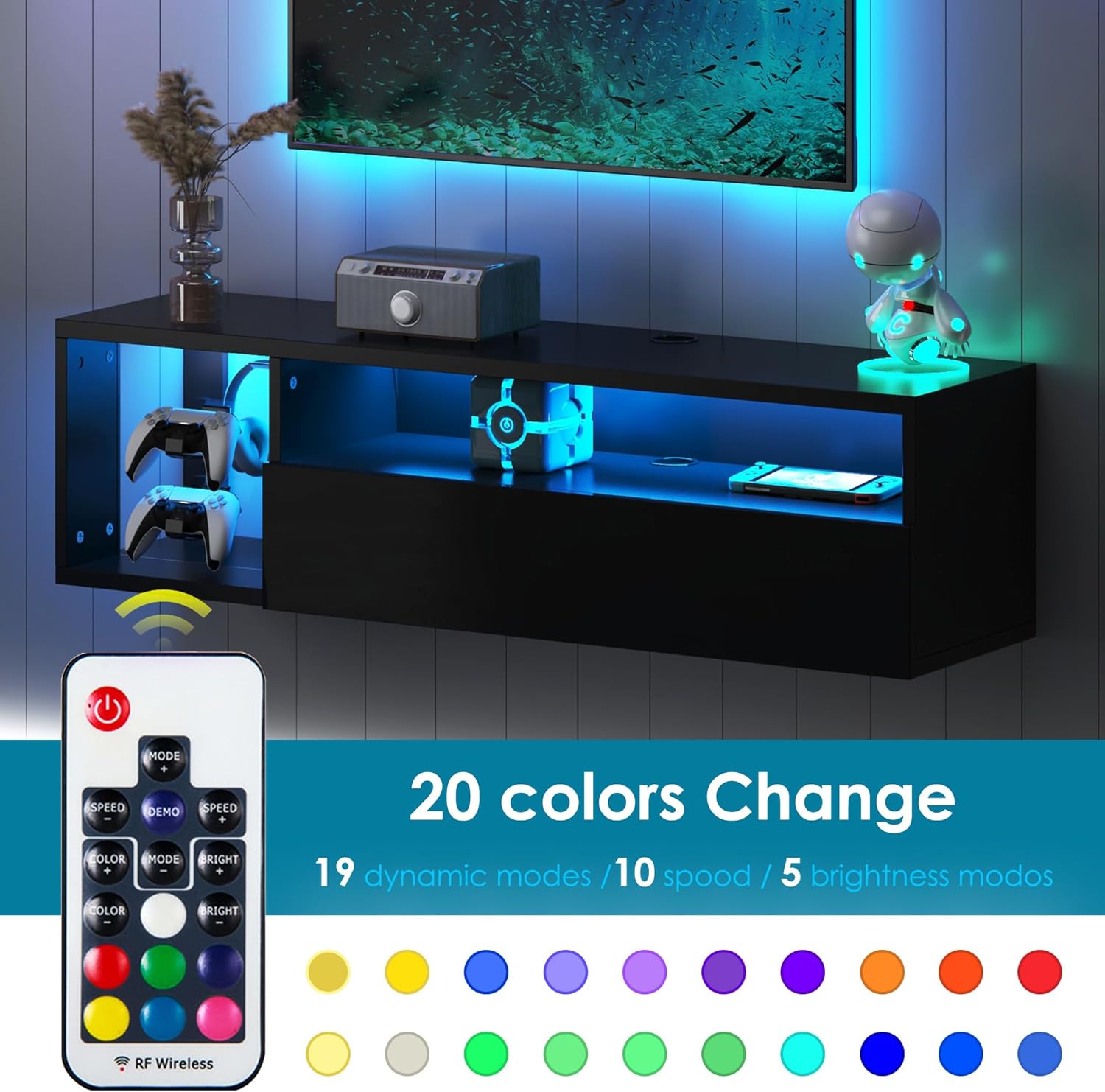
Image: The floating TV stand installed on a wall, showcasing its wall-mounted design and integrated LED lighting.
Operating Instructions (LED Lights)
Your SogesHome Floating TV Stand includes an integrated LED light strip with a wireless remote control for customizable ambiance.
- Connect LED Strip: Carefully attach the LED light strip to the designated area on the TV stand, typically along the back edge or inside the open compartments. Connect the power cable to a standard electrical outlet.
- Remote Control Pairing: The remote control should be pre-paired. If not, refer to the specific instructions included with the LED light kit for pairing procedures.
- Basic Functions:
- Power Button: Turns the LED lights On/Off.
- Color Buttons: Select from 20 static colors.
- Mode Buttons: Cycle through 19 dynamic lighting modes (e.g., flash, fade, strobe).
- Speed Buttons: Adjust the speed of dynamic modes.
- Brightness Buttons: Adjust the brightness of the lights (5 levels).
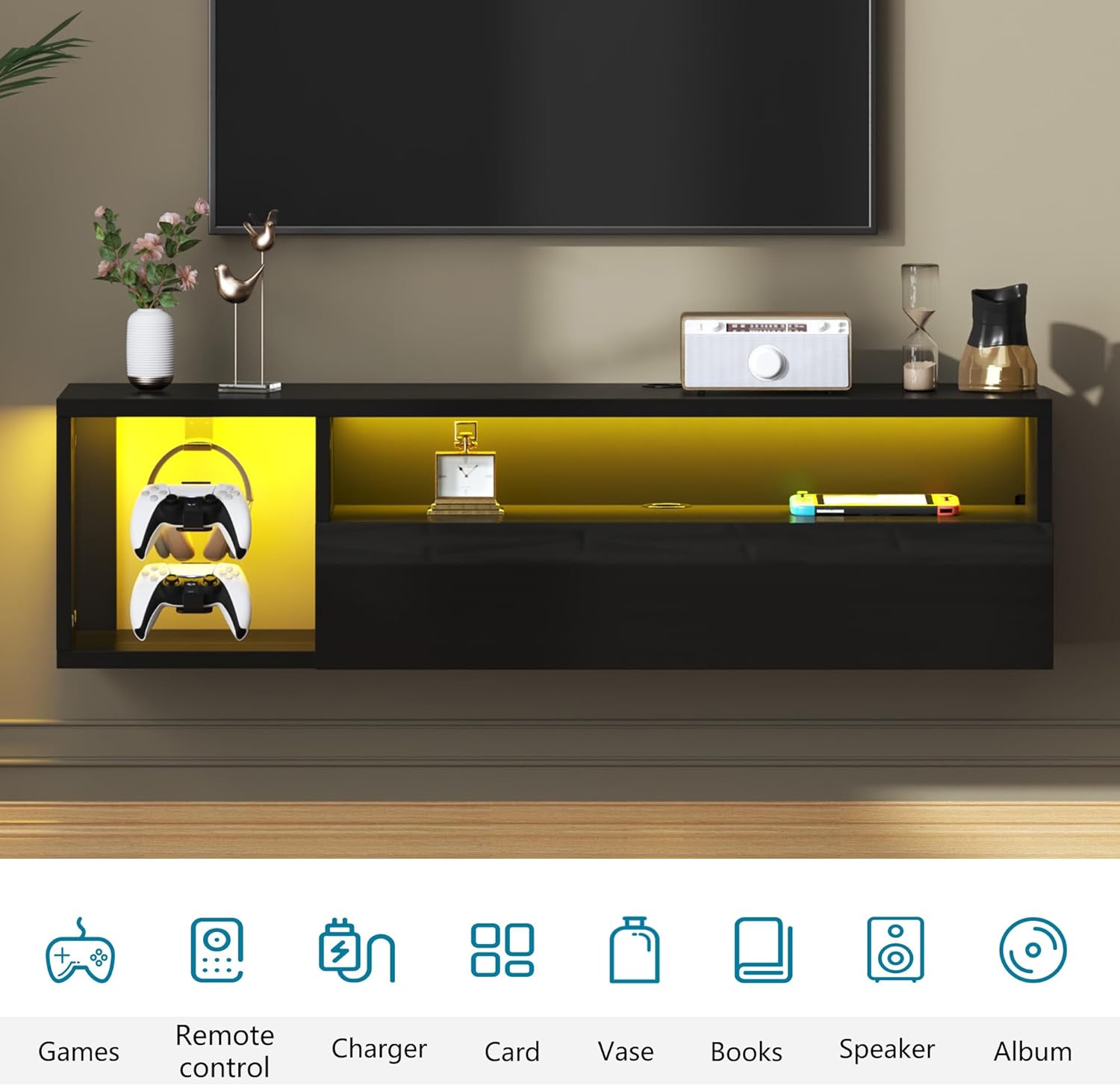
Image: The RF wireless remote control for the LED lights, illustrating its functions for color selection, mode changes, speed, and brightness adjustments. The image also shows the TV stand illuminated in various colors.
Maintenance
To ensure the longevity and appearance of your TV stand, follow these maintenance guidelines:
- Cleaning: Wipe surfaces with a soft, damp cloth. Avoid abrasive cleaners or harsh chemicals, as they may damage the high-gloss finish.
- Dusting: Regularly dust the surfaces with a dry, soft cloth.
- Spills: Clean up spills immediately to prevent staining or damage to the engineered wood.
- Hardware Check: Periodically check all screws and connections to ensure they remain tight. Retighten if necessary.
- LED Lights: If the LED strip or remote control malfunctions, refer to the troubleshooting section or contact customer service.
Troubleshooting
If you encounter issues with your TV stand, refer to the following common problems and solutions:
| Problem | Possible Cause | Solution |
|---|---|---|
| TV Stand feels unstable after mounting. | Improper wall anchors or loose screws. | Ensure appropriate wall anchors are used for your wall type. Retighten all mounting screws. If necessary, consult a professional for installation. |
| LED lights do not turn on. | Power connection issue, remote control battery, or faulty LED strip. | Check if the power adapter is securely plugged into the outlet and the LED strip. Replace the remote control battery. If the issue persists, contact customer service for a replacement LED strip. |
| Cabinet door does not close properly. | Hinge misalignment or obstruction. | Adjust the hinges as per the assembly instructions. Check for any obstructions preventing the door from closing fully. |
| Missing or damaged parts upon delivery. | Shipping damage or packaging error. | Do not proceed with assembly. Contact SogesHome customer service immediately for assistance and replacement parts. |
Specifications
- Brand: SogesHome
- Model: B0FJF8482J
- Color: Black
- Material: Engineered Wood (Particle Board)
- Product Dimensions (L x W x H): 39.3" x 11.8" x 11.8" (99.8 cm x 30 cm x 30 cm)
- Item Weight: Approximately 29.65 lbs (13.45 kg)
- Maximum Weight Capacity: 66 lbs (30 kg)
- Mounting Type: Wall Mount
- Number of Shelves: 3 (including 1 adjustable shelf)
- Number of Doors: 1 (flip-down)
- Features: LED Lights (20 colors, 19 dynamic modes, 5 brightness levels), Cable Management Hole, Detachable Game-pad/Headset Hooks, High-Gloss Finish.
- Assembly Required: Yes

Image: Product detail display highlighting key features such as the cable management hole, detachable hooks for accessories, the waterproof desktop surface, and the hidden bottom storage space.
Customer Support
SogesHome is committed to providing quality products and customer satisfaction. If you have any questions regarding assembly, installation, operation, or if you encounter any issues such as damaged or missing parts, please do not hesitate to contact our customer service team. We are here to provide a satisfactory solution.
Please refer to your purchase documentation or the SogesHome official website for contact information.
Ask a question about this manual
Ask about setup, troubleshooting, compatibility, parts, safety, or missing instructions. Manuals+ will review the question and use this page’s manual context to help answer it.