
1. Introduction
The isYoung Smart Bird Feeder with Camera is designed to enhance your birdwatching experience. It features a 2.5K QHD camera, advanced AI for identifying over 16,000 bird species, and a self-sustaining dual solar panel power system. This manual provides essential information for setting up, operating, and maintaining your bird feeder.
Key Features:
- AI Identification: Recognizes over 16,000 bird species, captures HD footage, and sends real-time alerts via the VicoHome app. Supports 128GB local storage.
- Self-Sustaining Power: Equipped with a 5W auto-adjusting solar panel and a 5000mAh removable battery for year-round operation.
- Weatherproof Design: IP65-rated metal housing with 1.25L capacity and drainage holes to protect seeds. Operates reliably from -4°F to 122°F.
- Enhanced Connectivity: Integrated antenna provides consistent 2.4GHz WiFi connectivity.
- High-Resolution Camera: 2.5K HD camera with 170° ultra-wide field of view, full-color day/night viewing, and infrared night vision.
- Pest Deterrence: Features integrated ant moats and can repel squirrels using natural predator sounds.
2. Setup
2.1. Initial Charging
Before initial installation, ensure the camera is fully charged using the provided Type-C cable. This ensures optimal performance from the start.

Figure 2.1: Initial charging via Type-C port and solar panel charging information.
2.2. Assembly
Follow these steps to assemble your bird feeder:
- Assemble the feeder cover.
- Attach the bird perch to the main unit.
- Add bird seed to the 1.25L granary.
- Remove and store the outlet valve if necessary.

Figure 2.2: Step-by-step assembly guide for the bird feeder.
2.3. App Installation and Connection
Download the VicoHome app to your smartphone or tablet. Follow the in-app instructions to connect your smart bird feeder to your 2.4GHz WiFi network. The app will guide you through the configuration process.

Figure 2.3: VicoHome app interface showing a bird detection alert.
2.4. Mounting Options
The bird feeder offers versatile installation options. You can mount it on poles, trees, or walls using the provided accessories. Ensure the solar panel is placed in a sun-facing location for optimal charging.
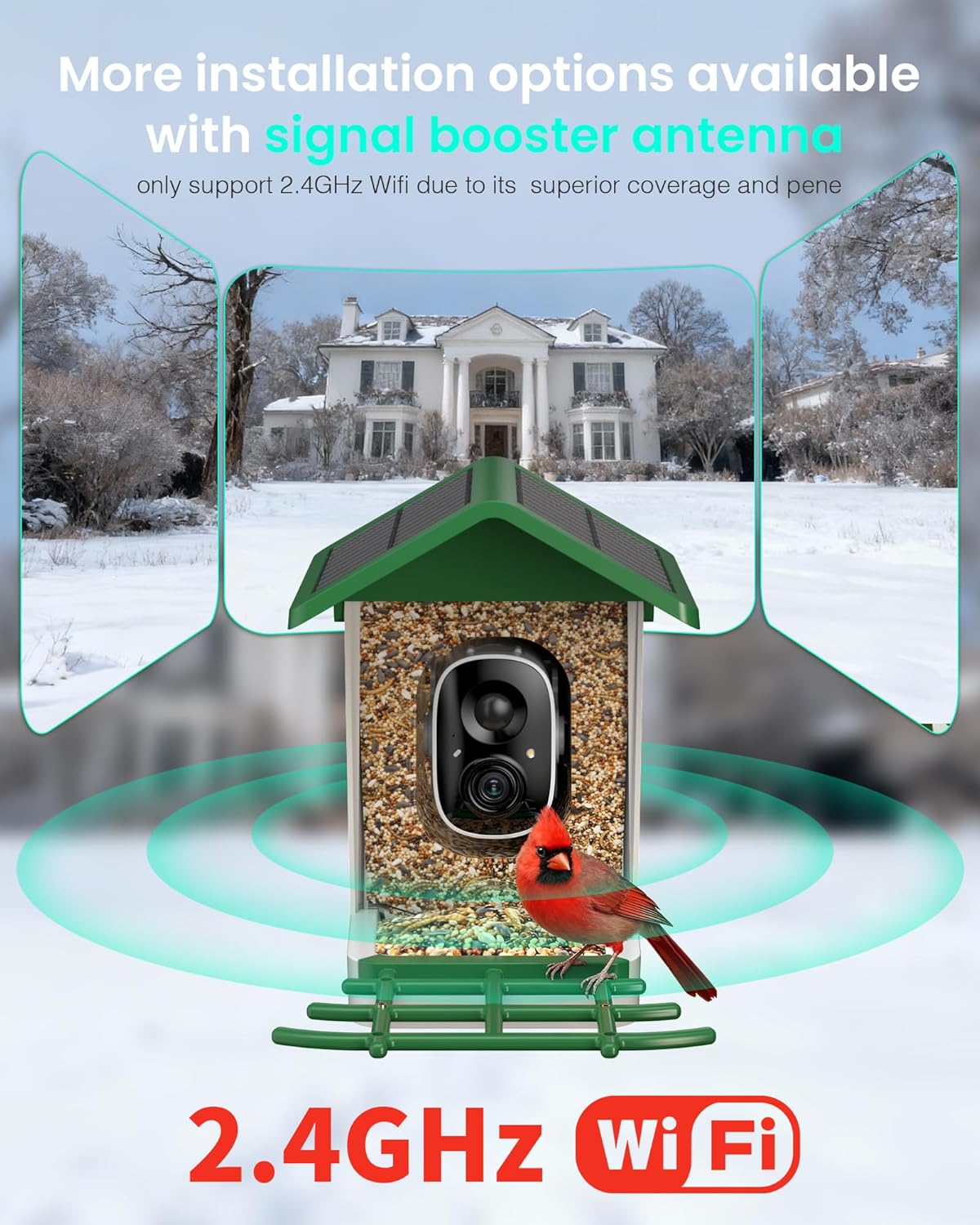
Figure 2.4: Different installation methods for the smart bird feeder.
2.5. Video Guide: Assembly and Initial Setup
Video 2.1: A brief overview of the G11-Smart Bird Feeder with Camera, demonstrating its assembly and initial setup steps.
3. Operating Instructions
3.1. AI Bird Identification
The feeder's AI technology automatically identifies visiting bird species. When a bird is detected, the system captures HD footage and sends real-time alerts to your VicoHome app. You can access detailed species profiles directly from the app.

Figure 3.1: AI identification providing details on a detected bird species.
3.2. Real-time Monitoring and Notifications
Receive instant notifications on your device whenever a bird visits the feeder. The VicoHome app allows you to view live streams, capture photos, and record videos of the birds.

Figure 3.2: Real-time notifications and app controls for bird visits.
3.3. High-Quality Video and Imaging
The 2.5K HD camera captures clear images and videos, allowing you to observe intricate details of the birds. It supports full-color viewing during the day and infrared night vision for clear visibility in low-light conditions.

Figure 3.3: High-definition capture of a bird on the feeder.

Figure 3.4: Day and night vision capabilities of the camera.

Figure 3.5: Comparison of HDR ON and HDR OFF for improved image detail.
3.4. Sharing Moments
The VicoHome app supports multi-user access, allowing up to 4 people to share real-time bird moments. You can easily post highlights directly to social media, connecting with other nature enthusiasts.

Figure 3.6: Sharing live bird feeder views with family and friends.
3.5. Squirrel Deterrence
The feeder is designed to deter squirrels using sounds that mimic their natural predators, helping to ensure that bird seed is primarily consumed by birds.

Figure 3.7: The smart bird feeder's squirrel deterrence mechanism.
4. Maintenance
4.1. Cleaning and Hygiene
To ensure the longevity and safety of this bird feeder, keep it clean and dry to prevent mold or bacterial growth. Regularly empty and clean the seed tray and granary.

Figure 4.1: IP65 waterproof design with drainage holes for easy maintenance.
4.2. Pest Control
Be cautious when handling the feeder to avoid attracting ants or other pests. The integrated ant moats help deter pests, but regular inspection is recommended.
4.3. Seed Management
Refill the 1.25L granary as needed. Ensure the seed remains fresh and dry, especially in adverse weather conditions.
5. Troubleshooting
5.1. Connectivity Issues
- Ensure your WiFi network is 2.4GHz. The feeder does not support 5GHz networks.
- Check the distance between the feeder and your WiFi router. Consider using a signal booster if the signal is weak.
- Verify that the integrated antenna is properly connected.
5.2. Power Issues
- Confirm the solar panel is in a location receiving at least 4 hours of direct sunlight daily.
- Check the battery level in the VicoHome app. If low, manually charge the camera via the Type-C port.
5.3. AI Detection Problems
- Ensure the camera lens is clean and free from obstructions.
- Check app settings for motion detection sensitivity and AI identification preferences.
6. Specifications
| Feature | Detail |
|---|---|
| Brand | isYoung |
| Model Number | G19 |
| Target Species | Birds (Hummingbird, BlueJay, Cardinal, Dove, Finch, Robin, Pigeon, Wren, Junco) |
| Material | Acrylonitrile Butadiene Styrene (ABS) |
| Special Features | 2.5K UHD, AI Identify 16,000+ Birds, 5000 mAh Battery, 5W Solar Panel, 170° View |
| Mounting Type | Freestanding |
| Power Source | Solar Powered |
| Included Components | 1.25L Granary, 2.5K Camera, 5W Solar Panel |
| Capacity | 1.25 Liters |
| Color | Green |
| Item Weight | 1.49 Kilograms (3.27 pounds) |
| Product Dimensions | 1 x 1 x 1 inches |
7. Warranty and Support
The isYoung Smart Bird Feeder with Camera includes a 1-year protection plan. For technical support, troubleshooting assistance, or warranty claims, please refer to the contact information provided in the product packaging or visit the official isYoung website.


