
Introduction
The ETIKEZ PM290C is a compact and portable thermal sticker printer designed for various uses, including printing photos, notes, labels, and creative designs. This inkless printer connects wirelessly via Bluetooth to your iOS or Android device, utilizing the 'Labelnize' smart application for enhanced functionality. It prints exclusively in black and white.
What's Included
Upon unboxing your ETIKEZ PM290C printer, please verify that all the following items are present:
- 1x ETIKEZ PM290C Sticker Printer
- 3x Rolls of 54mm × 3.5m White Adhesive Thermal Paper
- 1x User Manual
- 1x Guide Card
- 1x USB Type-C Cable

Image: Packaging contents of the ETIKEZ PM290C Mini Portable Thermal Sticker Printer.
Setup
1. App Download and Installation
The ETIKEZ PM290C printer operates via the 'Labelnize' application. Download the app from your device's app store:
- For iOS devices: Search for "Labelnize" in the Apple App Store.
- For Android devices: Search for "Labelnize" in the Google Play Store.

Image: Instructions for downloading the 'Labelnize' app.
2. Loading Thermal Paper
- Open the paper bin cover of the printer.
- Load a roll of thermal sticker paper into the paper bin. Ensure the paper feeds smoothly and the printing side is facing up.
- Close the paper bin cover securely.
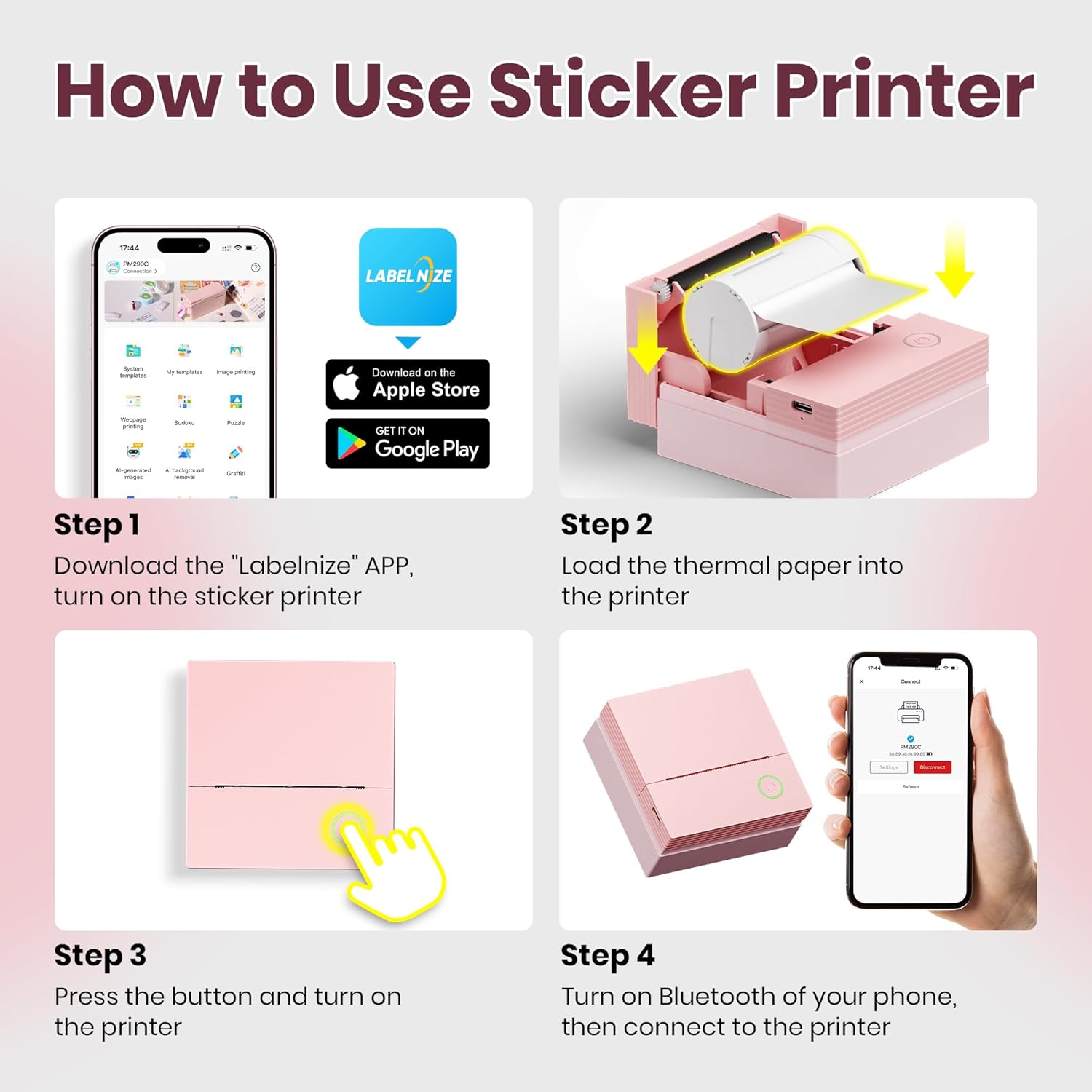
Image: Steps for loading thermal paper into the printer.
3. Bluetooth Connection
- Press and hold the power button on the printer until the white light flashes.
- Enable Bluetooth on your smartphone or tablet.
- Open the 'Labelnize' app. Within the app, select "PM290C" from the list of available devices to establish a connection. Note: Connect via Bluetooth within the Labelnize app, not directly through your phone's Bluetooth settings.
Video: Demonstrates the printer's setup, including paper loading and app connection (0:00-0:11).
Operating Instructions
The ETIKEZ PM290C printer offers versatile printing options through the 'Labelnize' app.
Text and Template Printing
The app provides a variety of templates and fonts for printing notes, lists, and other text-based content. You can select pre-designed layouts or create your own.
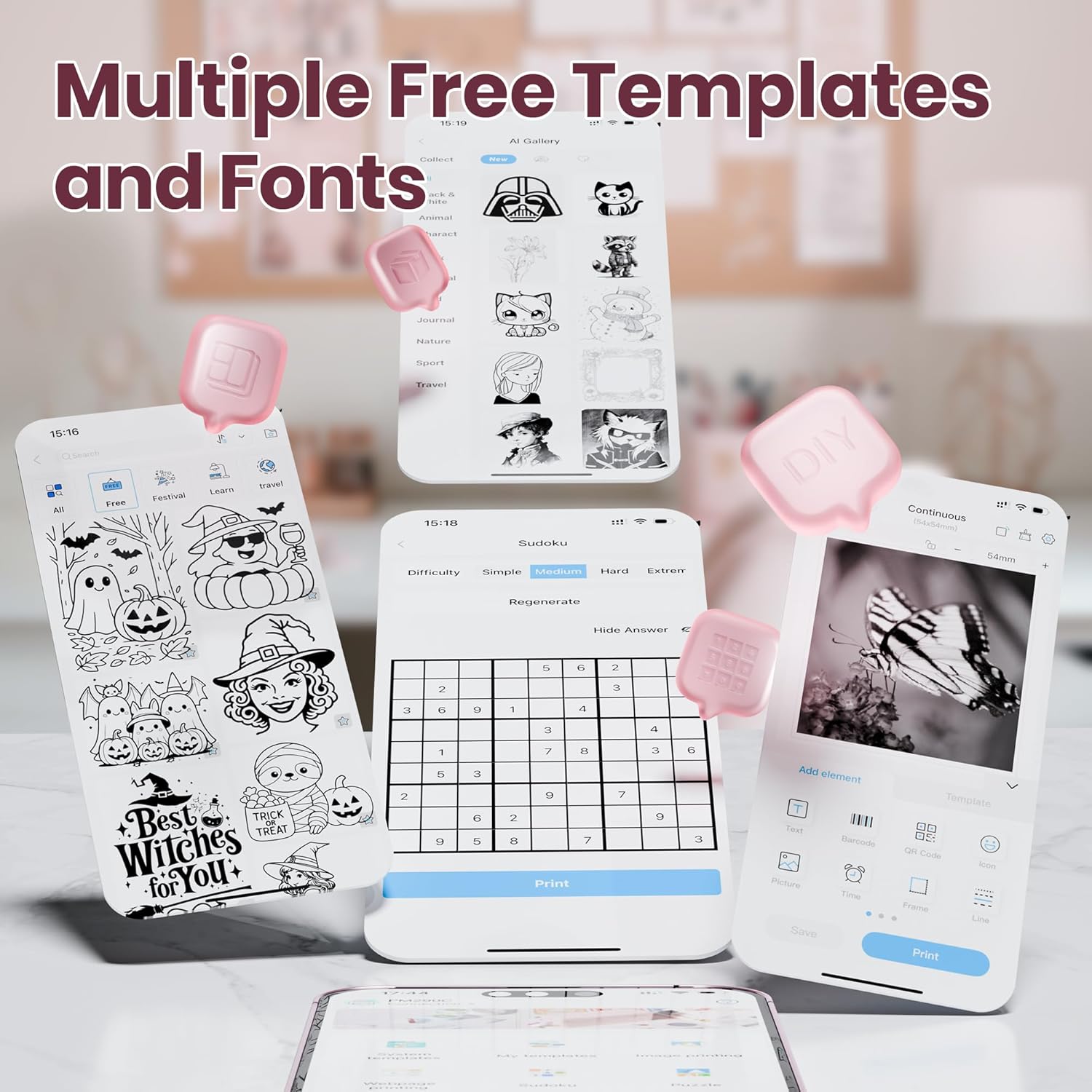
Image: Multiple free templates and fonts available in the Labelnize app.
OCR Text Recognition
Utilize the Optical Character Recognition (OCR) feature within the app to scan text from documents and print it directly. This is useful for digitizing notes or extracting information.
Video: Demonstrates OCR printing functionality (0:11-0:18).
Photo Editing and Printing
The app allows you to select photos from your device, apply layouts, and print them in monochrome. This is ideal for creating personalized stickers for journals or decorations.

Image: Printer in use for bullet journaling with printed photos.
Video: Shows photo editing and printing process (0:21-0:30).
AI Image Generation
The 'Labelnize' app integrates AI core functions, including AI Text-to-Image, One-Click Background Removal, and OCR Text Recognition. These features optimize printing workflows for enhanced efficiency and creativity.
Video: Demonstrates AI image generation and printing (0:48-0:54).
Multipurpose Use
The PM290C can be used for various applications:
- Study Notes: Print diagrams, definitions, or key information.
- Journals: Add personalized photos and stickers.
- Labels: Create labels for home organization, gift tags, or file categorization.
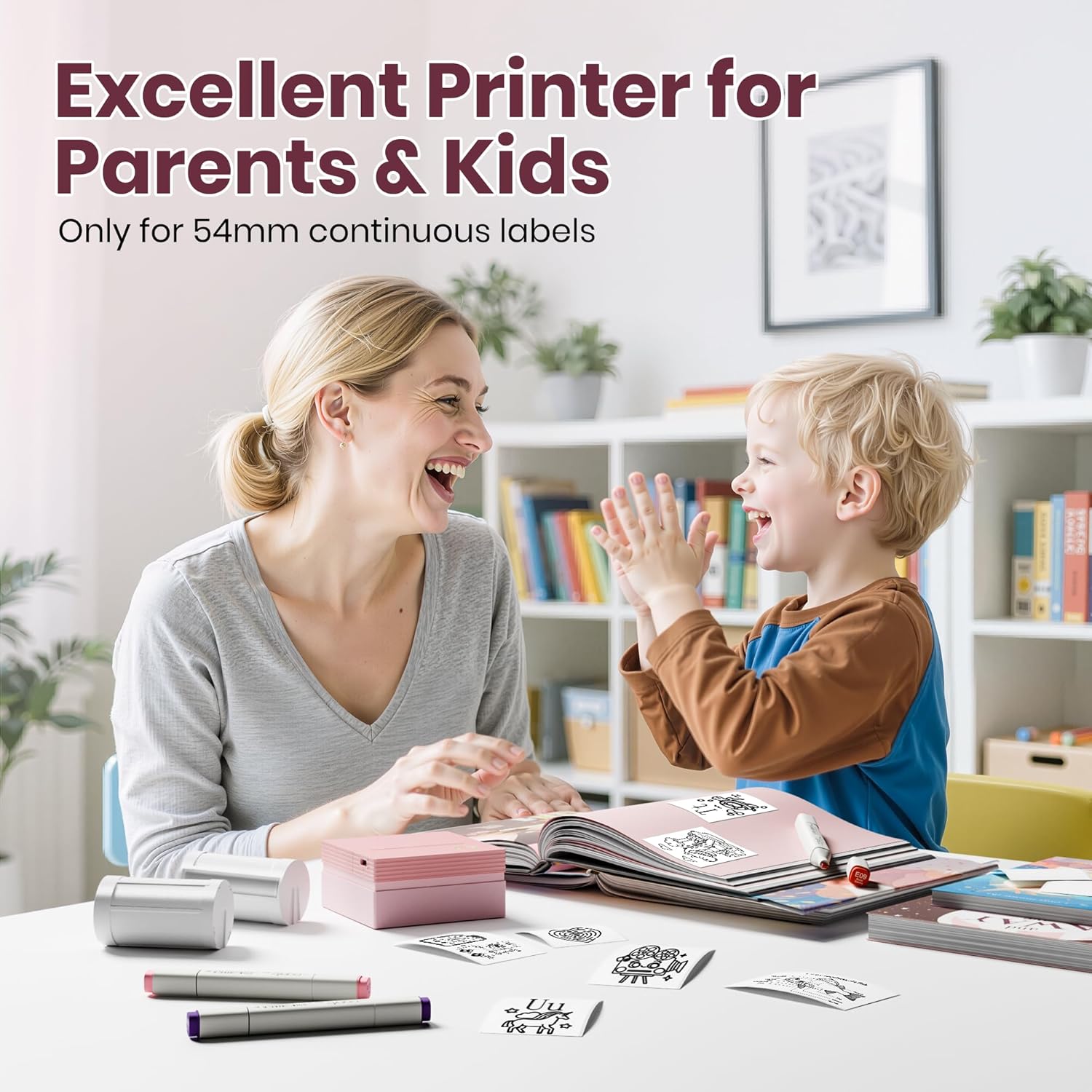
Image: Multipurpose applications of the ETIKEZ PM290C printer.
Video: Shows the printer being used for home organization labels (0:54-1:00).
Maintenance
General Care
- Keep the printer clean and free from dust. Use a soft, dry cloth for cleaning the exterior.
- Avoid exposing the printer to extreme temperatures or direct sunlight.
- Store the printer in a dry place when not in use.
Paper Handling
- Always use thermal paper specifically designed for this printer.
- Ensure the paper roll is inserted correctly to prevent jams.
- If the red light remains on after inserting paper, gently pull out 1–2 cm of paper to ensure proper feeding.
Troubleshooting
Common Issues and Solutions
- Printer not connecting via Bluetooth: Ensure Bluetooth is enabled on your device and connect through the 'Labelnize' app, not directly through your phone's settings.
- Red light stays on after inserting paper: Gently pull out 1–2 cm of paper from the printer. This often resolves minor paper feeding issues.
- No print output or faint prints: Check if the thermal paper is loaded correctly with the printing side facing up. Ensure the printer is charged. Adjust printing density in the app (maximum 3F) for improved quality.
- Printer not charging: Use the provided USB Type-C cable. Avoid fast-charging adapters, as they may not be compatible or could damage the device.
- Printer only prints in black and white: The ETIKEZ PM290C is a thermal printer and is designed to print only in black and white. It does not support color printing.
- Cannot connect to a computer: This printer is designed for mobile use and does not support direct connection to computers.
Specifications
| Feature | Detail |
|---|---|
| Model Number | PM290C |
| Brand | ETIKEZ |
| Connectivity Technology | Bluetooth |
| Printing Technology | Thermal |
| Special Features | Wireless Bluetooth Connectivity, AI Tools, OCR Functionality, Versatile Media Support |
| Colour | Pink |
| Controller Type | Android, iOS |
| Maximum Media Size | 54mm x 3.5m |
| Print Media | Thermal Paper |
| Compatible Devices | Smartphones, Tablets, iPad, iPhone |
| Ink Color | Black (monochrome printing only) |
| Control Method | App |
| Resolution | 600 x 600 dpi |
| Product Dimensions | 10 x 9 x 9 cm |
| Item Weight | 299 g |
Warranty and Support
Your ETIKEZ PM290C Mini Portable Thermal Sticker Printer comes with a standard manufacturer's warranty. For detailed warranty information, product support, or technical assistance, please refer to the contact information provided on the product packaging or visit the official ETIKEZ website. Please retain your proof of purchase for warranty claims.