1. Introduction
This manual provides essential information for the proper installation, operation, and maintenance of your HAKINAKU HD08-G 4-in-1 Carbon Monoxide and Natural Gas Detector. Please read this manual thoroughly before using the device to ensure safe and effective operation. Keep this manual for future reference.
The HAKINAKU HD08-G is designed to monitor carbon monoxide (CO), combustible gases (such as natural gas, propane, and methane), temperature, and humidity in your environment. It features a plug-in design with a built-in backup battery and a clear HD display.
2. Important Safety Information
WARNING: This device is intended for residential use. It is not designed to detect smoke, fire, or other gases. It is not a substitute for a smoke detector. For maximum safety, ensure proper placement and regular testing.
2.1 Carbon Monoxide (CO) Hazard
Carbon monoxide is a colorless, odorless, and toxic gas. Mild CO poisoning can cause symptoms such as headaches, dizziness, nausea, and fatigue. High concentrations can lead to severe poisoning, unconsciousness, and death. This detector is designed to alert you to the presence of CO, but it is crucial to seek fresh air immediately if the alarm sounds and contact emergency services.
2.2 Combustible Gas Hazard
Natural gas and propane are colorless and odorless in their pure state. Odorants are added for detection, but a phenomenon called 'odor fade' can occur, reducing the smell. Combustible gases pose a risk of explosion and suffocation. If the gas alarm sounds, immediately ventilate the area, turn off gas sources, and evacuate. Do not operate electrical switches or phones from inside the affected area. Contact your gas provider or emergency services from a safe location.
3. Product Overview
3.1 Device Components
The HAKINAKU HD08-G detector features a compact design with a front display and rear plug. It includes three control buttons on the front panel.

3.2 Key Features
- 4-in-1 Detection: Monitors Carbon Monoxide (CO), Combustible Gas (Natural Gas, Propane, Methane), Temperature, and Humidity.
- Plug-in Design: Compatible with 110-240V US outlets for easy installation.
- Built-in Backup Battery: 1000 mAh battery provides approximately 20 hours of operation during power outages.
- 2.1-inch HD Color Screen: Provides clear, real-time display of all monitored parameters.
- Audible and Visual Alarm: 85 dB alarm and screen color changes alert users to hazardous conditions.
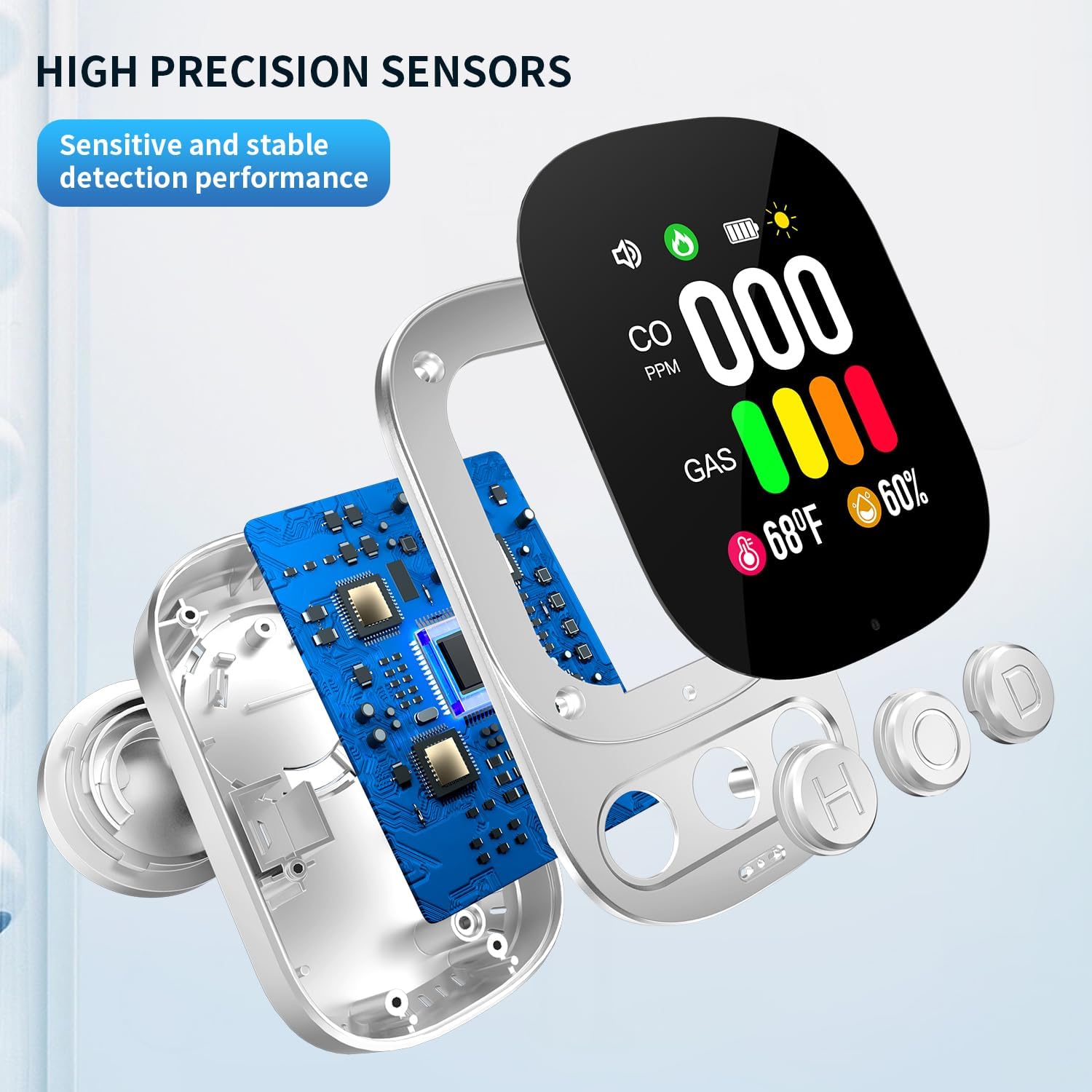
- High Precision Sensors: Ensures sensitive and stable detection performance.
4. Setup and Installation
4.1 Unpacking
Carefully remove the detector from its packaging. Verify that all components are present: the 4-in-1 detector unit and this instruction manual.
4.2 Powering On
Plug the detector directly into a standard 110-240V AC US wall outlet. The device will automatically power on and begin its self-test sequence. The built-in lithium polymer battery will charge when the device is plugged in, providing backup power in case of an outage.
4.3 Placement Guidelines
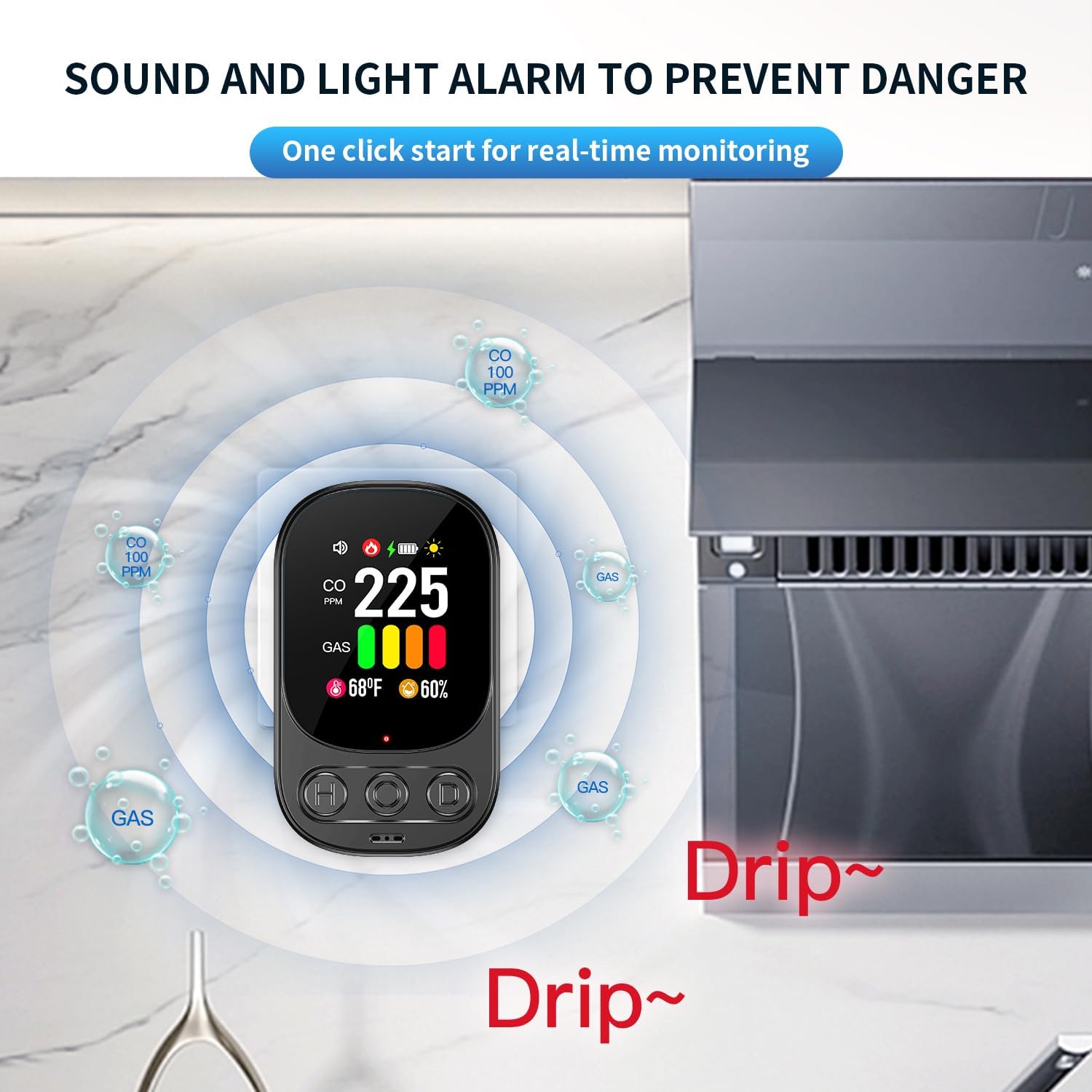
Proper placement is crucial for effective detection. Consider the following:
- Carbon Monoxide (CO): CO is slightly lighter than air and mixes readily. Place the detector at chest height or higher, but not directly on the ceiling.
- Combustible Gas (Natural Gas/Propane): Natural gas is lighter than air, so place the detector higher on the wall, near the ceiling. Propane is heavier than air, so place the detector lower on the wall, near the floor. If monitoring both, a mid-height placement is often recommended, or consider multiple detectors.
- General Placement: Install in areas where gas appliances are present (e.g., kitchen, utility room, basement with furnace). Avoid placing near windows, doors, or vents where drafts could interfere with readings. Keep away from direct sunlight, high humidity areas, and areas with excessive dust or grease.

5. Operation
5.1 Display Information
The 2.1-inch HD color screen provides real-time data:
- CO PPM: Carbon Monoxide concentration in parts per million.
- GAS: Combustible gas level, indicated by a color bar (green, yellow, orange, red).
- Temperature: Current ambient temperature in Fahrenheit or Celsius.
- Humidity: Current ambient humidity percentage.
- Icons: Speaker (buzzer status), Lightning bolt (charging status), Battery (battery level), Sun (brightness status).
5.2 Button Functions
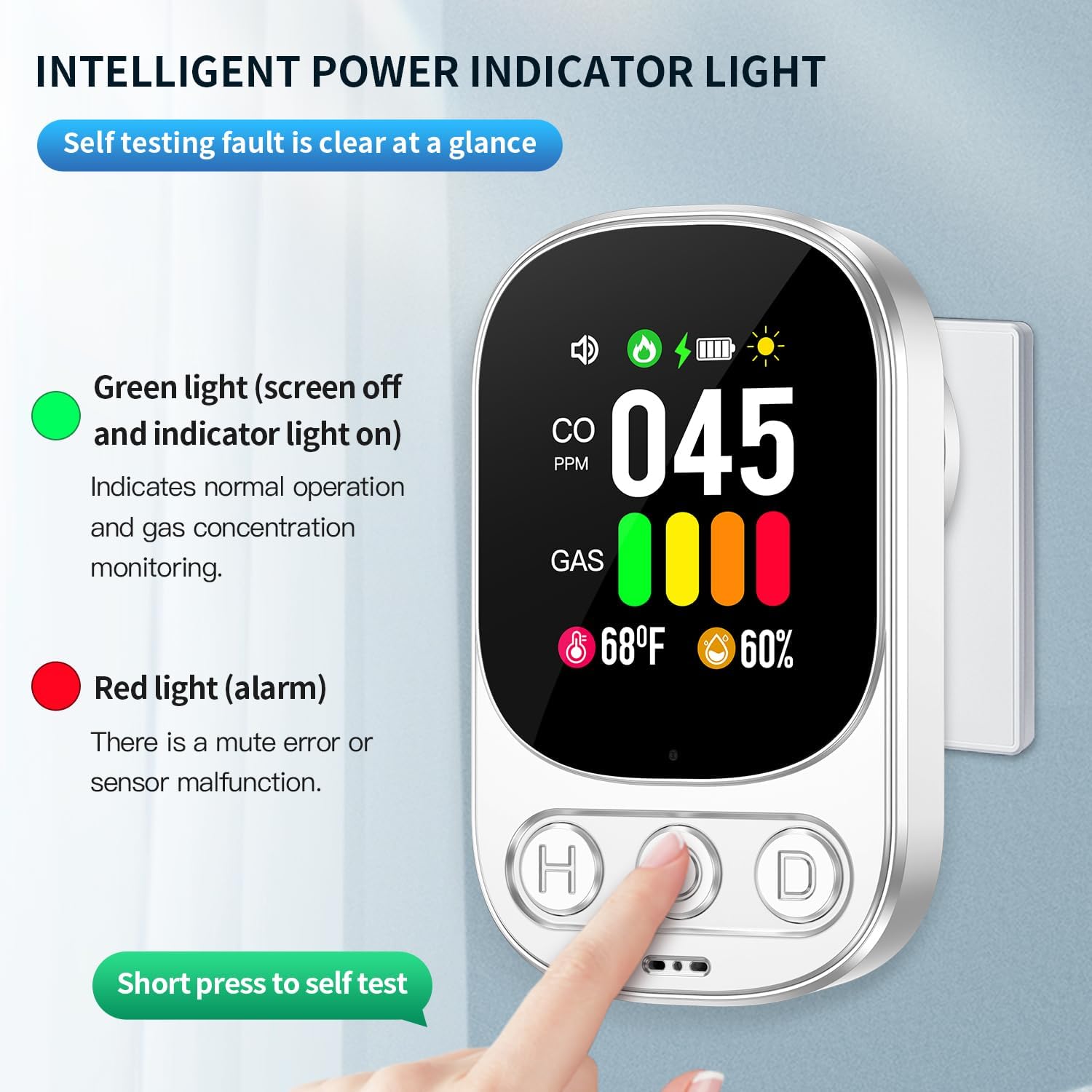
The detector has three buttons (H, O, D) on the front panel:

- 'O' Button (Center):
- Short press: Initiates a self-test.
- Long press: Turns the device On/Off.
- 'H' Button (Left):
- Short press: Changes screen brightness level.
- 'D' Button (Right):
- Short press: Turns off the buzzer (mutes alarm).
- Long press: Switches temperature unit between Celsius and Fahrenheit.
5.3 Alarm Indications
When hazardous levels of CO or combustible gas are detected, the device will activate both audible and visual alarms:
- Audible Alarm: A loud 85 dB siren will sound.
- Visual Alarm: The screen display will change color (e.g., red for high danger) and flash, indicating the type and level of detected gas.
- CO Alarm Threshold: The alarm will sound when CO concentration exceeds 50 ppm.
- Combustible Gas Alarm Threshold: The alarm will sound when combustible gas concentration exceeds the preset alarm level.
6. Testing the Detector
Regular testing ensures your detector is functioning correctly.
6.1 Self-Test
To perform a self-test, short press the 'O' button. The device will cycle through its alarm sequence (audible and visual) to confirm internal circuitry and sensor functionality. If the self-test fails, refer to the troubleshooting section.
6.2 CO Detection Test
To test CO detection, you can carefully expose the detector to a small amount of smoke from a burning paper or a smoky cigarette. The CO value on the screen should increase, and the alarm should sound. Do not use car exhaust or burning gas in open areas for testing, as low CO values may not trigger the sensor and can be dangerous.
6.3 Combustible Gas Detection Test
To test combustible gas detection, briefly expose the detector to a small, controlled amount of gas from a lighter (without ignition) or a gas stove burner (without lighting). The gas bar icon should change color, and the alarm should sound. Exercise extreme caution during this test and ensure adequate ventilation immediately afterward.

7. Maintenance
7.1 Cleaning
Clean the detector regularly with a soft, damp cloth. Do not use harsh chemicals, abrasive cleaners, or solvents, as these can damage the device or interfere with sensor performance. Do not paint the detector or obstruct its ventilation openings.
7.2 Battery Backup
The detector includes a built-in 1000 mAh lithium polymer battery, providing approximately 20 hours of operation during power outages. This ensures continuous monitoring even when AC power is unavailable. The battery automatically recharges when the device is plugged into an active outlet.

8. Troubleshooting
If you encounter issues with your HAKINAKU HD08-G detector, refer to the following common problems and solutions:
| Problem | Possible Cause | Solution |
|---|---|---|
| Device does not power on | No power from outlet; device off | Check outlet; long press 'O' button to turn on. |
| Alarm sounds without apparent gas | False alarm; presence of other volatile compounds; actual gas leak | Ventilate area; check for sources of fumes (e.g., cleaning products); evacuate and contact emergency services if suspected leak. |
| Screen is dim or off | Brightness setting; power saving mode | Short press 'H' button to adjust brightness. |
| Inaccurate temperature/humidity | Placement near heat/cold source; sensor calibration | Relocate device away from extreme temperatures; note that minor discrepancies can occur. |
| Self-test fails | Internal malfunction | Contact customer support for assistance. |
If the problem persists after attempting these solutions, please contact HAKINAKU customer support.
9. Technical Specifications
| Feature | Specification |
|---|---|
| Brand | HAKINAKU |
| Model Number | HD08-G |
| Power Source | AC 110-240V |
| Backup Battery | 1000 mAh Lithium Polymer (approx. 20h working time) |
| CO Detection Range | 0-999 ppm |
| CO Alarm Threshold | >50 ppm |
| Combustible Gas Detection | Propane, Methane, Natural Gas |
| Alarm Loudness | 85 dB |
| Display | 2.1-inch HD Color Screen |
| Dimensions | 2.04 x 1.3 x 3.34 inches |
| Weight | 2.08 ounces |
| Material | ABS |
10. Warranty and Support
10.1 Warranty Information
HAKINAKU provides a 2-year free exchange warranty for any quality issues. Please retain your proof of purchase for warranty claims.
10.2 Customer Support
For technical assistance, warranty claims, or any questions regarding your HAKINAKU HD08-G detector, please contact HAKINAKU customer support through the retailer's platform or the contact information provided with your purchase.


