
1. Introduction
Thank you for choosing the Aufero AL3 10W Laser Engraver. This device is designed for precision engraving and cutting on various materials, suitable for both hobbyists and professionals. The AL3 features a robust 6061 aluminum alloy frame, a powerful 10W laser module, and a large 400x400mm working area, ensuring efficient and stable performance. This manual provides essential information for safe operation, setup, maintenance, and troubleshooting.
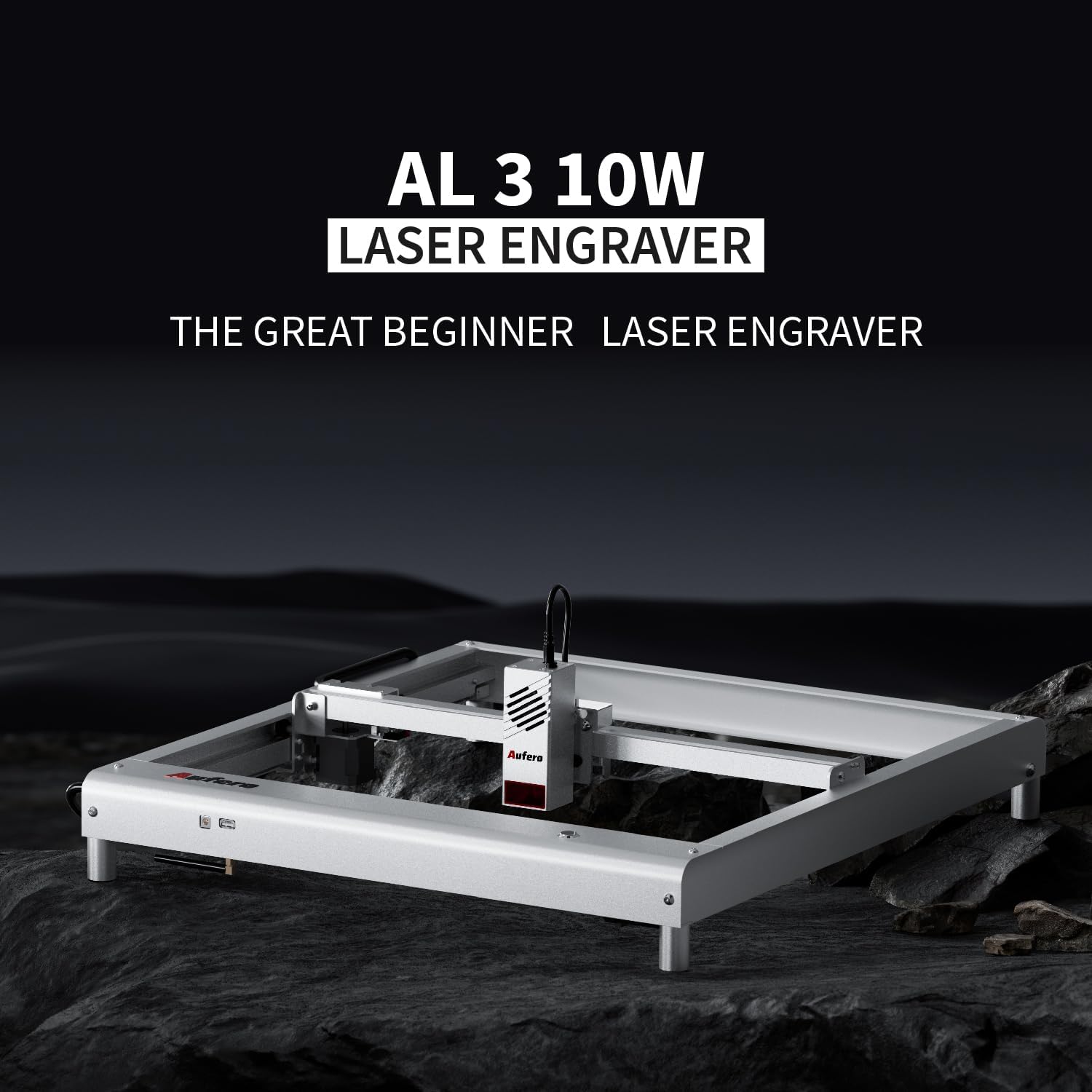
Image 1.1: The Aufero AL3 10W Laser Engraver, designed for beginners and experienced users.
2. Safety Information
Operating a laser engraver involves inherent risks. Adhere to all safety guidelines to prevent injury or damage.
- Eye Protection: Always wear certified laser safety goggles when the machine is operating. Never look directly at the laser beam.
- Ventilation: Operate the engraver in a well-ventilated area to dissipate fumes and smoke produced during engraving and cutting.
- Fire Hazard: The laser can ignite flammable materials. Keep a fire extinguisher nearby and never leave the machine unattended during operation.
- Material Compatibility: Only engrave or cut materials specified as safe. Avoid reflective, transparent, or unknown materials.
- Children and Pets: Keep children and pets away from the operating area.
- Emergency Stop: Familiarize yourself with the location and function of the emergency stop button.
The Aufero AL3 includes an Active Position Protection system, which detects tilting or vibration and can pause operation to prevent accidents. However, this feature does not replace vigilant supervision.

Image 2.1: Illustration of the Active Position Protection system, detecting tilt and vibration.
3. Package Contents
Upon unpacking, verify that all components are present and undamaged. The standard package for the Aufero AL3 10W Laser Engraver typically includes:
- Aufero AL3 Frame Components
- 10W LU2-10B Laser Module
- Power Adapter and Cable
- USB Cable
- Safety Goggles
- Assembly Tools and Fasteners
- User Manual (this document)
- Sample Materials for Testing
If any items are missing or damaged, contact Aufero customer support immediately.
4. Setup and Assembly
The Aufero AL3 is designed for quick and straightforward assembly. Most users can complete the installation within 10 minutes.
- Unpack all components and lay them out on a clean, flat surface.
- Assemble the aluminum alloy frame according to the included quick start guide. Ensure all screws are tightened securely.
- Mount the 10W laser module onto the gantry.
- Connect all necessary cables: power, USB, and laser module cable.
- Place the assembled engraver on a stable, level surface in a well-ventilated area.

Image 4.1: The Aufero AL3 is designed for quick installation, typically completed in 10 minutes.
5. Operating Instructions
5.1 Powering On and Connection
- Connect the power adapter to the engraver and a power outlet.
- Connect the engraver to your computer via USB or use the official Aufero APP for wireless control (requires OLM-ESP-PRO-V2.1A mainboard).
- Power on the device.
5.2 Software and APP Control
The Aufero AL3 is compatible with various engraving software. For wireless control, download and install the official Aufero APP on your mobile device. The APP allows for easy project management and machine control.

Image 5.1: The 32-bit MCU on the 9th generation motherboard allows for increased stepper motor speeds up to 20,000mm/min.
5.3 Focusing the Laser
The 10W LU2-10B laser module features a 50mm fixed focus. Refer to the quick start guide for specific instructions on setting the correct focal distance for optimal engraving and cutting results.
5.4 Material Compatibility and Performance
The Aufero AL3 can engrave and cut a wide range of materials within its 400x400mm working area. The 10W laser module provides a 0.05x0.1mm ultra-fine spot, enabling precise details and strong cutting capabilities.
- Engraving: Wood, leather, acrylic, coated metal, paper, fabric, dark glass, ceramics, stone, etc.
- Cutting: Up to 8mm pine wood, 5mm acrylic, thin leather, paper, etc.

Image 5.2: The 10W laser module can cut up to 8mm pine wood and 5mm acrylic.
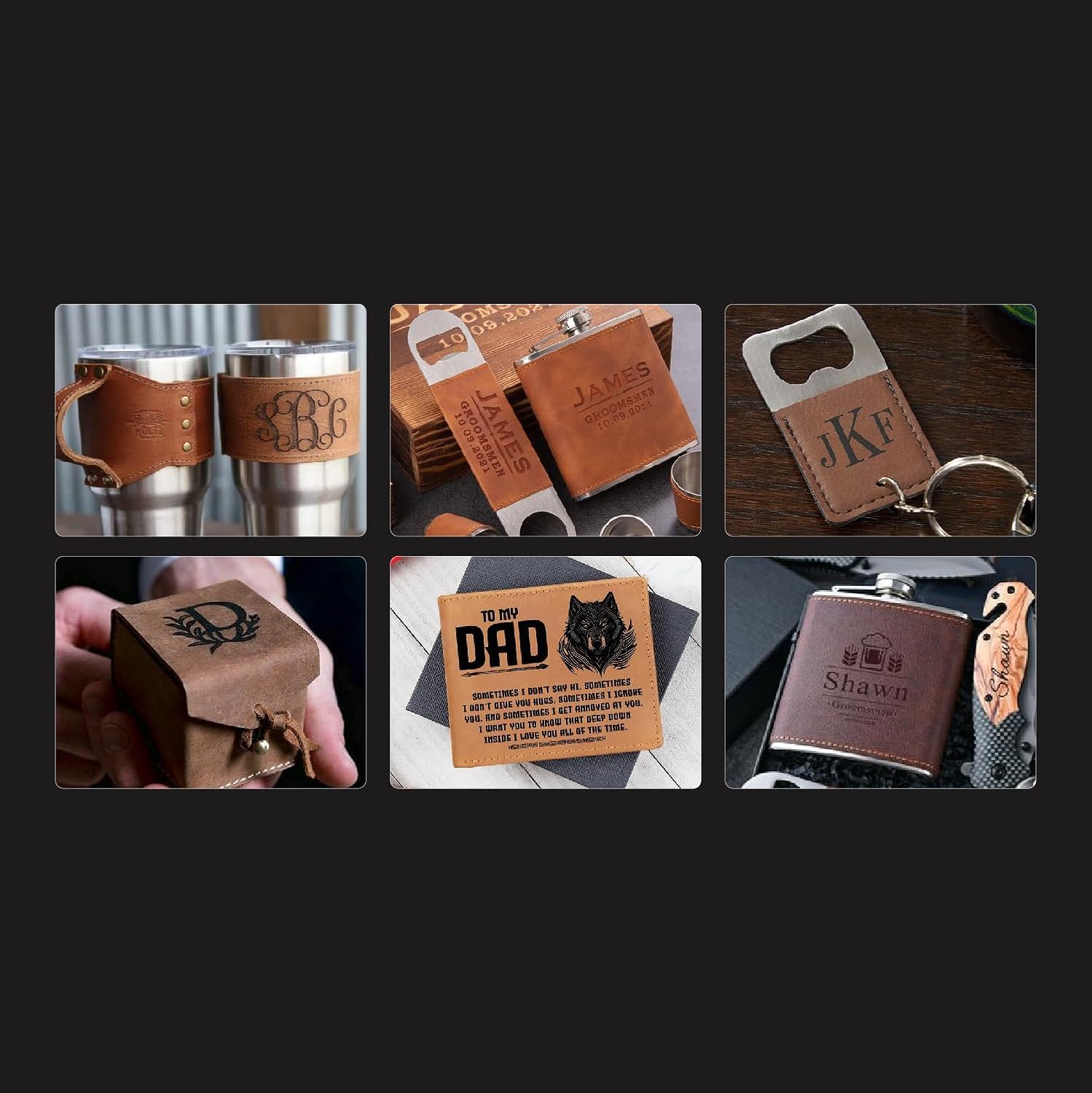
Image 5.3: Examples of personalized items created with the Aufero AL3 laser engraver.
6. Maintenance
Regular maintenance ensures the longevity and optimal performance of your Aufero AL3.
- Laser Module Cleaning: Periodically clean the laser lens with a soft, lint-free cloth and lens cleaning solution. Ensure the machine is powered off before cleaning.
- Frame and Rails: Keep the aluminum alloy frame and guide rails clean from dust and debris. Lubricate moving parts as recommended by the manufacturer.
- Belt Tension: Check the tension of the timing belts. They should be taut but not overly tight. Adjust if necessary.
- Firmware Updates: Check the official Aufero website or APP for any available firmware updates to ensure your machine has the latest features and improvements.
The 10W LU2-10B laser module has a lifespan of over 10,000 hours, but proper care will help maximize its operational life.

Image 6.1: The powerful 10W laser module features integrated cooling fans and a long operational life.
7. Troubleshooting
If you encounter issues with your Aufero AL3, refer to the following common troubleshooting steps:
- Machine Not Powering On: Check power cable connections and ensure the power outlet is functional.
- Laser Not Firing: Verify the laser module cable is securely connected. Ensure the software settings are correct and the laser is enabled.
- Poor Engraving/Cutting Quality: Check laser focus, material settings (power/speed), and ensure the material surface is clean and flat.
- Machine Not Connecting: Ensure USB cable is properly connected or that the APP is correctly paired via Bluetooth/Wi-Fi. Restart both the machine and your computer/mobile device.
- Abnormal Noise: Inspect belts and moving parts for obstructions or wear. Ensure all screws are tight.
For more detailed troubleshooting or persistent issues, visit the official Aufero support website or contact customer service.
8. Specifications
| Feature | Specification |
|---|---|
| Model | AL3-10W |
| Laser Module | 10W LU2-10B Violet Laser |
| Laser Spot Size | 0.05 × 0.1mm |
| Fixed Focus | 50mm |
| Laser Wavelength | 450nm |
| Working Area | 400 × 400mm (15.75 × 15.75in) |
| Maximum Engraving Speed | 20,000mm/min |
| Frame Material | 6061 Aluminum Alloy |
| Motherboard | OLM-ESP-PRO-V2.1A |
| Item Weight | 27.3 pounds (approx. 12.38 kg) |
| Product Dimensions | 7.87 x 7.48 x 27 inches (approx. 20 x 19 x 68.5 cm) |
| Material Compatibility | Wood, leather, acrylic, coated metal, etc. |
| Expandability | Supports up to 40W high-power laser modules |

Image 8.1: The X-axis low center of gravity design enhances stability during high-speed operation.
9. Warranty and Support
Aufero products come with a limited warranty. Please refer to the warranty card included in your package or visit the official Aufero website for detailed warranty terms and conditions.
For technical support, product inquiries, or warranty claims, please contact Aufero customer service through their official website or the contact information provided in your product documentation. Keep your purchase receipt and product model number (AL3-10W) handy when contacting support.
Official Website: Aufero Store on Amazon


