
1. Introduction
Thank you for choosing the NAVEE Birdie 3X Electric Golf Cart. This advanced electric golf trolley is designed to enhance your golfing experience with features like Smart Follow-Me technology, powerful assistance, and a long-lasting battery. This manual provides essential information for the safe and efficient operation, maintenance, and troubleshooting of your new golf cart. Please read this manual thoroughly before use and retain it for future reference.
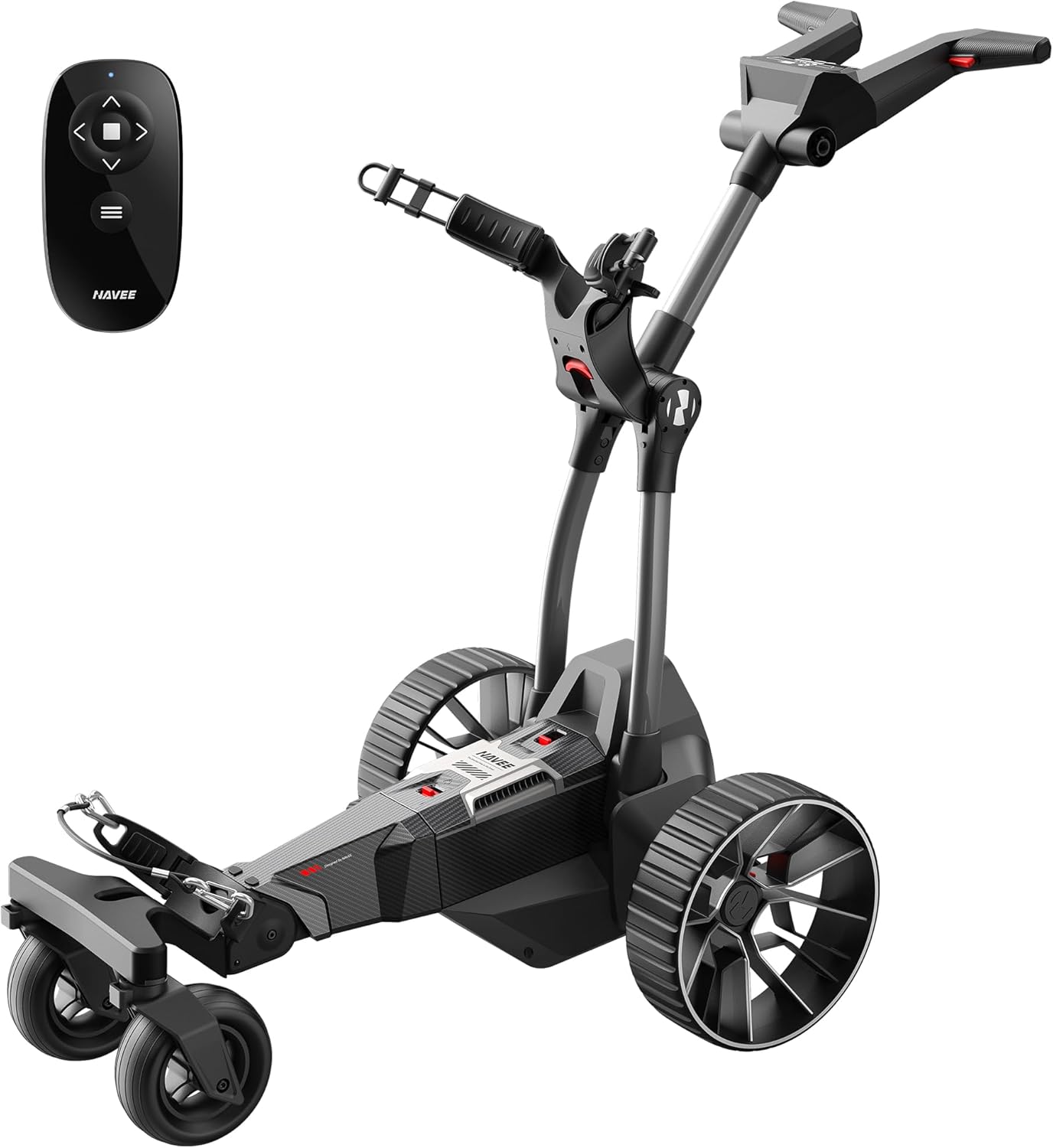
Image 1: The NAVEE Birdie 3X Electric Golf Cart with its remote control. This image displays the main unit, highlighting its compact design and robust wheels, alongside the sleek remote for hands-free operation.
2. Safety Information
Always prioritize safety when operating the NAVEE Birdie 3X. Failure to follow these instructions may result in injury or damage to the product.
- Read all instructions before operating the golf cart.
- Ensure the cart is fully assembled and all components are securely fastened before use.
- Do not operate the cart in extreme weather conditions or on excessively steep slopes beyond its rated capacity (25°).
- Keep hands, feet, and clothing clear of moving parts.
- Use only the provided battery charger.
- Store the cart in a dry, safe place away from direct sunlight and extreme temperatures.
- Always be aware of your surroundings and other golfers.
3. What's in the Box
Upon unpacking, please verify that all the following components are included:
- Main Body of the Electric Golf Cart
- Remote Control (x1)
- Battery Charger (x1)
- Umbrella Holder (x1)
- Drink Holder (x1)
- Front 6” Universal Wheels (x2)
- Rear 11” All-Terrain Wheels (x2)
- Rear Anti-tipping Wheel (x1)
- User Manual (this document)

Image 2: An overview of the NAVEE Birdie 3X Electric Golf Cart's key features and included accessories. This visual highlights the main unit, remote, and additional holders for umbrellas and drinks, along with the different wheel types.
4. Setup
4.1 Assembly
The NAVEE Birdie 3X comes largely pre-assembled. Attach the front and rear wheels as indicated in the quick start guide (not included in this manual but typically provided with the product). Ensure all wheels are securely fastened. Install the umbrella holder and drink holder into their designated slots on the cart's frame.
4.2 Initial Charging
Before first use, fully charge the golf cart's battery. Locate the Type-C charging port on the control dashboard. Connect the provided battery charger to the port and plug it into a standard power outlet. The charging indicator on the dashboard will show the charging status. A full charge typically takes several hours. It is recommended to fully charge the battery before each round of golf to ensure optimal performance and range.

Image 3: Close-up view of the universal USB-C charging port on the NAVEE Birdie 3X's control panel. This image illustrates the convenience of using a standard USB-C cable for charging the golf cart's battery.
5. Operating Instructions
5.1 Power On/Off
To power on the cart, press the Boot Button on the control dashboard. To power off, press and hold the Boot Button. The cart will also stop moving if the button is pressed while in motion.
5.2 Remote Control Operation
The remote control allows for precise command of your golf cart from up to 90 meters away. It features 9-speed adjustments and controls for basic movement, parking, and recall.
- Pairing & Lock: Press the Mode button 5 times to pair/unpair. Press the Mode & Stop button for 3 seconds to lock/unlock the remote control (to avoid misoperation).
- Basic Function: Press to go, release to stop (Adjust speed level on the handle).
- Speed Control: Click the Mode button twice to start speed control mode (default starting speed-lvl.2). Press the forward and backward buttons to change the speed level. When the speed drops to level 0, press the back button to go backward. Press Stop button to exit speed control mode.
- Disconnection: If the remote control disconnects, the cart automatically stops after 5 seconds.

Image 4: Detailed instructions for pairing, locking, basic functions, and speed control using the NAVEE Birdie 3X remote control. This image provides a visual guide to the remote's buttons and their corresponding actions.
5.3 Smart Follow-Me Function
The Smart Follow-Me feature allows the cart to automatically follow you, acting as your personal caddie. This function utilizes advanced sensors to maintain a safe distance within 90 meters, freeing your hands for your golf swing.
- Activating Follow-Me: Hold the Mode button on the remote for 3 seconds to start Smart Follow-Me mode. The cart will adjust its speed according to your pace.
- Exiting Follow-Me: Press the Stop button on the remote to exit Smart Follow-Me mode.

Image 5: The NAVEE Birdie 3X Electric Golf Cart demonstrating its Smart Follow-Me function on a golf course. Two carts are shown automatically following golfers, illustrating the hands-free convenience.
5.4 Smart Power Assist & All-Terrain Capability
The cart features Smart Power Assist, providing a boost depending on your speed, and is equipped with all-terrain wheels and SlopeMaster™ Anti-Tilt technology to conquer various terrains and inclines up to 25° effortlessly. The touch-trigger gas pedal provides assistance based on your pace; release to stop.
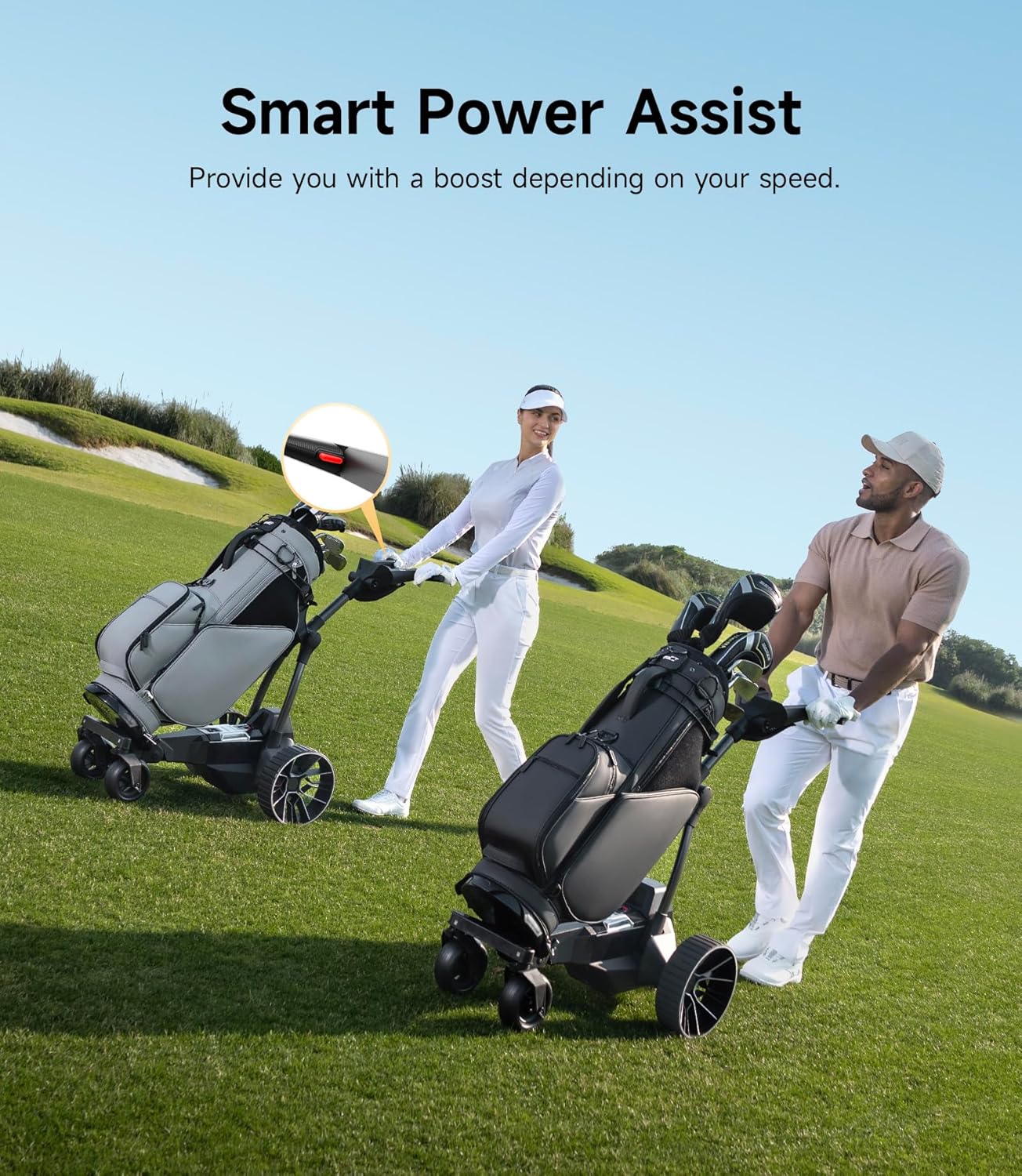
Image 6: Two golfers utilizing the Smart Power Assist feature of the NAVEE Birdie 3X Electric Golf Cart. The image highlights how the cart provides assistance, making it easier to navigate the course.

Image 7: The NAVEE Birdie 3X Electric Golf Cart demonstrating its SlopeMaster Anti-Tilt technology on a steep incline. The image shows the cart's stability on various terrains, including flat, mud, and steep slopes.
5.5 Intuitive Dashboard Control
The wider control deck features a 5.68" LED smart dashboard, providing real-time information and control at your fingertips. You can monitor battery levels, adjust speed, and toggle between follow-me and remote modes.
- Speed Level: Displays current speed.
- Cart Battery: Shows remaining battery life.
- Remote Control Battery: Indicates remote battery status.
- App Connection: Shows if the app is connected.
- Error Prompt: Displays any system errors.
- Mode & Speed Levels: Use '+' and '-' buttons to adjust speed in remote control mode.
- Circle light: Blinks when Smart Follow-Me mode is on.

Image 8: A detailed view of the NAVEE Birdie 3X Electric Golf Cart's control dashboard. This image labels various indicators and controls, including speed level, battery status, app connection, and the boot button.
5.6 Smart APP Connection
Control your NAVEE Birdie 3X via the dedicated mobile application, offering a wireless range of up to 200 meters (656 ft). The app provides a real-time dashboard, remote control capabilities, and golf scoring features.
- Golf Score Record
- Share Your Scores
- Live Dashboard
- APP Remote Control
- Advanced Settings

Image 9: A smartphone displaying the NAVEE Birdie 3X's smart app interface. This image illustrates the app's features, including real-time dashboard, remote control, and golf scoring capabilities.
5.7 3-Second Folding Mechanism
The NAVEE Birdie 3X features a convenient one-click 3-second folding mechanism, allowing it to collapse flat to only 6.7 inches thick and weigh just 40 lbs. This makes it easy to transport and store in a car trunk or locker.

Image 10: The NAVEE Birdie 3X Electric Golf Cart demonstrating its lightweight and 3-second folding capability. The image shows the cart in both its unfolded and compactly folded states, along with its dimensions and weight.
6. Maintenance
6.1 Battery Care
The NAVEE Birdie 3X is equipped with a top-tier 220Wh Lithium battery, designed for 36 holes (2x18 holes) on a single charge. To maximize battery life:
- Always fully charge the battery before storage and after each use.
- Avoid completely draining the battery.
- Store the cart and battery in a cool, dry place.
- Do not expose the battery to extreme temperatures.
- The battery is UL2272 certified for safety.

Image 11: An internal view of the NAVEE Birdie 3X's 220Wh lithium battery, highlighting its capacity for 2x18 holes of golf. The image also shows the UL2272 certification, emphasizing battery safety and longevity.
6.2 General Cleaning
Regularly clean your golf cart to ensure its longevity and optimal performance. Use a damp cloth to wipe down the frame and wheels. Avoid using harsh chemicals or abrasive cleaners. Ensure the cart is dry before storing.
7. Troubleshooting
This section addresses common issues you might encounter with your NAVEE Birdie 3X Electric Golf Cart.
| Problem | Possible Cause | Solution |
|---|---|---|
| Cart does not power on. | Low battery; Power button not pressed correctly. | Charge the battery; Press and hold the Boot Button firmly. |
| Remote control not responding. | Remote battery low; Not paired; Out of range. | Replace remote battery; Re-pair the remote (see Section 5.2); Move closer to the cart. |
| Cart stops unexpectedly. | Remote disconnected; Obstruction detected; System error. | Check remote connection; Clear path; Consult dashboard for error codes. |
| Follow-Me function not working. | Not activated; Obstruction; Sensor issue. | Activate correctly (see Section 5.3); Ensure clear line of sight to sensors; Contact support if persistent. |
For issues not listed here or if solutions do not resolve the problem, please contact customer support.
8. Specifications
Detailed technical specifications for the NAVEE Birdie 3X Electric Golf Cart:
| Feature | Specification |
|---|---|
| Model Name | Birde 3X-U |
| Item Weight | 40 Pounds (18.1 kg) |
| Max. Load | 66 lbs (30 kg) |
| Item Dimensions (LxWxH) | 50 x 22 x 37.6 inches (127 x 55.9 x 95.5 cm) |
| Folded Dimensions (Approx.) | 26.8 x 22.2 x 15.1 inches (68 x 56.4 x 38.4 cm) |
| Battery | 220Wh Lithium Battery (UL2272 Certified) |
| Range | 36 Holes (2x18 Holes) per charge |
| Max Incline | 25° |
| Remote Control Range | 90 meters (295 ft) |
| APP Control Range | 200 meters (656 ft) |
| Material | Aluminum, Plastic |
| Color | Black |
| Waterproof Rating | IPX5 |
9. Warranty and Support
The NAVEE Birdie 3X Electric Golf Cart comes with a 2-year warranty from the date of purchase, covering manufacturing defects. Please retain your proof of purchase for warranty claims.
For technical assistance, troubleshooting, or warranty inquiries, please contact NAVEE customer support. Our nationwide repair network, local phone support, and 24/7 email team are available to assist you.
- Service Center
- Phone Support
- Email Support

Image 12: A visual representation of NAVEE's customer support team, emphasizing the availability of service centers, phone support, and email support for product assistance.


