
1. Introduction
Thank you for purchasing the TOPTRO TP2 Mini Projector. This manual provides essential information for setting up, operating, and maintaining your projector. Please read it thoroughly before use and keep it for future reference.
2. Safety Information
- Do not look directly into the projector lens when the lamp is on.
- Ensure proper ventilation to prevent overheating. Do not block ventilation openings.
- Use only the power adapter provided with the device.
- Keep the projector away from water, moisture, and extreme temperatures.
- Avoid dropping or subjecting the projector to strong impacts.
- Do not attempt to disassemble or repair the projector yourself. Contact customer support for assistance.
3. Package Contents
Verify that all items are present in your package:
- TOPTRO TP2 Mini Projector
- Remote Control
- Power Adapter
- HDMI Cable
- Cleaning Kit
- User Manual (this document)
4. Product Overview
The TOPTRO TP2 Mini Projector is a compact and versatile device designed for various entertainment and presentation needs. It features an Android 13 operating system, Wi-Fi 6, Bluetooth 5.4, and automatic image correction.
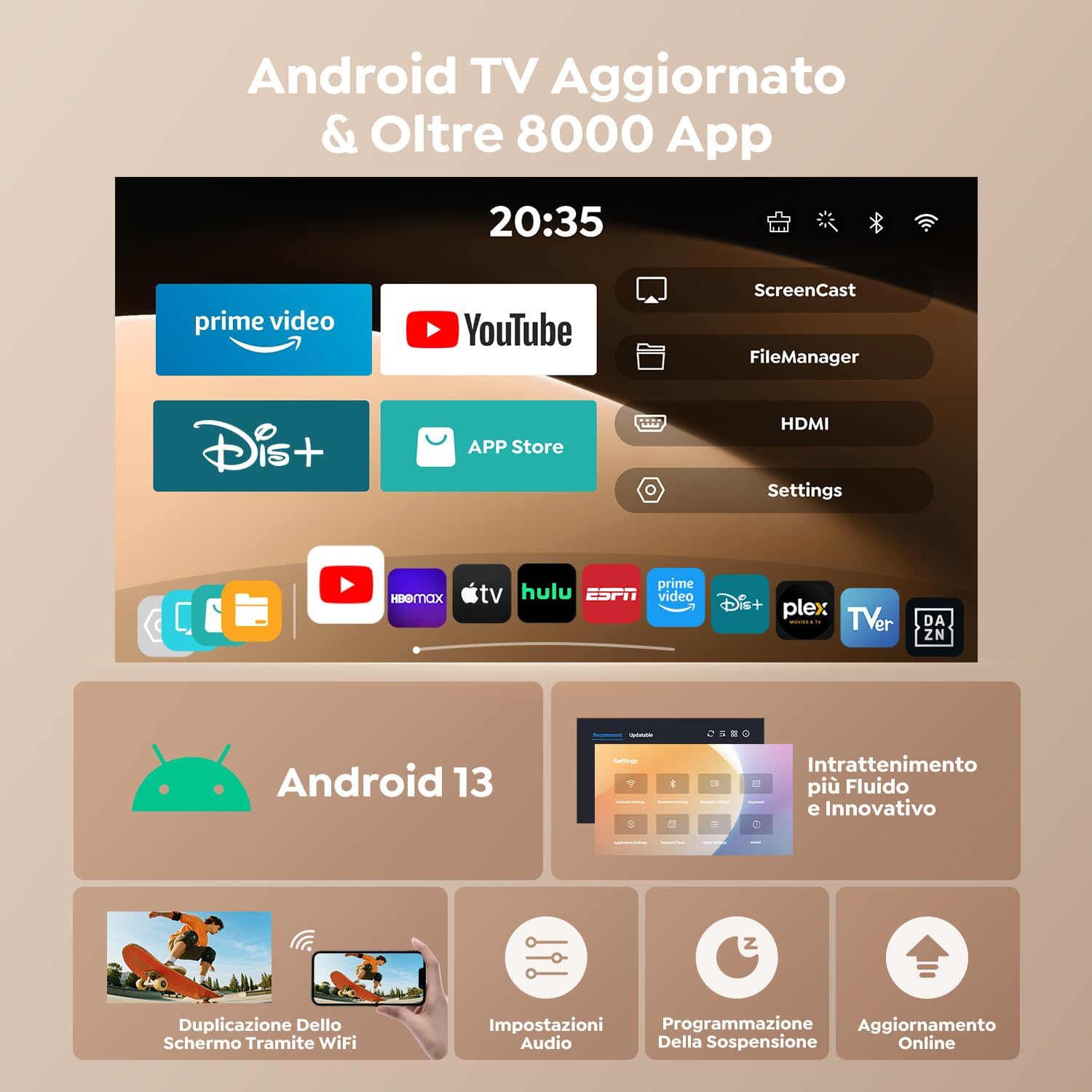
Figure 1: Front view of the TOPTRO TP2 Mini Projector, showcasing its compact design and lens.
4.1. Ports and Connections
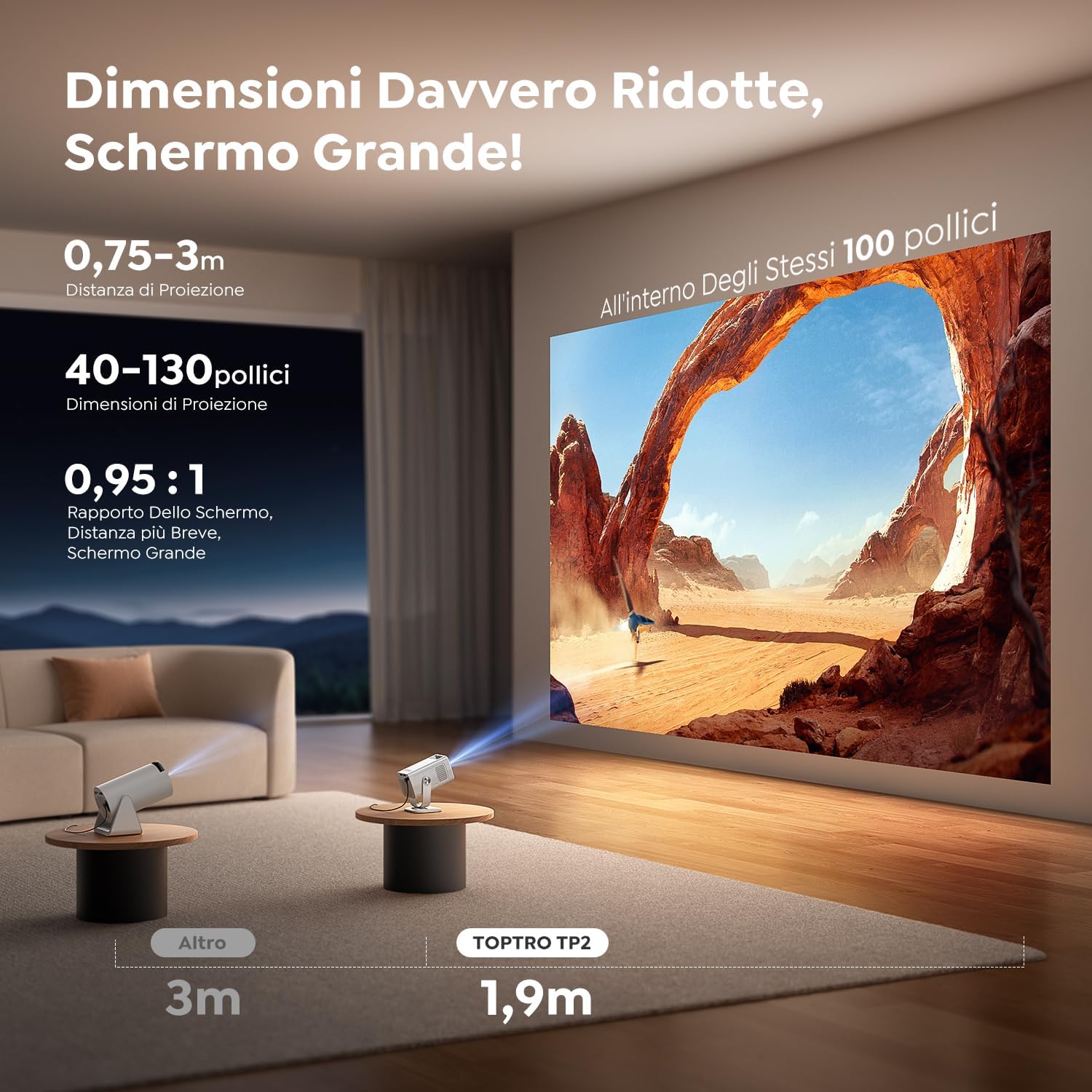
Figure 2: Rear view of the TOPTRO TP2 Mini Projector, showing the various input and output ports.
- HDMI Port: Connect to laptops, gaming consoles, TV sticks, etc.
- USB Ports: Connect USB drives for media playback or external devices.
- 3.5mm Audio Jack: Connect external speakers or headphones.
- Power Input: Connect the provided power adapter.
4.2. Key Features
- Android 13 OS: Access to over 8,000 official apps including streaming services.
- 270° Rotatable Design: Flexible projection angles for various setups.
- Short Throw Ratio (0.95:1): Projects large images from a short distance.
- 1080P Native Resolution (4K Support): Delivers clear and vivid images.
- Wi-Fi 6 & Bluetooth 5.4: Fast and stable wireless connectivity.
- Automatic Vertical Keystone Correction: Instantly corrects image distortion.
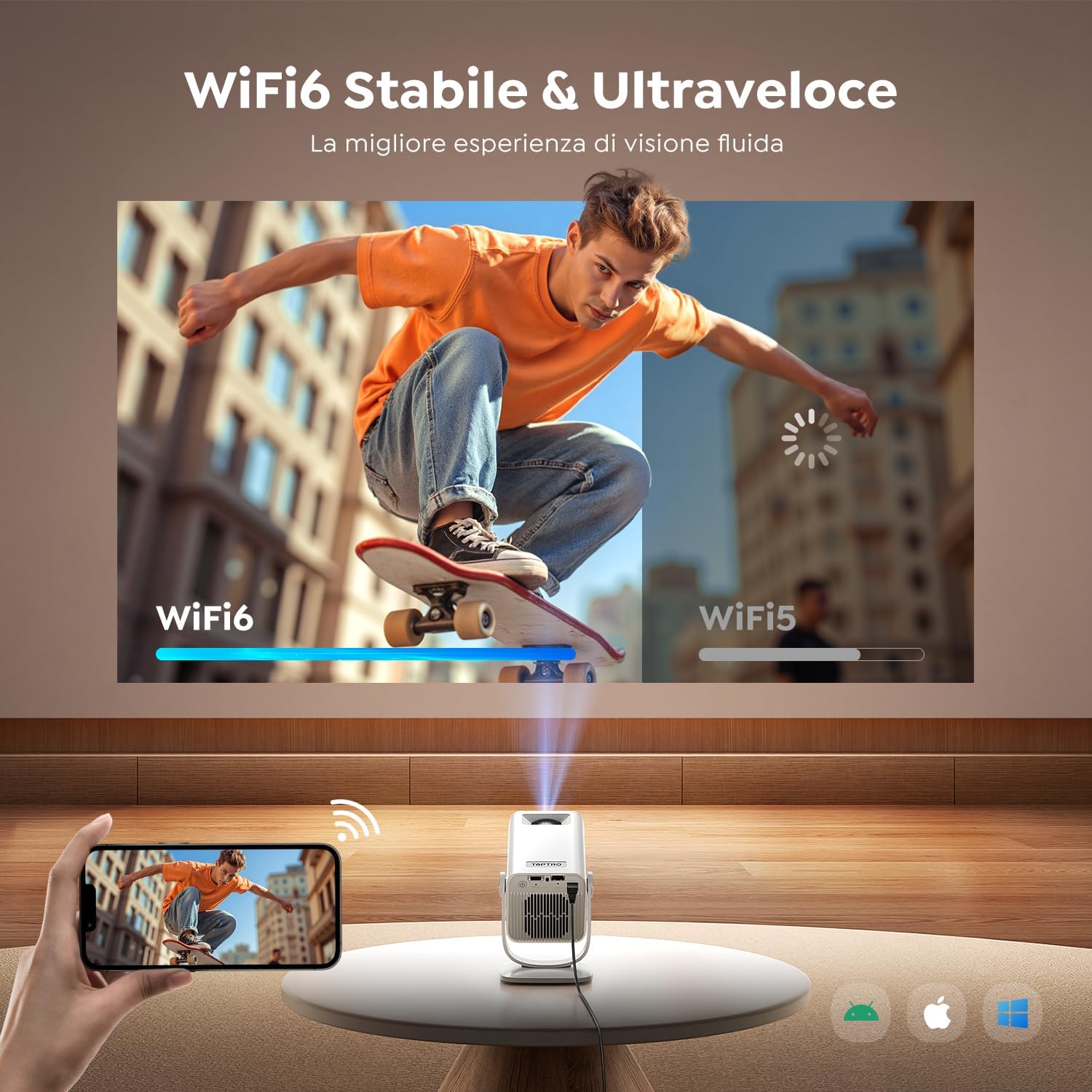
Figure 3: The projector's 270° rotatable design allows for flexible projection onto walls or ceilings.
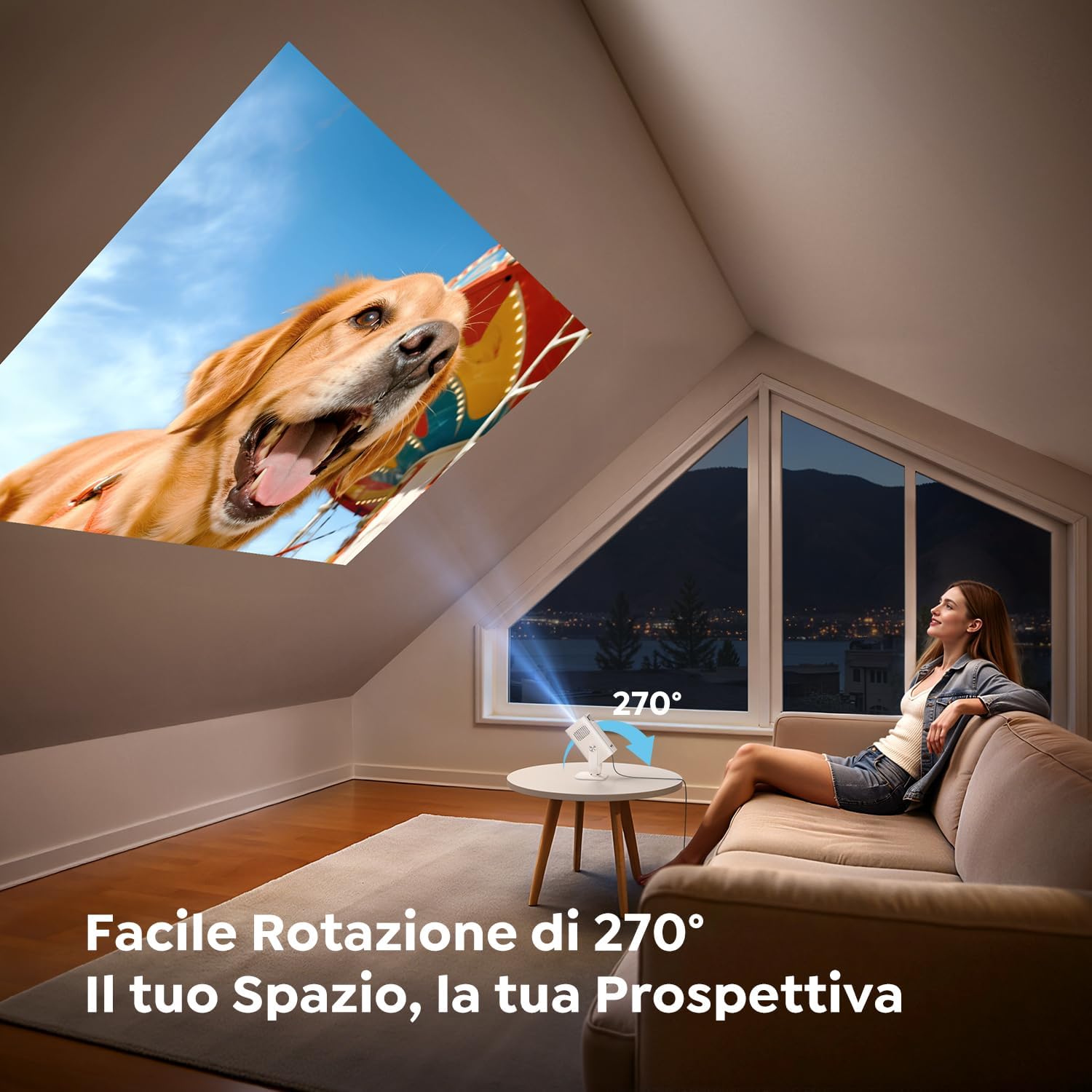
Figure 4: Illustration of the short throw capability, projecting a large image from a close distance.

Figure 5: The compact and portable design of the TOPTRO TP2, shown next to a soda can for size comparison.
5. Setup
5.1. Power Connection
- Connect the power adapter to the projector's power input port.
- Plug the power adapter into a wall outlet.
5.2. Placement and Angle Adjustment
Position the projector on a stable surface. Utilize the 270° rotatable design to adjust the projection angle as needed for wall, ceiling, or table projection.
5.3. Focus Adjustment
The projector features automatic vertical keystone correction. For fine-tuning, use the manual focus wheel or the remote control.
Video 1: Demonstrates the motorized focus adjustment feature of the projector, ensuring a clear image.
5.4. Connectivity
- HDMI: Connect an HDMI cable from your source device (e.g., laptop, game console) to the projector's HDMI port.
- USB: Insert a USB drive into a USB port for direct media playback.
- Wi-Fi 6: Navigate to the network settings to connect to your Wi-Fi network for online streaming and screen mirroring.
- Bluetooth 5.4: Pair with Bluetooth headphones or external speakers for enhanced audio. The projector can also act as a Bluetooth speaker for your phone.
6. Operating Instructions
6.1. Power On/Off
Press the power button on the projector or the remote control to turn the device on or off.
6.2. Navigating the Android 13 Interface
The TOPTRO TP2 runs on Android 13, providing a user-friendly interface. Use the remote control to navigate through menus, select apps, and adjust settings.

Figure 6: The Android 13 user interface of the TOPTRO TP2, displaying pre-installed applications like Prime Video and YouTube.
Video 2: Illustrates the Android 14 interface (similar to Android 13) and its functionalities, including app access and navigation.
6.3. App Installation and Streaming
The projector comes with Android TV pre-installed, offering access to over 8,000 official apps. Simply connect to Wi-Fi and download your preferred streaming services (e.g., Dazn, Prime Video, Disney+, YouTube, HBO Max).
6.4. Screen Mirroring
Use the Wi-Fi 6 feature to wirelessly mirror content from your smartphone, tablet, or laptop to the projector for a larger display.
6.5. Image Adjustment
- Automatic Vertical Keystone: The built-in precision sensor automatically corrects image distortion in less than 2 seconds.
- Zoom Function: Adjust projection size from 100% to 80% without compromising image quality.
Video 3: Shows automatic focus, keystone correction, and screen adaptation features, enhancing ease of use.
7. Maintenance
7.1. Cleaning
Use the provided cleaning kit to gently clean the lens and exterior of the projector. Do not use abrasive cleaners or solvents.
7.2. Storage
When not in use, store the projector in a cool, dry place, away from direct sunlight and dust. Ensure the lens is covered to protect it from scratches.
8. Troubleshooting
- No Power: Check if the power adapter is securely connected to both the projector and the power outlet.
- No Image: Ensure the input source is correctly selected (HDMI, USB, or streaming app). Check cable connections.
- Blurred Image: Adjust the focus using the manual wheel or remote. Ensure the projector is placed within the recommended projection distance.
- Image Distortion: The projector has automatic vertical keystone correction. If issues persist, check projector placement.
- No Sound: Check the volume settings on both the projector and the source device. Ensure Bluetooth audio is correctly paired if using external speakers/headphones.
- Wi-Fi/Bluetooth Connection Issues: Restart the projector and your router/Bluetooth device. Ensure the projector is within range.
9. Specifications
| Feature | Specification |
|---|---|
| Brand | TOPTRO |
| Model | TP2 |
| Product Dimensions | 13.5 x 9 x 17.8 cm |
| Weight | 400 grams |
| Model Year | 2025 |
| Hardware Interface | 3.5mm Audio, HDMI, USB |
| Compatible Devices | Speaker, Laptop, Game Console, Smartphone, Tablet |
| Additional Features | Short Throw |
| Screen Technology | LCD |
| Image Contrast Ratio | 15000:1 |
| Aspect Ratio | 16:10, 16:9, 4:3 |
| Native Screen Resolution | 1280 x 720 (720P) |
| Max Display Resolution | 4096 x 2160 (4K Support) |
| Noise Level | 32 Decibels |
| Wattage | 60 Watt-hours |
| Connectivity Type | Bluetooth, HDMI, IR, USB, Wi-Fi |
| Form Factor | Pocket-sized |
| Installation Type | Ceiling Mount/Floor Mount/Table Mount/Tripod Mount/Wall Mount |
| Recommended Uses | Business, Educational, Home Cinema, Video Games |
10. Warranty and Support
TOPTRO projectors come with comprehensive support:
- 24/7 Support: Assistance available around the clock.
- 2-Year Hassle-Free Return Policy: For peace of mind.
- 3-Year Warranty: Covering manufacturing defects.
- Lifetime Technical Support: Ongoing assistance for any technical queries.
For any questions or support, please contact TOPTRO customer service.


