
1. Introduction
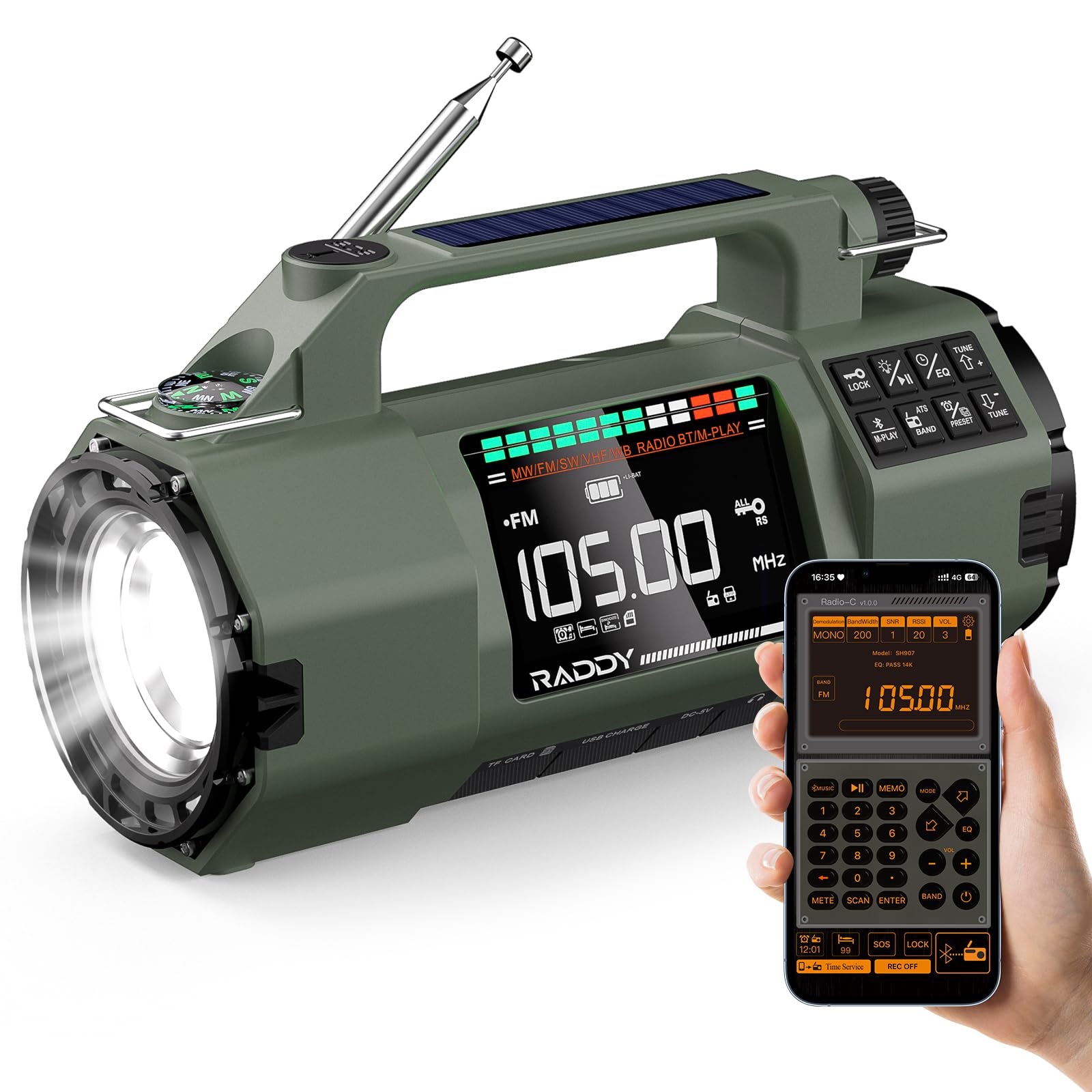
The Raddy SH-907 is a versatile emergency radio designed to keep you informed and connected in various situations, from outdoor adventures to power outages. It features multi-band reception (AM/FM/SW/VHF), multiple charging options, and additional emergency functions.
2. Setup
2.1 Battery Installation
The Raddy SH-907 comes with two 18650 rechargeable batteries pre-installed. For alternative power, the flexible battery compartment also supports one 14500 battery or three AA batteries (not included). To access the battery compartment, use a small screwdriver to open the cover on the side of the unit.

2.2 Initial Charging
Before first use, fully charge the radio using one of the following methods:
- USB-C Charging: Connect the provided USB-C cable to the radio's USB-C port and a compatible USB power adapter (not included).
- Solar Charging: Place the radio with the solar panel facing direct sunlight. This method is primarily for maintaining charge or slow charging in emergencies.
- Hand Crank Charging: Rotate the hand crank clockwise or counter-clockwise at a steady pace to generate power. This is an emergency charging method.

2.3 Antenna Extension
For optimal radio reception, extend the telescopic antenna fully when listening to FM, SW, or VHF bands.
3. Operating Instructions
3.1 Power On/Off
Press and hold the POWER button to turn the radio on or off.
3.2 Radio Functions (AM/FM/SW/VHF)
Press the BAND button to cycle through AM, FM, SW, and VHF bands. Use the tuning knob or TUNE +/- buttons to manually adjust the frequency. The radio supports storing up to 400 stations. Refer to the on-screen display for current frequency and band information.

3.3 APP Control
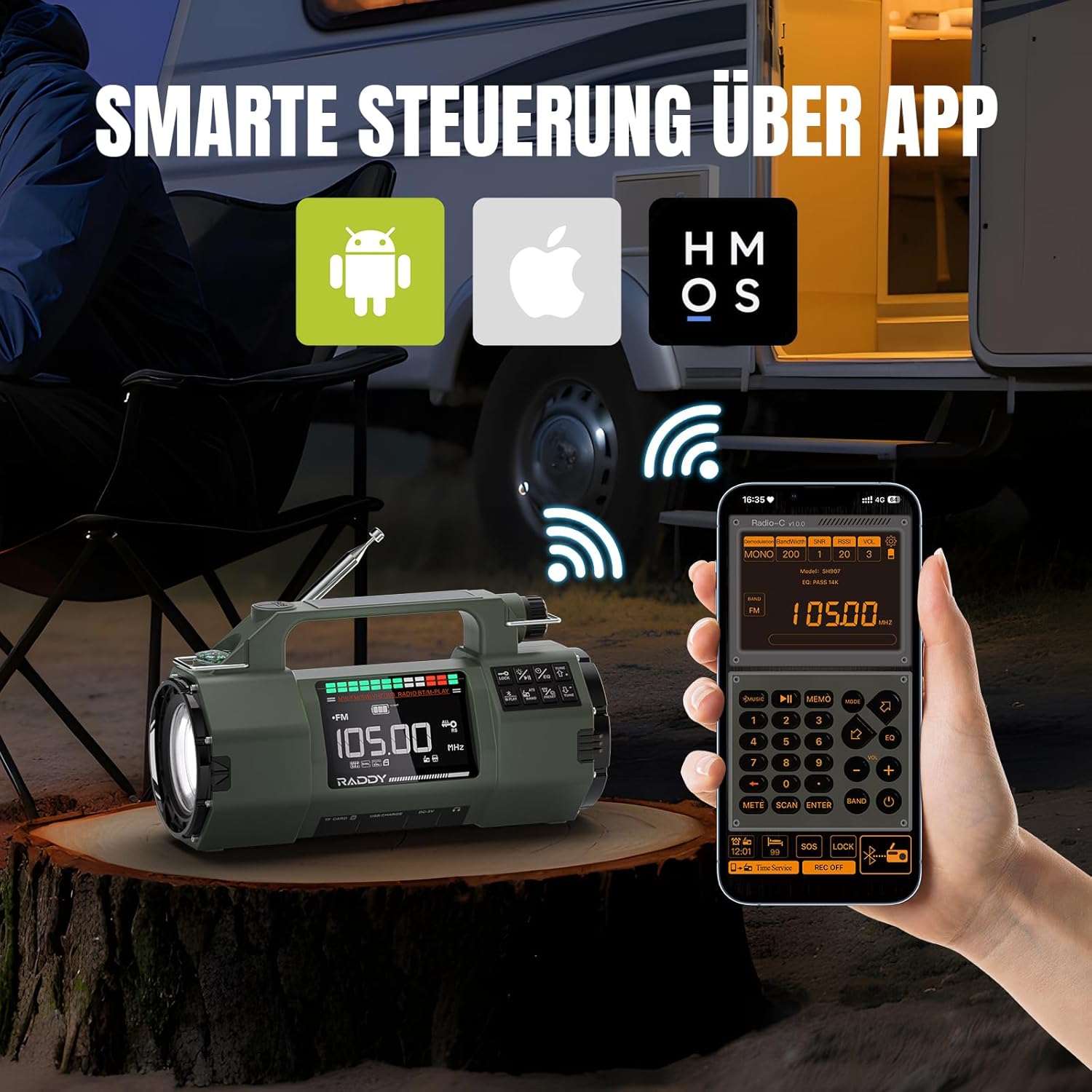
The Raddy SH-907 can be controlled wirelessly via a mobile application. Enable Bluetooth on your smartphone and pair it with the radio. Once connected, you can use the app to change frequencies, browse stations, and adjust various settings without directly interacting with the radio's physical controls.
3.4 Bluetooth Audio & Media Playback
Connect your smartphone or other Bluetooth-enabled device to the radio to stream music. The radio also supports playing audio files from a TF card (Micro-SD card) inserted into the designated slot. A 3.5mm headphone jack is available for private listening.

3.5 Flashlight & SOS Alarm
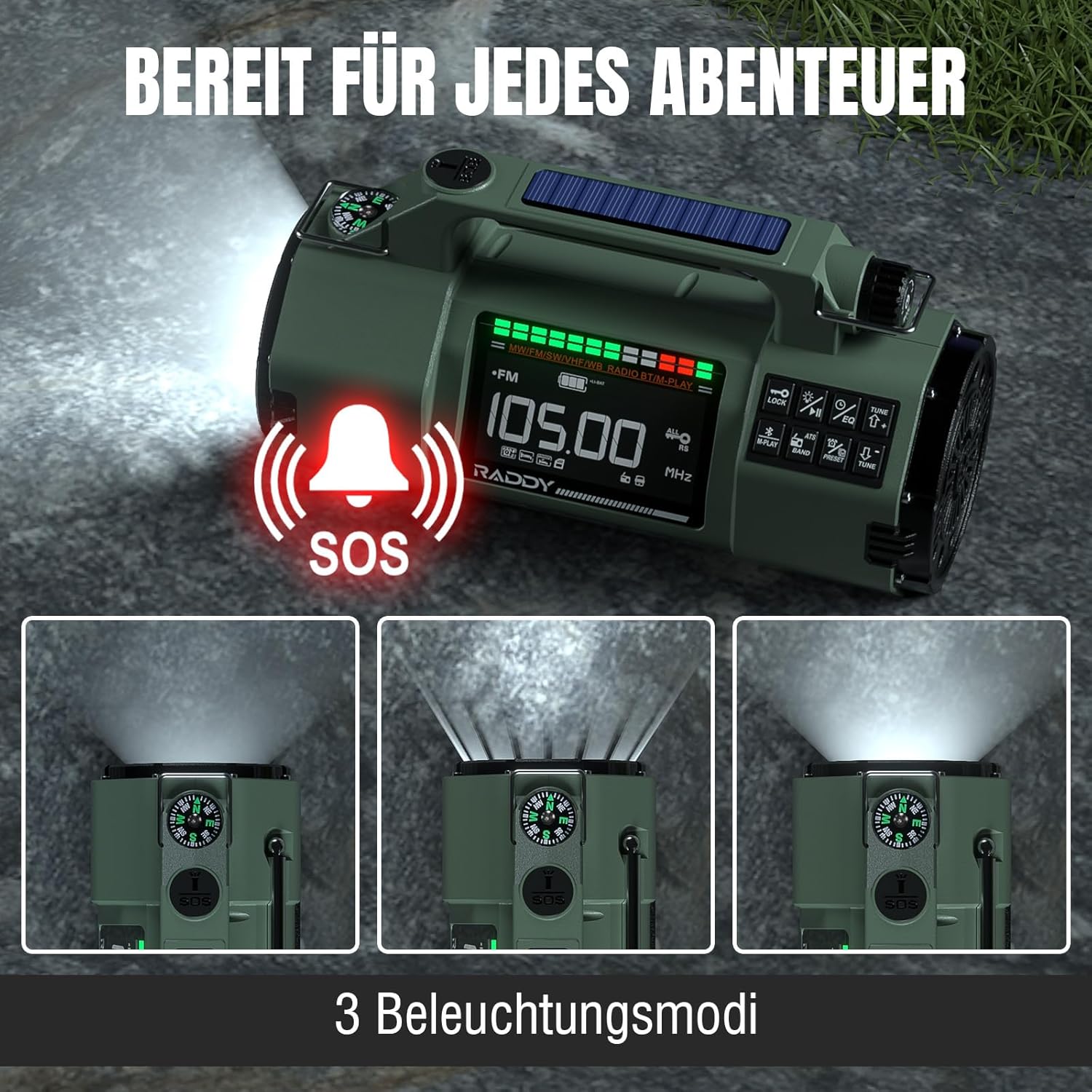
The integrated flashlight offers high and low beam modes for illumination. In emergency situations, activate the SOS alarm to emit a loud siren and flashing light signal.
3.6 Compass
A built-in compass is provided for basic navigation. Ensure the radio is held level and away from strong magnetic fields for accurate readings.
3.7 Charging External Devices
The Raddy SH-907 can act as a power bank to charge external devices via its USB output port. This feature is supported when using the 18650 batteries.

4. Maintenance
4.1 Battery Care
To prolong battery life, avoid fully discharging the batteries frequently. Recharge the radio regularly, especially if stored for extended periods. If using alternative batteries (14500 or AA), ensure they are inserted with correct polarity.
4.2 Cleaning
Wipe the radio with a soft, damp cloth. Do not use harsh chemicals or abrasive cleaners. Ensure all ports are dry before charging or using.
4.3 Storage
Store the radio in a cool, dry place away from direct sunlight and extreme temperatures. If storing for a long time, ensure the battery is partially charged (around 50%) to prevent deep discharge.
4.4 Water Resistance
The Raddy SH-907 features IPX4 splash protection, meaning it is resistant to splashing water from any direction. It is not designed to be submerged in water.
5. Troubleshooting
- No Power: Check battery charge level. Ensure batteries are correctly installed. Try charging via USB-C.
- Poor Radio Reception: Fully extend the telescopic antenna. Try repositioning the radio. Ensure you are not in an area with heavy interference.
- Bluetooth Connection Issues: Ensure Bluetooth is enabled on both the radio and your device. Make sure the radio is in pairing mode. Try unpairing and re-pairing the devices.
- Flashlight Not Working: Check battery level. Ensure the flashlight function is activated correctly.
- External Device Not Charging: Ensure the radio has sufficient charge. Confirm the 18650 batteries are installed for reverse charging. Check the USB cable connection.
6. Specifications
| Brand | Raddy |
| Model Number | SH907 |
| Radio Bands | AM, FM, SW (4.75–21.85 MHz), VHF (30–199.975 MHz) |
| Connectivity | Bluetooth 5.2 |
| Battery Capacity | 5000 mAh (2x 18650 included) |
| Battery Compatibility | 2x 18650, 1x 14500 (not included), 3x AA (not included) |
| Charging Methods | USB-C, Solar Panel, Hand Crank |
| Special Features | APP Control, Flashlight (high/low beam), SOS Alarm, Compass, IPX4 Splash Protection |
| Dimensions | 9L x 7W x 16H cm |
| Components Included | User Manual, USB-C Cable |
7. Warranty & Support
7.1 Manufacturer's Warranty
The Raddy SH-907 Emergency Radio is covered by an 18-month manufacturer's warranty from the date of purchase. This warranty covers defects in materials and workmanship under normal use. It does not cover damage caused by misuse, accidents, unauthorized modifications, or natural disasters.
7.2 Customer Support
For technical assistance, warranty claims, or any questions regarding your Raddy SH-907 radio, please contact Raddy customer support. Refer to the contact information provided with your product packaging or visit the official Raddy website for support details.


