
1. Important Safety Information
Please read and understand this entire manual before attempting to assemble, operate, or install the product. Failure to follow these instructions could result in electric shock, fire, or serious personal injury.
- All electrical connections must be in accordance with local codes, ordinances, or national electrical codes. If you are unfamiliar with electrical wiring, consult a qualified electrician.
- Ensure the installation site is structurally sound and can support the fan's weight (approximately 11 pounds).
- Turn off power at the circuit breaker or fuse box before beginning installation to prevent electrical shock.
- Do not operate the fan with damaged power cords or plugs.
- Maintain a minimum clearance of 7 feet from the floor to the fan blades.
- Do not insert objects into the path of the fan blades while the fan is operating.
2. Package Contents
Verify that all components are present before beginning installation. If any parts are missing or damaged, contact customer service.
- Motor Housing Assembly
- Fan Blades (5 reversible blades)
- Mounting Bracket
- Remote Control with Wall Cradle
- LED Light Kit
- Hardware Pack (screws, wire nuts, washers)
- Instruction Manual

Image 2.1: Overview of the Fanbulous 52-inch ceiling fan, highlighting its multi-functionality including 6 wind speeds, 3 color temperatures, reversible DC motor, timer setting, quiet operation, and double-sided blades. The remote control is also shown.
3. Setup and Installation
Installation of this ceiling fan requires basic electrical knowledge. If you are unsure about any steps, it is recommended to consult a qualified electrician.
- Turn Off Power: Before starting, ensure the power supply to the fan location is turned off at the circuit breaker or fuse box.
- Mounting Bracket Installation: Secure the mounting bracket to the ceiling junction box. Ensure the junction box is adequately supported (at least 35 lbs).
- Fan Assembly: Attach the fan blades to the motor housing. The blades are reversible, offering a white finish on one side and an oak/wood-colored finish on the other. Choose the desired side before attachment.
- Wiring Connections: Connect the fan's electrical wires to the household wiring according to the provided wiring diagram in the separate installation guide. Use appropriate wire nuts.
- Secure Fan to Bracket: Carefully lift the fan assembly and hang it onto the mounting bracket. Secure it with the provided screws.
- Light Kit Installation: Connect the LED light kit wires and attach the light kit to the bottom of the fan motor housing.
- Restore Power: Once installation is complete and all connections are secure, restore power at the circuit breaker.

Image 3.1: Illustration of the fan blade installation process, emphasizing ease of assembly.

Image 3.2: Detail of the double-sided fan blades, featuring a modern white finish on one side and a farmhouse-style beech wood color on the reverse, allowing for versatile aesthetic integration.
4. Operating Instructions
The Fanbulous ceiling fan is operated using the included remote control. Ensure the remote has 2 AAA batteries installed (included).
4.1 Remote Control Functions
- Power On/Off: Press the 'FAN/OFF' button to turn the fan on or off.
- Light On/Off: Press the 'LIGHT' button to turn the LED light on or off.
- Fan Speed Adjustment: Use buttons '1' through '6' to select desired fan speed. '1' is the lowest speed (soft wind), and '6' is the highest speed (cool wind).
- Color Temperature (CCT) Adjustment: Press the '3CCT' button to cycle through warm light (3000K), neutral light (4000K), and cool light (6000K).
- Timer Setting: Press '1H', '2H', or '4H' to set the fan to automatically turn off after 1, 2, or 4 hours, respectively.
- Reversible Motor: Press the 'F/R' button to change the direction of the fan blades. This function is used to switch between summer (downward airflow) and winter (upward airflow for heat circulation) modes.
- Memory Function: The fan will remember your last selected color temperature, wind speed, and fan steering direction if turned off for at least 10 seconds.

Image 4.1: Detailed view of the remote control, illustrating buttons for light and fan control, color temperature adjustment, forward/reverse function, fan speed, and timer settings. The remote can also be wall-mounted using the included cradle.
4.2 Reversible DC Motor
The fan features a reversible DC motor for year-round comfort:
- Summer Mode (Forward Airflow): Blades rotate counter-clockwise, pushing air downwards to create a cooling breeze.
- Winter Mode (Reverse Airflow): Blades rotate clockwise, drawing air upwards to circulate warm air trapped near the ceiling, helping to distribute heat evenly.
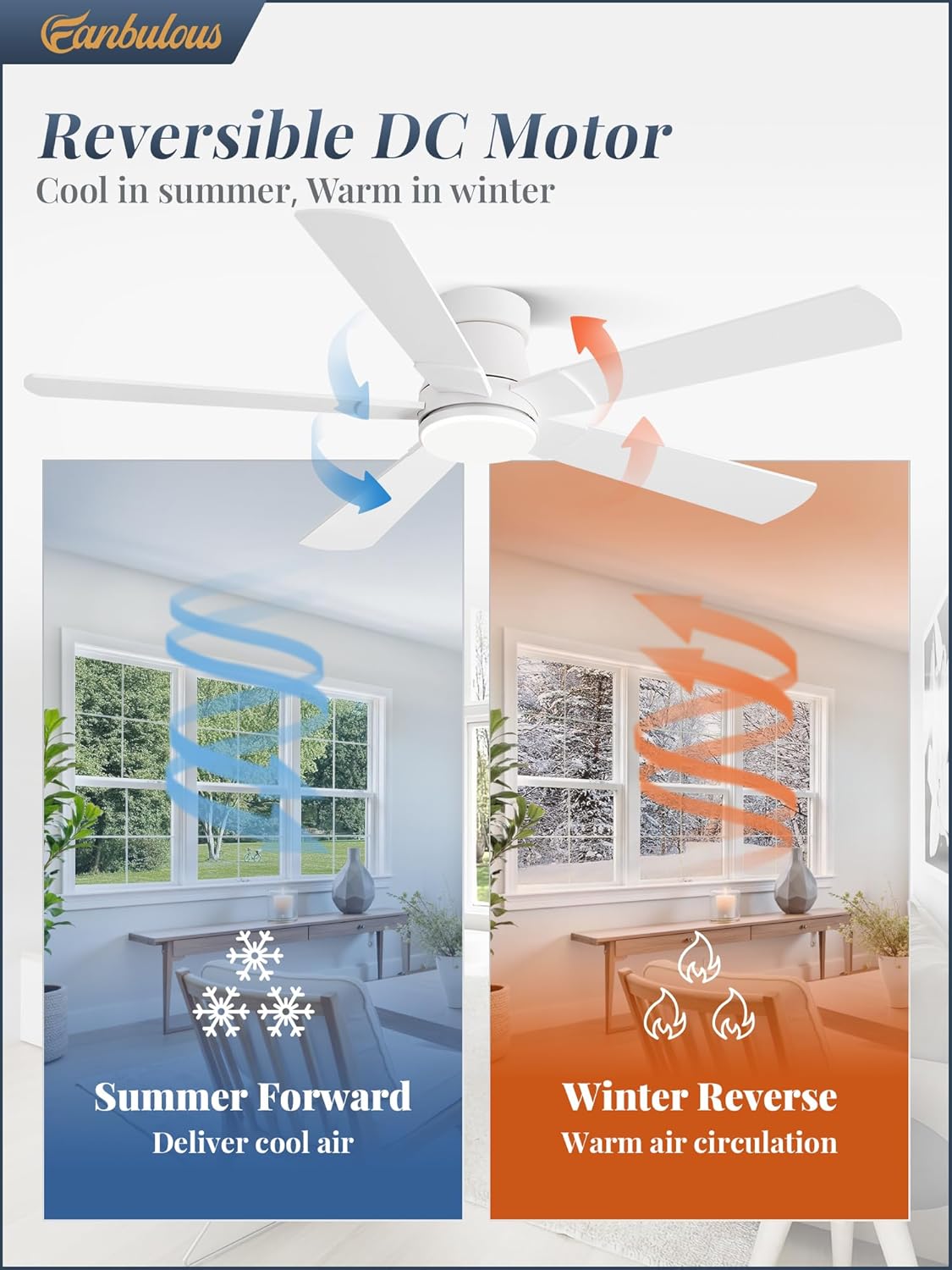
Image 4.2: Visual representation of the reversible DC motor function, showing downward airflow for cooling in summer and upward airflow for warm air circulation in winter.
5. Maintenance
Regular maintenance ensures optimal performance and longevity of your Fanbulous ceiling fan.
- Cleaning: To avoid scratching the finish, clean the fan with a soft, damp cloth. Do not use abrasive cleaners or solvents.
- Blade Cleaning: Dust the fan blades regularly to prevent dust buildup, which can affect balance and airflow.
- Tighten Fasteners: Periodically check all screws and fasteners on the fan and mounting hardware to ensure they are secure.
- Light Kit: The integrated LED light is designed for long-term use and typically does not require replacement.
6. Troubleshooting
If you experience issues with your ceiling fan, refer to the following common problems and solutions:
| Problem | Possible Cause | Solution |
|---|---|---|
| Fan does not start | No power to the fan; Loose wire connections; Remote control battery low. | Check circuit breaker/fuse; Verify all wire connections are secure; Replace remote control batteries. |
| Light does not work | Loose wire connection to light kit; LED driver issue. | Check light kit wiring; Contact customer service if LED driver is suspected. |
| Fan wobbles | Loose blades or mounting hardware; Unbalanced blades. | Ensure all blade screws and mounting screws are tight; Use a balancing kit (not included) if necessary. |
| Remote control not responding | Low or dead batteries; Remote not paired. | Replace batteries; Refer to the remote control pairing instructions in the full manual. |
7. Specifications
- Brand: Fanbulous
- Model Name: XS52
- Size: 52 inches
- Color: White
- Material: Metal, Wood
- Style: Modern
- Light Fixture Form: Ceiling Fan Light
- Room Type: Bedroom, Dining Room, Home Office, Living Room, Study Room
- Power Source: AC/DC
- Installation Type: Flush Mount
- Mounting Type: Flush Mount
- Assembly Required: Yes
- Product Dimensions: 52 x 52 x 8.7 inches
- Item Weight: 11 pounds
- Batteries: 2 AAA batteries required (included for remote)
- Recommended Room Size: 7-10ft (Height), 20ft x 20ft (Length & Width)

Image 7.1: Dimensional diagram of the 52-inch ceiling fan, showing its height (8.7 inches), width (52 inches), and light kit dimensions (5.9 inches diameter, 6.5 inches depth). Also indicates recommended room size for optimal performance.
8. Warranty and Support
Fanbulous is committed to providing exceptional after-sales service and offers a 2-year warranty on this product. Should you have any questions or concerns regarding your Fanbulous ceiling fan, please do not hesitate to contact our dedicated customer support team. We are ready to assist you and ensure your satisfaction long after your purchase.
For support, please refer to the contact information provided on the product packaging or the official Fanbulous website.


