
1. Introduction
The Dreamegg Sunrise 1+ Sound Machine is designed to enhance your sleep and wake-up experience. This device combines a sunrise alarm clock, a night light, and a sound machine with various soothing sounds. It offers smart control options via an app, touch controls, and customizable routines to support a balanced lifestyle.
2. Safety Information
- Read all instructions before use and retain for future reference.
- Do not expose the device to water or excessive moisture.
- Use only the provided power adapter.
- Keep out of reach of children.
- Do not attempt to disassemble or repair the device yourself. Contact customer support for assistance.
3. Package Contents
- Dreamegg Sunrise 1+ Sound Machine (Model: MBZ226-US)
- Power Adapter
- User Manual
4. Product Overview
The Dreamegg Sunrise 1+ features intuitive controls and a sleek design. The top panel includes touch-sensitive buttons for various functions, while the front displays the time and other indicators.
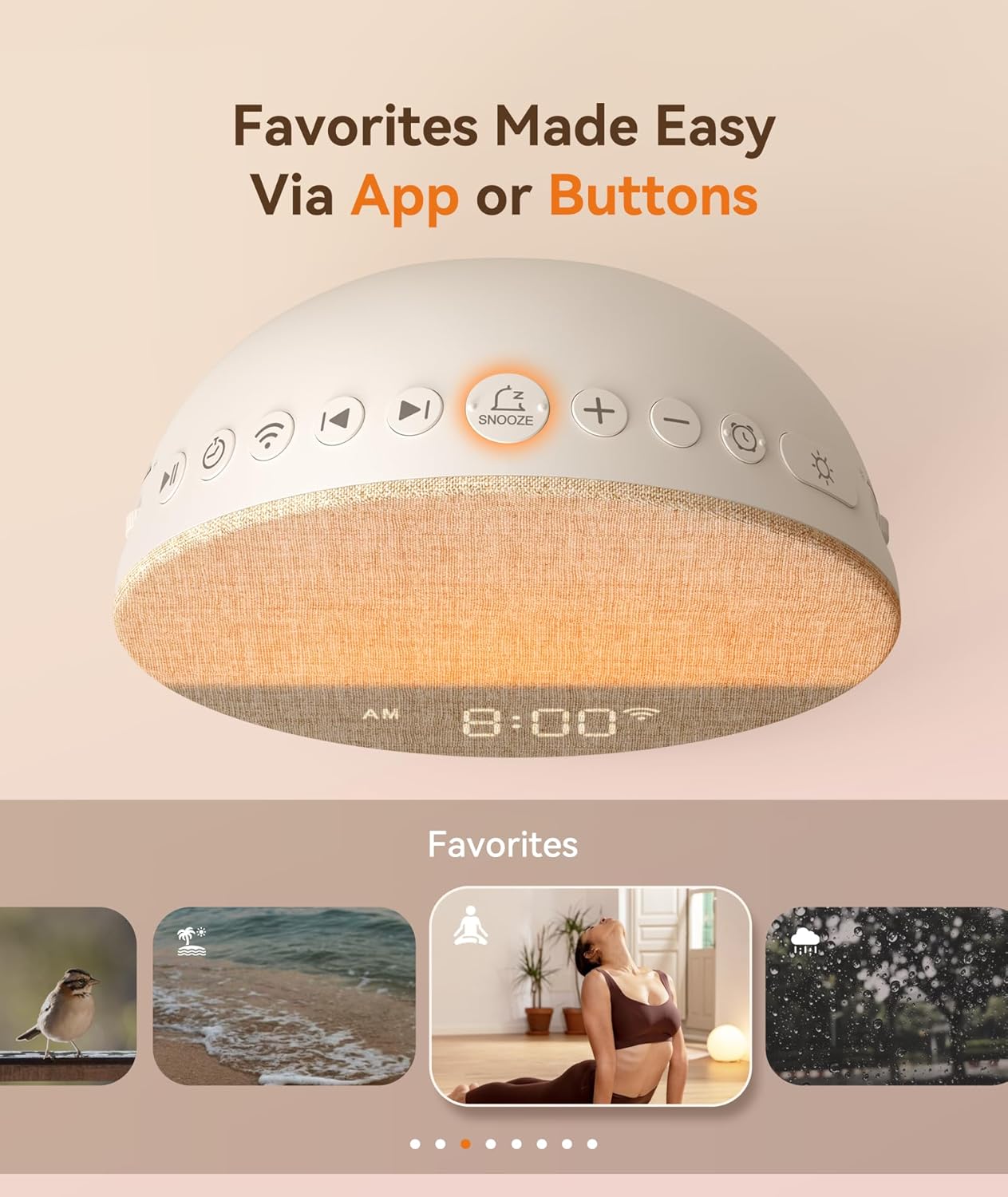
Image: Top view of the Dreamegg Sunrise 1+ with clearly labeled touch controls for easy operation.
5. Setup
5.1 Power Connection
- Connect the power adapter to the DC input port on the back of the device.
- Plug the adapter into a standard wall outlet. The device will power on and the display will illuminate.
5.2 Setting the Time
- Press the 'Time' button (usually indicated by a clock icon) on the top panel. The hour display will start blinking.
- Use the '+' and '-' buttons to adjust the hour.
- Press the 'Time' button again to switch to minute adjustment. Use '+' and '-' to set the minutes.
- Press the 'Time' button one more time to confirm and exit time setting mode.
5.3 App Download and Connection
For advanced control and customization, download the Dreamegg app from your smartphone's app store. Follow the in-app instructions to pair your device.
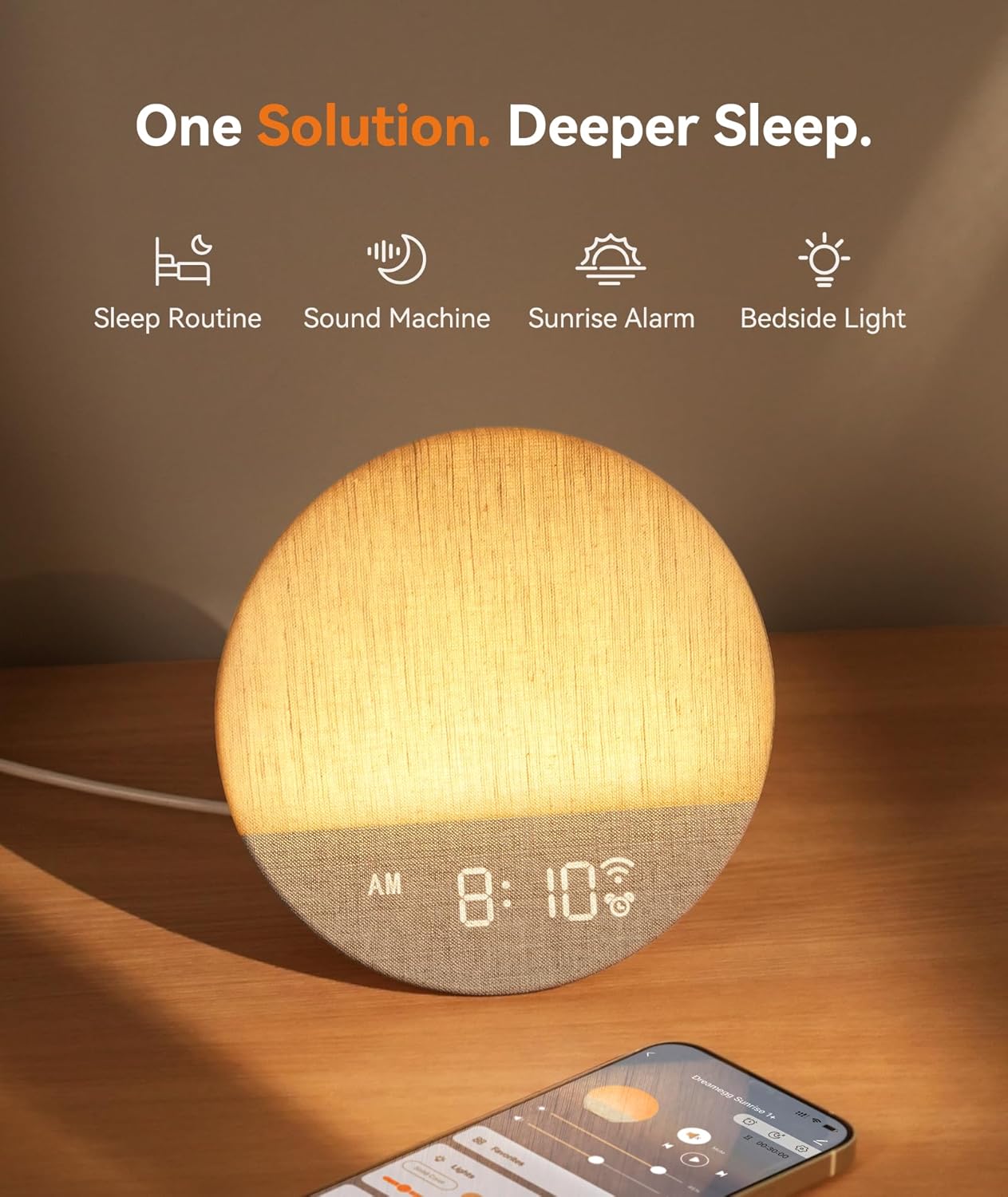
Image: The Dreamegg Sunrise 1+ device shown alongside a smartphone, illustrating the app control feature.
6. Operating Instructions
6.1 Sunrise Alarm Function
The sunrise alarm gradually brightens the light and introduces a chosen sound to gently wake you up, supporting your natural circadian rhythm.
- Set your desired wake-up time via the app or device controls.
- Choose a sunrise duration from 5 to 120 minutes. The light will gradually increase in brightness during this period.
- Select a soothing alarm sound from the available options.

Image: The Dreamegg Sunrise 1+ simulating a sunrise, providing a gentle wake-up experience.
6.2 Sunset Sleep Aid Function
The customized sunset mode helps you wind down by gradually dimming the light and fading out sounds, preparing your body for restorative rest.
- Activate the sunset mode via the app or device controls.
- Set a duration for the light and sound to gradually fade.
- Choose a calming soundscape to accompany the sunset.
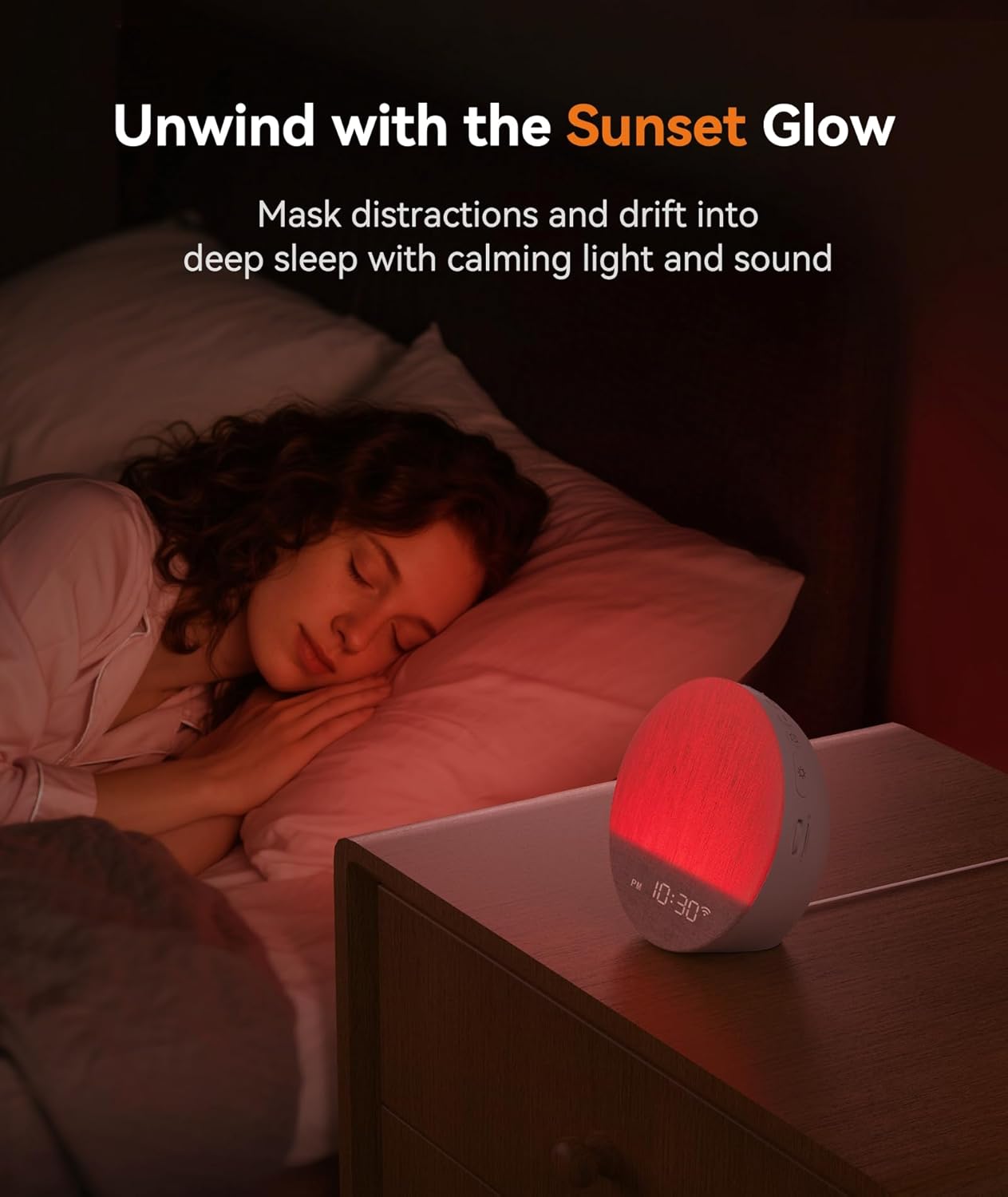
Image: The Dreamegg Sunrise 1+ in sunset mode, casting a warm, dimming light to aid sleep.
6.3 Sound Machine Functions
The device offers 34 immersive soundscapes, including nature sounds, white noise, pink noise, and gentle melodies, all available without subscriptions.
- Press the 'Sound' button (musical note icon) to cycle through available sounds.
- Use the '+' and '-' buttons to adjust the volume.
- Set a timer for the sound to play for a specific duration (e.g., 30, 60, 90 minutes) or continuously.

Image: A visual representation of the diverse soundscapes offered by the Dreamegg Sunrise 1+.
6.4 Night Light / Light Modes
The versatile night light adapts to various needs with adjustable brightness, colors, and dynamic modes.
- Press the 'Light' button (sun icon) to turn the light on/off or cycle through different colors.
- Use the '+' and '-' buttons to adjust the brightness of the light.
- Explore dynamic modes like color changing, color fading, or sunlight breathing via the app.

Image: The Dreamegg Sunrise 1+ showcasing its multiple light color and dynamic modes.
6.5 Daily Routines and Favorites Mode
Create up to 6 custom alarms and daily routines to support consistency. Save your favorite light and sound combinations for instant recall.
- Use the app to set up custom daily routines, combining specific light, sound, and duration settings.
- Save your preferred light and sound scenes as 'Favorites' for quick access via the app or dedicated buttons.

Image: The 'Favorites' feature allows users to save and recall personalized light and sound settings.
7. Maintenance
- Wipe the device with a soft, dry cloth.
- Do not use abrasive cleaners or solvents.
- Ensure the device is unplugged before cleaning.
8. Troubleshooting
8.1 Device Not Powering On
- Check if the power adapter is securely connected to the device and the wall outlet.
- Ensure the wall outlet is functioning correctly by testing it with another device.
8.2 No Sound Output
- Verify that the volume is not set to minimum or muted.
- Ensure a soundscape is selected and playing.
8.3 Light Not Functioning
- Check if the light is turned on and not set to minimum brightness.
- Cycle through different light modes to ensure it's not on a 'light off' setting.
9. Specifications
| Product Dimensions | 5.91 x 5.91 x 2.87 inches |
| Weight | 1.34 Pounds |
| Model Number | MBZ226-US |
| Color | White |
| Material | Acrylonitrile Butadiene Styrene (ABS) |
| Power Source | 1 Nonstandard Battery (included) |
| Manufacturer | Dreamegg |
10. Warranty and Support
Dreamegg is committed to providing high-quality customer service. For any inquiries, troubleshooting, or warranty claims, please contact Dreamegg customer support. Refer to the product packaging or official website for contact details.


