Introduction
This manual provides detailed instructions for the setup, operation, and maintenance of your HyperGear FIT X2 Smartwatch + Fitness Tracker. Please read this manual thoroughly before using the device to ensure proper function and to maximize your user experience.
What's in the Box
- HyperGear FIT X2 Smartwatch
- Magnetic Charging Cable
- User Manual (this document)
Setup
1. Charging the Device
Before initial use, fully charge your HyperGear FIT X2 Smartwatch. Connect the magnetic charging cable to the charging contacts on the back of the watch and plug the USB end into a power source (e.g., computer USB port or a 5V/1A USB wall adapter). The watch display will indicate charging status.

Image: The HyperGear FIT X2 Smartwatch connected to its magnetic charging cable, showing a 'Fully Charged' notification on its screen.
A full charge typically takes approximately 2.5 hours. The watch offers up to 5+ days of typical use and up to 15 days of basic use on a single charge.
2. Powering On/Off
- Power On: Press and hold the side button until the HyperGear logo appears on the screen.
- Power Off: From the watch face, swipe down to access the quick settings, then tap the power icon. Confirm power off. Alternatively, navigate to Settings > System > Power Off.
3. App Installation and Pairing
The HyperGear FIT X2 requires the 'Da Fit' companion app for full functionality and data synchronization. The app is compatible with iOS 9.0+ and Android 5.0+ devices.
- Download the App: Search for 'Da Fit' in the Apple App Store (for iOS) or Google Play Store (for Android) and install it on your smartphone.
- Enable Bluetooth: Ensure Bluetooth is enabled on your smartphone.
- Open Da Fit App: Launch the 'Da Fit' app and follow the on-screen instructions to create an account or log in.
- Add Device: In the app, navigate to the 'Device' section and tap 'Add Device'. The app will search for nearby devices. Select 'FIT X2' from the list to pair.
- Confirm Pairing: A pairing request may appear on your watch and phone. Confirm on both devices to complete the connection.

Image: A smartphone screen showing the 'Da Fit' app download options and the HyperGear FIT X2 Smartwatch, illustrating the companion app integration.
Operating Instructions
1. Navigating the Interface
The FIT X2 features a 2-inch ultra-large touchscreen LCD display and a side button for navigation.
- Swipe Up: Access notifications.
- Swipe Down: Access quick settings (e.g., brightness, DND, battery saver).
- Swipe Left/Right: Cycle through widgets (e.g., activity, heart rate, weather, music control).
- Press Side Button: Return to the watch face from any screen, or open the app menu from the watch face.
- Tap: Select an item or open an application.
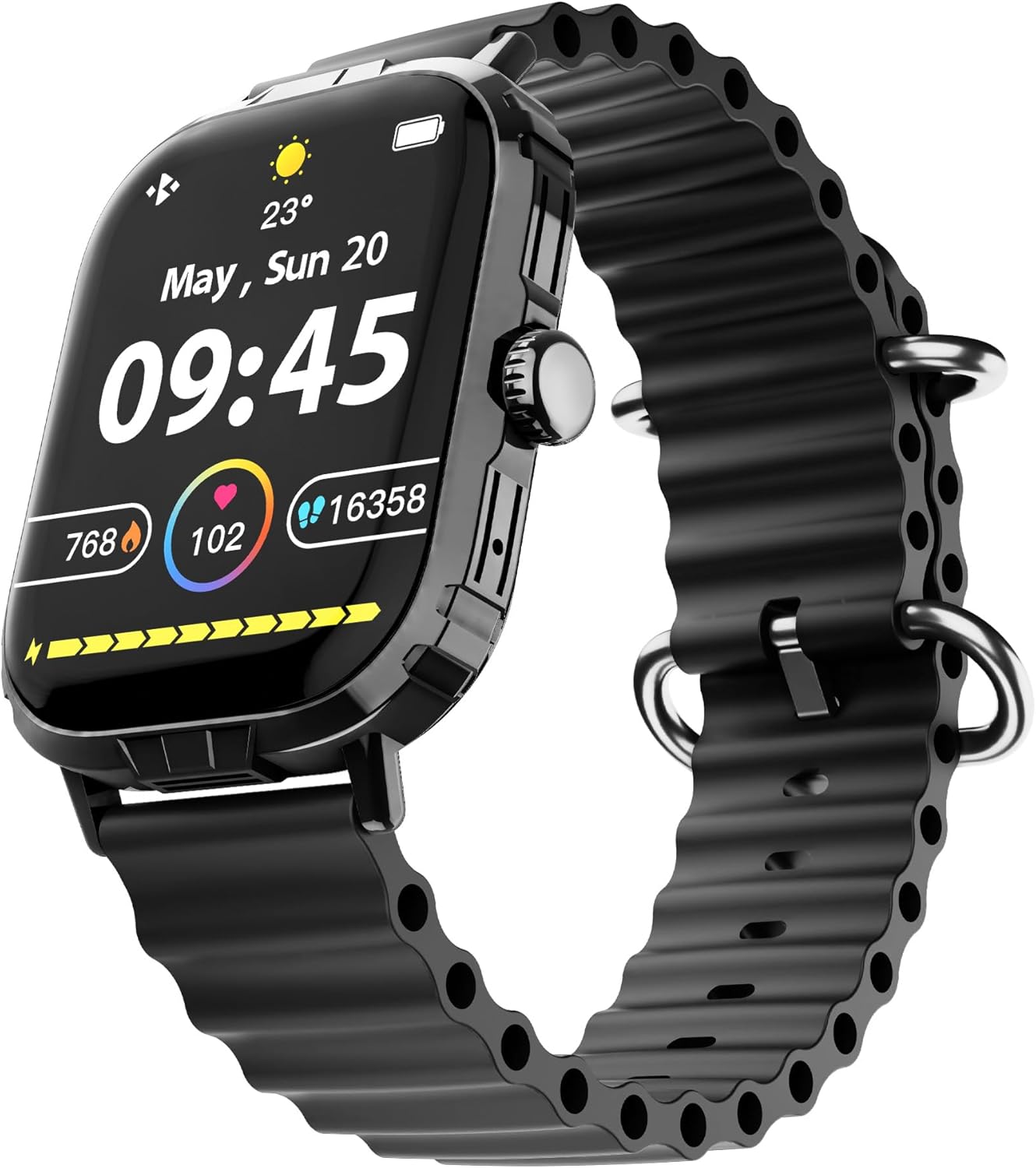
Image: The HyperGear FIT X2 Smartwatch showing its main watch face with current time, date, and various health metrics.
2. Health Monitoring Features
The FIT X2 provides 24-hour health monitoring capabilities.
- Heart Rate: Access the Heart Rate app on the watch or swipe to the Heart Rate widget. The watch will automatically measure your heart rate. For continuous monitoring, enable it in the Da Fit app settings.
- Blood Oxygen (SpO2): Open the SpO2 app on the watch. Keep your arm still during measurement.
- Blood Pressure: Open the Blood Pressure app on the watch. Follow on-screen instructions for accurate readings.
- Stress Levels: The watch can estimate stress levels. Access this feature via the dedicated app.
All health metrics can be viewed in detail and tracked over time within the Da Fit companion app.

Image: A visual representation of the HyperGear FIT X2's 24-hour health monitoring features, including heart rate, blood pressure, blood oxygen, and stress levels.
3. Fitness Tracking
The FIT X2 supports over 100 exercise and sport modes.
- Activity Tracking: The watch automatically records daily step count, calories burned, and total minutes of moderate or high physical activity. View these metrics on the watch or in the Da Fit app.
- Exercise Modes: From the app menu, select 'Exercise' to choose from various sport modes. The watch will track relevant data for your chosen activity.
- GPS Route Mapping: When connected to your smartphone, the Da Fit app can utilize your phone's GPS to map your outdoor exercise routes.

Image: The HyperGear FIT X2 Smartwatch displaying fitness tracking data, including step count, calories burned, and minutes exercised, with an individual engaged in physical activity.
4. Sleep Tracking
Wear your FIT X2 to bed to monitor your sleep patterns.
- Sleep Time & Quality: The watch tracks your total sleep duration and analyzes sleep stages (Awake, REM, Light, Restful).
- Guided Breathing Sessions: Access guided breathing exercises on the watch to help improve relaxation before sleep.
Detailed sleep analysis and scores are available in the Da Fit app.

Image: The HyperGear FIT X2 Smartwatch showing sleep tracking features, including sleep duration, quality, and guided breathing, with a person sleeping in the background.
5. Communication Features
Stay connected with your smartphone via Bluetooth.
- On-Wrist Calls: With the built-in microphone and speaker, you can make and receive phone calls directly from your watch when connected to your phone.
- Smart Notifications: Receive notifications for texts, social media apps, emails, and more directly on your watch. Manage notification settings in the Da Fit app.
- Music Control: Control music playback on your smartphone (play, pause, skip tracks) from your watch.

Image: The HyperGear FIT X2 Smartwatch highlighting its connectivity features, including Bluetooth pairing, on-wrist call functionality, smart notifications, and music control.
6. Other Applications
The FIT X2 includes over 15 easy-to-use applications:
- Stopwatch
- Timer
- Alarm
- Weather
- Calculator
- Remote Camera Shutter
- AI Voice Assistant
- Find Phone
- Flashlight
- And more, accessible via the app menu.
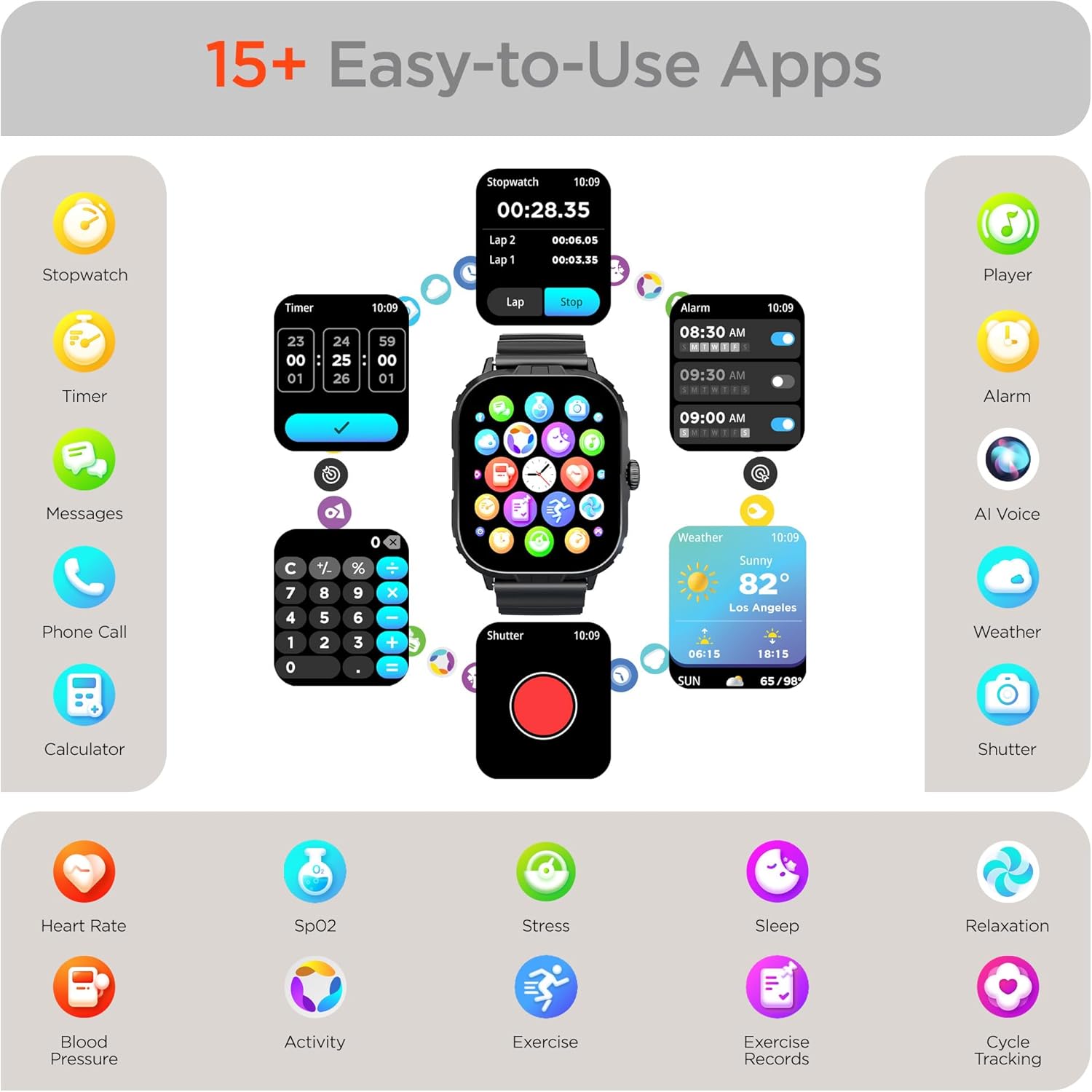
Image: The HyperGear FIT X2 Smartwatch showcasing its array of built-in applications, such as stopwatch, timer, alarm, weather, calculator, and various health monitoring tools.
Maintenance
1. Cleaning
Regularly clean your smartwatch and strap to prevent skin irritation and maintain device performance.
- Wipe the screen and watch body with a soft, lint-free cloth. If necessary, slightly dampen the cloth with water.
- For the silicone strap, wash with mild soap and water, then rinse thoroughly and dry completely before reattaching to your wrist.
- Avoid using harsh chemicals, abrasive cleaners, or solvents, as these can damage the device.
2. Water Resistance
The HyperGear FIT X2 is IP65 rated, meaning it is dustproof and water-resistant. It is certified sweatproof, splashproof, and rainproof. It is not recommended for swimming, showering, or submersion in water.
3. Strap Replacement
The FIT X2 uses universally compatible 22mm-wide watch straps with quick-release spring bars. To replace the strap:
- Locate the quick-release lever on the underside of the strap where it connects to the watch body.
- Pull the lever inward to release the spring bar and gently detach the strap.
- Align the new 22mm strap with the watch lugs, insert one end of the spring bar, then pull the quick-release lever to slide the other end into place. Release the lever to secure.
Troubleshooting
- Watch not powering on: Ensure the watch is fully charged. Connect it to the magnetic charging cable and a power source for at least 10 minutes.
- Unable to pair with smartphone:
- Ensure Bluetooth is enabled on your smartphone and the watch.
- Make sure the watch is within Bluetooth range of your phone (typically 10 meters).
- Restart both your watch and smartphone.
- Check if the 'Da Fit' app has necessary permissions enabled on your phone.
- If previously paired, try unpairing from your phone's Bluetooth settings and the Da Fit app, then re-pair.
- Inaccurate health readings:
- Ensure the watch is worn snugly on your wrist, about one finger's width above your wrist bone.
- Keep your arm still during measurements.
- Clean the sensor on the back of the watch.
- Notifications not appearing:
- Verify the watch is connected to your phone via Bluetooth.
- Check notification settings within the 'Da Fit' app to ensure desired apps are enabled.
- Ensure your phone's notification settings allow the 'Da Fit' app to display notifications.
- Short battery life:
- Reduce screen brightness.
- Disable continuous heart rate monitoring if not needed.
- Limit frequent use of power-intensive features like calls or GPS tracking.
- Ensure the watch is fully charged each time.
Specifications
| Feature | Specification |
|---|---|
| Model | FIT X2 |
| Display Size | 2 Inches IPS LCD |
| Connectivity | Bluetooth 5.2 |
| Battery Capacity | 250 Milliamp Hours |
| Typical Battery Life | 5+ Days |
| Basic Battery Life | Up to 15 Days |
| Recharge Time | 2.5 Hours (Rapid Recharge) |
| Water Resistance | IP65 (Dustproof, Sweatproof, Splashproof, Rainproof) |
| Operating System Compatibility | Android 5.0+ / iOS 9.0+ |
| Case Material | Zinc Alloy (11mm thick) |
| Strap Compatibility | 22mm Quick-Release |
| Item Weight | 4.8 ounces |
Warranty Information
HyperGear products are designed and manufactured to the highest quality standards. For specific warranty details, including coverage period and terms, please refer to the warranty card included with your product or visit the official HyperGear website. Keep your proof of purchase for warranty claims.
Support
If you encounter any issues or have questions not covered in this manual, please contact HyperGear customer support:
- Online Support: Visit the official HyperGear website for FAQs, troubleshooting guides, and contact forms.
- Email Support: Refer to your product packaging or the HyperGear website for the customer service email address.


