
1. Introduction
Thank you for choosing the Goplus Superfit 2-in-1 Folding Treadmill. This versatile fitness equipment is designed for both walking and jogging, offering a convenient solution for home and office use. Its compact, foldable design and dual operating modes make it an ideal choice for maintaining an active lifestyle. Please read this manual thoroughly before operation to ensure safe and effective use.
2. Safety Instructions
To reduce the risk of serious injury, please read all important precautions and instructions in this manual before using the treadmill. Goplus assumes no responsibility for personal injury or property damage sustained by or through the use of this product.
- Always place the treadmill on a level surface.
- Keep children and pets away from the treadmill during operation.
- Wear appropriate athletic footwear and clothing.
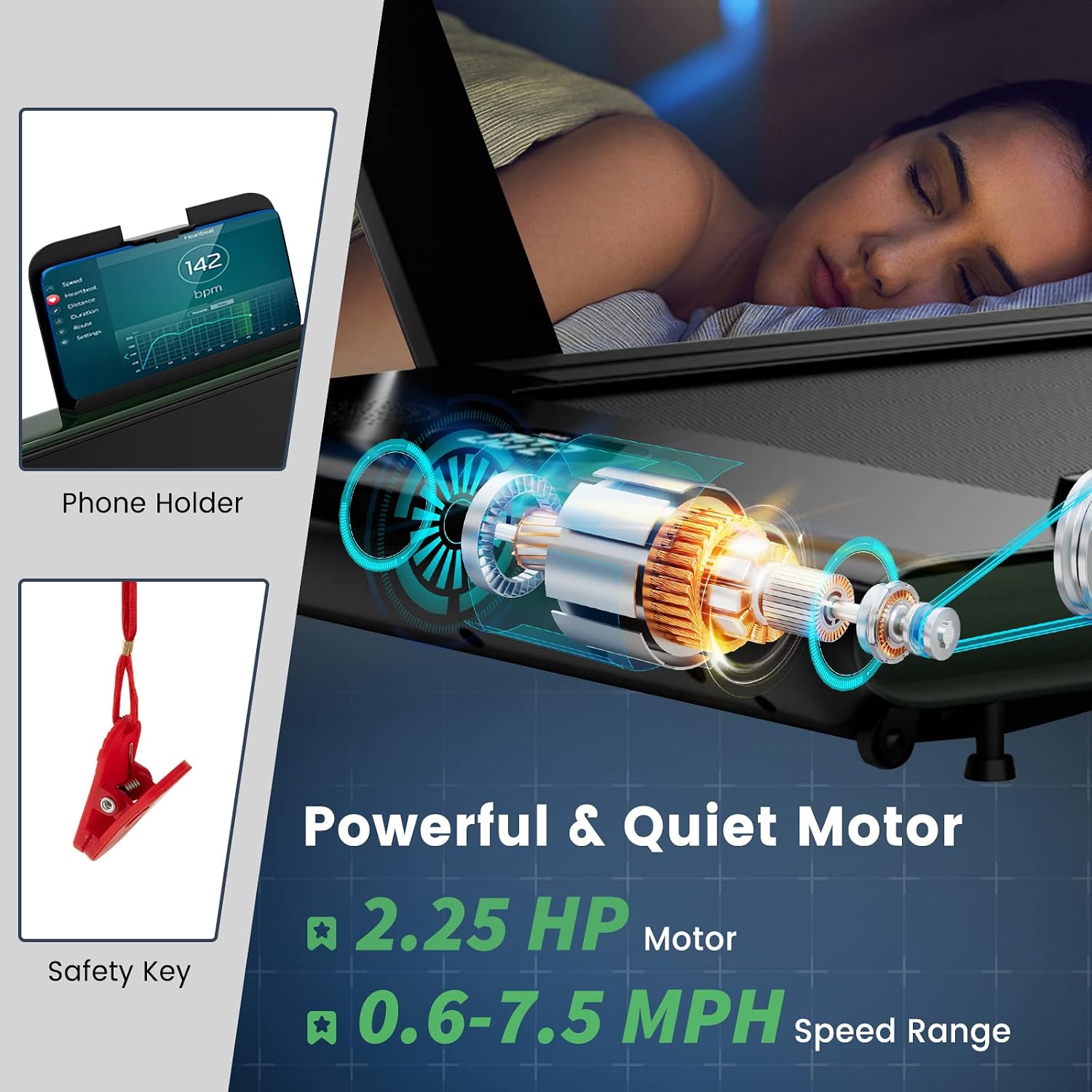
- Use the safety key clip at all times. In case of emergency, the safety key will immediately stop the treadmill.
- Do not operate the treadmill if it has a damaged cord or plug, or if it is not working properly.
- Consult a physician before beginning any exercise program.
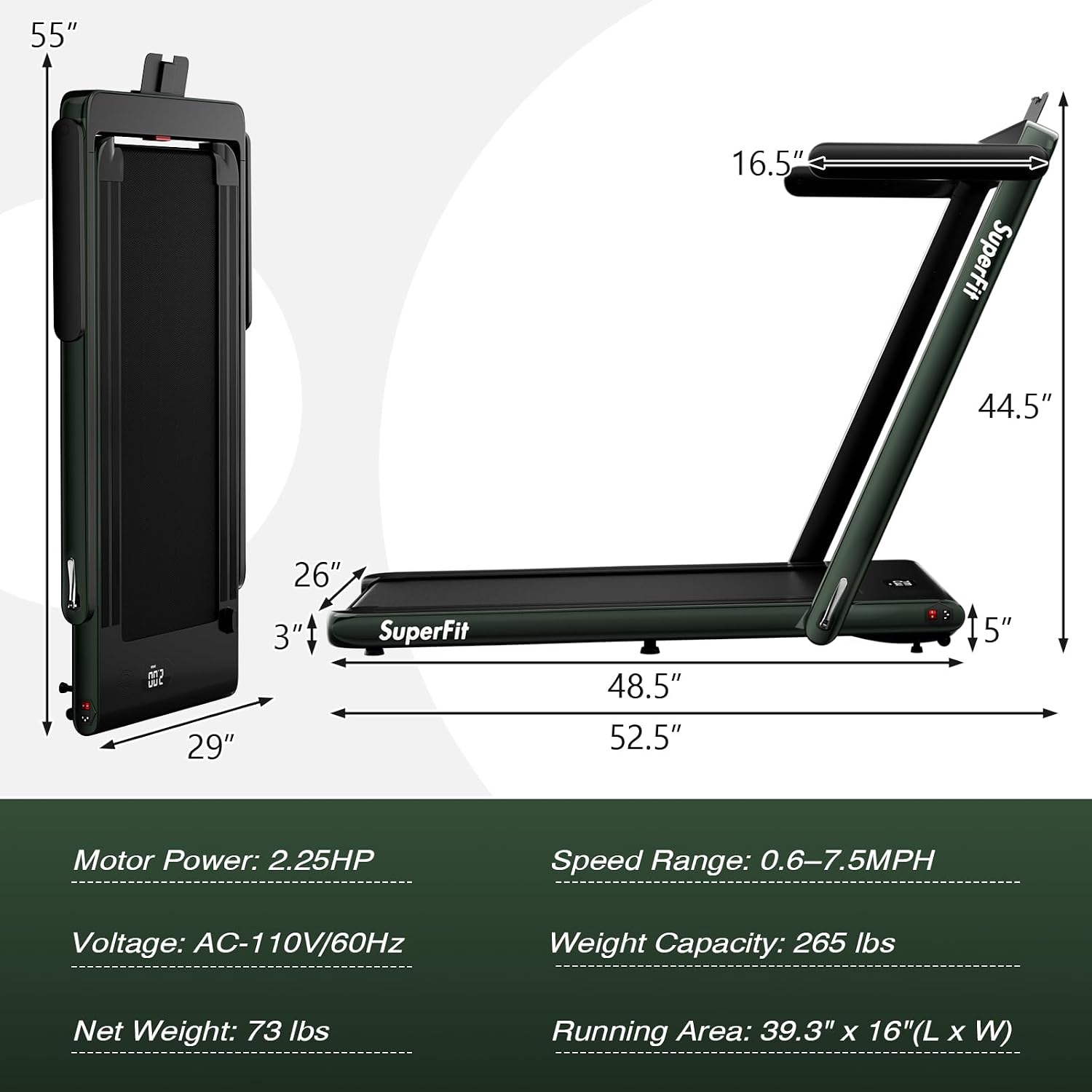
- The maximum user weight for this treadmill is 265 pounds.
3. Package Contents
Please check that all items are present and in good condition:
- Goplus Superfit 2-in-1 Folding Treadmill Unit
- Remote Control (Battery not included: Requires 1 x CR2032 button battery)
- Safety Key
- Power Cord
- User Manual
4. Setup
The Goplus Superfit 2-in-1 Folding Treadmill comes fully assembled and requires no installation. Simply unpack and prepare for use.
- Unpacking: Carefully remove the treadmill from its packaging.
- Placement: Place the treadmill on a flat, stable surface. Ensure there is adequate space around the unit for safe operation.
- Power Connection: Plug the power cord into a standard AC 110V/60Hz outlet.
- Handrail Position: Decide on your desired operating mode:
- For Walking Mode (under desk), ensure the handrail is folded down.
- For Running Mode, raise the handrail to its upright position and secure it.
- Safety Key: Attach the safety key to the designated slot on the console. Clip the other end to your clothing.

5. Operating Instructions
5.1 Operating Modes
The treadmill offers two distinct operating modes:
- Walking Mode (Under Desk): With the handrail folded, the treadmill operates at speeds from 0.6 to 2.5 MPH. This mode is ideal for light activity while working or relaxing.
- Running Mode: With the handrail raised, the treadmill supports speeds from 0.6 to 7.5 MPH, suitable for jogging and running workouts.

5.2 Starting and Stopping
- Ensure the treadmill is plugged in and the safety key is attached.
- Press the power button on the remote control or the main unit to turn on the treadmill.
- The LED display will illuminate. Use the '+' and '-' buttons on the remote to adjust the speed.
- To stop, press the power button on the remote or pull the safety key.
5.3 Remote Control and APP Control
The treadmill can be controlled via the included remote control or a dedicated smartphone application.
- Remote Control: Use the remote to power on/off, adjust speed, and stop the treadmill.
- APP Control: Connect your smartphone via Bluetooth to the treadmill. The app allows you to record exercise data, track progress, and access various training courses. The treadmill features a phone holder for convenience.


6. Features
- 2-in-1 Design: Easily switch between walking pad and running treadmill modes.
- Powerful & Quiet Motor: Equipped with a 2.25HP motor for smooth and quiet operation, suitable for home and office environments.
- Non-Slip Running Belt: Features a 5-layer non-slip texture running belt (39.3" x 16") for effective cushioning and reduced impact on joints.
- LED Display: Monitors time, speed, distance, and calories in real-time.
- Bluetooth Speaker & Phone Holder: Enjoy music or videos during your workout.
- APP Control: Connects to a smart app for tracking exercise data and personalized training.
- Remote Control: Conveniently adjust settings without interrupting your workout.
- Safety Key: Provides an immediate stop function for enhanced safety.
- Easy to Move & Store: Compact, foldable design with built-in transport wheels for effortless relocation and storage.
- Adjustable Foot Pads: Offers a slight 2% flexible inclination for a more stable and effective workout.



7. Maintenance
Regular maintenance ensures the longevity and optimal performance of your treadmill.
- Cleaning: Wipe down the treadmill surfaces with a damp cloth after each use. Avoid abrasive cleaners.
- Lubrication: Periodically lubricate the running belt with silicone oil to ensure smooth operation and reduce friction. Refer to the specific instructions for lubrication frequency and method.
- Belt Adjustment: Check the running belt tension and alignment regularly. Adjust as needed to prevent slipping or excessive wear.
- Storage: When not in use, fold the treadmill and store it in a dry, clean area away from direct sunlight and moisture.
8. Troubleshooting
If you encounter any issues with your treadmill, please refer to the following common problems and solutions:
| Problem | Possible Cause | Solution |
|---|---|---|
| Treadmill does not start | Power cord unplugged, safety key not in place, main power switch off. | Check power connection, ensure safety key is properly inserted, turn on main power switch. |
| Running belt slips | Belt too loose, belt needs lubrication. | Adjust belt tension, apply silicone lubricant to the belt. |
| Unusual noise during operation | Loose components, lack of lubrication. | Check and tighten all bolts and screws, lubricate the running belt. |
| Remote control not working | Dead battery, remote out of range. | Replace CR2032 battery, ensure remote is pointed at the treadmill's sensor. |
9. Specifications
| Feature | Specification |
|---|---|
| Brand | Goplus |
| Model | Superfit 2-in-1 Folding Treadmill |
| Motor Power | 2.25 HP |
| Speed Range (Walking Mode) | 0.6 - 2.5 MPH |
| Speed Range (Running Mode) | 0.6 - 7.5 MPH |
| Running Area (L x W) | 39.3" x 16" |
| Maximum Weight Recommendation | 265 Pounds |
| Frame Material | Alloy Steel |
| Folded Size | 55" x 29" x 5" (L x W x H) |
| Net Weight | 73 lbs |
| Power Source | Corded Electric (AC 110V/60Hz) |
| Connectivity Technology | Bluetooth |
| Metrics Measured | Time, Speed, Distance, Calories |
10. Warranty and Support
For warranty information or technical support, please refer to the contact details provided with your purchase documentation or visit the official Goplus website. Please retain your proof of purchase for any warranty claims.

