
Introduction
Thank you for purchasing the boAt Aavante 2.1 2000D Soundbar. This manual provides essential information for setting up, operating, and maintaining your soundbar system. Please read it thoroughly before use to ensure optimal performance and longevity of your device.
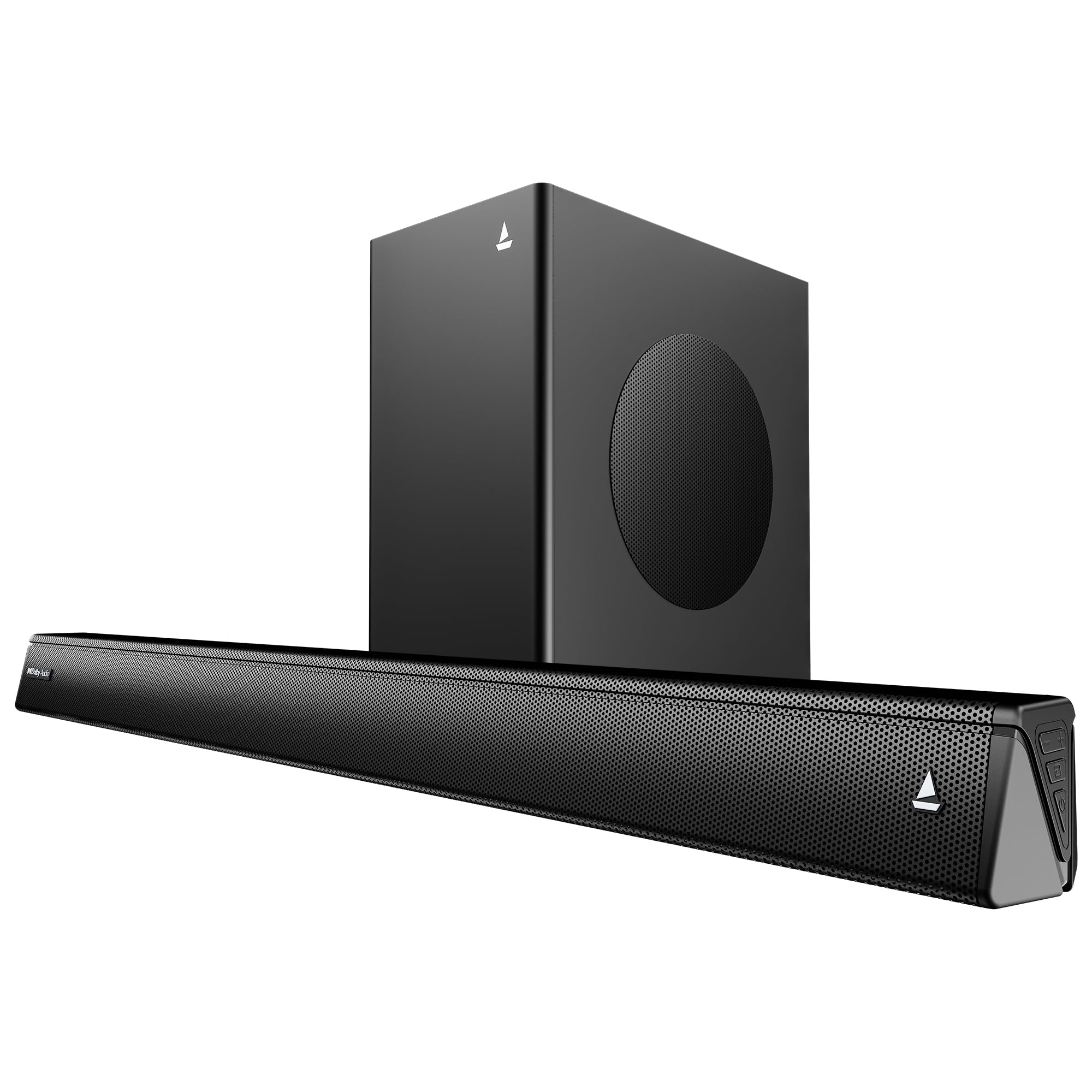
Image: The boAt Aavante 2.1 2000D Soundbar and Subwoofer in a typical home entertainment environment.
What's in the Box
Verify that all the following items are included in your package:
- Soundbar
- Subwoofer
- Power Cable
- Aux Cable
- Remote Control
- 2 AA batteries (for remote)
Product Overview
The boAt Aavante 2.1 2000D system consists of a soundbar and a wired subwoofer, designed to deliver an immersive audio experience with Dolby Audio and 200W Signature Sound.

Image: The soundbar's Dolby Audio feature creating an immersive sound experience for a listener.

Image: Detail of the soundbar's design, emphasizing its 200W boAt Signature Sound capability.

Image: The 2.1 channel setup with the soundbar on a cabinet and the subwoofer on the floor, creating expansive audio.
Setup
1. Placement
The soundbar and subwoofer can be placed on a tabletop or mounted on a wall.
- Tabletop Placement: Place the soundbar on a stable, flat surface directly in front of your television. Position the subwoofer on the floor near the soundbar for optimal bass response.
- Wall Mounting: The soundbar is designed to be wall-mountable. Ensure you use appropriate wall-mounting hardware (not included) and follow safety guidelines for installation.

Image: The soundbar's sleek design and its wall-mountable capability, offering flexible placement options.
2. Connections
Connect your soundbar to your audio source using one of the following methods:
- HDMI (ARC): For the best audio quality and control, connect an HDMI cable from the soundbar's HDMI ARC port to your TV's HDMI ARC port.
- Optical Input: Connect an optical cable from your TV or audio source's optical output to the soundbar's optical input.
- AUX Input: Use the provided 3.5mm AUX cable to connect to devices with an AUX output.
- USB: Insert a USB drive with audio files into the USB port for direct playback.
- Bluetooth: For wireless connectivity, pair your device via Bluetooth v5.4. (Refer to the "Operating Instructions" section for pairing instructions).

Image: Visual representation of the soundbar's multi-compatibility, showing various input ports.
3. Power Connection
Connect the power cable to the soundbar and then plug it into a wall outlet. Ensure the subwoofer is also connected to the soundbar via its wired connection.
Operating Instructions
1. Remote Control
The master remote control allows full command over your soundbar. Insert the two included AA batteries into the remote before use.
Image: The master remote control for the soundbar, featuring buttons for power, input selection, volume, EQ modes, and bass/treble adjustments.
- Power Button: Turns the soundbar on or off.
- Input Button: Cycles through available input sources (HDMI ARC, Optical, AUX, USB, Bluetooth).
- Volume Up/Down: Adjusts the master volume.
- Mute Button: Mutes or unmutes the sound.
- EQ Mode Buttons: Select from Music, Movies, News, and 3D sound modes.
- Bass/Treble +/-: Adjusts bass and treble levels independently.
2. Power On/Off
Press the power button on the remote control or on the soundbar unit to turn the system on or off.
3. Input Selection
Press the "Input" button on the remote to switch between HDMI (ARC), Optical, AUX, USB, and Bluetooth modes. The soundbar's display will indicate the active input.
4. Bluetooth Pairing
- Turn on the soundbar and select Bluetooth mode using the "Input" button. The Bluetooth indicator will flash.
- Enable Bluetooth on your mobile device or computer.
- Search for "boAt Aavante 2000D" in the list of available devices and select it to pair.
- Once paired, the Bluetooth indicator on the soundbar will stop flashing and remain solid.
5. EQ Modes
Optimize your audio experience with dedicated EQ presets:
- Music: Enhances musical playback.
- Movies: Provides an immersive cinematic sound.
- News: Optimizes vocal clarity for news and dialogue.
- 3D: Creates a wider, more spatial soundstage.

Image: Visual representation of the soundbar's tailored soundscapes, highlighting specific EQ modes for movies, news, and music.
6. Bass and Treble Control
Use the "Bass +/-" and "Treble +/-" buttons on the remote control to fine-tune the audio to your preference.
Maintenance
- Cleaning: Wipe the soundbar and subwoofer with a soft, dry cloth. Do not use liquid cleaners or abrasive materials.
- Ventilation: Ensure proper ventilation around the soundbar and subwoofer to prevent overheating. Do not block any vents.
- Storage: If storing the unit for an extended period, disconnect it from power and store it in a cool, dry place.
Troubleshooting
| Problem | Possible Cause | Solution |
|---|---|---|
| No power | Power cable not connected; Power outlet not active. | Ensure power cable is securely connected to the soundbar and a working power outlet. |
| No sound | Incorrect input selected; Volume too low; Cables not connected properly. | Select the correct input source. Increase volume. Check all audio cables for secure connections. |
| Bluetooth pairing fails | Soundbar not in pairing mode; Device too far; Interference. | Ensure soundbar is in Bluetooth mode and flashing. Move device closer. Turn off other Bluetooth devices. |
| Remote control not working | Batteries depleted; Obstruction between remote and soundbar. | Replace batteries (2 AA). Ensure clear line of sight to the soundbar's sensor. |
| Distorted sound | Volume too high; Poor audio source quality; Incorrect EQ settings. | Lower the volume. Try a different audio source. Adjust EQ modes or bass/treble settings. |
Specifications
- Model Name: Aavante
- Model Number: HA0133
- Speaker Type: Soundbar
- Surround Sound Channel Configuration: 2.1
- Speaker Maximum Output Power: 200 Watts
- Audio Driver Size: 5.25 Inches (Subwoofer)
- Connectivity Technology: Bluetooth v5.4, AUX, Optical, HDMI (ARC), USB
- Bluetooth Range: 10 Metres
- Control Method: Remote
- Product Dimensions: 90D x 7W x 8H Centimeters
- Item Weight: 6 kg
- Power Source: Wired
- Included Components: Soundbar, Subwoofer, Cable, Aux, Remote, 2 AA batteries
- Mounting Type: Tabletop Mount, Wall-Mountable
- Manufacturer: Imagine Marketing Ltd
- Country of Origin: India
Warranty and Support
Your boAt Aavante 2.1 2000D Soundbar comes with a Limited Warranty. For detailed warranty terms and conditions, please refer to the warranty card included in your package or visit the official boAt website.
For technical support, service, or inquiries, please contact Imagine Marketing Ltd at info@imaginemarketingindia.com.


