
1. Introduction
The boAt Aavante Prime 7.1.4 7050DA Soundbar system is designed to enhance your home entertainment audio experience. This system features a 7.1.4 channel configuration with Dolby Atmos technology, providing immersive surround sound. It includes a main soundbar unit, a wireless subwoofer, and two satellite speakers, offering multiple connectivity options for various devices.
2. Safety Information
- Read all instructions before operating the product.
- Do not expose the unit to rain, moisture, or extreme temperatures.
- Ensure proper ventilation around the unit to prevent overheating.
- Do not open the casing; refer all servicing to qualified personnel.
- Keep the unit away from strong magnetic fields.
- Use only the power adapter supplied with the unit.
3. What's in the Box
Verify that all components are present in the packaging:
- Soundbar Unit
- Subwoofer
- Satellite Speakers (2 units)
- Remote Control (with 2 AA batteries)
- Aux Cable
- Power Cable(s)
- User Manual (this document)
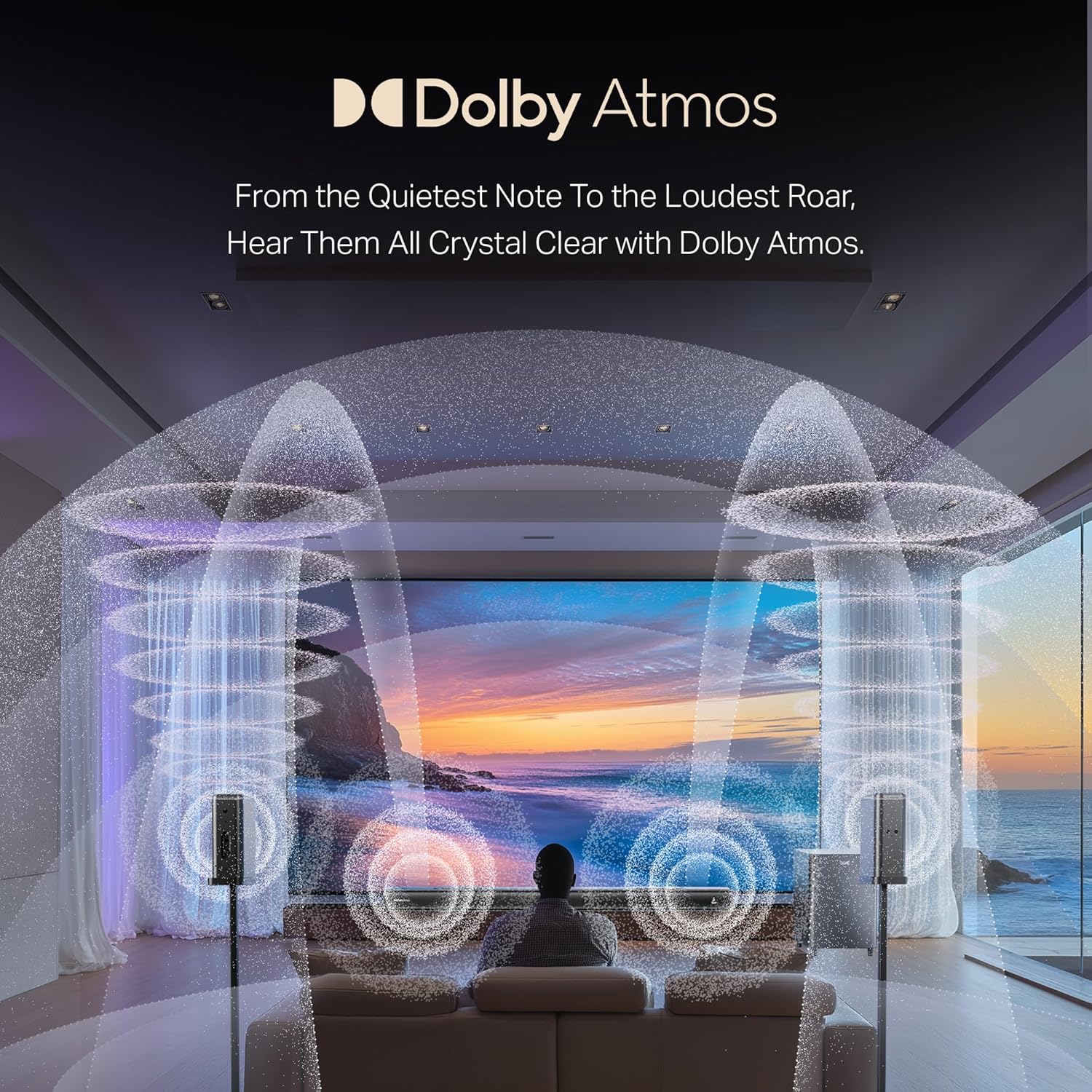
Image: Overview of the boAt Aavante Prime 7.1.4 7050DA Soundbar system, showing the soundbar, subwoofer, and two satellite speakers.
4. Setup
4.1 Placement
- Soundbar: Place the soundbar centrally below your television. Ensure it is on a stable, flat surface or mounted securely to a wall.
- Subwoofer: Position the wireless subwoofer on the floor, preferably in the front corner of the room for optimal bass response.
- Satellite Speakers: Place the satellite speakers behind your listening position, one on the left and one on the right, for effective surround sound.

Image: A visual representation of a 7.1.4 channel sound setup, illustrating the placement of the soundbar, subwoofer, and satellite speakers in a room for an immersive audio experience.
4.2 Connecting Power
- Connect the power cable to the soundbar's power input.
- Connect the power cable to the subwoofer's power input.
- Connect the power cables to the satellite speakers' power inputs.
- Plug all power cables into a suitable AC power outlet.
4.3 Connecting to a TV/Source Device
Choose one of the following connection methods:
- HDMI e-ARC (Recommended): Connect an HDMI cable from the soundbar's HDMI e-ARC port to your TV's HDMI e-ARC/ARC port. This allows for high-quality audio transmission and TV remote control integration.
- Optical: Connect an optical cable from the soundbar's OPTICAL IN port to your TV's optical digital audio output.
- AUX IN: Use the provided AUX cable to connect the soundbar's AUX IN port to your TV's 3.5mm audio output or another audio source.
- Coaxial: Connect a coaxial cable from the soundbar's COAXIAL IN port to your TV's coaxial digital audio output.
- USB: Insert a USB drive into the soundbar's USB port to play audio files directly.
4.4 Wireless Pairing (Subwoofer & Satellites)
The subwoofer and satellite speakers are designed to pair automatically with the soundbar upon power-up. If pairing does not occur automatically:
- Ensure all units are powered on.
- Refer to the specific pairing instructions in the full manual if a manual pairing button is present on the units.
5. Operating Instructions
5.1 Power On/Off
Press the Power button on the soundbar or remote control to turn the system on or off.
5.2 Input Selection
Press the Input/Source button on the soundbar or remote control to cycle through available input modes: HDMI e-ARC, Optical, AUX, USB, Coaxial, and Bluetooth.
5.3 Volume Control
Use the Volume Up (+) and Volume Down (-) buttons on the soundbar or remote control to adjust the master volume.
5.4 Bluetooth Pairing
- Select Bluetooth mode on the soundbar. The indicator will flash, indicating pairing mode.
- On your mobile device, enable Bluetooth and search for "boAt Aavante Prime 7050DA".
- Select the device to pair. Once connected, the indicator will stop flashing.
5.5 EQ Modes
The soundbar offers various Equalizer (EQ) modes to optimize audio for different content types. Press the EQ button on the remote control to switch between modes:
- Movies: Enhances dialogue and cinematic effects.
- Music: Optimized for musical playback.
- News: Focuses on vocal clarity.
- Sports: Accentuates ambient sounds and commentary.

Image: The soundbar's remote control, displaying buttons for power, volume, input selection, and EQ modes. Below it, icons represent various connectivity options including Optical, Bluetooth v5.3, AUX IN, HDMI e-ARC, USB, and Coaxial.
6. Maintenance
- Cleaning: Use a soft, dry cloth to clean the surfaces of the soundbar, subwoofer, and satellite speakers. Do not use liquid cleaners or abrasive materials.
- Storage: If storing the unit for an extended period, disconnect it from power and store it in a cool, dry place.
- Ventilation: Ensure that the ventilation openings are not blocked to prevent overheating.
7. Troubleshooting
| Problem | Possible Cause | Solution |
|---|---|---|
| No power | Power cable not connected; Power outlet not active | Check power connections; Try a different outlet |
| No sound | Incorrect input selected; Volume too low; Cables not connected properly | Select correct input source; Increase volume; Check all audio cable connections |
| Subwoofer/Satellites not pairing | Units too far apart; Interference; Pairing issue | Ensure units are within range; Reduce interference; Power cycle all units |
| Remote control not working | Batteries depleted; Obstruction between remote and soundbar | Replace batteries (2 AA); Remove obstructions; Point remote directly at soundbar |
| Distorted audio | Source audio quality is poor; Volume too high; Incorrect EQ mode | Check source audio; Reduce volume; Try a different EQ mode |
8. Specifications
| Feature | Detail |
|---|---|
| Model Name | Aavante Prime 7.1.4 7050DA |
| Item Model Number | HA0085 |
| Speaker Type | Soundbar |
| Surround Sound Channel Configuration | 7.1.4 |
| Connectivity Technology | Bluetooth v5.3, HDMI e-ARC, Optical, AUX, USB, Coaxial |
| Control Method | Touch, Remote Control |
| Recommended Uses | For Televisions, Home Theater, Home Entertainment Systems |
| Product Dimensions | 111D x 12W x 8H Centimeters |
| Item Weight | 16 kg |
| Batteries Required | 2 AA batteries (for remote, included) |
| Manufacturer | Imagine Marketing Ltd |
9. Warranty and Support
This boAt Aavante Prime 7.1.4 7050DA Soundbar comes with a 1-Year Warranty from the date of purchase. For warranty claims, technical support, or service inquiries, please contact the manufacturer, Imagine Marketing Ltd, at info@imaginemarketingindia.com. Please retain your purchase receipt for warranty validation.


