
Introduction
The XSONIC Airstep TX Edition is a versatile wireless MIDI controller designed to enhance your experience with the IK Multimedia TONEX ONE and TONEX Pedal. This device provides hands-free control over presets, banks, and effects, along with wireless tone editing capabilities via a dedicated mobile application. Its integrated rechargeable battery offers extended use and can even power your TONEX ONE unit.

Image: The Airstep TX Edition controller, a TONEX ONE pedal, and a smartphone showing the Airstep TX app. This setup illustrates the wireless control and editing capabilities.
What's in the Box
- XSONIC Airstep TX Edition Controller
- Power Adapter
- USB Cable (for connecting to TONEX ONE/PEDAL)
- User Manual (this document)
Setup
1. Powering the Airstep TX
Connect the included power adapter to the DC 9V input on the Airstep TX. The device can also operate on its internal rechargeable battery, offering up to 100 hours of use. Ensure the battery is charged for optimal performance.

Image: Rear panel of the Airstep TX, highlighting the power input, USB port, and expression pedal inputs for various connections.
2. Connecting to TONEX ONE or TONEX Pedal
Use the provided USB cable to connect the Airstep TX to your TONEX ONE or TONEX Pedal. This connection enables MIDI control and can also supply power to the TONEX ONE for up to 3 hours from the Airstep TX's internal battery.
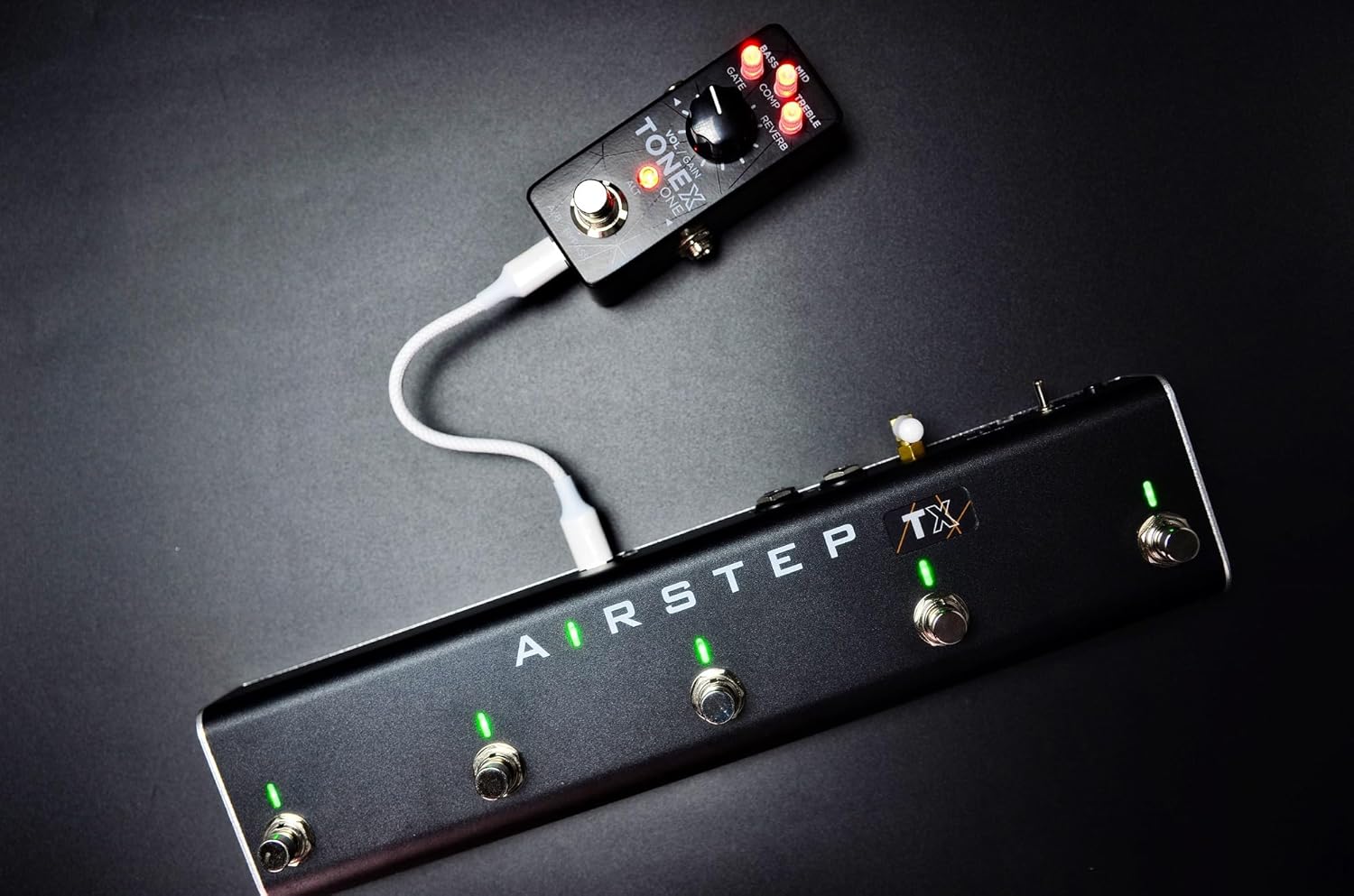
Image: The Airstep TX connected to a TONEX ONE pedal via USB, demonstrating the power and control link.
3. Connecting Expression Pedals (Optional)
The Airstep TX features two expression pedal inputs. Connect compatible expression pedals (e.g., Roland EV-5) to these inputs for real-time control over parameters like volume, gain, or other assignable effects within your TONEX device.

Image: The Airstep TX and TONEX Pedal shown with two external expression pedals, illustrating the expanded control possibilities.
4. AIRSTEP TX App Installation and Pairing
Download the dedicated AIRSTEP TX app from the iOS App Store or Google Play Store. Enable Bluetooth on your mobile device and open the app. Follow the in-app instructions to pair with your Airstep TX controller. This app allows for wireless tone editing and parameter adjustments.

Image: A screenshot of the AIRSTEP TX mobile application, demonstrating its interface for wireless TONEX editing.
Operating Instructions
The Airstep TX offers two primary control modes: Preset Mode and Effect Mode, indicated by LED colors. It is pre-programmed for seamless integration with TONEX ONE and TONEX Pedal.
Control Modes Overview

Image: A diagram detailing the Preset Mode (Blue LED) and Effect Mode (Green LED) for both TONEX ONE and TONEX Pedal, including footswitch assignments and dual press functions.
Preset Mode (Blue LED)
- For TONEX ONE: When connected, the 20 presets are organized into 5 banks with 4 slots each. Use the footswitches to select slots (presets) and dual-press to switch banks.
- For TONEX Pedal: Use the footswitches to switch between slots 1-2, and combine with Bank- and Bank+ for complete control over presets and banks.
Effect Mode (Green LED)
- In Effect Mode, footswitches are assigned to control individual effects such as Compressor, Gate, CAB, Mod Type, Delay, and Reverb.
- Short Press: Activates/deactivates the assigned effect.
- Long Press: Cycles through different types or parameters of the assigned effect (e.g., different modulation types).
Wireless Tone Editing with AIRSTEP TX App
The AIRSTEP TX app (available for iOS and Android) provides a comprehensive interface for wireless editing of your TONEX tones. Once paired via Bluetooth, you can:
- Adjust parameters for various effects (e.g., volume, gain, EQ, modulation, delay, reverb).
- Manage and organize your presets and banks.
- Access and modify parameters that might not be directly accessible on the TONEX ONE's limited interface.

Image: The Airstep TX controller, a TONEX Pedal, and a smartphone displaying the Airstep TX app, with a wireless signal icon indicating active Bluetooth connection for editing.
Maintenance
- Cleaning: Use a soft, dry cloth to clean the exterior of the Airstep TX. Avoid abrasive cleaners or solvents.
- Battery Care: For optimal battery life, avoid fully discharging the unit frequently. Charge the battery regularly, especially if the unit will be stored for an extended period.
- Storage: Store the device in a cool, dry place away from direct sunlight and extreme temperatures.
Troubleshooting
- Device Not Powering On:
- Ensure the power adapter is securely connected and plugged into a working outlet.
- Check if the internal battery is charged. If not, connect the power adapter and allow it to charge.
- No Control Over TONEX Device:
- Verify the USB connection between the Airstep TX and your TONEX ONE/Pedal is secure.
- Ensure the Airstep TX is powered on.
- Check the TONEX device's settings to confirm it is configured to receive MIDI commands via USB.
- AIRSTEP TX App Not Connecting:
- Make sure Bluetooth is enabled on your mobile device.
- Ensure the Airstep TX is powered on and within range.
- Close and reopen the AIRSTEP TX app.
- Try restarting both your mobile device and the Airstep TX.
- Expression Pedals Not Responding:
- Confirm the expression pedals are correctly plugged into the Airstep TX's EXP IN jacks.
- Ensure the parameters are correctly assigned to the expression pedals within the AIRSTEP TX app or TONEX software.
Specifications
| Feature | Detail |
|---|---|
| Brand | XSONIC |
| Model Name | AIRSTEP TX |
| Style | AIRSTEP TX |
| Color | Black |
| Item Weight | 1.76 Pounds (approx. 0.8 kg) |
| Voltage | 9 Volts |
| Amperage | 1 Ampere |
| Audio Output Effects | Volume |
| Control Type | Knob |
| Power Source | Battery Powered |
| Hardware Interface Type | Bluetooth, USB |
| Signal Format | Analog |
| Connector Type | 9V DC Barrel Connector (center positive), TRS Connector |
| Included Components | Power Adapter |
Warranty & Support
The XSONIC Airstep TX Edition comes with a standard manufacturer's warranty. For specific warranty terms and conditions, please refer to the warranty card included with your product or visit the official XSONIC website.
For technical support, troubleshooting assistance, or any product-related inquiries, please contact XSONIC customer service through their official website or the contact information provided in your product packaging.


