
1. Introduction
The CHONCHOW Gaming Keyboard and Mouse Combo provides a comprehensive solution for gaming and productivity. This wired set features an RGB backlit keyboard with an ergonomic wrist rest and phone holder, paired with a high-DPI gaming mouse and a matching mouse pad. Designed for broad compatibility and responsive performance, this manual guides you through its features and usage.
2. Setup
2.1. Connecting Your Devices
The CHONCHOW Gaming Keyboard and Mouse Combo is designed for plug-and-play convenience. No additional drivers are required for basic functionality.
- Locate available USB ports on your computer or gaming console.
- Plug the USB cable from the keyboard into one of the USB ports.
- Plug the USB cable from the mouse into another available USB port.
- The devices should be recognized automatically by your system.
2.2. Compatibility
This combo is compatible with a wide range of operating systems and devices:
- Operating Systems: Windows 2000/2003/XP/Vista/Win7/Win8/Win10/Win11, macOS, Linux
- Compatible Devices: PC, Laptop, PS3, PS4, PS5, Xbox
3. Operating Instructions
3.1. Keyboard Features
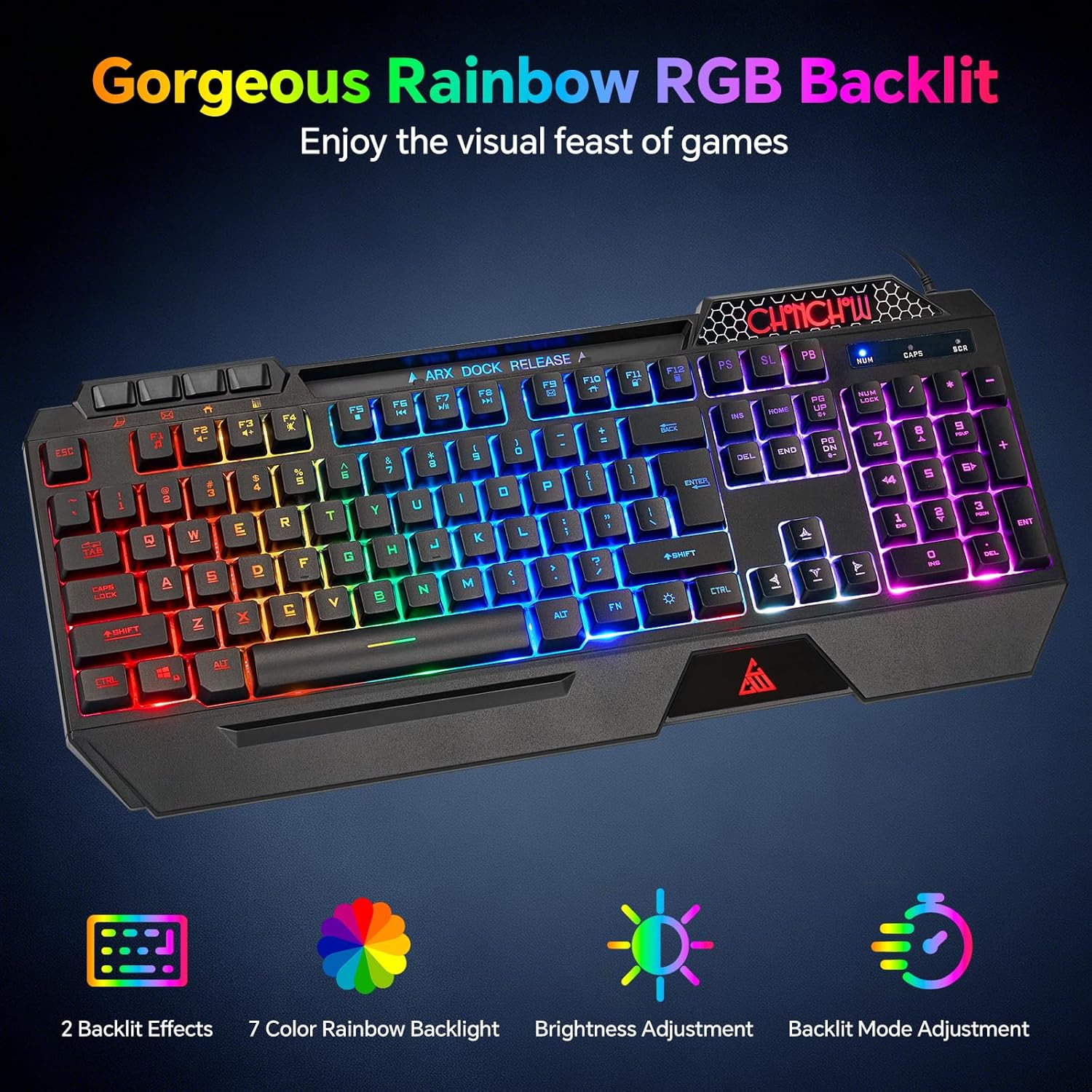
Image: The CHONCHOW Gaming Keyboard showcasing its vibrant rainbow RGB backlighting across all keys.
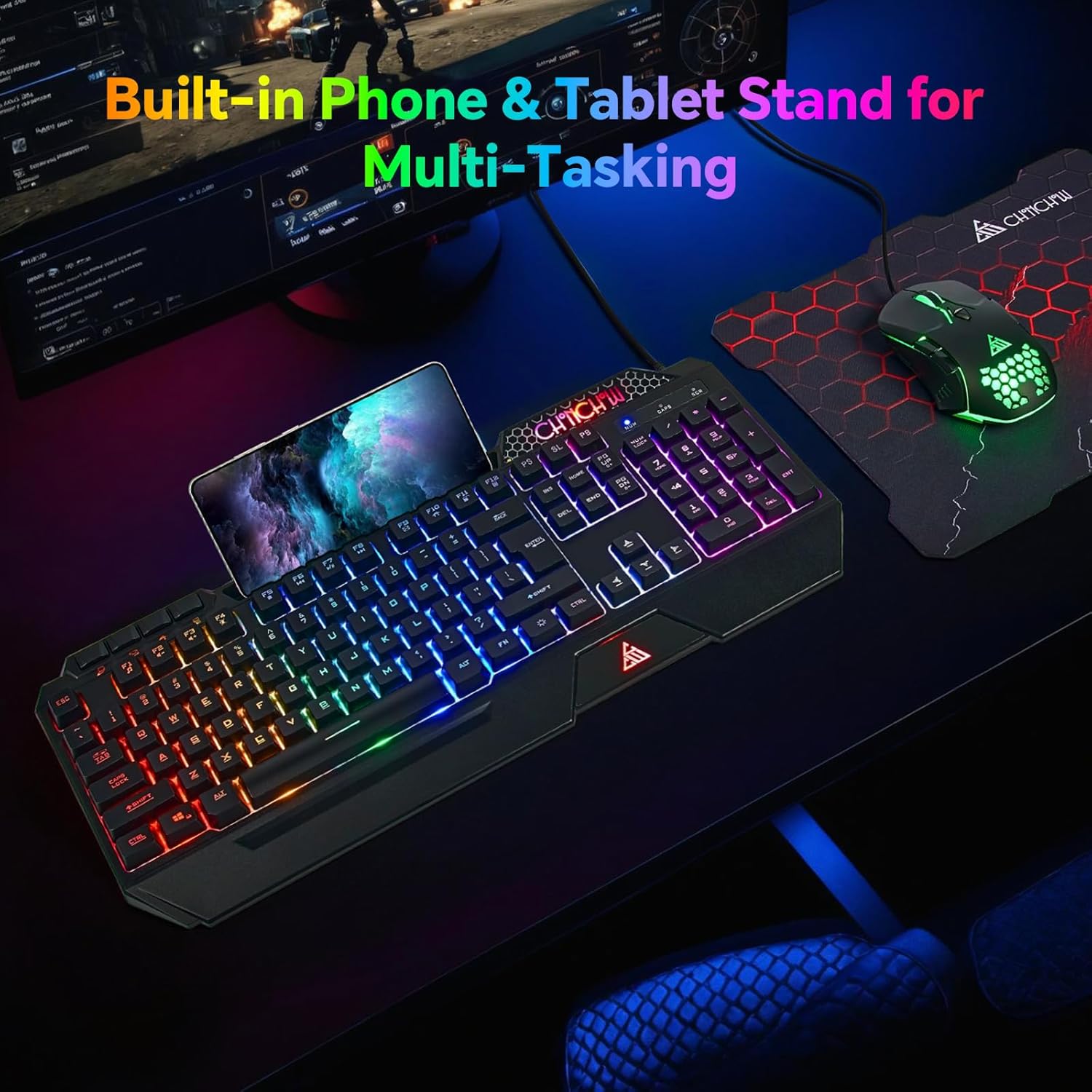
Image: The CHONCHOW Gaming Keyboard with a smartphone placed in its integrated holder, demonstrating the multi-tasking feature.
- RGB Backlighting Control:
- Brightness Adjustment: Press FN + PgUp to increase backlight brightness. Press FN + PgDn to decrease backlight brightness.
- Light Mode Selection: Press Fn + Sunkey (located near the right Ctrl key) to cycle between Constant Light mode and Breathing mode. The backlight can also be turned off by cycling through the modes.
- Anti-Ghosting Keys: The keyboard features 19 conflict-free keys, ensuring that multiple simultaneous keystrokes are registered accurately without any input loss, which is essential for gaming.

Image: A diagram illustrating the 19 anti-ghosting keys on the CHONCHOW Gaming Keyboard, showing how simultaneous key presses are recognized.
- Multimedia Keys: The keyboard includes 4 dedicated multimedia keys and 12 additional FN+ multimedia keys (total 117 keys). These allow for quick control of media playback, volume, and other system functions.
- Silent Typing: Equipped with silent membrane switches, this keyboard reduces typing noise, making it suitable for shared environments or late-night use.
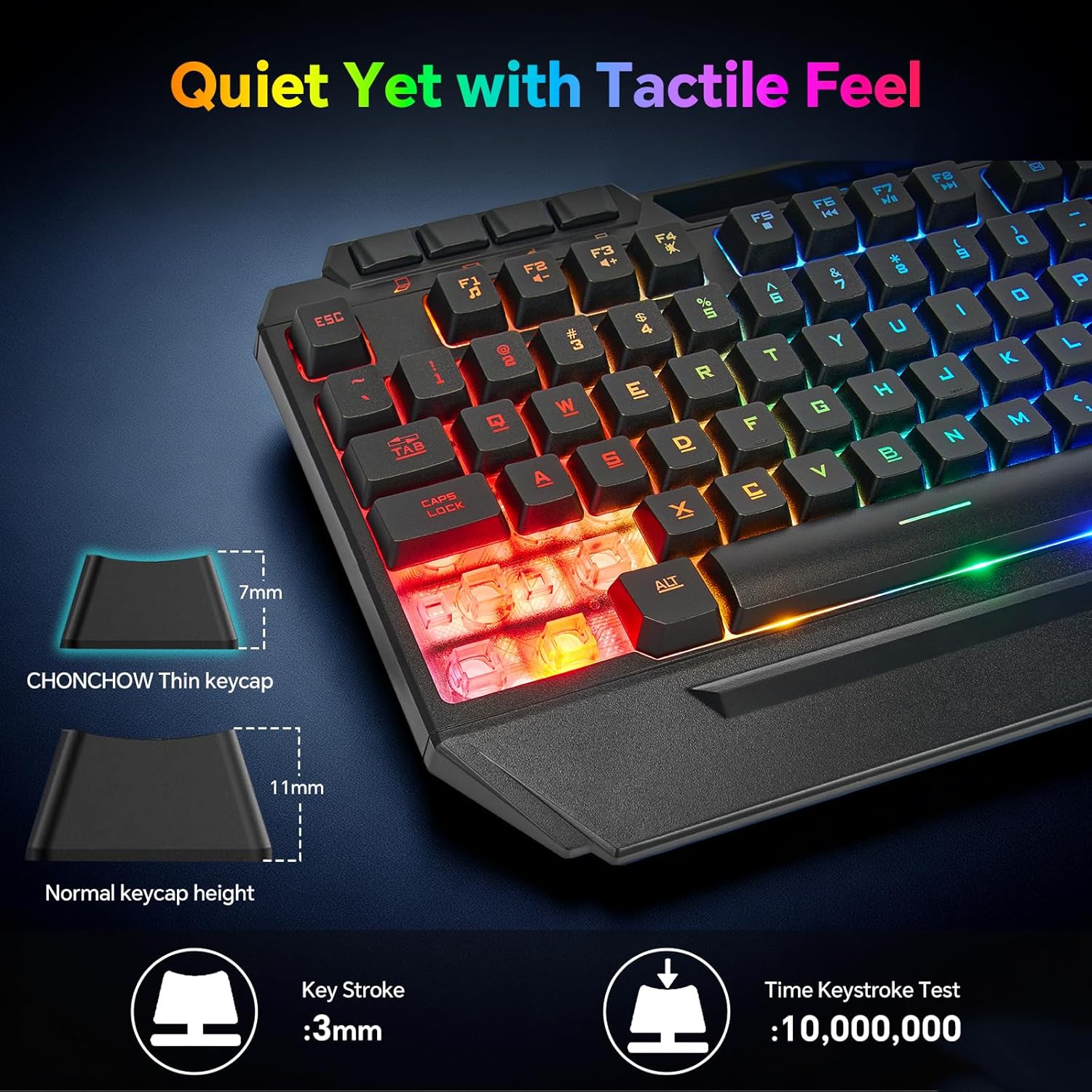
Image: A close-up view of the CHONCHOW keyboard keys, emphasizing the silent key design and tactile feel.
- Integrated Phone Holder: A convenient built-in phone holder accommodates devices up to 11.9 inches, allowing you to keep your smartphone visible for notifications or video calls while working or gaming.
- Ergonomic Wrist Rest: The keyboard features an ergonomic wrist rest designed to reduce wrist fatigue and discomfort during prolonged use.

Image: An ergonomic CHONCHOW Gaming Keyboard and Mouse setup, showing comfortable hand placement with the integrated wrist rest and phone holder.
3.2. Mouse Features

Image: The CHONCHOW Gaming Mouse with its illuminated honeycomb design, illustrating the 5-level DPI adjustment options.

Image: A close-up view of the CHONCHOW Gaming Mouse, highlighting its honeycomb shell design and dynamic RGB backlighting.
- DPI Adjustment: The mouse offers 5 adjustable DPI levels (1200/1600/3200/4800/7200). Press the dedicated DPI button on the mouse to cycle through these settings to match your preference for precision and speed.
- Honeycomb Perforated Shell: The unique honeycomb design not only adds to the aesthetic but also helps keep your palms cool and comfortable during long gaming sessions.
- Dynamic LED Backlighting: The mouse features dynamic LED backlighting that cycles through various colors, enhancing your gaming setup.
3.3. Mouse Pad Features
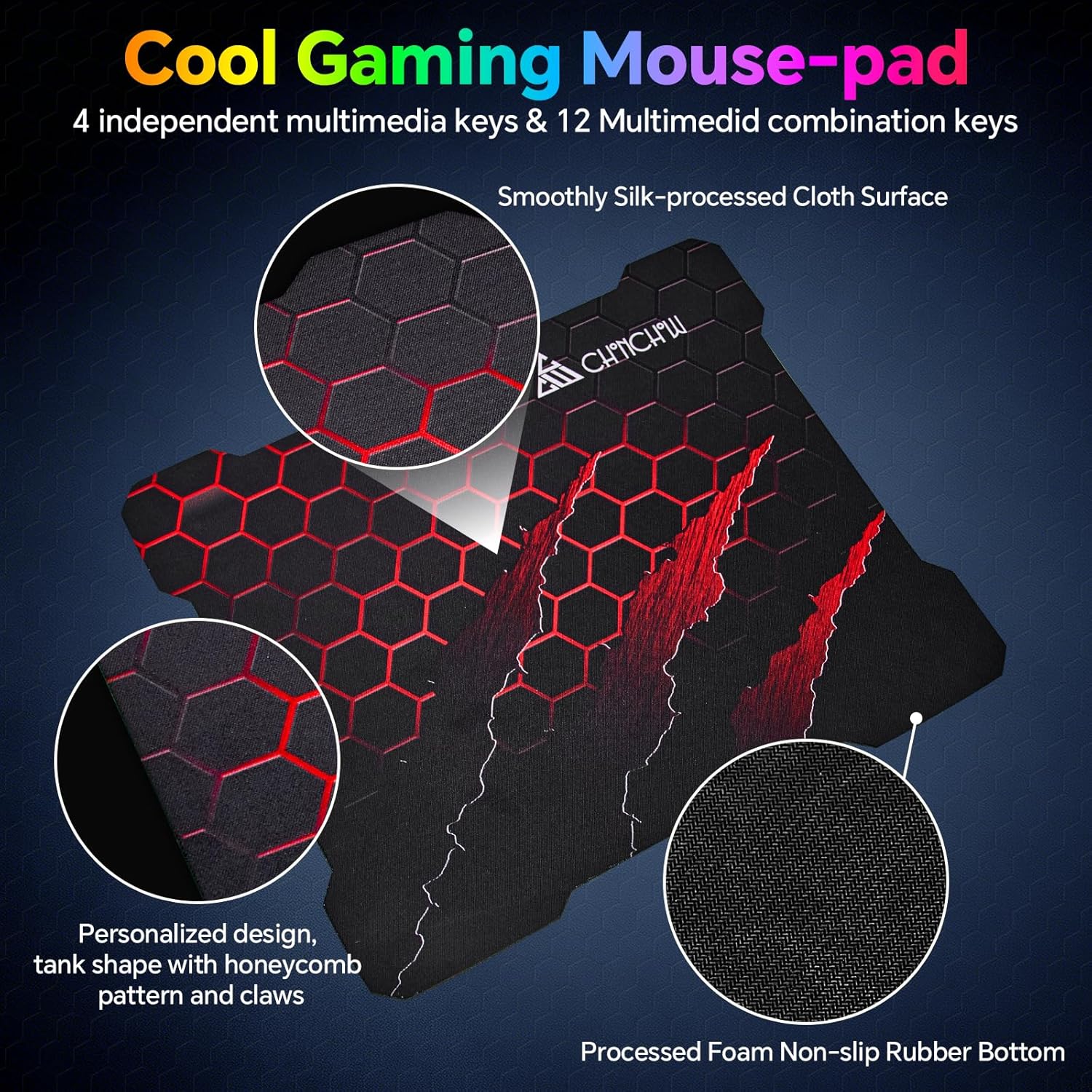
Image: The CHONCHOW Gaming Mouse Pad featuring a unique honeycomb and claw pattern design, highlighting its large size and smooth surface.
- Large Size: With dimensions of 11.8 x 9.7 inches, the mouse pad provides ample space for broad mouse movements, ideal for gaming.
- Smooth Surface: Made from high-quality, smooth, and delicate fabric, it ensures precise mouse tracking and comfortable wrist support.
- Non-slip Rubber Bottom: The durable rubber base prevents the mouse pad from slipping, providing stability during intense use.
3.4. Product Videos
CHONCHOW 5010 RGB Gaming Keyboard and Mouse with Phone Holder
This video provides a quick overview of the CHONCHOW 5010 RGB Gaming Keyboard and Mouse Combo, highlighting its RGB lighting effects, the integrated phone holder on the keyboard, and the ergonomic design of both peripherals.
CHONCHOW RGB Gaming Keyboard and Mouse Combo - 108 Keys
This video showcases the CHONCHOW RGB Gaming Keyboard and Mouse Combo, detailing how to adjust the RGB backlighting, the functionality of its multimedia keys, and the overall design of the keyboard and mouse.
4. Maintenance
- Cleaning: Use a soft, dry cloth to gently wipe the surfaces of the keyboard and mouse. For stubborn dirt, a slightly damp cloth with a small amount of mild soap can be used. Ensure no liquid enters the devices.
- Cable Care: Avoid sharp bends, kinks, or excessive pulling on the USB cables to prevent internal wire damage.
- Storage: When not in use, store the keyboard and mouse combo in a cool, dry place away from direct sunlight and extreme temperatures.
5. Troubleshooting
- No Power/Lights:
- Ensure both the keyboard and mouse USB cables are securely plugged into working USB ports.
- Try connecting the devices to different USB ports on your computer or console.
- Keys Not Responding:
- Check for any debris or obstructions under the unresponsive keys.
- If multiple keys are unresponsive, try reconnecting the keyboard.
- Mouse Not Moving/Responding:
- Ensure the mouse is on a clean, flat, and opaque surface.
- Check the optical sensor on the bottom of the mouse for any obstructions.
- Try adjusting the DPI settings using the DPI button on the mouse.
- RGB Lights Not Working/Changing:
- Refer to the "Operating Instructions - Keyboard" section for correct key combinations to adjust brightness and change lighting modes.
- Ensure the keyboard is properly connected.
- Intermittent Connectivity:
- Ensure all USB connections are firm and not loose.
- Avoid using unpowered USB hubs if experiencing connectivity issues; connect directly to your device's USB ports.
6. Specifications
| Feature | Detail |
|---|---|
| Brand | CHONCHOW |
| Model | 5010 |
| Connectivity Technology | USB Wired |
| Keyboard Layout | QWERTY |
| Keyboard Keys | 117 (including 19 anti-ghosting, 4 dedicated multimedia, 12 FN+ multimedia) |
| Keyboard Features | Ergonomic, Phone Holder, Rainbow RGB Backlit, Silent keys, Wrist Rest |
| Mouse DPI | 5 Levels (1200/1600/3200/4800/7200) |
| Mouse Features | Honeycomb perforated shell, Dynamic LED Backlit |
| Mouse Pad Size | 11.8 x 9.7 inches |
| Compatible Devices | PC, Laptop, PS3, PS4, PS5, Xbox, Mac |
| Operating System Compatibility | Windows 2000/2003/XP/Vista/Win7/Win8/Win10/Win11, macOS, Linux |
| Item Weight | 1.23 Kilograms |
7. Warranty and Support
- Warranty: This CHONCHOW product is covered by a 1-year quality warranty from the date of purchase.
- After-sales Service: For any product-related inquiries, technical support, or quality issues, please contact CHONCHOW customer service. We are committed to providing satisfactory after-sales service.


