
1. Introduction
Thank you for purchasing the BTHFST Full Size Loft Bed. This manual provides essential information for the safe assembly, operation, and maintenance of your new loft bed. Please read these instructions carefully before beginning assembly and retain them for future reference.
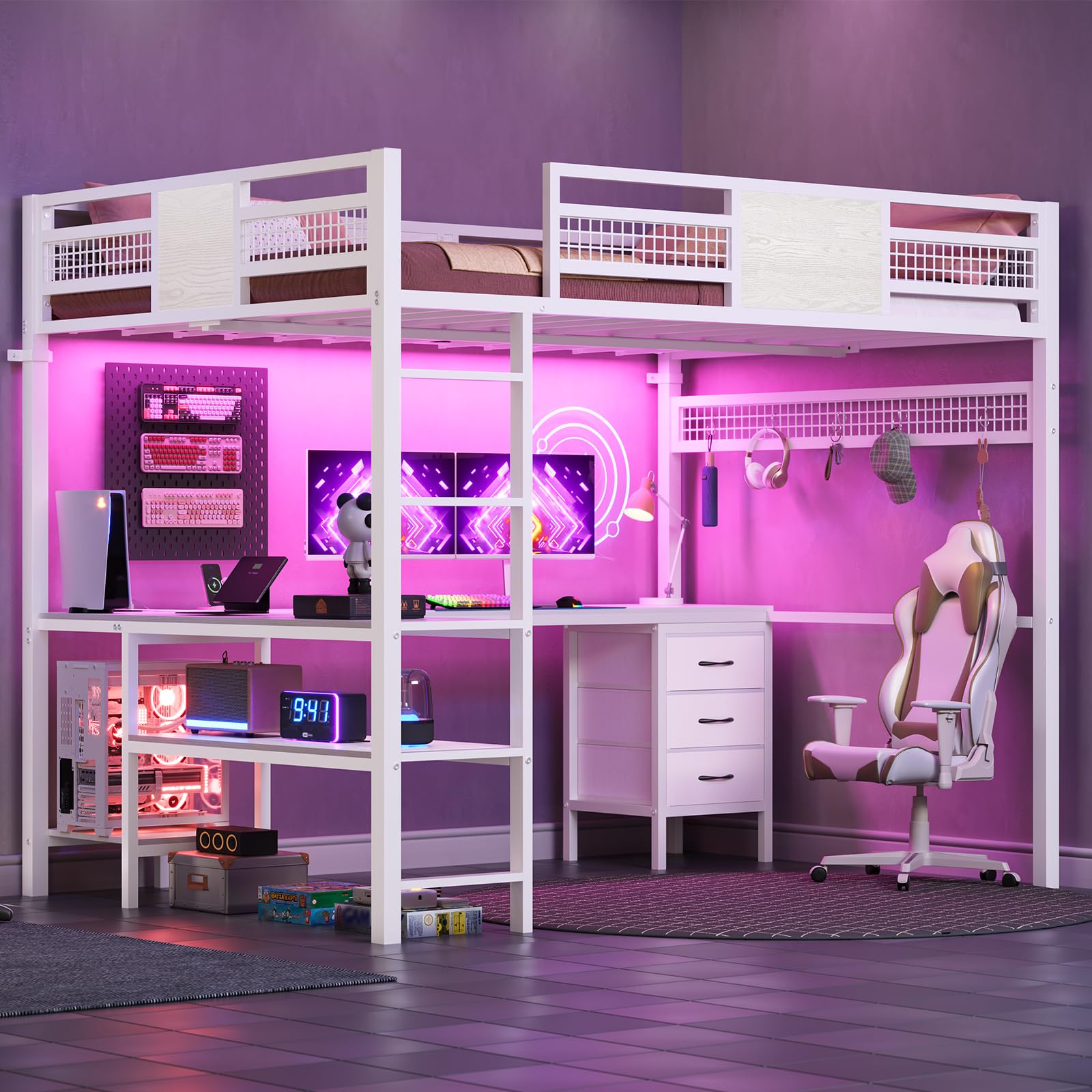
Image 1.1: Overview of the BTHFST Full Size Loft Bed with L-Shaped Desk and Storage.
2. Safety Information
Your safety is paramount. Please adhere to the following guidelines:
- Always assemble the bed according to the provided instructions.
- Do not exceed the maximum weight capacity of 400 lbs.
- Use the guardrail and anti-tipping device for enhanced safety.
- Exercise caution when using the ladder. Ensure secure footing.
- Ensure the bed is stable and all connections are secure before use.
- Regularly check and tighten all bolts and screws to maintain structural integrity.
- Recommended mattress thickness is 4-6 inches to ensure proper guardrail height.
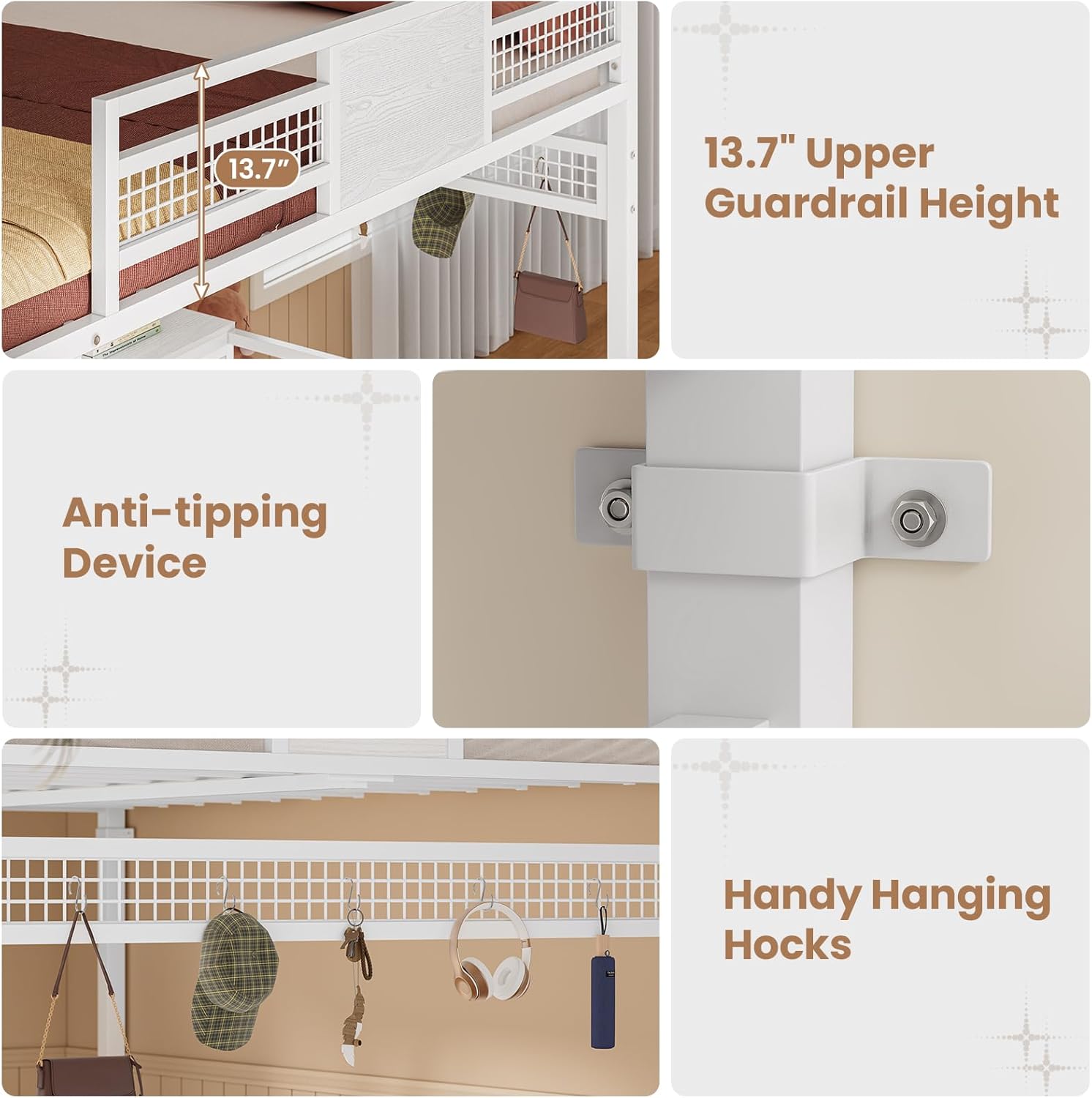
Image 2.1: Details of the 13.7-inch upper guardrail, anti-tipping device, and handy hanging hooks for safety and convenience.
3. Product Features
The BTHFST Full Size Loft Bed is designed for functionality and space-saving, incorporating several key features:
- Integrated L-Shaped Desk: A spacious desk measuring 77"L x 13.1"W provides ample surface for work, study, or gaming.
- Built-in Charging Station: Equipped with 2 AC outlets, 1 USB-A port, and 1 USB-C port for convenient device charging.
- LED Lights: Long LED light strips with over 60,000 colors, static and dynamic modes, mic mode, music mode, and timing mode, controllable via APP or remote.
- Storage Solutions: Includes 3 fabric storage drawers and 2 open storage shelves for organizing books, accessories, and personal items.
- Hanging Hooks: Features 5 hanging hooks for small items like headphones, hats, or bags.
- Sturdy Construction: Made from strong steel and premium MDF material for durability and stability.
- Safety Features: Includes a 13.7-inch full-length guardrail, 10 secured heavy-duty metal slats, a convenient ladder, and an anti-tipping device.
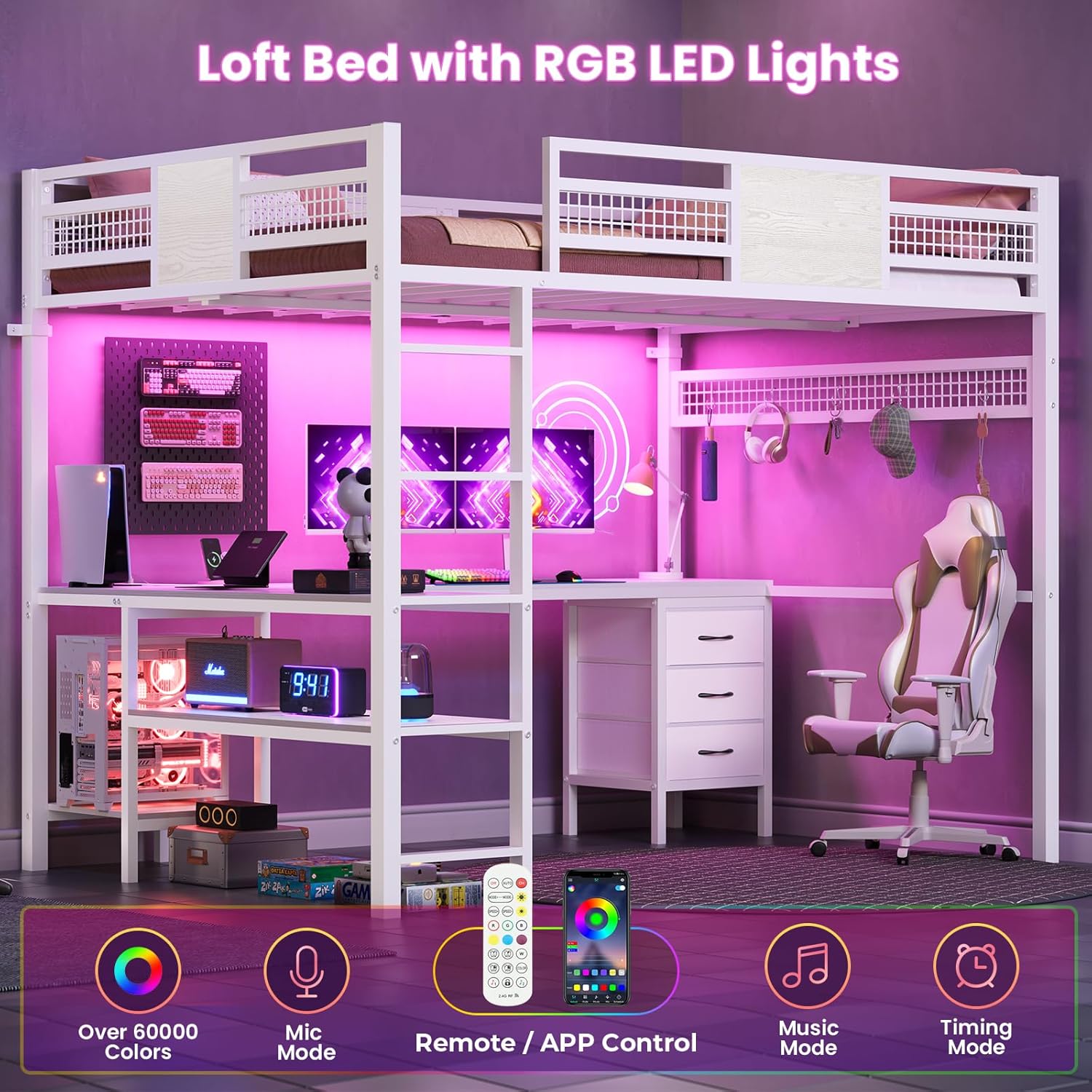
Image 3.1: The loft bed featuring integrated RGB LED lights, controllable via remote or app, offering various color and mode options.
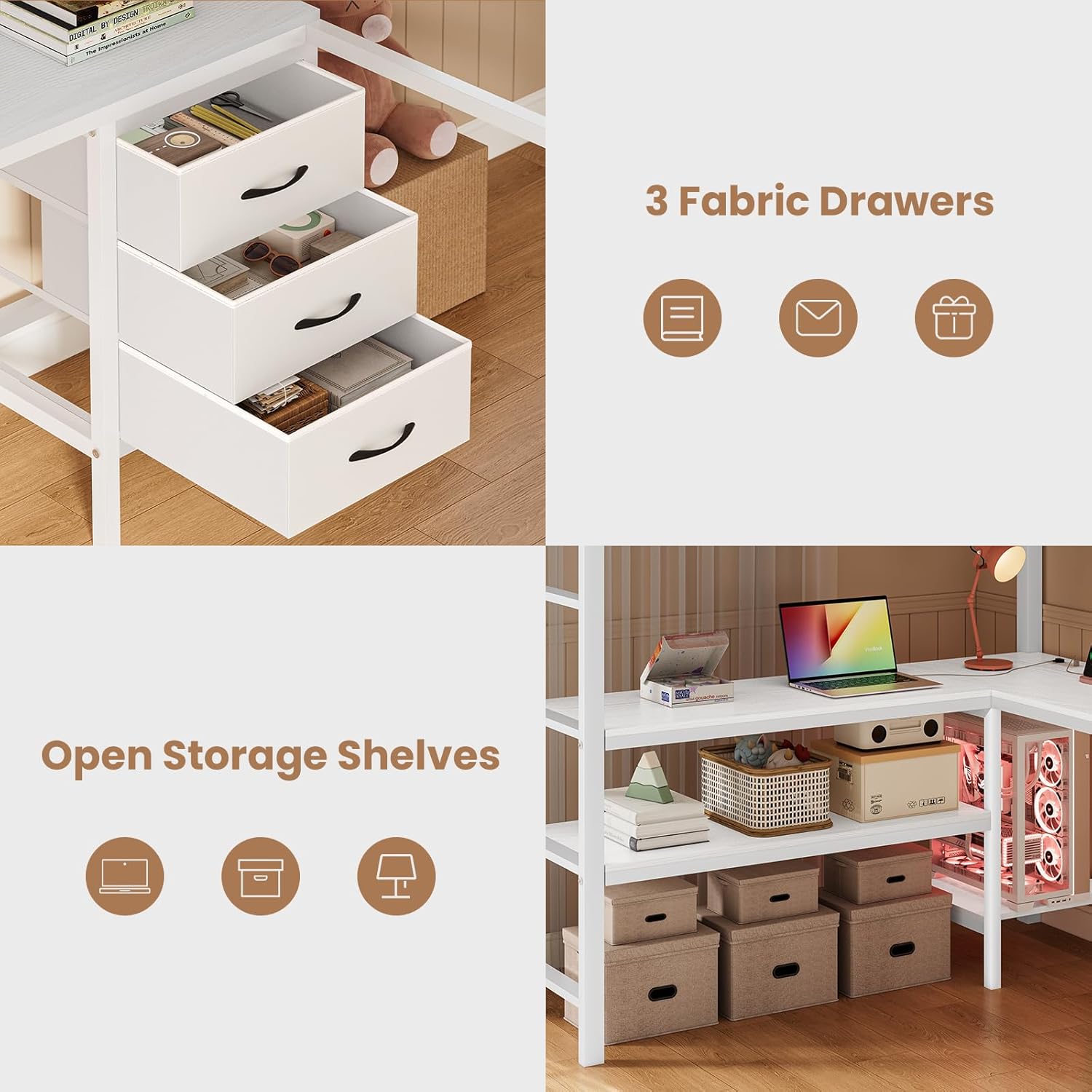
Image 3.2: Detail of the three fabric storage drawers and two open storage shelves, providing ample space for organization.

Image 3.3: The handy charging station with multiple power outlets and USB ports for electronic devices.

Image 3.4: Features including flat stairs for safer climbing and a dedicated customized CPU stand shelf.
4. Specifications
| Attribute | Detail |
|---|---|
| Model Number | Bed510 |
| Style | Modern |
| Size | Full |
| Color | White |
| Frame Material | Alloy Steel |
| Desk Material | MDF |
| Overall Dimensions (L x W x H) | 78"L x 55.4"W x 72.1"H |
| Item Weight | 135 Pounds |
| Maximum Weight Capacity | 400 Pounds |
| Number of Drawers | 3 |
| Charging Station | 2 AC Outlets (125V/12A), 1 USB-A Port (5V/2A), 1 USB-C Port (5V/2A) |
| LED Lights | 60,000+ colors, static/dynamic modes, mic/music/timing modes |
| Guardrail Height | 13.7 inches |
| Required Assembly | Yes |

Image 4.1: Detailed dimensions of the loft bed, including height, width, and desk measurements.
5. Assembly Instructions
The BTHFST Full Size Loft Bed is designed for straightforward assembly. All necessary parts are labeled, and a step-by-step instruction manual is included in the packaging. Please follow these general steps:
- Unpack and Verify: Carefully unpack all components and compare them against the parts list provided in your assembly manual to ensure nothing is missing or damaged.
- Prepare Workspace: Clear a spacious area for assembly, preferably near the final placement of the bed.
- Follow Manual: Adhere strictly to the step-by-step instructions in the included assembly manual. Pay close attention to diagrams and part numbers.
- Install Anti-Tipping Device: Securely install the anti-tipping device to a wall stud as instructed to prevent accidental tipping.
- Tighten Connections: Ensure all bolts and screws are fully tightened after each major assembly step and upon completion. Do not overtighten.
Note: If you encounter any missing or damaged parts, please refer to the 'Warranty and Support' section for assistance.
6. Operating Instructions
6.1. LED Lights Operation
The integrated LED lights offer a customizable lighting experience:
- Control: The LED lights can be controlled via a dedicated remote control or a smartphone application. Refer to the separate LED light kit instructions for app download and pairing details.
- Modes: Explore various lighting modes including static colors (over 60,000 options), dynamic color changes, a microphone mode that reacts to sound, a music mode that syncs with audio, and a timing mode for scheduled operation.
6.2. Charging Station Usage
The built-in charging station provides convenient power access:
- Power Connection: Connect the bed's power cord to a standard wall outlet.
- AC Outlets: Use the two 125V/12A AC outlets for laptops, monitors, or other electrical devices.
- USB Ports: Utilize the 5V/2A USB-A and USB-C ports for charging smartphones, tablets, and other compatible USB-powered devices.
7. Maintenance
To ensure the longevity and optimal performance of your BTHFST Loft Bed, follow these maintenance tips:
- Cleaning: Wipe down metal and MDF surfaces with a soft, damp cloth. Avoid abrasive cleaners or harsh chemicals that may damage the finish.
- Hardware Check: Periodically (e.g., every 3-6 months) inspect all bolts, screws, and connections. Tighten any loose hardware to maintain stability and prevent squeaking.
- LED Lights: If the LED light strip adhesive weakens, re-secure it using appropriate methods (e.g., stronger adhesive tape) to prevent it from coming loose.
- Fabric Drawers: Clean fabric drawers according to their care instructions.
8. Troubleshooting
Here are solutions to common issues you might encounter:
- Squeaking Noises: If the bed develops squeaking noises, check all frame connections and tighten any loose bolts or screws. Ensure the bed is level on the floor.
- LED Lights Not Working: Verify that the power cord for the LED lights is securely plugged in. Check the remote control battery or ensure the app is correctly paired. Refer to the LED light kit's specific troubleshooting guide.
- Charging Station Not Functioning: Ensure the bed's main power cord is plugged into a live outlet. Test the outlet with another device. If individual ports are not working, ensure cables are properly inserted.
- Bed Instability: Confirm that the anti-tipping device is correctly installed and secured to a wall stud. Re-tighten all assembly hardware.
9. Official Product Video
Video 9.1: Official product video demonstrating the BTHFST Full Loft Bed with Desk, highlighting its features and design.
10. Warranty and Support
The BTHFST Full Size Loft Bed comes with a Limited Warranty. For specific details regarding coverage and duration, please refer to the warranty information included with your product packaging.
Return Policy: This product is eligible for a 30-day refund/replacement policy from the date of purchase.
If you require assistance with assembly, have questions about product features, or need to report missing/damaged parts, please contact BTHFST customer support. Contact information can typically be found on the product packaging or the brand's official website.