
1. Introduction
This manual provides detailed instructions for the safe and efficient operation of your Gelielim Portable CD Player with Speakers, Model SB3720X. Please read this manual thoroughly before using the device and retain it for future reference.

Figure 1: Gelielim Portable CD Player (Model SB3720X)
2. Safety Information
- Do not expose the device to rain, moisture, or extreme temperatures.
- Avoid placing the device near heat sources or in direct sunlight.
- Do not disassemble or attempt to repair the device yourself. Refer to qualified service personnel.
- Keep the device away from strong magnetic fields.
- Ensure proper ventilation to prevent overheating.
- Use only the provided Type-C charging cable for recharging.
3. Package Contents
Verify that all items are present in the package:
- Gelielim Portable CD Player (Model SB3720X) x 1
- Type-C Charging Cable x 1
- User Manual x 1

Figure 2: Included Package Contents
4. Device Overview
4.1 Front Panel Controls

Figure 3: Front Panel Controls
- Power/Volume Knob: Turn to adjust volume, press to power on/off.
- Mode/BT OUT Button: Press to switch between CD, AUX, Bluetooth, FM, USB, TF modes. Long press for Bluetooth transmitter mode.
- Play/Pause Button: Play or pause playback.
- Skip/Fast Forward/Rewind Buttons: Navigate tracks or stations.
- Repeat Button: Cycle through repeat modes (single, all, random).
- +10 Button: Skip 10 tracks forward (CD/USB/TF mode).
- MEM/M+ Button: Memory function for FM radio, or next folder for USB/TF.
4.2 Rear Panel Ports

Figure 4: Rear Panel Ports
- TF-MP3 Slot: Insert TF card for MP3 playback.
- USB-MP3 Port: Insert USB drive for MP3 playback.
- Headphone Jack: Connect 3.5mm headphones for private listening.
- AUX IN: Connect external audio devices via 3.5mm AUX cable.
- DC IN (Type-C): Connect the Type-C charging cable for power and charging.
- RESET Button: Use a thin, non-metallic object to press if the device malfunctions.
5. Setup
5.1 Charging the Device
Before first use, fully charge the device for 0.5-1 hour for optimal performance. Connect the provided Type-C charging cable to the DC IN port on the rear of the player and the other end to a 5V/1A USB power adapter (not included). The battery indicator on the display will show charging status.
5.2 Power On/Off
Press and hold the Power/Volume knob for 2 seconds to turn the device on or off.
6. Operating Instructions
6.1 CD Playback
- Press and hold the Power/Volume knob for 2 seconds to turn on the device.
- Press the Mode button until "CD" appears on the display.
- Open the top cover.
- Carefully place a CD (CD, CD-R/RW, MP3, WMA, WAV format) onto the spindle with the label side facing up.
- Rotate the decorative arm to the left to start CD playback.
- Use the Play/Pause, Skip, and Repeat buttons to control playback.
Video 1: Demonstrates how to play a CD on the Gelielim CD player, including powering on, selecting CD mode, inserting a disc, and initiating playback.
Figure 5: CD Playback Steps
6.2 Bluetooth Mode (Receiver)
Use the player as a Bluetooth speaker to stream audio from your phone or tablet.
- Turn on the CD player.
- Press the Mode button until "BT" appears on the display. The Bluetooth indicator will flash, indicating pairing mode.
- On your mobile device, enable Bluetooth and search for "SB3720X" in the list of available devices.
- Select "SB3720X" to pair. Once connected, the Bluetooth indicator will stop flashing.
- Play music from your device. Adjust volume using the player's knob or your mobile device.
Video 2: Instructions on how to pair the Gelielim CD player with a Bluetooth device, showing the selection of "SB3720X" on a smartphone.
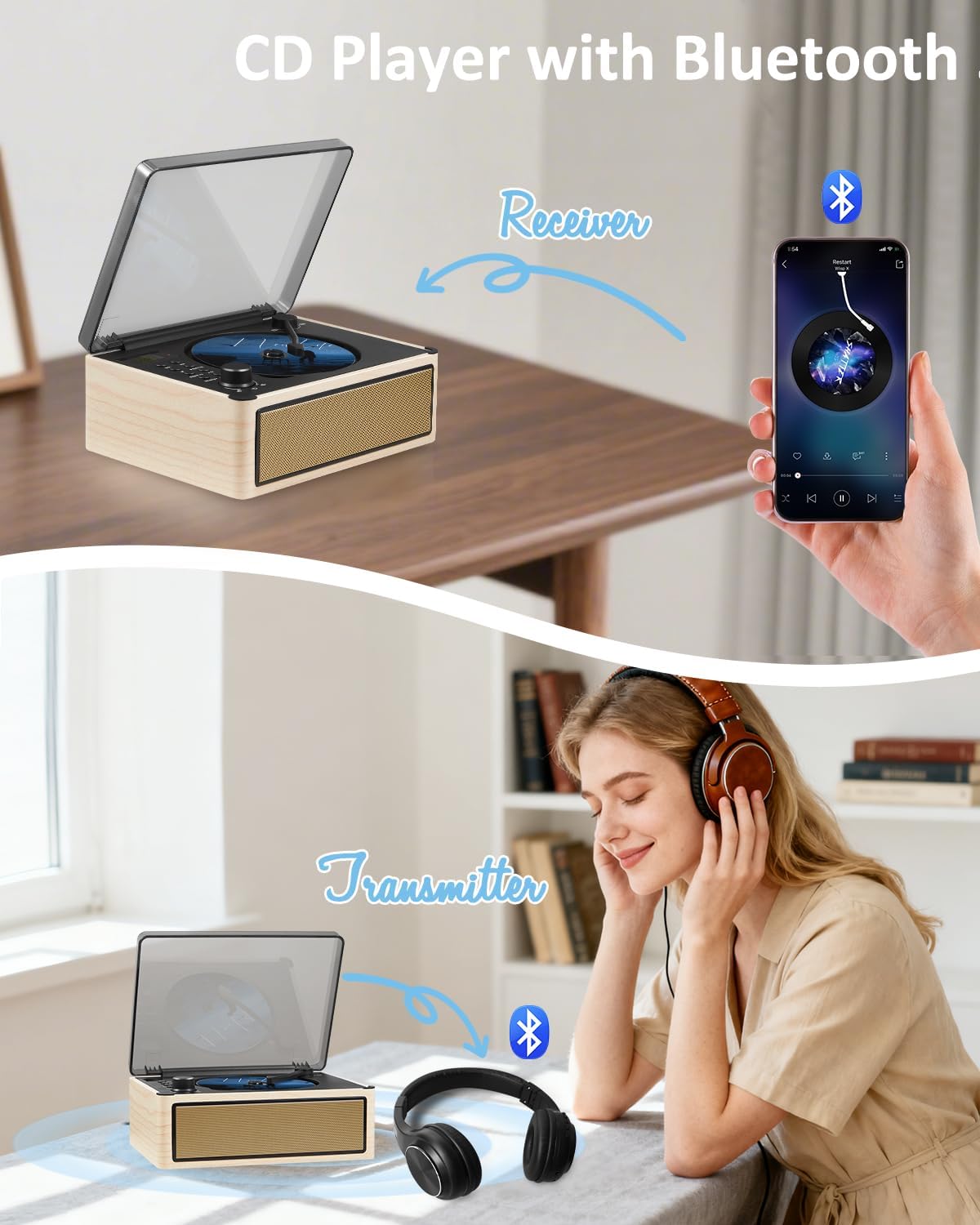
Figure 6: Bluetooth Receiver Mode
6.3 Bluetooth Mode (Transmitter)
Transmit audio from the CD player to external Bluetooth headphones or speakers.
- Ensure the CD player is on and in CD, USB, or TF mode.
- Activate pairing mode on your Bluetooth headphones or speaker.
- Long press the Mode/BT OUT button on the CD player. "BT OUT" will appear on the display, and the Bluetooth indicator will flash.
- The CD player will automatically search for and connect to nearby Bluetooth audio devices. Once connected, the indicator will stop flashing.
- Audio from the CD player will now play through your connected Bluetooth headphones/speakers.
Figure 7: Bluetooth Transmitter Mode
6.4 FM Radio Operation
Enjoy local FM radio stations (Frequency Range: 76MHz-108MHz).
- Turn on the CD player.
- Press the Mode button until "FM" appears on the display.
- Long press the Play/Pause button to auto-scan and save available stations.
- Use the Skip buttons to navigate through saved stations.
- Adjust volume using the Power/Volume knob.
Note: The built-in antenna may have slightly weaker reception than radios with external antennas. For best results, use in areas with good signal.

Figure 8: FM Radio Mode
6.5 USB/TF Card Playback
Play MP3 files from a USB flash drive or TF card (up to 32GB maximum).
- Turn on the CD player.
- Insert a USB flash drive into the USB-MP3 port or a TF card into the TF-MP3 slot on the rear panel.
- Press the Mode button until "USB" or "TF" appears on the display.
- The device will automatically begin playing MP3 files.
- Use the Play/Pause, Skip, and Repeat buttons to control playback. The "+10" button can skip 10 tracks.

Figure 9: USB/TF Card Playback
6.6 AUX Input
Connect external audio devices (e.g., smartphone, MP3 player) via a 3.5mm audio cable (not included).
- Turn on the CD player.
- Connect one end of a 3.5mm audio cable to the AUX IN port on the rear of the CD player and the other end to your external audio device's headphone jack.
- Press the Mode button until "AUX" appears on the display.
- Play audio from your external device. Adjust volume using the CD player's knob or your external device.
7. Maintenance
- Clean the device with a soft, dry cloth. Do not use abrasive cleaners or solvents.
- To clean the CD lens, use a specialized CD lens cleaner disc.
- When not in use for extended periods, store the device in a cool, dry place.
- The device features shock-absorbing corners for durability.

Figure 10: Shock-Absorbing Corners
8. Troubleshooting
| Problem | Possible Cause | Solution |
|---|---|---|
| Device does not power on. | Low battery or no power. | Charge the device using the Type-C cable. Ensure the power adapter is working. |
| CD does not play or skips. | CD is dirty, scratched, or inserted incorrectly. Incorrect mode selected. | Clean the CD, ensure it's inserted label-side up. Select "CD" mode. Try a different CD. |
| No sound from speakers. | Volume too low. Mute activated. External headphones connected. | Increase volume. Check if headphones are plugged in. |
| Bluetooth pairing fails. | Device not in pairing mode. Bluetooth disabled on external device. Too far from device. | Ensure "BT" or "BT OUT" is flashing. Enable Bluetooth on your external device. Move closer to the player. |
| FM radio reception is poor. | Weak signal in current location. | Relocate the player to an area with better FM signal. |
| Device is unresponsive. | Temporary software glitch. | Press the RESET button on the rear panel using a thin, non-metallic object. |
9. Specifications
- Model: SB3720X
- Connectivity: Bluetooth 5.3, AUX In, USB, TF Card
- Supported Disc Formats: CD, CD-R/RW, MP3, WMA, WAV
- FM Radio Frequency: 76MHz-108MHz
- Battery: 3000mAh Rechargeable Lithium Battery
- Battery Life: Up to 8 hours (max volume), 11 hours (half volume)
- Charging Input: DC 5V/1A (Type-C)
- Dimensions: 10.75 x 8.31 x 5.28 inches
- Weight: 3.34 pounds
- Special Features: Dual Built-in Speakers, Bluetooth Receiver/Transmitter, Headphone Jack, Shock-Absorbing Corners, Auto Power-Off (after 20 mins inactivity)
10. Warranty and Support
Gelielim offers a 12-month warranty for this product. For any questions, technical support, or warranty claims, please contact Gelielim customer service through the retailer where the product was purchased or visit the official Gelielim store online. Please have your model number (SB3720X) and purchase details ready.
Online Store: Gelielim Store on Amazon