
1. Introduction
The Baseus Bass BH1 NC headphones are designed to provide an immersive audio experience with advanced noise cancellation technology. Featuring Real-Time Adaptive Hybrid ANC, SuperBass 2.0, LDAC Hi-Res Sound, and an extended 80-hour playtime, these headphones are engineered for comfort and superior sound quality. This manual provides detailed instructions for setup, operation, maintenance, and troubleshooting to ensure optimal performance.
2. What's in the Box

Image: The product packaging displaying the headphones, charging cable, and quick start guide.
- Baseus Bass BH1 NC Noise Cancelling Headphones
- USB-C Data Cable
- User Manual
3. Product Overview
Familiarize yourself with the physical components and controls of your Baseus Bass BH1 NC headphones.

Image: A front-angle view of the Baseus Bass BH1 NC headphones in Moon White, highlighting the earcups and headband.
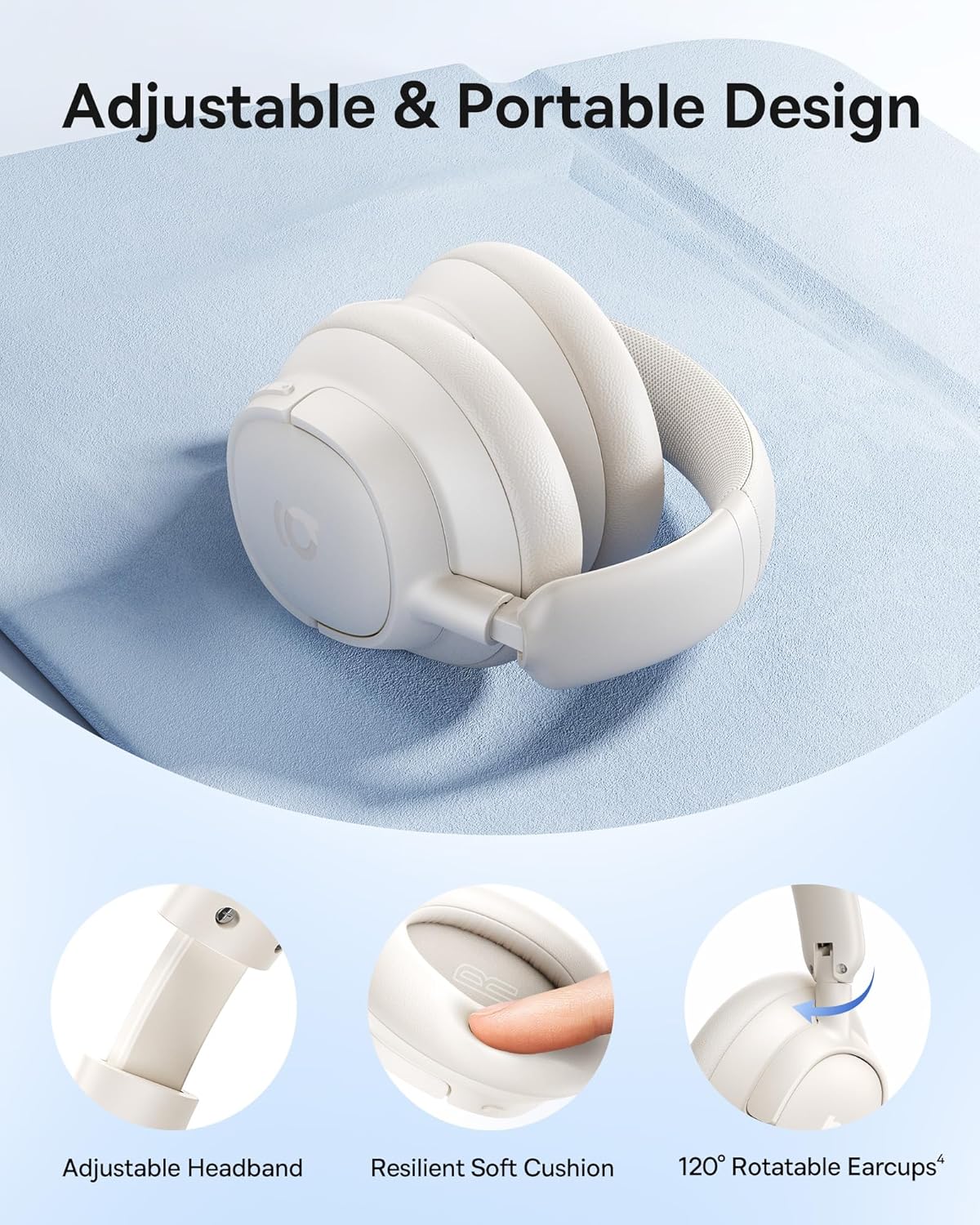
Image: Detailed view of the adjustable headband, resilient soft cushion, and 120-degree rotatable earcups, illustrating the ergonomic design.
Controls and Ports:

Image: An illustration detailing the functions of each physical button on the headphones, including controls for music playback, call management, and ANC mode switching.
- Power Button: Used for powering on/off and initiating Bluetooth pairing.
- Volume Up/Next Track Button: Short press for volume up, long press for next track.
- Volume Down/Previous Track Button: Short press for volume down, long press for previous track.
- Multi-function Button: Play/pause music, answer/end calls, activate voice assistant.
- ANC Button: Toggles between ANC On, Transparency Mode, and ANC Off.
- USB-C Port: For charging the headphones.
4. Setup
4.1 Charging the Headphones
Before first use, fully charge your headphones. Connect the provided USB-C cable to the charging port on the headphones and the other end to a USB power adapter (not included) or a computer's USB port. The LED indicator will show charging status.
- A full charge provides up to 80 hours of playtime (ANC off) or 55 hours (ANC on).
- A quick 10-minute charge can provide approximately 10 hours of playtime.

Image: Visual representation of the headphones' battery life, indicating 80 hours with ANC off and 55 hours with ANC on, along with the rapid charging capability.
4.2 Bluetooth Pairing
- Ensure the headphones are powered off.
- Press and hold the Power button for approximately 3-5 seconds until the LED indicator flashes blue and red, indicating pairing mode.
- On your device (smartphone, tablet, laptop), enable Bluetooth and search for available devices.
- Select "Baseus Bass BH1 NC" from the list of found devices.
- Once connected, the LED indicator will turn solid blue or flash blue slowly.
4.3 Smart App Control
For enhanced functionality and personalization, download the Baseus app from your device's app store. The app allows you to fine-tune sound settings, adjust EQ modes, manage noise reduction settings, and more.

Image: A visual guide to the Baseus app, showcasing its various control options for sound customization and headphone management.
5. Operating Instructions
5.1 Power On/Off
- Power On: Press and hold the Power button for 2 seconds.
- Power Off: Press and hold the Power button for 3 seconds.
5.2 Music Playback
- Play/Pause: Press the Multi-function button once.
- Volume Up: Short press the Volume Up button.
- Volume Down: Short press the Volume Down button.
- Next Track: Long press the Volume Up button for 2 seconds.
- Previous Track: Long press the Volume Down button for 2 seconds.
5.3 Call Management
- Answer/End Call: Press the Multi-function button once.
- Reject Call: Press and hold the Multi-function button for 2 seconds.
- Activate Voice Assistant: Triple-press the Multi-function button.
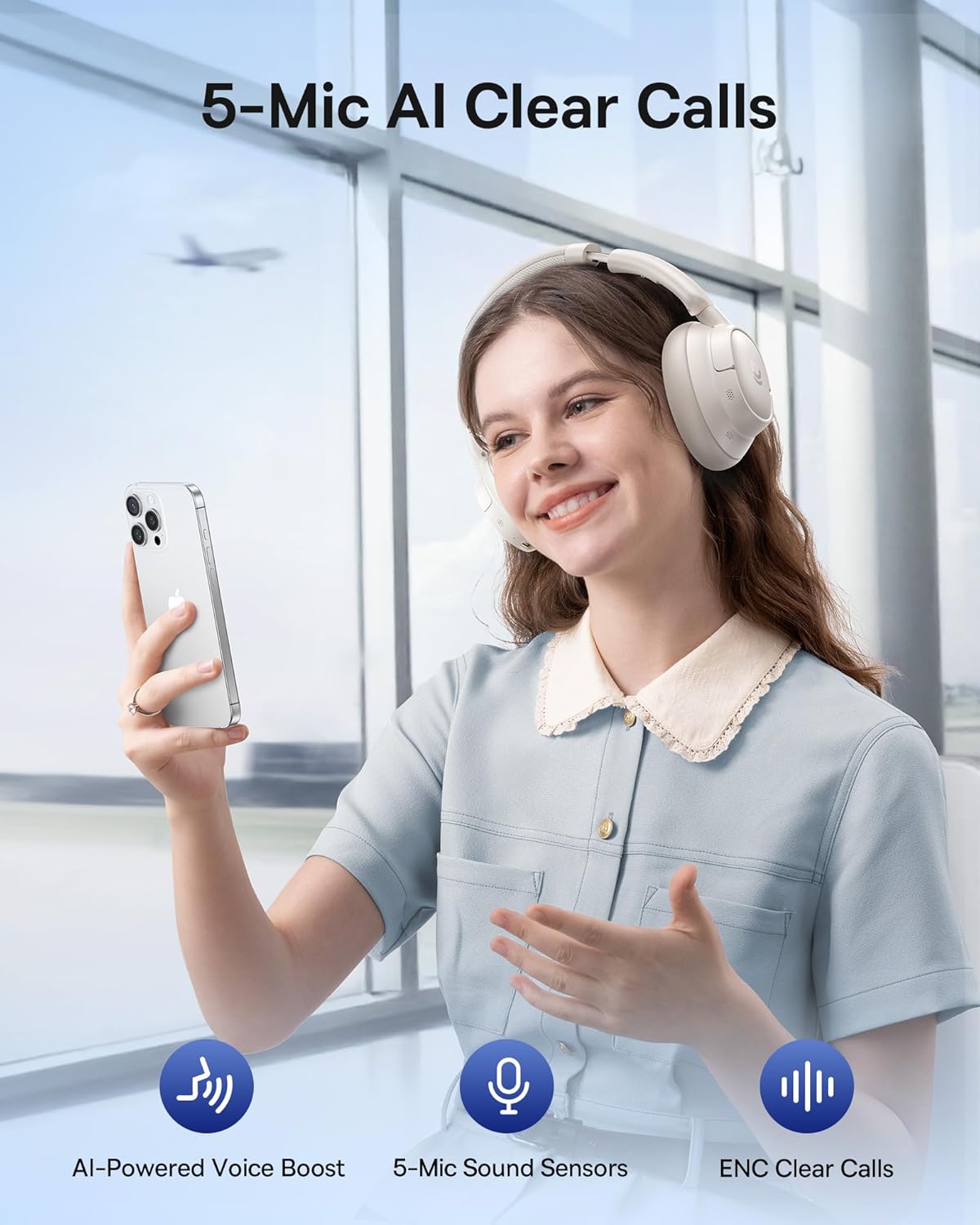
Image: A user demonstrating the call clarity feature of the headphones, emphasizing the AI-powered voice boost and 5-mic sound sensors.
5.4 Noise Control Modes
The Baseus Bass BH1 NC headphones feature Adaptive Hybrid ANC, offering up to -45dB noise reduction. Use the ANC button to cycle through modes:

Image: A visual representation of the noise cancellation capabilities, showing the headphones within a bubble indicating -45dB noise reduction.
- ANC On: Activates active noise cancellation to reduce ambient sound.
- Transparency Mode: Allows you to hear your surroundings without removing the headphones. Press and hold the ANC button for 2 seconds for Quick Attention.
- ANC Off: Disables noise cancellation.
5.5 Multipoint Connection
The headphones support Instant Multipoint Connection, allowing seamless switching between two connected devices without manual re-pairing.
5.6 Audio Features
Experience pristine audio with:
- SuperBass 2.0: Dynamically enhances low frequencies for rich, punchy bass.
- LDAC Hi-Res Sound: Transmits 3X more data than standard Bluetooth codecs for ultra-clear, lossless audio.
- 40mm Dynamic Drivers: Equipped with bio-cellulose diaphragms for immersive depth and detailed clarity.

Image: A profile view of a person wearing the headphones, with text overlays emphasizing the SuperBass 2.0 and Hi-Res audio features.
6. Maintenance
- Cleaning: Wipe the headphones with a soft, dry cloth. Do not use harsh chemicals or abrasive materials.
- Storage: Store the headphones in a cool, dry place away from direct sunlight and extreme temperatures.
- Battery Care: To prolong battery life, avoid fully discharging the headphones frequently. Charge them regularly, even if not in use for extended periods.
- Water Resistance: These headphones are not waterproof. Avoid exposure to water or excessive moisture.
7. Troubleshooting
7.1 Cannot Power On
- Ensure the headphones are charged. Connect them to a power source using the USB-C cable.
- Press and hold the Power button for a few seconds to confirm it's not just a short press.
7.2 Cannot Pair with Device
- Make sure the headphones are in pairing mode (LED flashing blue and red).
- Ensure Bluetooth is enabled on your device and it's within range (typically 10 meters).
- Forget the device from your phone's Bluetooth settings and try pairing again.
- Restart both the headphones and your device.
7.3 No Sound or Low Volume
- Check the volume levels on both the headphones and your connected device.
- Ensure the headphones are properly connected to your device.
- Try playing audio from a different application or source.
7.4 ANC Not Working Effectively
- Ensure ANC mode is activated (not Transparency Mode or ANC Off).
- Check for proper fit of the earcups over your ears to create a good seal.
- Environmental factors can affect ANC performance; it is most effective against low-frequency, constant noise.
8. Specifications
| Model Name | Baseus Bass BH1 NC |
| Connectivity Technology | Bluetooth 6.0, Wireless |
| Wireless Communication Technology | Bluetooth 6.0 |
| Material | Plastic |
| Specific Uses For Product | Entertainment, Fitness, Travel |
| Recommended Uses For Product | Calling, Cycling, Exercising, Music, Running, Travel, Work Out |
| Compatible Devices | Cellphones, Devices with Bluetooth Audio Capability (iOS, Android, Windows, Mac OS, Switch), Laptops, Tablets |
| Control Type | Button Control |
| Control Method | Push Button |
| Number of Items | 1 |
| Audio Driver Type | Dynamic Driver |
| Bluetooth Version | 6.0 |
| Audio Driver Size | 40 Millimeters |
| UPC | 810196181533 |
| Manufacturer | Baseus |
| Item Weight | 15.2 ounces |
| Item Model Number | Baseus Bass BH1 NC |
| Batteries | Nonstandard Battery batteries required. (included) |
| Color | Moon White |
| Ear Placement | Over Ear |
| Form Factor | Over Ear |
| Noise Control | Adaptive Noise Cancellation |

Image: A technical drawing illustrating the precise measurements of the headphones, including earcup dimensions and overall weight.
9. Warranty and Support
Baseus products are designed and manufactured to the highest quality standards. For warranty information, please refer to the warranty card included with your product or visit the official Baseus website. If you encounter any issues or require technical assistance, please contact Baseus customer support through their official channels.
For further assistance, please visit the Baseus Store on Amazon.


