Download PDFFree PDF. The Save button below keeps a bookmark and private notes in your account.
EF ECOFLOW Rapid Pro Power Bank 20000mAh Instruction Manual
Model: EF-HB-100
Product Overview
The EF ECOFLOW Rapid Pro Power Bank 20000mAh is a high-capacity portable charger designed for ultra-fast charging of multiple devices. Featuring a 230W max output and a convenient 100W built-in USB-C cable, it ensures your devices stay powered on the go.
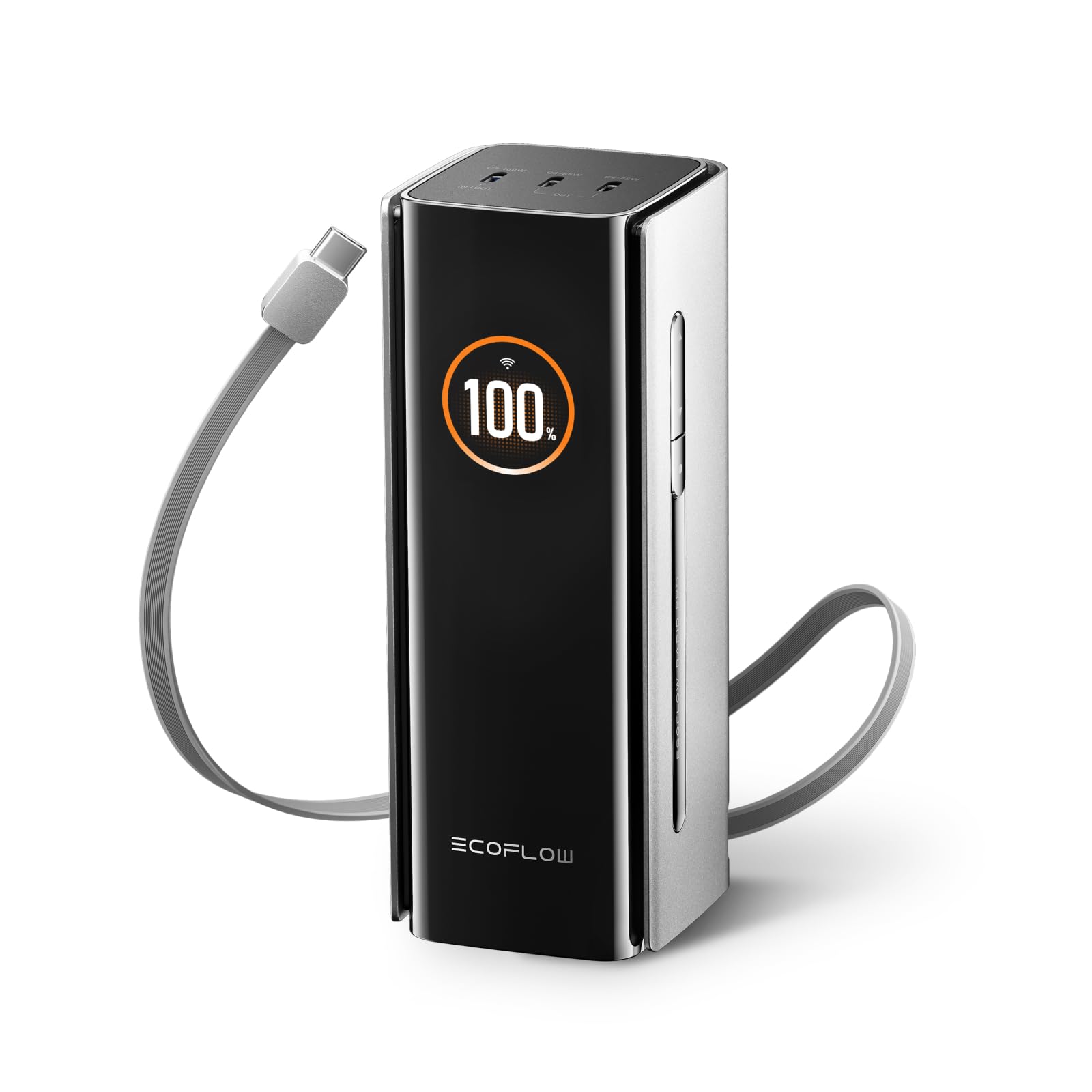
Image: The EF ECOFLOW Rapid Pro Power Bank, a sleek black rectangular device with a digital display showing battery percentage, is shown in a clean, minimalist setting.
Key Features
X-VELO Batteries: Superior performance with innovative multipole technology for faster charging speeds, minimized energy loss, and excellent temperature control. Utilizes silicon carbon for increased energy density without sacrificing size. Robust design tested under -20° conditions, ideal for outdoor use.
Ultra-Fast Charging: Achieve 0-80% charge in just 19 minutes with the EcoFlow RAPID Pro desktop charger (sold separately), 25 minutes with 120W multi-port input, or 39 minutes with 100W single-port input.
Ultra-Fast Multi-Charging: 230W total power across 4 ports, including 1x100W USB-C port and 2x65W USB-C ports. Features an integrated, extendable 100W USB-C cable for charging up to 4 devices simultaneously.
Superior Safety: Comprehensive 24/7 safety checks, including a temperature sensor that detects and regulates overheating up to 10 million times daily. Fireproof VO housing and intelligent BMS/EMS systems ensure safe operation.
Compact Design: Offers powerful performance in a compact size (55 x 56 x 145 mm, 564g) that fits easily into backpack side pockets. 20,000 mAh (72 Wh) flight-capable capacity. Integrated 60 cm cable eliminates the need for extra cables. (Airlines regulations vary by region and provider. Please inform yourself about the regulations of your airline before travel.)
Setup
1. Unboxing
Your package includes the RAPID Pro -20K Power Bank. Inspect the contents for any damage or missing parts.
2. Initial Charge
Before first use, fully charge your EcoFlow Rapid Pro Power Bank. Connect the power bank to a wall outlet using its integrated USB-C cable or an external charger. The 1.54" LCD Smart Display will show the charging progress.
3. Connecting Devices
Use the integrated 100W USB-C cable or one of the additional USB-C ports to connect your devices for charging.
Operating Your Power Bank
1. Charging Devices
Integrated USB-C Cable: Pull out the built-in 60 cm USB-C cable (C1) and connect it to your device. This port supports up to 100W output.
Additional USB-C Ports: Use the two additional USB-C ports (C3, C4) for devices requiring up to 65W each.
Multi-Device Charging: The power bank can charge up to 4 devices simultaneously with a total output of 230W.
Image: The EcoFlow Rapid Pro Power Bank is shown simultaneously charging a laptop, smartphone, and other devices, illustrating its 230W multi-device charging capability.
2. Recharging the Power Bank
EcoFlow RAPID Pro Desktop Charger: For the fastest recharge, use the EcoFlow RAPID Pro Desktop Charger (sold separately) to achieve 0-80% in approximately 19 minutes.
Multi-Port Input: Recharge the power bank from 0-80% in about 25 minutes using a 120W multi-port input.
Single-Port Input: Recharge from 0-80% in about 39 minutes using a 100W single-port input.
Image: The EcoFlow Rapid Pro Power Bank is shown docked on the EcoFlow RAPID Pro Desktop Charger, highlighting its ultra-fast recharging capabilities with various charging times listed.
3. Display Information
The 1.54" LCD Smart Display provides real-time information:
Power Status: Current battery percentage.
Charging/Discharging Wattage: Real-time input and output power for each port.
Battery Health: Temperature and cycle count.
Image: A close-up of the EcoFlow Rapid Pro Power Bank's 1.54-inch LCD Smart Display, illustrating various data points such as port wattage, fast charging indicator, battery health, temperature, and cycle count.
4. App Connectivity
Connect your EcoFlow Rapid Pro Power Bank to the EcoFlow app for smart power control, checking stats, and switching modes directly from your smartphone.
Maintenance
Cleaning: Use a dry, soft cloth to clean the power bank. Avoid liquid cleaners.
Storage: Store in a cool, dry place away from direct sunlight and extreme temperatures. For long-term storage, charge the device to about 50-80% every 3-6 months.
Battery Care: Avoid fully discharging the battery frequently to prolong its lifespan. The drone-grade batteries are rated to last over 300 cycles while still holding 80% capacity.
Troubleshooting
Issue
Possible Solution
Device not charging
Ensure the power bank is charged. Check cable connections. Try a different port or cable.
Power bank not recharging
Verify the wall outlet is functional. Check the charging cable and adapter. Ensure the power bank is not overheated.
Display not working
Press the power button to activate the display. If unresponsive, try recharging the power bank.
Slow charging speed
Ensure you are using a compatible fast-charging cable and adapter. Check if multiple devices are connected, which may distribute power.
Specifications
Feature
Detail
Model Number
EF-HB-100
Battery Capacity
20,000 mAh (72 Wh)
Max Output
230W (4 ports total)
Built-in Cable
100W USB-C (60 cm retractable)
USB-C Ports
1x 100W (C1/C2 In/Out), 2x 65W (C3/C4 Out)
Dimensions
6 x 2 x 2 inches (55 x 56 x 145 mm)
Weight
1.83 pounds (564g)
Manufacturer
EcoFlow
Warranty and Support
Warranty: This product is covered by a 1-Year Protection Plan. Please refer to your purchase documentation for full terms and conditions.
Returns: A 30-day refund/replacement policy applies.
Customer Support: For technical assistance or warranty claims, please visit the official EF ECOFLOW website or contact their customer service.
Video: A concise overview of the EcoFlow Rapid Pro 20K Power Bank, showcasing its design and key features. This video is provided by the seller, EcoFlow-AU.
Video: Demonstrates the process of charging the EcoFlow Rapid Pro Power Bank, highlighting its ease of use and integrated cable. This video is provided by the seller, Call That Geek.
Video: A short clip illustrating how the power bank keeps various devices charged while traveling, emphasizing its portability and utility. This video is provided by the seller, Alisha | ReWilding OffGrid.
Ask about setup, troubleshooting, compatibility, parts, safety, or missing instructions. Manuals+ will review the question and use this page’s manual context to help answer it.