
1. Setup
1.1 Battery Installation
The GardePro E8 2.0 Pro trail camera requires power for operation. It supports two battery options:
- 8x AA Batteries: For the standard E8 2.0 model, insert eight (8) AA batteries (not included) into the designated slots. Ensure correct polarity.
- 7800mAh Rechargeable Battery: The E8 2.0 Pro model features a built-in 7800mAh rechargeable battery. Insert this battery pack into its compartment.
For optimal performance, especially in cold weather, lithium AA batteries are recommended if using the AA battery option.

Image: The internal compartment of the GardePro E8 2.0 camera, designed to hold eight AA batteries.

Image: A hand carefully inserting the dedicated rechargeable battery pack into the GardePro E8 2.0 Pro trail camera.
1.2 SD Card Installation
Insert a full-size SD card (up to 512GB, not included) into the SD card slot. Ensure the card is inserted correctly until it clicks into place. The camera supports loop recording, which will overwrite the oldest files when the card is full.
1.3 Mounting the Camera
Secure the camera to a tree or post using the provided attachment belt. The camera features dual copper mounting posts for secure and flexible installation. Ensure the camera is stable and pointed towards the desired monitoring area.

Image: The GardePro E8 2.0 Pro trail camera securely strapped to a tree trunk in a natural outdoor setting.
1.4 App Download and Connection
Download the free 'GardePro Mobile' app from your smartphone's app store. The camera connects directly to your smartphone via Bluetooth for initial setup and then uses its built-in WiFi for data transfer and live view. Note: This camera does not connect to home WiFi routers or cellular networks. It supports direct connection to a smartphone only.
Video: An official product introduction video for the GardePro E8 2.0 Series WiFi Trail Camera, demonstrating its features and how to connect it to the mobile app.

Image: A smartphone displaying a live feed from the GardePro E8 2.0 Pro camera, showing a raccoon in a blue basin at night.
2. Operating Instructions
2.1 Camera Modes
The GardePro E8 2.0 Pro offers flexible recording options:
- Motion Mode: Captures photos or videos when motion is detected.
- Time-Lapse Mode: Captures images at set intervals, regardless of motion.
- Hybrid Mode: Combines motion-triggered events with time-lapse photography.
2.2 Adjusting Settings via App
All camera settings, including mode selection, resolution, trigger sensitivity, and more, can be adjusted remotely using the GardePro Mobile App. Connect to the camera via Bluetooth and WiFi to access these options.
2.3 Live View Functionality
Utilize the Live View feature in the app to see what the camera is capturing in real-time. This is useful for precise camera positioning during installation and for observing wildlife without disturbance. Live View works up to 165 feet (50 meters) in open conditions.
2.4 Photo and Video Capture
The camera captures vivid 4K Ultra HD videos and high-resolution photos up to 64MP. With a 0.1-second fast trigger speed and a 120° wide PIR detection angle, it ensures quick capture of moving subjects.
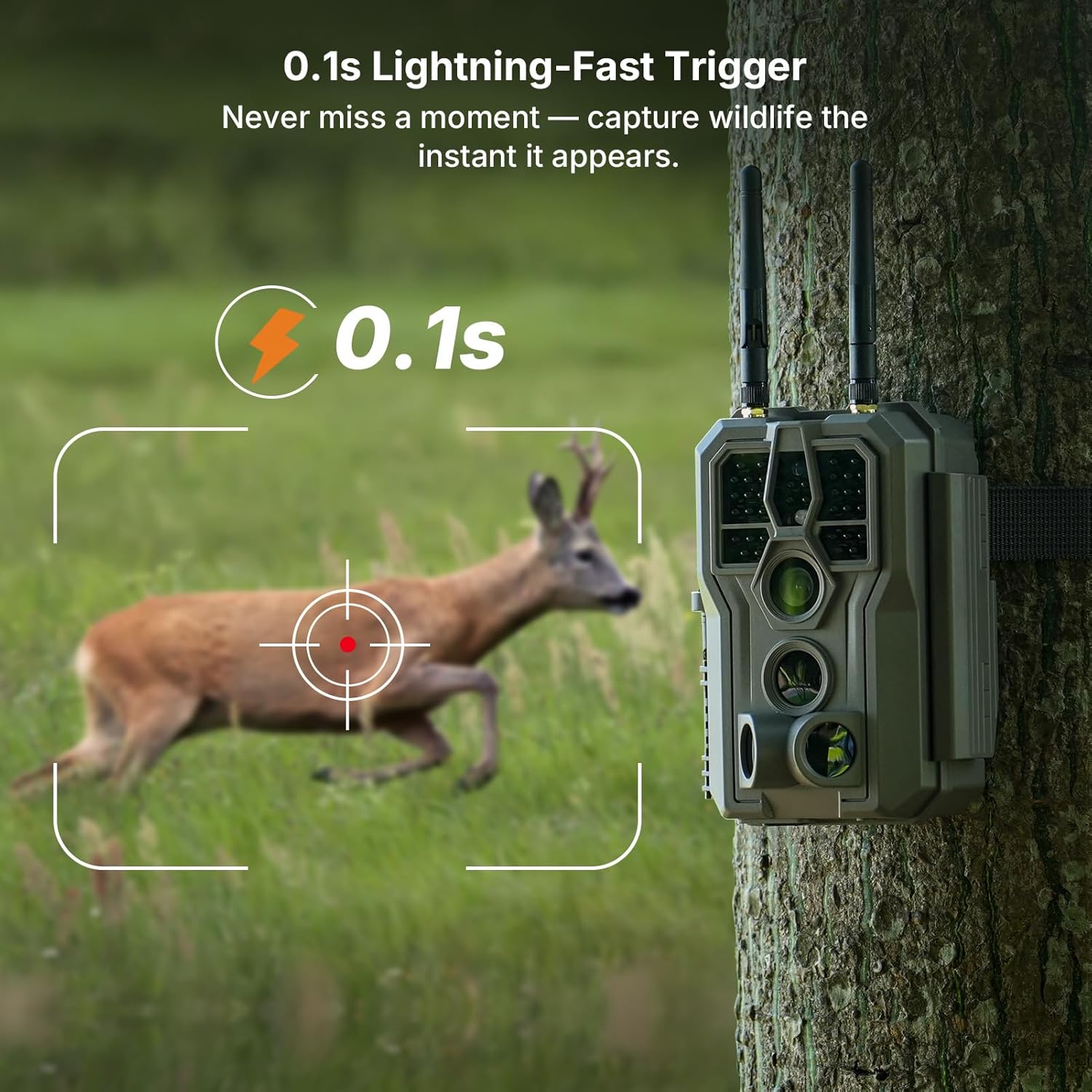
Image: A clear, high-resolution 4K image of a fox standing in a grassy area, captured by the camera.

Image: A deer in mid-stride, demonstrating the camera's rapid 0.1-second trigger speed in capturing fast-moving wildlife.

Image: A visual representation of the camera's 120-degree wide-angle motion detection, showing its broad coverage area.
2.5 Night Vision
The camera is equipped with 940nm no-glow infrared LEDs, providing clear night images and videos without emitting a visible flash that could disturb wildlife. The night vision range extends up to 100 feet.

Image: A black and white night vision image of a fox in a garden, clearly visible due to the camera's infrared capabilities.
3. Maintenance
3.1 Battery Management
For the E8 2.0 Pro with the 7800mAh rechargeable battery, a full charge can provide power for approximately one year, based on capturing 20 daytime and 20 nighttime photos daily. Monitor battery levels via the GardePro Mobile App.
3.2 External Power Options
For extended outdoor use and continuous power, the camera is compatible with GardePro SP350 and SP1000 solar panels (sold separately). Connect the solar panel to the camera's external power port.
3.3 Weather Protection
The camera boasts an IP66 waterproof rating, ensuring protection against rain, snow, and dust. While designed for outdoor use, periodically check the camera's seals and housing for any signs of wear or damage to maintain its weather resistance.

Image: The GardePro E8 2.0 Pro trail camera mounted on a tree during rainfall, with icons indicating IP66 waterproof rating and operating temperature range.
3.4 SD Card Management
Regularly download photos and videos to your smartphone via the GardePro Mobile App to free up space on the SD card. If loop recording is enabled, older files will be automatically overwritten when the card is full.
4. Troubleshooting
4.1 WiFi Connection Issues
- Range: The camera offers a WiFi connection range of up to 165 feet (50 meters) in open conditions. Physical obstructions like thick walls, metal structures, or dense foliage can significantly reduce signal strength. Try moving closer to the camera.
- Interference: Other electronic devices might cause interference. Ensure no other strong WiFi signals are nearby if experiencing consistent connection drops.
- App Compatibility: Ensure your smartphone's operating system (Android or iOS) is up to date and the GardePro Mobile App is the latest version.
4.2 Image/Video Quality Concerns
- Lens Cleanliness: Ensure the camera lens and PIR sensors are clean and free from dirt, dust, or condensation.
- Placement: Improper camera placement can lead to blurry or poorly framed shots. Use the Live View feature to confirm optimal positioning and ensure no branches or objects obstruct the view.
- Settings: Verify that the photo and video resolution settings in the app are set to your desired quality (e.g., 4K for video, 64MP for photos).
4.3 Battery Drain
- Battery Type: If using AA batteries, ensure they are high-quality alkaline or lithium batteries. Rechargeable AA batteries may have lower voltage and capacity.
- Activity Level: Frequent motion detection and video recording, especially at night, will consume more power. Adjust trigger sensitivity and recording duration if necessary.
- External Power: Consider using a compatible GardePro solar panel for continuous power, reducing reliance on internal batteries.
4.4 Trigger Issues
- PIR Sensitivity: Adjust the PIR (Passive Infrared) sensor sensitivity in the app. High sensitivity may trigger on small movements or environmental changes (e.g., swaying branches), while low sensitivity might miss distant subjects.
- Detection Angle: Ensure the target area is within the camera's 120° PIR detection angle.
- Obstructions: Clear any vegetation or objects directly in front of the PIR sensors that could block detection or cause false triggers.
5. Specifications
| Feature | Specification |
|---|---|
| Model Name | E8 2.0 Pro |
| Indoor/Outdoor Usage | Outdoor |
| Power Source | Battery Powered (7800mAh Rechargeable or 8x AA) |
| Connectivity Protocol | Bluetooth, Wi-Fi (direct to smartphone) |
| Video Capture Resolution | 4K Ultra HD |
| Photo Resolution | Up to 64MP |
| Night Vision Range | 100 Feet (940nm No-Glow IR) |
| Trigger Speed | 0.1s |
| PIR Detection Angle | 120° |
| Screen Size | 2.4 Inches |
| Item Weight | 1.76 pounds |
| Waterproof Rating | IP66 |
| SD Card Support | Up to 512GB (full-size) |
6. Warranty and Support
6.1 Product Warranty
For detailed information regarding the product warranty, please refer to the official GardePro website or contact GardePro customer support directly. Warranty terms typically cover manufacturing defects for a specified period from the date of purchase.
6.2 Customer Support
If you encounter any issues or have questions not covered in this manual, please contact GardePro customer support. You can usually find contact information on the official GardePro website or within the GardePro Mobile App.


