
Raemond K80
Raemond K80 Android 15 Tablet User Manual
Model: K80 | Brand: Raemond
1. Introduction
Thank you for choosing the Raemond K80 Android 15 Tablet. This manual provides essential information for setting up, operating, and maintaining your device. Please read it carefully to ensure optimal performance and longevity of your tablet.
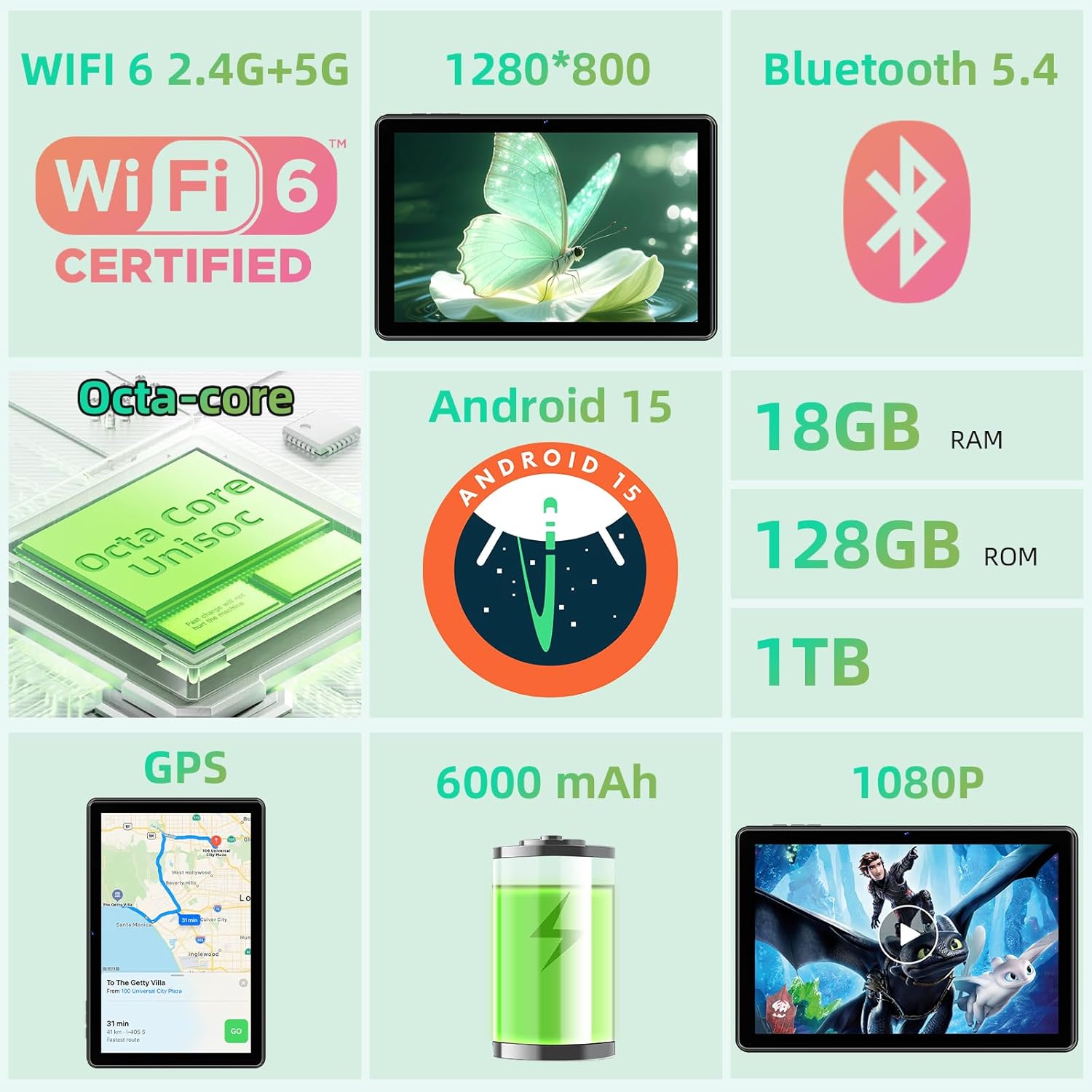
Image: Front view of the Raemond K80 Android 15 Tablet.
2. What's in the Box
Upon opening your Raemond K80 tablet package, you should find the following items:
- 1 x Raemond K80 Tablet
- 1 x Charger and Charging Cable (USB-C)
- 1 x Instruction Manual

Image: The Raemond K80 Tablet, charger, and charging cable as included in the package.
3. Device Overview
Familiarize yourself with the physical components of your Raemond K80 tablet.
3.1. Ports and Buttons
- Power Button: Press and hold to power on/off or restart. Short press to sleep/wake.
- Volume Buttons: Adjust media volume and notification sounds.
- USB-C Port: For charging and data transfer.
- 3.5mm Headphone Jack: Connect headphones or external audio devices.
- Micro SD Card Slot: Expand storage up to 1TB.
- Speakers: Integrated stereo speakers for audio output.
3.2. Cameras
- Rear Camera: 8 Megapixels, located on the back of the tablet.
- Front Camera: 5 Megapixels, ideal for video calls and selfies.

Image: Detailed view of the tablet's front and rear cameras.
4. Setup
4.1. Initial Power On
- Press and hold the Power Button located on the side of the tablet until the screen lights up.
- Follow the on-screen prompts to select your language, region, and accept the terms and conditions.
4.2. Connecting to Wi-Fi
- From the home screen, swipe down from the top to open the Quick Settings panel.
- Tap the Wi-Fi icon to turn it on.
- Go to Settings > Network & Internet > Wi-Fi.
- Select your desired Wi-Fi network from the list and enter the password if prompted.
- Tap Connect.
4.3. Google Account Setup
To access the Google Play Store and other Google services, you will need to sign in with your Google account. Follow the on-screen instructions during initial setup or go to Settings > Accounts > Add account > Google.
5. Operating Your Tablet
5.1. Basic Navigation
- Home Screen: The central hub for your apps and widgets.
- App Drawer: Swipe up from the home screen to view all installed applications.
- Notifications & Quick Settings: Swipe down from the top of the screen to access notifications and quick toggles for Wi-Fi, Bluetooth, etc.
- Recent Apps: Tap the square navigation button (or swipe up and hold for gesture navigation) to see recently used applications.
5.2. Gestures and Shortcuts
- Three-Finger Screenshot: Swipe down on the screen with three fingers to capture a screenshot. This feature can be enabled in Settings > System > Gestures.
- Split Screen: Use two applications simultaneously. Open a recent app, tap its icon at the top, and select 'Split screen'.

Image: Demonstrating the split-screen functionality for multitasking.
5.3. Media and Entertainment
The Raemond K80 tablet is designed for a rich media experience, supporting various streaming services and applications.
- Enjoy video playback on the 10.1-inch IPS display.
- Access popular streaming platforms like Netflix, Prime Video, YouTube, Hulu, and HBO.
- Listen to music through the integrated stereo speakers or connected headphones.

Image: The tablet's screen displaying logos of popular streaming services, indicating multimedia capabilities.
6. Camera Features
Capture moments with the tablet's dual cameras.
- Rear Camera: 8MP for clear photos and videos.
- Front Camera: 5MP for video calls and self-portraits.
- Explore various camera modes such as Panorama, Portrait, Pro, Video, and Slow Motion.

Image: The tablet's camera module and battery life indicators.
7. Connectivity
The Raemond K80 tablet offers robust connectivity options:
- Wi-Fi: Supports 2.4G and 5G networks for fast internet access.
- Bluetooth 5.0: For connecting wireless accessories like headphones, keyboards, and mice.
- GPS: Integrated GPS for navigation and location-based services, supporting GPS, Beidou, GLONASS, and Galileo systems.
- Face ID: For secure and convenient unlocking.

Image: The tablet demonstrating wireless connectivity to a larger display.

Image: Tablet displaying GPS navigation, indicating support for multiple satellite systems.
8. Storage and Performance
The Raemond K80 is equipped for smooth performance and ample storage:
- Processor: Octa-Core T310 for reliable and fluid operation.
- RAM: 18GB (6GB physical + 12GB virtual) for efficient multitasking and quick app launches.
- Internal Storage: 128GB, providing significant space for apps, photos, and videos.
- Expandable Storage: Supports up to 1TB via TF (Micro SD) card.

Image: Visual representation of the tablet's RAM, ROM, and expandable storage.
9. Battery Management
The Raemond K80 tablet is equipped with a high-capacity battery for extended use:
- Battery Capacity: 6000 mAh.
- Charging: Supports 10W fast charging via USB-C.
- Estimated Usage Times:
- Website browsing: Up to 7 hours
- Video playback: Up to 6.5 hours
- Gaming: Up to 5 hours
- Music playback: Up to 36 hours
- Standby: Up to 432 hours

Image: Visual details of the 6000mAh battery and its performance metrics.
10. Specifications
| Feature | Detail |
|---|---|
| Brand | Raemond |
| Model Number | K80 |
| Operating System | Android 15 |
| Processor Brand | Unisoc (Octa-Core T310) |
| RAM Size | 18 GB (6GB physical + 12GB virtual) |
| Storage Capacity | 128 GB (Expandable up to 1 TB TF) |
| Screen Size | 10.1 Inches |
| Screen Resolution | 1280 x 800 Pixels (IPS) |
| GPU | Mali-G52 |
| Wireless Connectivity | Wi-Fi (2.4G/5G, 802.11ax), Bluetooth 5.0, GPS |
| Interface | USB-C, 3.5mm Headphone Jack |
| Battery Capacity | 6000 mAh |
| Front Camera | 5 MP |
| Rear Camera | 8 MP |
| Color | Black |
| Dimensions (L x W x H) | 27.9 x 17.8 x 0.9 cm |
| Special Features | Cellular Connectivity (if applicable), Widevine L1 Support, Stylus Support (stylus not included) |
11. Troubleshooting
If you encounter issues with your tablet, try the following common solutions:
- Tablet not turning on: Ensure the battery is charged. Connect the charger and wait a few minutes before attempting to power on again.
- Screen frozen: Press and hold the Power button for about 10-15 seconds to force a restart.
- Wi-Fi connection issues: Check if Wi-Fi is enabled in settings. Restart your router and the tablet. Ensure you have entered the correct password.
- Apps crashing: Clear the cache for the problematic app (Settings > Apps > [App Name] > Storage & cache > Clear cache). If the issue persists, try reinstalling the app.
- Slow performance: Close unnecessary background apps. Clear cached data regularly. Consider performing a factory reset if performance remains poor (backup your data first).
12. Warranty and Support
Your Raemond K80 tablet comes with a manufacturer's warranty. Please refer to the warranty card included in your package for specific terms and conditions.
- Manufacturer Warranty: 1 Year.
- For technical support or warranty claims, please contact Raemond customer service through the contact information provided on the product packaging or their official website.
Related documentsK80

Ask a question about this manual
Ask about setup, troubleshooting, compatibility, parts, safety, or missing instructions. Manuals+ will review the question and use this page’s manual context to help answer it.