
1. Introduction
Thank you for choosing the Fanttik B10 Pro Max Electric Air Duster. This device is designed to provide powerful and efficient cleaning for a variety of applications, from electronics to household items and outdoor gear. Featuring a high-speed brushless motor, adjustable gears, and a long-lasting rechargeable battery, it offers a versatile alternative to traditional compressed air cans. Please read this manual thoroughly before use to ensure proper operation, maintenance, and safety.

2. Product Overview & Package Contents
The Fanttik B10 Pro Max comes with a comprehensive set of accessories to enhance its versatility. Familiarize yourself with all components before initial use.


Package Contents:
- Fanttik B10 Pro Max Electric Air Duster
- Round Nozzle
- Slim Nozzle
- Short Nozzle
- Long Nozzle
- Soft Brush
- Stiff Brush
- Type-C Charging Cable
- Lanyard
- Storage Bag
- User Manual (this document)
3. Specifications
| Feature | Specification |
|---|---|
| Model | B10 Pro Max |
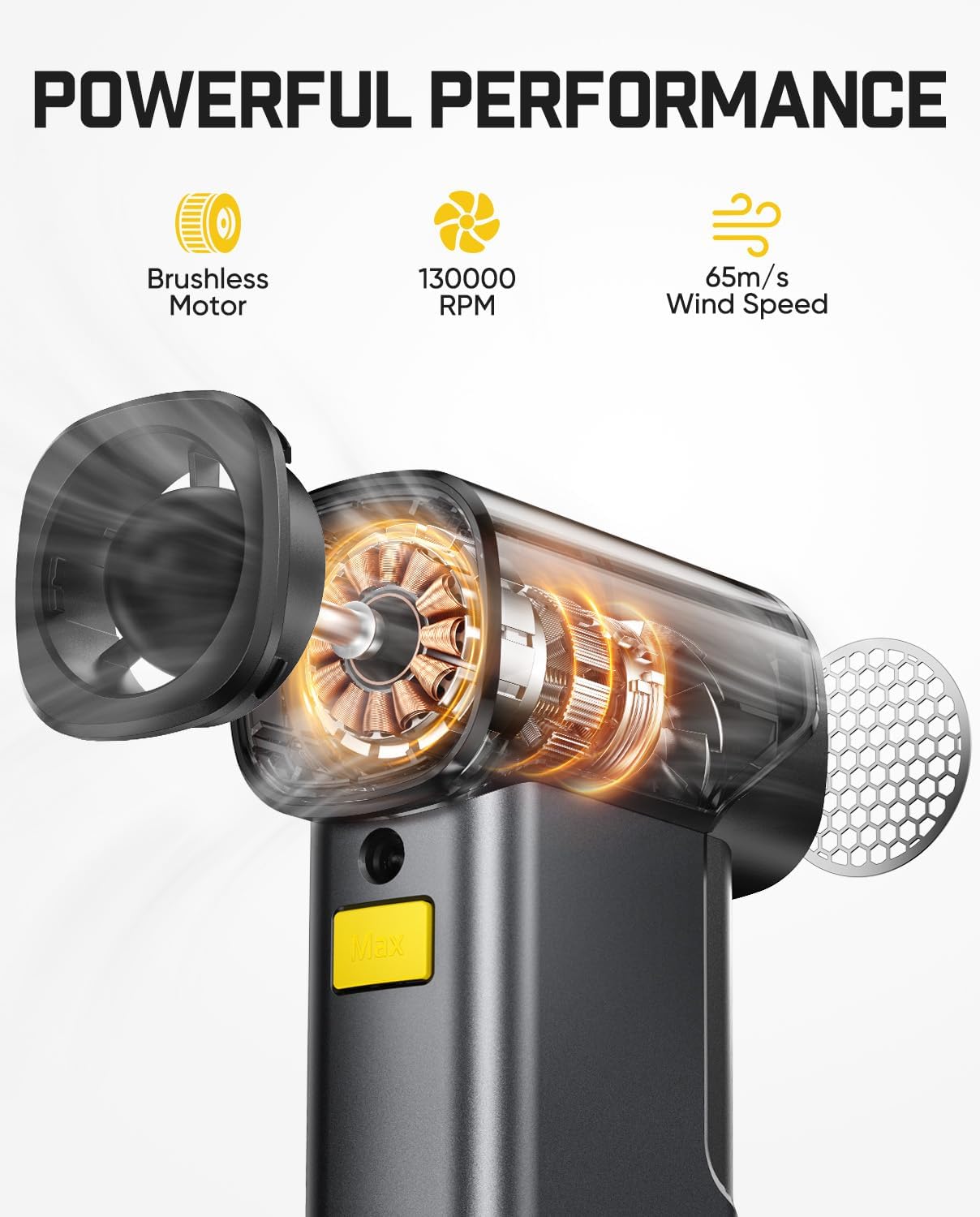
| Motor Type | Brushless Motor |
| Max RPM | 130,000 RPM |
| Wind Speed | Up to 65 m/s |
| Gear Settings | 6 Adjustable Gears |
| Battery Capacity | 2x 4000 mAh (28.8Wh) Lithium Ion |
| Run Time | Up to 210 minutes (depending on gear setting) |
| Charging Port | Type-C (5V/2A) |
| Weight | 1.12 pounds (approx. 0.51 kg) |
| Product Dimensions | 3 x 3 x 5.6 inches (approx. 7.6 x 7.6 x 14.2 cm) |
| UPC | 671891193258 |
4. Safety Instructions
To prevent injury or damage to the device, please observe the following safety precautions:
- Read all instructions: Before operating the air duster, read and understand all safety warnings and operating instructions.
- Keep away from children: This product is not a toy. Keep it out of reach of children and pets.
- Do not point at eyes or body: Never direct the airflow towards eyes, face, or any part of the body of people or animals. The high-speed air can cause injury.
- Avoid flammable materials: Do not use the air duster near open flames, flammable liquids, gases, or in explosive atmospheres.
- Do not immerse in water: The device is not waterproof. Do not expose it to water or other liquids.
- Use appropriate nozzles: Always select the correct nozzle for the task to avoid damage to the item being cleaned or the duster itself.
- Charge properly: Use only the provided Type-C cable and a compatible 5V/2A power adapter for charging. Do not use the blower function while charging.
- Avoid overheating: For inflation tasks, especially with smaller items like swimming rings, it is recommended to keep the wind speed below the 3rd gear to prevent potential overheating.
- Store safely: When not in use, store the device in a cool, dry place, away from direct sunlight and extreme temperatures.
- Do not disassemble: Do not attempt to disassemble, repair, or modify the device. Contact customer support if service is required.
5. Setup
Before using your Fanttik B10 Pro Max Electric Air Duster for the first time, please follow these setup steps:
- Charge the Device:
Connect the provided Type-C charging cable to the charging port on the bottom of the air duster and plug the other end into a compatible 5V/2A USB power adapter (not included). The LED display will indicate the charging status. Ensure the device is fully charged before first use for optimal battery life. The blower function cannot be used while charging.
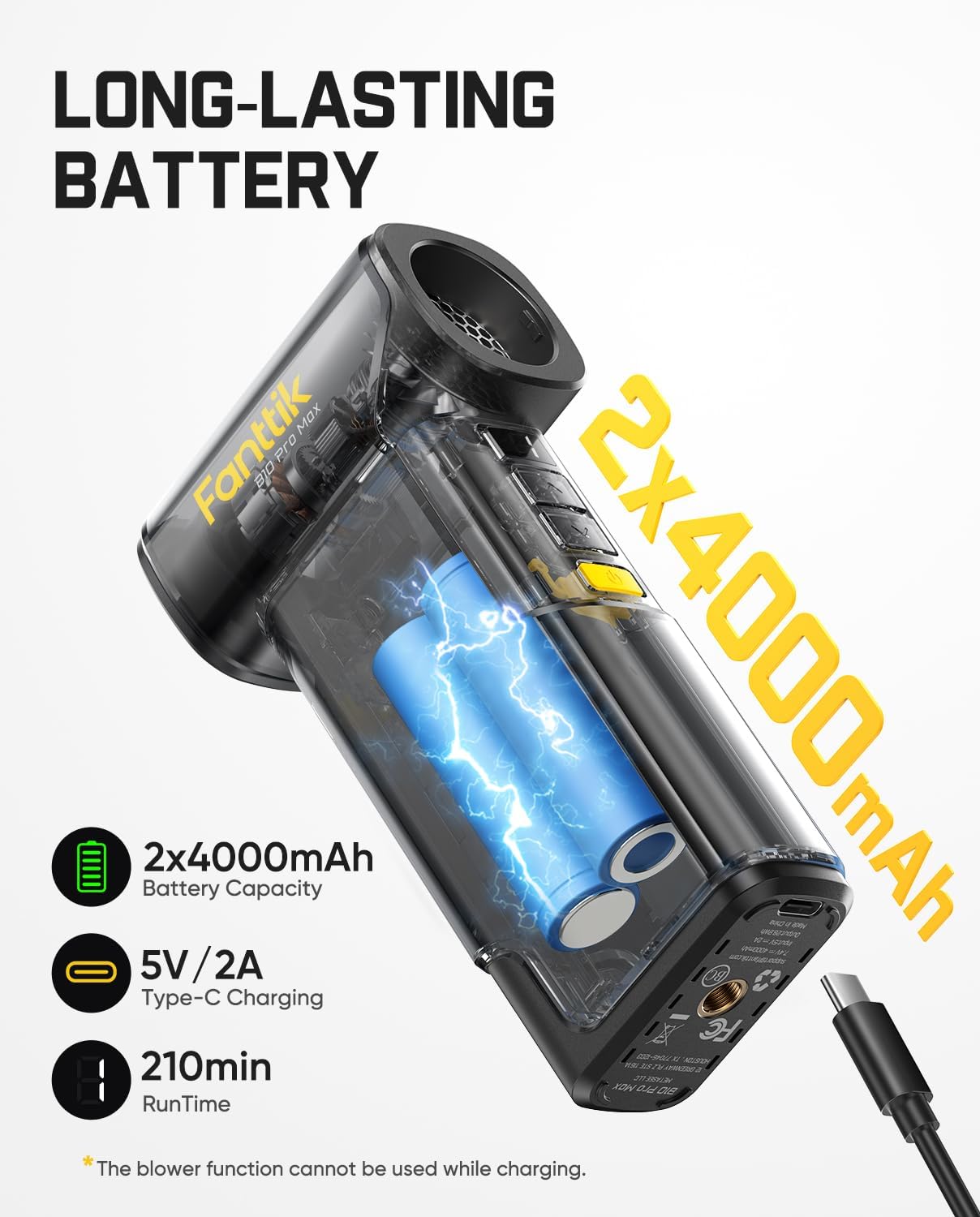
An illustration of the internal battery configuration of the Fanttik B10 Pro Max, featuring two 4000mAh lithium batteries, Type-C charging, and up to 210 minutes of runtime. - Attach a Nozzle:
Select the appropriate nozzle for your cleaning task. Gently push the desired nozzle onto the air outlet until it is securely fitted. Ensure it is firmly attached to prevent it from detaching during operation.
- Attach Lanyard (Optional):
If desired, attach the lanyard to the designated loop on the device for added security during use or for convenient carrying.
6. Operating Instructions
The Fanttik B10 Pro Max is designed for intuitive operation. Follow these steps to use your air duster effectively:
6.1 Power On/Off and Gear Adjustment
- Power On: Press and hold the power button (usually marked with a power symbol) for a few seconds until the device powers on and the LED display illuminates.
- Adjust Gear: Once powered on, use the gear adjustment buttons (up/down arrows or similar) to cycle through the 6 available speed settings. The LED display will show the current gear level (1-6) or RPM.
- One-tap Booster (Max Mode): For maximum power, press the dedicated 'Max' button. This will instantly boost the duster to its highest speed of 130,000 RPM.
- Power Off: Press and hold the power button again until the device powers off.


6.2 Using the Nozzles
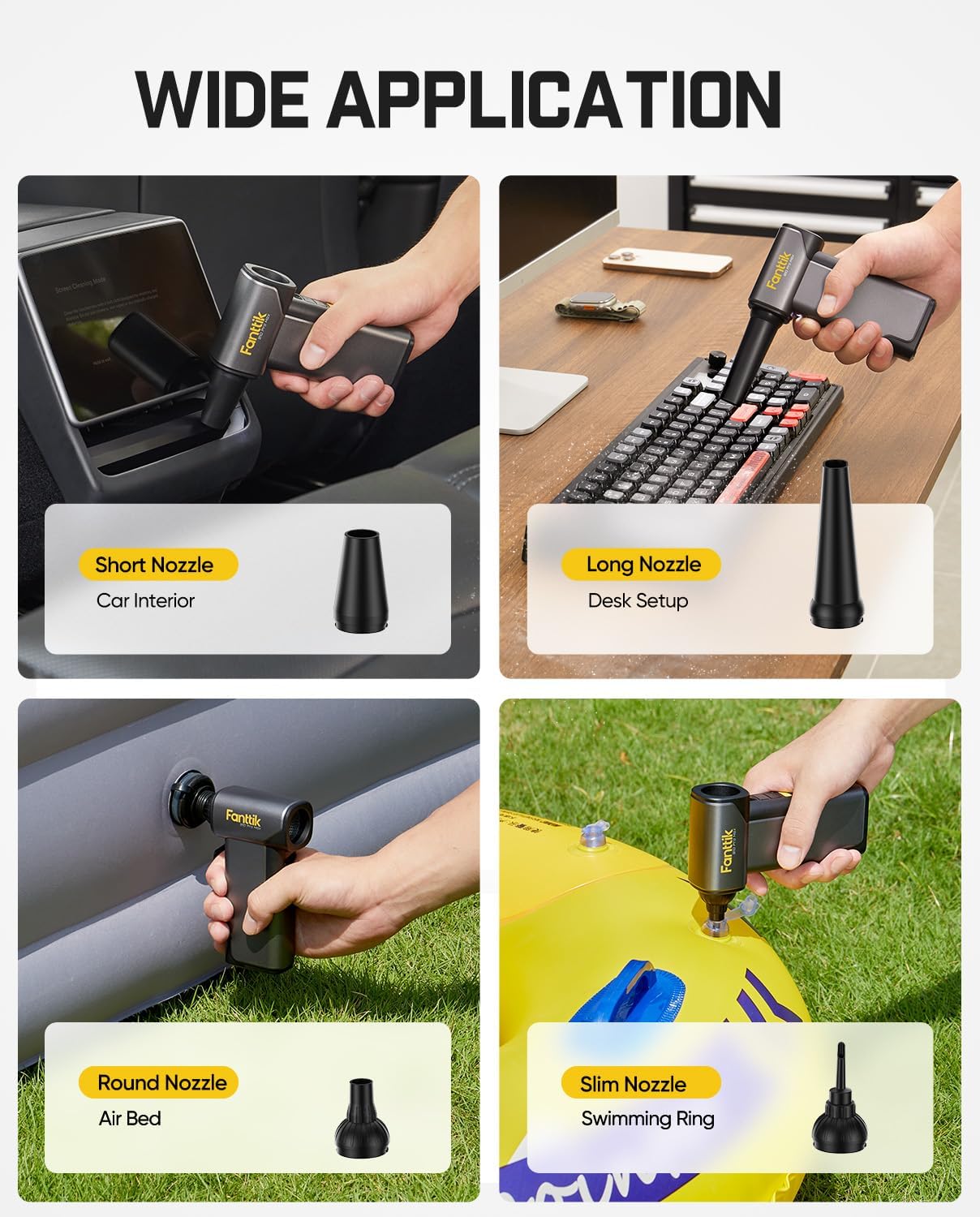
The Fanttik B10 Pro Max includes four specialized nozzles and two brushes for diverse cleaning and inflation needs:
- Short Nozzle: Ideal for cleaning car interiors, outdoor debris like leaves, or general dusting where a wider, less focused blast is needed.
- Long Nozzle: Perfect for reaching tight spaces in desk setups, keyboards, computer components, and workbenches, providing a concentrated airflow.
- Round Nozzle: Primarily used for inflating air beds and other larger inflatable items.
- Slim Nozzle: Designed for inflating smaller items like swimming rings or other toys with narrow inflation ports.
- Soft Brush: For gentle cleaning of delicate surfaces, such as camera lenses or sensitive electronics, before or after air dusting.
- Stiff Brush: For more robust scrubbing of stubborn dirt or grime on keyboards, vents, or other durable surfaces.


6.3 LED Illumination
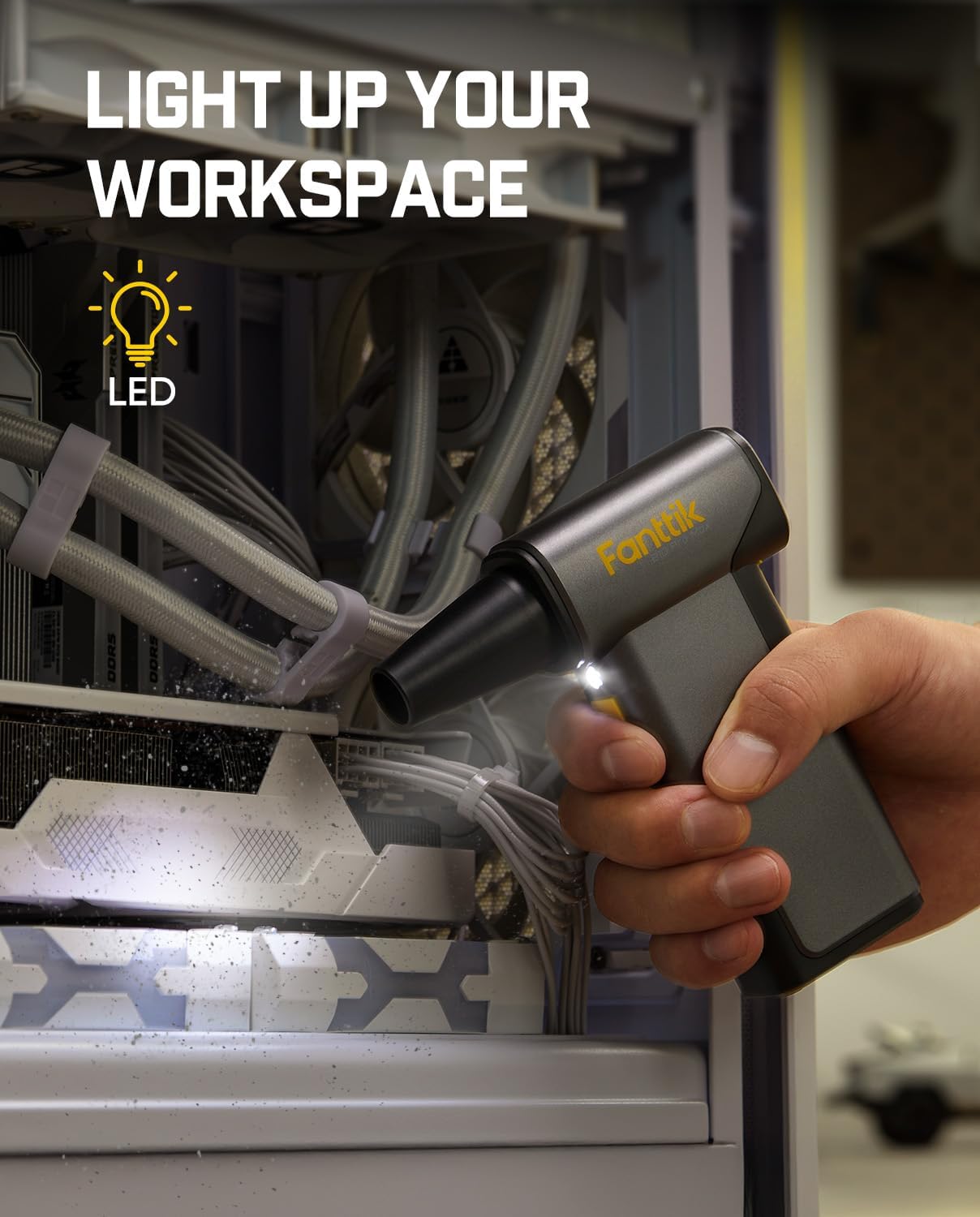
The built-in LED light helps illuminate dark or hard-to-see areas, ensuring thorough cleaning. To activate the LED light, locate the dedicated light button (if available) or it may activate automatically when the duster is powered on, depending on the model variant.
6.4 Backup Power Bank Function
The Fanttik B10 Pro Max can also function as a backup power bank. Connect your electronic device (e.g., smartphone) to the duster's Type-C port using a compatible charging cable. This feature is useful for charging devices outdoors or when a power outlet is unavailable. Note that the blower function cannot be used simultaneously while charging another device.

7. Maintenance
Proper maintenance ensures the longevity and optimal performance of your Fanttik B10 Pro Max Electric Air Duster.
- Cleaning the Device:
Wipe the exterior of the duster with a soft, dry cloth. Do not use abrasive cleaners, solvents, or immerse the device in water. Ensure the air intake and outlet are free from obstructions.
- Cleaning Nozzles and Brushes:
After use, remove the nozzles and brushes. Clean them with a damp cloth or mild soap and water if necessary. Ensure they are completely dry before reattaching or storing.
- Storage:
Store the air duster and its accessories in the provided storage bag in a cool, dry place, away from direct sunlight and extreme temperatures. Ensure the device is fully charged before long-term storage to maintain battery health.
- Battery Care:
To prolong battery life, avoid completely draining the battery frequently. Recharge the device when the battery indicator is low. If storing for extended periods, charge the battery to approximately 50-70% every few months.
8. Troubleshooting
If you encounter issues with your Fanttik B10 Pro Max, refer to the following common problems and solutions:
| Problem | Possible Cause | Solution |
|---|---|---|
| Device does not turn on | Low or depleted battery | Charge the device fully using the provided Type-C cable and a compatible adapter. |
| Power button not pressed correctly | Press and hold the power button for a few seconds until the display illuminates. | |
| Weak airflow | Low battery level | Recharge the device. |
| Incorrect gear setting | Increase the gear setting using the adjustment buttons or activate 'Max' mode. | |
| Air intake/outlet blocked | Check for and remove any obstructions from the air intake or nozzle outlet. | |
| Device not charging | Faulty cable or adapter | Try a different Type-C cable and/or a different 5V/2A USB power adapter. |
| Charging port dirty | Gently clean the charging port with a dry, soft brush. | |
| Overheating during inflation | High gear setting for prolonged period | Reduce the gear setting, especially for smaller inflatable items. Allow the device to cool down if it feels warm. |
If the problem persists after trying these solutions, please contact Fanttik customer support for further assistance.
9. Warranty and Support
Fanttik products are designed and manufactured to the highest quality standards. This product is covered by a limited warranty from the date of purchase. Please refer to the official Fanttik website or the warranty card included in your package for specific warranty terms and conditions.
For technical support, warranty claims, or any questions regarding your Fanttik B10 Pro Max Electric Air Duster, please contact Fanttik customer service through their official website or the contact information provided in your product packaging. You may also find additional resources and a downloadable PDF version of the user manual on the Fanttik support page.
Online User Manual (PDF): Download PDF Manual


