
LIGE FV21-D
LIGE FV21-D Smart Watch User Manual
Model: FV21-D
Introduction
Thank you for choosing the LIGE FV21-D Smart Watch. This manual provides detailed instructions on how to set up, operate, and maintain your new smartwatch. Please read this manual thoroughly before use to ensure optimal performance and longevity of your device.
The LIGE FV21-D Smart Watch features a 1.43" HD AMOLED round touch screen, Bluetooth call functionality, over 100 sports modes, and comprehensive health monitoring. It is designed for compatibility with both Android (4.4+) and iOS (9.0+) smartphones.
Package Contents
Upon unboxing, please verify that all items listed below are present:
- LIGE FV21-D Smart Watch (1 unit)
- Charging Cable (1 unit)
- Watch Straps (2 units - typically one silicone, one mesh)
- Instruction Manual (1 unit)

Image: The LIGE FV21-D Smart Watch displayed with both the rose gold mesh strap and a beige silicone strap. The main watch face shows time and date, while a smaller inset shows an incoming call interface.

Image: The front of the LIGE Smart Watch product box, featuring the brand logo and slogan "SMART Make Life Better".
Setup
1. Charging the Smart Watch
Before initial use, fully charge the smartwatch. Connect the magnetic charging cable to the charging contacts on the back of the watch and plug the USB end into a standard USB power adapter (not included).
- Ensure the charging contacts are clean and dry.
- A full charge typically takes approximately 2-3 hours.
- The watch display will indicate charging status.

Image: A side view of the product packaging, highlighting icons for features including USB Charging.
2. App Installation and Pairing
To unlock the full functionality of your LIGE FV21-D Smart Watch, you need to install the companion application on your smartphone.
- Download the App: Scan the QR code provided in the physical manual or search for the designated app (e.g., "FitCloudPro" or similar, as is common for LIGE watches) in your smartphone's app store (Apple App Store for iOS, Google Play Store for Android).
- Register/Log In: Open the app and follow the on-screen instructions to create an account or log in.
- Enable Bluetooth: Ensure Bluetooth is enabled on your smartphone.
- Pair the Watch:
- Open the app and navigate to the "Device" or "My Device" section.
- Tap "Add Device" or "Bind Device".
- The app will search for available devices. Select "FV21-D" or the corresponding device name when it appears.
- Confirm the pairing request on both your smartphone and the smartwatch.
- Enable Bluetooth Call Function: After initial pairing, go to your smartphone's Bluetooth settings. You should see two entries for the watch (e.g., "FV21-D" and "FV21-D_CALL"). Connect to the "_CALL" entry to enable call functionality.
3. Strap Installation
The LIGE FV21-D Smart Watch comes with two interchangeable straps. To change a strap:
- Locate the quick-release pins on the back of the strap where it connects to the watch body.
- Pull the pin inwards to detach the strap.
- Align the new strap with the watch body, insert one end of the pin into the lug hole, then pull the quick-release pin inwards to slide the other end into the opposite lug hole.
- Release the pin and gently tug the strap to ensure it is securely attached.
Operating Instructions
1. Basic Navigation
- Power On/Off: Press and hold the side button to power on or off.
- Wake Screen: Raise your wrist, press the side button, or tap the screen.
- Main Interface: Swipe left/right to access different widgets (e.g., activity, heart rate). Swipe up to view notifications. Swipe down to access quick settings (e.g., brightness, DND, settings).
- Menu: From the main watch face, press the side button or swipe right (depending on watch face) to access the main menu.
- Back: Swipe right from any screen or press the side button to return to the previous screen or watch face.

Image: The LIGE FV21-D Smart Watch worn on a wrist, displaying a digital watch face with time and date.
2. Making and Answering Calls
Once the Bluetooth call function is enabled (as described in Setup section 2), you can manage calls directly from your watch.
- Answering Calls: When an incoming call notification appears, tap the green phone icon on the watch screen to answer.
- Making Calls: Access the "Phone" or "Dialer" function on your watch. You can dial numbers directly or select contacts synced from your phone.
- Rejecting Calls: Tap the red phone icon to reject an incoming call.
Image: The LIGE FV21-D Smart Watch displaying an incoming call from "Alin" with options to answer or reject.
3. Notifications
Receive notifications from your smartphone directly on your watch.
- Ensure notification permissions are granted in the companion app and your phone's settings.
- Swipe up from the main watch face to view recent notifications.
Image: A side view of the product packaging, highlighting icons for features including Message notifications.
4. Health Monitoring
The watch provides various health tracking features. For accurate readings, ensure the watch is worn snugly on your wrist.
- Heart Rate Monitoring: Access the heart rate function from the menu or by swiping to the heart rate widget. The watch will automatically measure your heart rate.
- Blood Oxygen (SpO2) Monitoring: Navigate to the SpO2 function. Keep your arm still during measurement.
- Sleep Tracking: Wear the watch to bed. It will automatically track your sleep patterns (deep sleep, light sleep, awake time). View detailed sleep data in the companion app.
- Sedentary Reminder: Set reminders in the app to prompt you to move after periods of inactivity.
- Drinking Water Reminder: Configure reminders in the app to ensure adequate hydration.
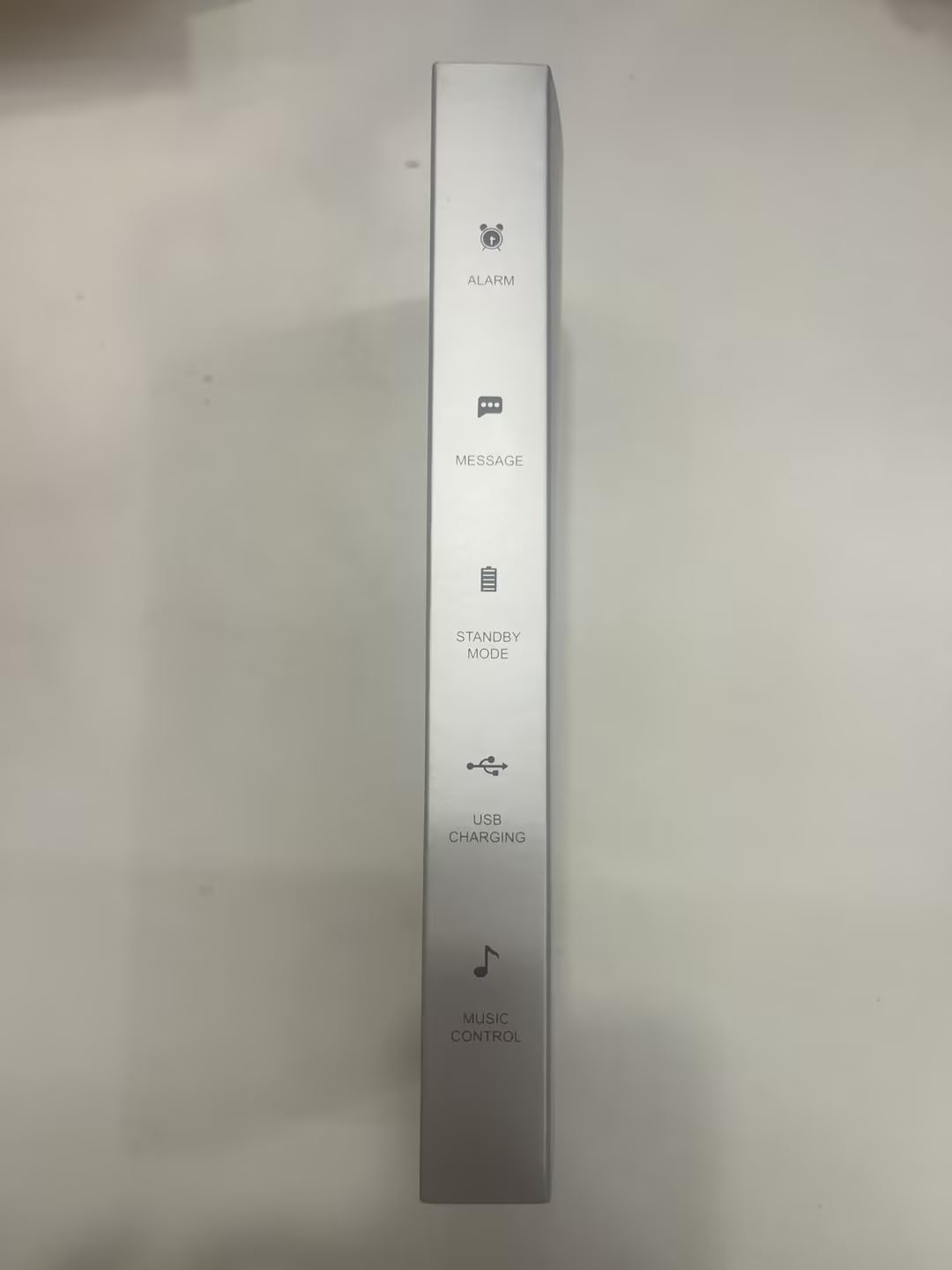
Image: The LIGE FV21-D Smart Watch screen showing a heart rate reading, typically displayed with a graph or numerical value.

Image: The LIGE FV21-D Smart Watch screen showing a blood oxygen saturation (SpO2) reading.

Image: The LIGE FV21-D Smart Watch screen showing sleep tracking data, indicating sleep duration and quality.

Image: A side view of the product packaging, highlighting icons for health features including Heart Rate Monitor, Step Count, Calorie Burned, Sedentary Reminder, and Blood Oxygen.
5. Sports Modes
The watch supports over 100 sports modes to track your workouts.
- Access the "Workout" or "Sports" menu on the watch.
- Select your desired activity (e.g., running, walking, cycling, yoga).
- The watch will begin tracking metrics such as duration, calories burned, and heart rate.
- End the workout by swiping or pressing the side button and confirming.
- Detailed workout data can be viewed in the companion app.

Image: The LIGE FV21-D Smart Watch screen showing data for a running activity, including duration and distance.
6. Other Features
- Music Control: Control music playback on your smartphone (play, pause, skip tracks) from your watch.
- Alarm Clock: Set alarms through the companion app, and the watch will vibrate to alert you.
- Timer & Stopwatch: Access these utilities directly on the watch.
- Find Phone: Use this feature on your watch to make your paired phone ring (if within Bluetooth range).
- AI Voice Assistant: Activate the voice assistant feature to control your phone or get information (requires phone's voice assistant to be active).
- DIY Wallpaper: Customize your watch face using photos from your phone via the companion app.
- Do Not Disturb Mode: Enable this mode to silence notifications during specific times.
Maintenance
1. Cleaning
- Regularly clean your watch and straps with a soft, damp cloth.
- Avoid using harsh chemicals or abrasive materials.
- Ensure the charging contacts are clean and dry before charging.
2. Water Resistance (IP68)
The LIGE FV21-D Smart Watch is rated IP68 waterproof, meaning it is resistant to dust and can withstand immersion in water up to 1.5 meters for up to 30 minutes. However, it is not suitable for hot water baths, saunas, or diving. Avoid prolonged exposure to water and dry the watch thoroughly if it gets wet.
3. Battery Care
- Avoid extreme temperatures, which can degrade battery life.
- Do not leave the watch fully discharged for extended periods.
- Use only the provided charging cable.
Troubleshooting
| Issue | Possible Solution |
|---|---|
| Watch not turning on | Ensure the watch is fully charged. Press and hold the side button for several seconds. |
| Cannot pair with phone |
|
| Notifications not received |
|
| Call function not working | Ensure you are connected to the "_CALL" Bluetooth device in your phone's Bluetooth settings, in addition to the main watch connection. |
| Inaccurate health data | Ensure the watch is worn snugly on your wrist, not too loose or too tight. Avoid excessive movement during measurements. |
Specifications
| Model Name | FV21-D |
| Brand | LIGE |
| Display | 1.43" AMOLED HD Touch Screen, 466x466 Resolution, Always-On Display |
| Connectivity | Bluetooth |
| Battery Capacity | 460mAh Lithium Polymer |
| Memory Storage | 128 MB |
| Compatibility | Android 4.4+ / iOS 9.0+ |
| Water Resistance | IP68 |
| Dimensions | Approximately 15.24 x 5.08 x 7.62 cm (Product packaging dimensions) |
| Weight | Approximately 200 g (Product packaging weight) |
| Special Features | Answer/dial calls, message alerts, AMOLED display, voice assistant, 100+ sports modes, health monitoring (heart rate, blood oxygen, sleep), exercise data tracking, music control, alarm clock, stopwatch, drinking water reminder, sedentary reminder, DIY wallpaper, screen brightness adjustment, timer, find phone, do not disturb mode. |
Warranty and Support
The LIGE FV21-D Smart Watch comes with a 2-year maintenance warranty. For any questions, technical assistance, or warranty claims, please contact LIGE customer service. They are available 24/7 to assist you.
Refer to the contact information provided in your product packaging or visit the official LIGE website for support details.

Image: The back of the LIGE Smart Watch product box, displaying manufacturer details, safety precautions, and regulatory compliance information.
Related documentsFV21-D


Ask a question about this manual
Ask about setup, troubleshooting, compatibility, parts, safety, or missing instructions. Manuals+ will review the question and use this page’s manual context to help answer it.