eufy Security eufyCam S4 Wireless Outdoor Solar Triple-Lens Bullet-PTZ Camera Instruction Manual
This document provides comprehensive instructions for the setup, operation, and maintenance of your eufy Security eufyCam S4. Please read this manual thoroughly before use to ensure proper functionality and safety.
1. Product Overview
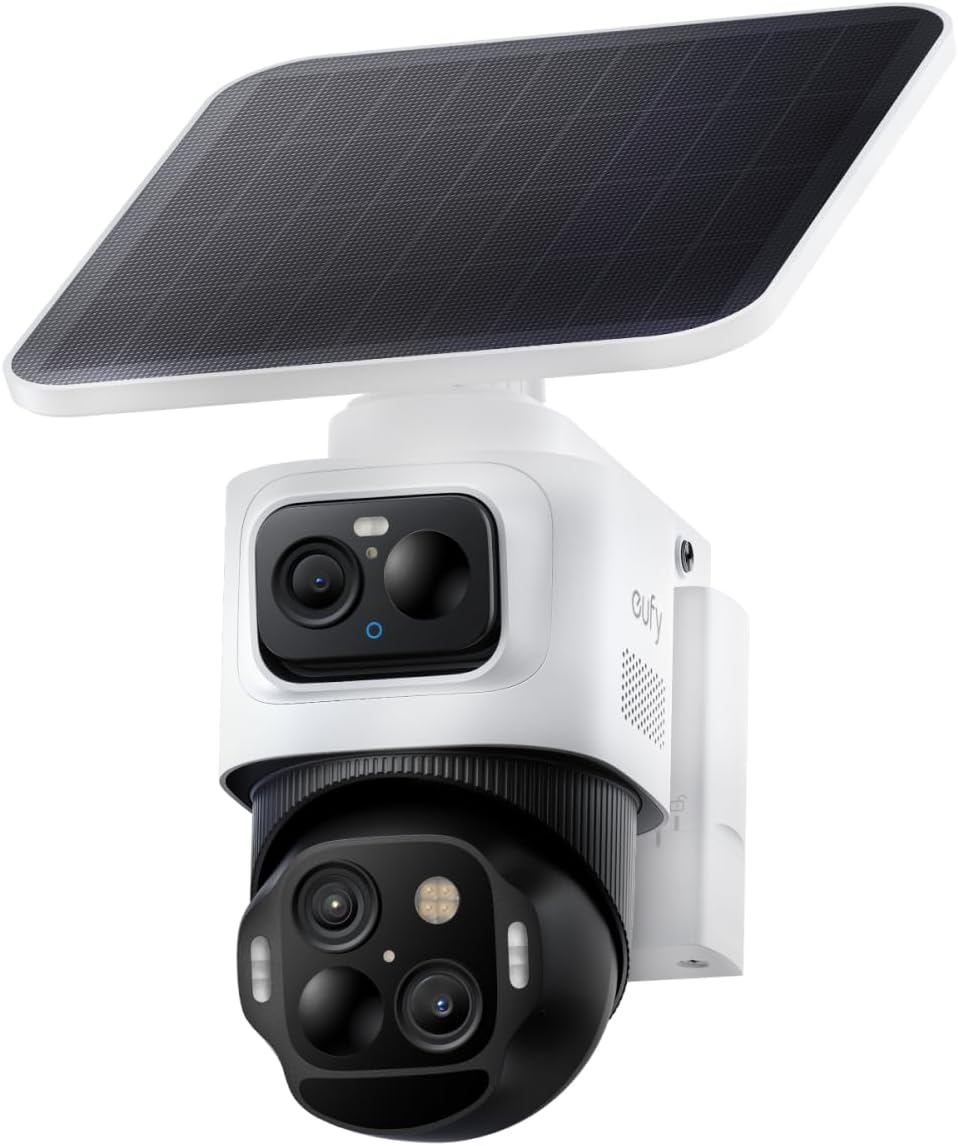
The eufyCam S4 is an advanced wireless outdoor security camera featuring a revolutionary triple-lens design. It combines a 4K fixed bullet lens with a 2K pan-tilt-zoom (PTZ) lens for comprehensive surveillance. Equipped with SolarPlus 2.0 technology, it offers continuous power through its integrated solar panel. Advanced AI capabilities enable smart tracking, auto-framing, and enhanced detection.
Key Features:
Triple-Lens Bullet-PTZ: Combines a 4K fixed bullet lens (130° wide view) and a 2K dual-lens PTZ camera (360° pan and tilt) for versatile coverage.
Bullet-to-PTZ Tracking & Auto-Framing: Automatically tracks subjects detected by the bullet cam, zooming in up to 164 ft, and adjusts framing for multiple subjects.
SolarPlus 2.0 Power: 5.5W ultra-large solar panel provides continuous power with just 1 hour of direct sunlight daily.
On-Device AI: Smart human, vehicle, and pet detection without a HomeBase.
Expandable Storage: 32GB built-in storage, expandable up to 256GB via microSD card (not included).
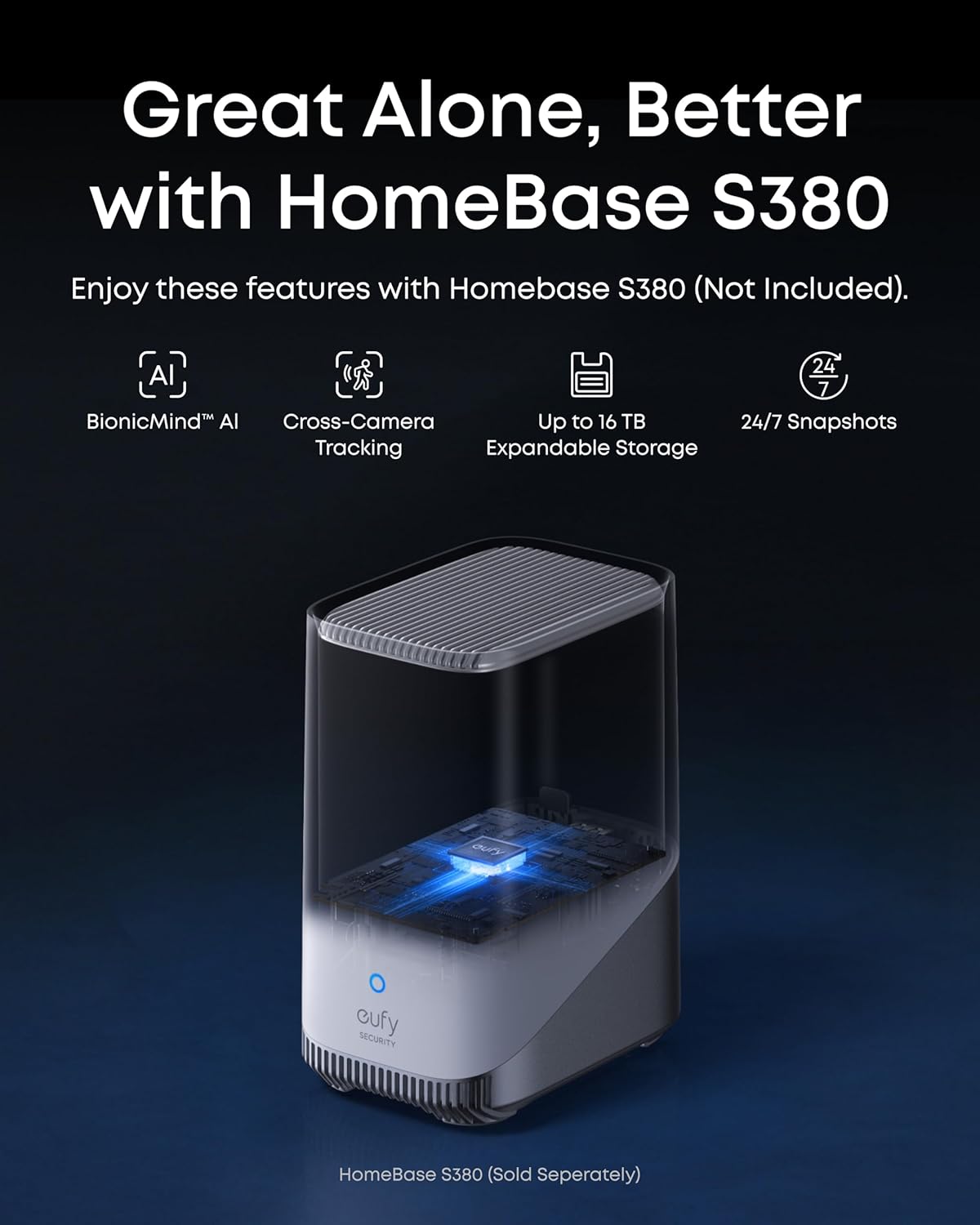
HomeBase S380 Compatibility: Unlocks BionicMind AI, cross-camera tracking, and up to 16TB expandable storage with 24/7 recording and snapshots (HomeBase S380 sold separately).
Advanced Deterrence: Radar and PIR sensors for precise motion alerts, red and blue warning lights, and a 105 dB siren.
Weatherproof: IP65 rated for outdoor use.
What's in the Box:
1× eufyCam S4 Camera
1× Camera Mounting Bracket
1× Quick Start Guide
1× Rechargeable Battery
1× Solar Panel
Image: eufyCam S4 camera with integrated solar panel.
Image: Diagram illustrating the 4K bullet cam and 2K PTZ cam components of the eufyCam S4.
2. Setup
2.1 Physical Installation:
The eufyCam S4 is designed for easy and flexible installation. The camera mounting bracket allows for secure attachment to a wall or other suitable outdoor surface. The solar panel can be integrated directly with the camera or detached for optimal sun exposure.
Mounting: Use the provided camera mounting bracket and screws to securely attach the camera to your desired outdoor location. Ensure the camera has a clear line of sight to the area you wish to monitor.
Solar Panel Connection: The solar panel can be directly attached to the top of the camera or mounted separately using the extension cable for optimal sunlight exposure. Connect the USB-C cable from the solar panel to the camera's charging port.
Image: Various installation options for the eufyCam S4, showing integrated and detachable solar panel setups.
2.2 App Setup:
Download the latest eufy Security app from your smartphone's app store. Follow the in-app instructions to add your eufyCam S4.
Power On: Ensure the camera's battery is charged or the solar panel is connected and receiving sunlight.
Add Device: In the eufy Security app, tap 'Add Device' and select 'eufyCam S4'.
Connectivity: Choose to connect the camera directly to your Wi-Fi network (Router Mode) or pair it with a HomeBase S380 for enhanced features and local storage.
Follow Prompts: The app will guide you through scanning a QR code on the camera and connecting it to your network.
Video: A user demonstrates the installation and app setup process for the eufy Security eufyCam S4, including connecting to the HomeBase S380.
3. Operating Instructions
The eufy Security app provides full control over your eufyCam S4, allowing you to customize settings and view live footage.
3.1 Camera Controls:
Pan & Tilt: Use the on-screen joystick or swipe gestures in the app to remotely adjust the camera's 360° horizontal and 70° vertical viewing angles.
Hybrid Zoom: Utilize the 8x hybrid zoom feature to get closer details of detected subjects. This can be activated through pinch-to-zoom gestures on the live view.
Two-Way Audio: Use the microphone icon in the app to speak through the camera's speaker and listen through its built-in microphone.
Image: The eufyCam S4 demonstrating bullet-to-PTZ tracking, where the PTZ camera zooms in on a subject detected by the bullet cam.
Video: Demonstration of eufyCam S4's hybrid zoom and tracking capabilities, showing the camera following a moving subject.
3.2 Video Modes:
Night Vision: Choose between Starlight Color Night Vision (full color in low light), Spotlight Color Night Vision (clear and colorful with built-in spotlights), or Infrared Night Vision (crisp black-and-white visuals).
AI Tracking: Enable AI tracking to automatically follow detected subjects within the camera's field of view.
Playback: Access recorded events and continuous footage (if connected to HomeBase S380 with 24/7 recording enabled) through the app's playback feature.
Image: Examples of intelligent auto-framing, showing single-target and group tracking by the eufyCam S4.
3.3 Detection Settings:
Motion Detection: Configure sensitivity levels for Radar and PIR sensors to minimize false alarms.
Activity Zones: Define specific areas within the camera's view where motion detection should be active.
Schedules: Set custom schedules for when detection and deterrence features are active.
3.4 Recording Settings:
Video Quality: The camera records in 4K (bullet cam) and 2K (PTZ cam). Adjust streaming and recording quality settings within the app based on your network conditions and storage preferences.
24/7 Recording: When paired with HomeBase S380 (updated to V3.7.2.8+), enable continuous 24/7 recording and snapshots.
4. Maintenance
4.1 Battery Management:
The eufyCam S4 is designed for minimal maintenance thanks to its solar charging capabilities.
SolarPlus 2.0: Ensure the solar panel is positioned to receive at least 1 hour of direct sunlight daily for continuous power.
Rechargeable Battery: The camera features a quick-swap rechargeable battery. If solar charging is insufficient, the battery can be easily removed and charged via USB-C.
4.2 Weatherproofing:
The eufyCam S4 has an IP65 weatherproof rating, making it resistant to rain, dust, and extreme temperatures.
Cleaning: Periodically wipe the camera lens and solar panel with a soft, damp cloth to ensure optimal performance and clear image quality.
4.3 Storage Management:
Built-in Storage: The camera comes with 32GB of built-in storage for event recordings.
MicroSD Expansion: Expand local storage up to 256GB by inserting a compatible microSD card (not included) into the camera's slot.
HomeBase S380: For extensive storage and advanced AI features, pair your eufyCam S4 with a HomeBase S380, which offers 16GB built-in storage expandable up to 16TB.
5. Troubleshooting
If you encounter issues with your eufyCam S4, consider the following common troubleshooting steps:
No Power: Ensure the solar panel is receiving adequate direct sunlight or charge the battery via USB-C.
Connectivity Issues: Check your Wi-Fi signal strength. If using HomeBase S380, ensure it is powered on and connected to your network. Restart the camera and/or HomeBase.
False Alerts: Adjust motion detection sensitivity and configure activity zones in the eufy Security app.
Poor Video Quality: Ensure the camera lens is clean. Check your network's internet speed and adjust streaming/recording quality settings in the app.
AI Tracking Not Working: Ensure AI tracking is enabled in the app settings. Verify that the camera's firmware and HomeBase S380 firmware (if applicable) are up to date.
6. Specifications
Feature
Specification
Model Number
T8172
Video Resolution
4K (Bullet Cam) + Dual 2K (PTZ Cam)
Power Source
Battery Powered (Solar-Charging)
Connectivity
Wi-Fi
Storage
32GB Built-in, expandable up to 256GB (microSD)
Weatherproof Rating
IP65
Dimensions (L x W x H)
4 x 4 x 5 inches
Item Weight
4.55 pounds
Color
Black+White
7. Warranty and Support
For warranty information, technical support, or further assistance, please refer to the official eufy Security website or contact their customer service directly. Details regarding product registration and warranty claims can be found in the Quick Start Guide or on the eufy Security website.
Related Documents - T8172
S330 eufyCam Quick Start Guide Comprehensive quick start guide for the eufy S330 eufyCam security camera system and S380 HomeBase, covering setup, installation, charging, solar power, mounting, safety, and regulatory notices.
S330 eufyCam Quick Start Guide A quick start guide for the S330 eufyCam, detailing setup, charging, and mounting instructions for the eufy Security system.
eufy S380 HomeBase Quick Start Guide This quick start guide provides essential information for setting up and using the eufy S380 HomeBase, including hardware installation, storage expansion, app integration, and safety guidelines.
Eufy Indoor Cam 2K Pan and Tilt User Manual Comprehensive user manual for the Eufy Indoor Cam 2K Pan and Tilt security camera, covering setup, installation, features, and troubleshooting.
eufy Indoor Cam 2K Pan & Tilt User Manual Comprehensive user manual for the eufy Indoor Cam 2K Pan & Tilt, covering setup, installation, features, warnings, and customer support. Learn how to install and operate your eufy security camera.