
Introduction
Thank you for choosing the Salutrobusto Gaming Chair with Footrest. This manual provides detailed instructions for the assembly, operation, and maintenance of your new chair. Please read this manual carefully before assembly and use to ensure proper function and longevity of the product. Keep this manual for future reference.
Product Overview and Features
The Salutrobusto Gaming Chair is designed for comfort and support during extended periods of sitting, whether for gaming or office work. Key features include:
- Versatile Recline: Backrest adjusts from 90° (upright for work) to 135° (relaxed for breaks), with multiple angle locking.
- Integrated Footrest: A retractable footrest provides additional comfort for relaxation.
- Ergonomic Support: Adjustable headrest and lumbar pillow conform to the natural curve of the spine.
- Dynamic Movement: 360° swivel capability for easy movement and access.
- Comfortable Materials: High-density foam cushions wrapped in breathable PU leather.
- Linkage Armrests: Armrests are designed to move with the chair's recline, providing continuous support.
- Durable Construction: Industrial-grade metal frame supports up to 350 lbs.
- Smooth Mobility: Noise-free casters for smooth gliding on various surfaces.

Image: The chair demonstrating its 90° (work), 110° (game), and 135° (relax) recline positions.

Image: Diagram illustrating the ergonomic backrest design, highlighting neck support, relaxed shoulders, back support, and massage lumbar support.
Package Contents
Please ensure all components are present before beginning assembly:
- Chair Base (Star Base)
- Casters (5 pieces)
- Gas Lift
- Seat Cushion
- Backrest
- Mechanism (Control Unit)
- Footrest Assembly (Plastic Parts, Metal Frame, Metal Tube)
- Armrests (2 pieces)
- Head Pillow
- Lumbar Support Pillow
- Hardware Pack (Bolts, Spacers, Allen Wrench)
- Back Tube
- Lids for Armrest Holes
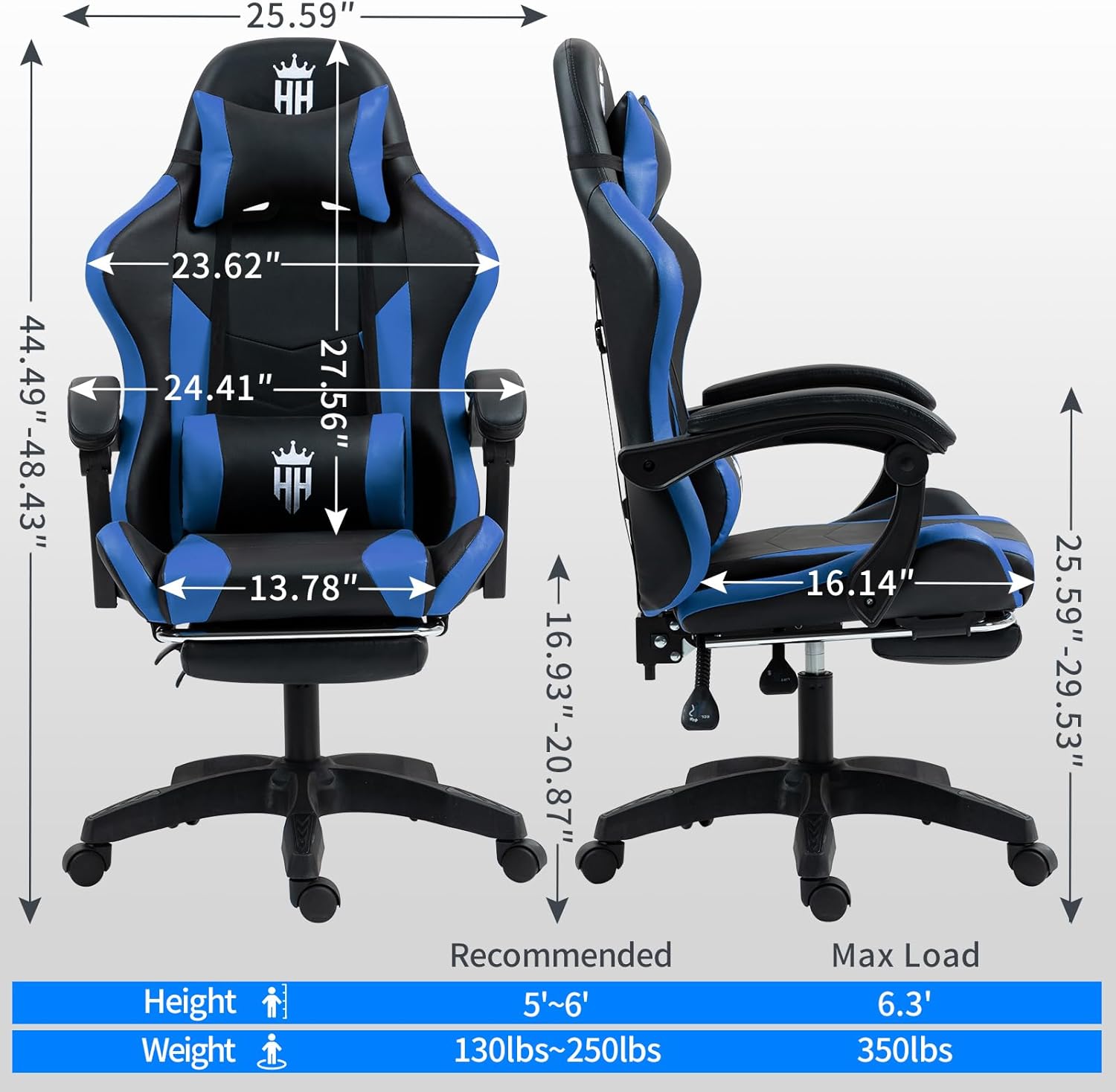
Image: All individual components of the gaming chair laid out on a white background, including the base, seat, backrest, armrests, pillows, and hardware.
Assembly Instructions
Assembly typically takes less than 15 minutes. Follow these steps carefully:
- Install Casters: Press the casters into the holes of each leg on the chair base. Turn the base upside down once casters are installed.
- Insert Gas Lift: Insert the gas lift into the center hole of the base.
- Assemble Footrest: Align the footrest plastic parts to the bottom of the seat cushion using four M6x25mm bolts. Install the footrest surface to the metal frame with two M6x25mm bolts. Insert the metal tube into the plastic hole and install two M5x17mm bolts at the end.
- Attach Mechanism to Seat: Align the mechanism to the bottom of the seat cushion, ensuring the front of the mechanism faces the front of the seat cushion. Attach the mechanism using four M6x25mm bolts and tighten them securely.
- Attach Back Tube to Backrest: Attach the back tube to the backrest with four M6x35mm bolts.
- Attach Backrest to Seat: Attach the backrest to the seat cushion and tighten the button.
- Install Armrests: Install the armrests with the seat cushion and backrest using four M8x35mm bolts and spacers. Note: Do not tighten the screws completely at first; tighten them to about 50%. After installing all screws, then tighten them ALL securely.
- Place Seat on Gas Lift: Put the assembled seat cushion onto the gas lift. Ensure the hole at the bottom of the tray is aligned with the top of the air rod.
- Install Head Pillow and Lumbar Support: Install the head pillow and lumbar support using their adjustable straps.
- Cover Holes: Put the lids to cover the armrest holes.
Video: Detailed assembly guide for the Salutrobusto Gaming Chair, demonstrating each step from unboxing to final setup.

Image: Components for the chair's base, including the heavy-duty sturdy base, smooth hydraulics (gas lift), and smooth rolling casters, along with controls for multi-tilt and height adjustment.
Operating Instructions
Your Salutrobusto Gaming Chair offers several adjustable features for personalized comfort:
- Height Adjustment: Use the lever located under the seat on the right side to adjust the chair's height. Pull the lever up to raise the chair; sit on the chair and pull the lever up to lower it. Release the lever to lock the height.
- Backrest Recline: Use the lever on the right side of the seat to recline the backrest. Pull the lever up to adjust the angle from 90° to 135°. Release the lever to lock the backrest in your desired position.
- Tilt Tension: The knob under the front of the seat allows you to adjust the tilt tension. Turn clockwise to increase tension (making it harder to recline) or counter-clockwise to decrease tension (making it easier to recline).
- Footrest Operation: Pull the footrest out from under the seat when you wish to use it. Push it back in when not needed.
- Headrest and Lumbar Pillow Adjustment: The headrest and lumbar pillow are adjustable via straps. Position them to best support your neck and lower back.

Image: Close-up of the retractable footrest extended from beneath the seat of the gaming chair.

Image: Details of the adjustable headrest and lumbar pillow, showing how they can be positioned for optimal comfort and support.
Maintenance
To ensure the longevity and appearance of your Salutrobusto Gaming Chair, follow these maintenance guidelines:
- Cleaning: Wipe the PU leather surfaces with a soft, damp cloth. For stubborn stains, use a mild soap solution and wipe dry immediately. Avoid harsh chemicals or abrasive cleaners.
- Hardware Check: Periodically check all bolts and screws to ensure they are tight. Re-tighten if necessary to prevent wobbling or instability.
- Caster Care: Keep casters free of hair and debris to ensure smooth rolling. You may use a small brush or vacuum to clean them.
- Avoid Direct Sunlight: Prolonged exposure to direct sunlight can cause the PU leather to fade or crack. Position the chair away from direct sunlight.
- Weight Limit: Do not exceed the maximum weight capacity of 350 lbs to prevent damage to the chair and potential injury.
Troubleshooting
If you encounter any issues with your chair, refer to the following common problems and solutions:
- Chair Wobbles:
- Ensure all assembly bolts are securely tightened.
- Check if the chair is on an even surface.
- Chair Does Not Adjust Height:
- Verify the gas lift is correctly inserted into the mechanism and base.
- Ensure the height adjustment lever is functioning properly and not obstructed.
- Backrest Does Not Recline/Lock:
- Check the recline lever for any obstructions or damage.
- Ensure the backrest is securely attached to the seat.
- Casters Not Rolling Smoothly:
- Remove any hair or debris caught in the casters.
- Ensure casters are fully inserted into the chair base.
If problems persist, please contact customer support.
Specifications
| Feature | Detail |
|---|---|
| Brand | Salutrobusto |
| Model Name | 1688 |
| Colour | Blue |
| Material | Faux Leather, Foam (Fill Material), Metal (Frame) |
| Product Dimensions (D x W x H) | 70D x 70W x 100H Centimetres |
| Item Weight | 19 Kilograms |
| Maximum Weight Recommendation | 350 Pounds |
| Back Style | Gaming Chair Back |
| Reclining Position Count | 2 (90° to 135° adjustable) |
| Assembly Required | Yes |
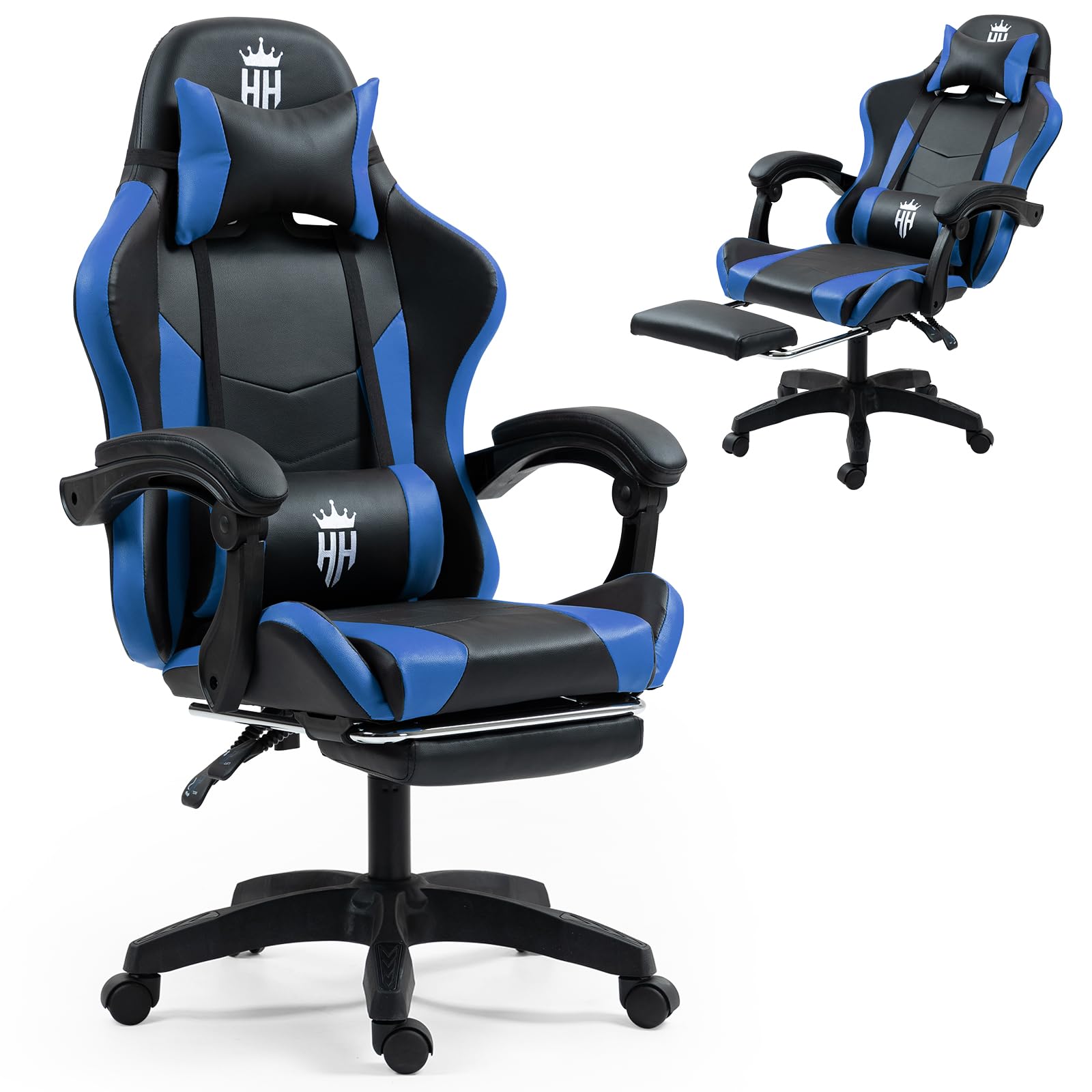
Image: Technical drawing showing the various dimensions of the gaming chair, including height, width, and depth, along with recommended user height and maximum load capacity.
Warranty and Support
All parts of your Salutrobusto Gaming Chair come with a 1-year warranty from the date of purchase. This warranty covers manufacturing defects and material flaws under normal use.
If you have any questions, require assistance with assembly, or need to report a warranty claim, please contact our customer support team. Our team is dedicated to assisting you and ensuring your satisfaction.
Please refer to your purchase documentation for specific contact information or visit the Salutrobusto official website.