1. Product Overview
The OUKITEL WP53 Pro is a rugged smartphone designed for durability and performance in challenging environments. It features a large 11000mAh battery, a powerful 128dB speaker, and a 900LM camping light. Built to withstand water, dust, and drops, it operates on Android 15 with an octa-core processor and ample memory for smooth operation.
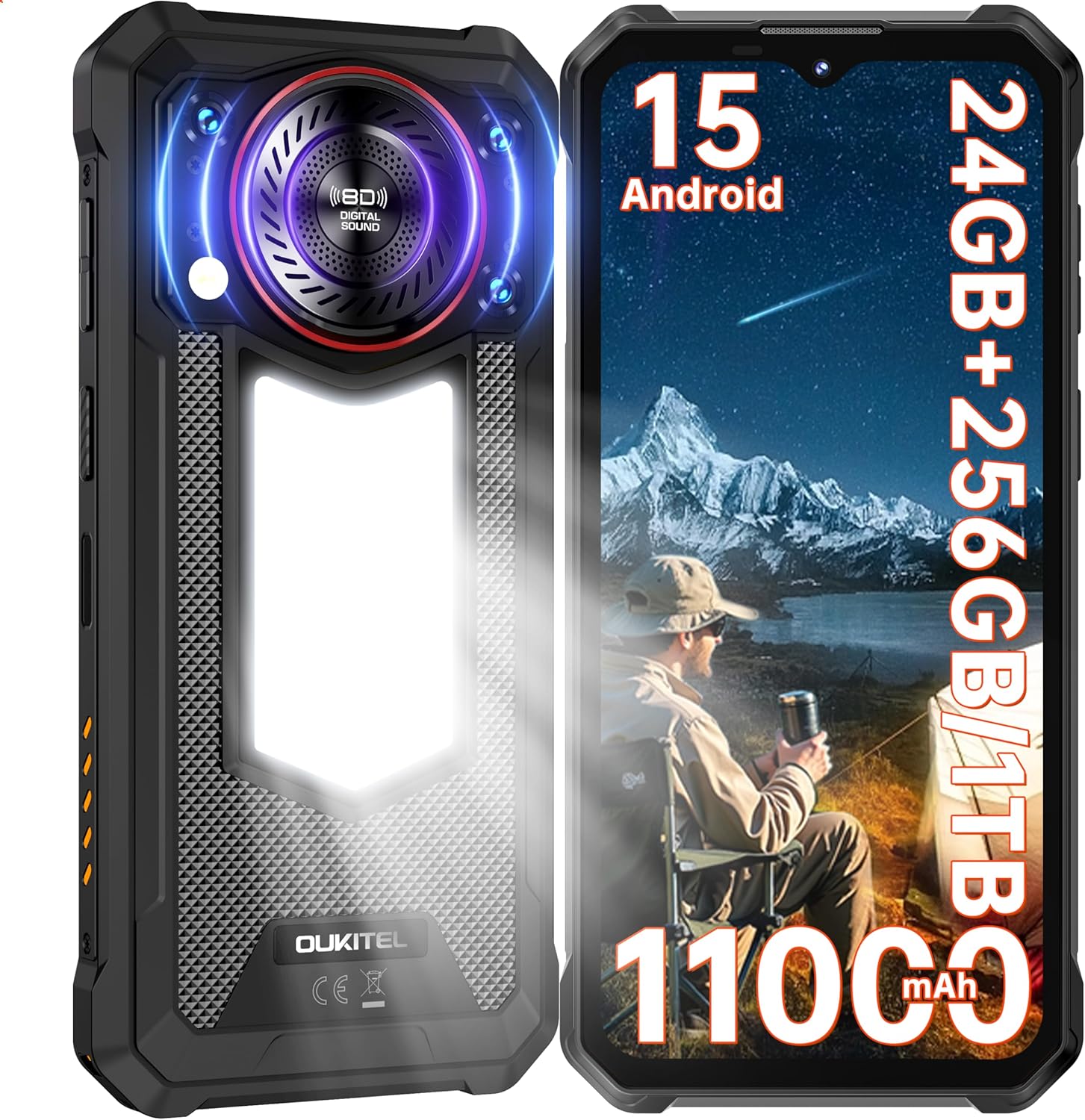
Image 1.1: Front and rear view of the OUKITEL WP53 Pro, showcasing key features.
2. Package Contents
Verify that all items are present in your product packaging:
- OUKITEL WP53 Pro Smartphone
- 18W Power Adapter
- Data Cable (USB Type-C)
- User Manual
- Card Removal Pin
- After-sales Service Card

Image 2.1: All items included in the OUKITEL WP53 Pro retail box.
3. Device Layout
Familiarize yourself with the physical components of your OUKITEL WP53 Pro:
- Front: 6.52-inch HD+ Display, 8MP Front Camera, Earpiece.
- Right Side: Power Button (with integrated Fingerprint Sensor), Volume Up/Down Buttons.
- Left Side: SIM/MicroSD Card Tray.
- Top: No ports.
- Bottom: USB Type-C Port, Microphone.
- Rear: 50MP Main Camera, 0.08MP Depth Camera, 900LM Camping Light, 128dB Loudspeaker.
4. Setup
4.1. SIM Card and MicroSD Card Installation
- Locate the SIM/MicroSD card tray on the left side of the device.
- Insert the provided card removal pin into the small hole next to the tray and push gently until the tray ejects.
- Place your Nano-SIM card(s) and/or MicroSD card into the designated slots on the tray. Ensure the gold contacts face downwards.
- Carefully reinsert the tray into the phone until it clicks into place.
4.2. Initial Power On
Press and hold the Power Button on the right side of the phone until the OUKITEL logo appears. Follow the on-screen prompts to complete the initial setup, including language selection, Wi-Fi connection, and Google account setup.
4.3. Charging the Device
Before first use, it is recommended to fully charge the device. Connect the USB Type-C cable to the phone's charging port and the other end to the 18W power adapter. Plug the adapter into a wall outlet. The charging indicator will appear on the screen.
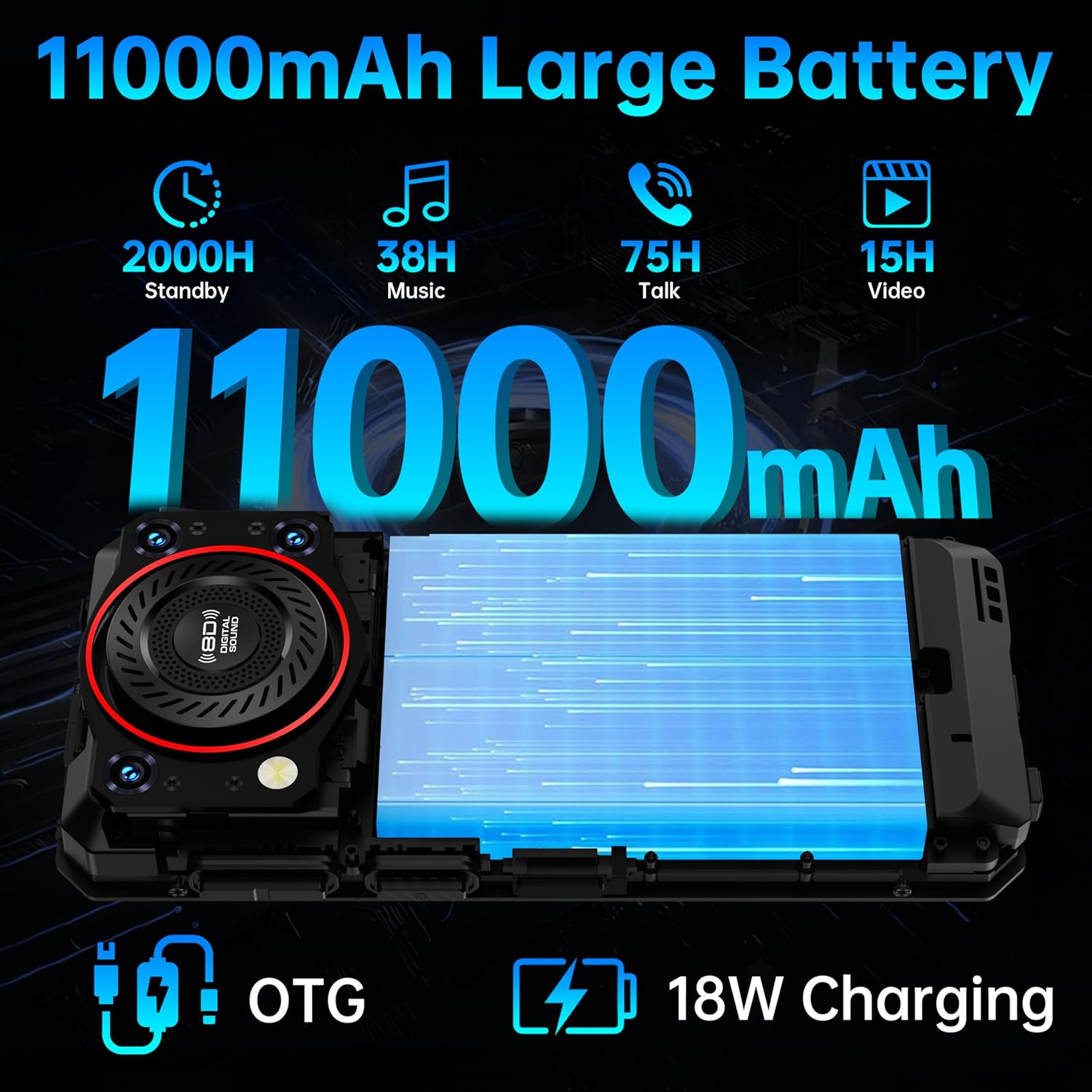
Image 4.1: The 11000mAh battery and OTG reverse charging feature.
5. Operating Instructions
5.1. Basic Navigation (Android 15)
The OUKITEL WP53 Pro runs on Android 15, offering an intuitive user experience. Use gestures or navigation buttons (configurable in settings) to navigate the interface. Swipe up from the bottom for the app drawer, swipe down from the top for notifications and quick settings.
5.2. Using the Camping Light
The integrated 900LM camping light on the rear of the device provides powerful illumination. It can be activated and adjusted through a dedicated quick setting toggle or an application. It offers multiple brightness levels and an SOS mode for emergencies.

Image 5.1: The 900LM camping light in use, providing illumination and showing OTG charging.
5.3. Audio Features (128dB Speaker)
The WP53 Pro features a 128dB loudspeaker for clear and powerful audio output. Adjust the volume using the physical volume buttons on the side of the device. This speaker is ideal for outdoor use or in noisy environments.

Image 5.2: Detailed view of the 128dB loudspeaker.
5.4. Camera Operation
The phone is equipped with a 50MP main rear camera and an 8MP front camera. Open the Camera application to capture photos and videos. Various modes such as Beauty, Panorama, HDR, and Portrait are available to enhance your photography.

Image 5.3: Overview of the OUKITEL WP53 Pro's camera specifications.
5.5. Connectivity
- NFC: For contactless payments (Google Pay) and quick pairing with compatible devices. Enable NFC in Settings > Connected devices > Connection preferences.
- GPS: Supports GPS, GLONASS, Beidou, and Galileo for precise outdoor navigation. Ensure Location services are enabled in Settings.
- Bluetooth: For connecting wireless headphones, speakers, and other Bluetooth accessories. Enable Bluetooth in Settings > Connected devices.
- Wi-Fi: Connect to wireless networks for internet access. Enable Wi-Fi in Settings > Network & internet.
5.6. Security Features
- Fingerprint Unlock: Register your fingerprint(s) in Settings > Security > Fingerprint. The sensor is integrated into the power button.
- Facial Recognition: Set up Face ID in Settings > Security > Face unlock for convenient unlocking.
6. Maintenance and Durability
The OUKITEL WP53 Pro is built to be highly durable, certified with IP68, IP69K, and MIL-STD-810H standards. This means it is:
- Waterproof: Can withstand immersion in up to 1.5 meters of water for 30 minutes.
- Dustproof: Fully protected against dust ingress.
- Shockproof: Designed to endure drops and impacts, meeting military-grade durability standards.

Image 6.1: Visual representation of the phone's ruggedness features.
6.1. Cleaning and Care
- Wipe the device with a soft, damp cloth. Avoid harsh chemicals or abrasive materials.
- Ensure all port covers are securely closed before exposing the phone to water or dust.
- Do not attempt to disassemble the device, as this will void the warranty and compromise its ruggedness.
7. Troubleshooting
If you encounter issues with your OUKITEL WP53 Pro, refer to the following common solutions:
| Problem | Solution |
|---|---|
| Device will not power on | Ensure the battery is charged. Connect to the charger for at least 10 minutes, then try powering on again. |
| Poor battery life | Close unused apps, reduce screen brightness, disable unnecessary connectivity features (Wi-Fi, Bluetooth, GPS) when not in use. |
| Apps are slow or crashing | Clear app cache (Settings > Apps > [App Name] > Storage > Clear cache). Restart the phone. Ensure sufficient storage space. |
| No network signal | Check SIM card installation. Ensure Airplane Mode is off. Restart the device. Contact your network provider if the issue persists. |
| Camping light not working | Check if the light is enabled via quick settings or the dedicated app. Ensure the battery level is sufficient. |
8. Specifications
| Feature | Specification |
|---|---|
| Model Name | OUKITEL WP53 PRO |
| Operating System | Android 15 |
| Processor | Octa-core (T615) |
| RAM | 24GB (8GB + 16GB virtual) |
| Internal Storage | 256GB |
| Expandable Storage | Up to 1TB via MicroSD card |
| Display Size | 6.52 Inches |
| Display Resolution | 720 x 1560 (HD+) |
| Brightness | 400 nits |
| Main Camera | 50MP |
| Front Camera | 8MP |
| Battery Capacity | 11000mAh |
| Charging | 18W Fast Charging, OTG Reverse Charging |
| Ruggedness | IP68, IP69K, MIL-STD-810H |
| Camping Light | 900LM |
| Loudspeaker | 128dB |
| Connectivity | 4G, NFC, Bluetooth 5.0, GPS (GPS+GLONASS+Beidou+Galileo) |
| Security | Fingerprint Unlock, Facial Recognition |
| Dimensions | 172.2mm x 80.5mm x 18.5mm (approximate) |
| Weight | 1.48 pounds (approx. 671g) |

Image 8.1: Display specifications of the OUKITEL WP53 Pro.
9. Warranty and Support
OUKITEL provides comprehensive support for the WP53 Pro:
- Warranty: 2 Years warranty from the date of purchase.
- Return Policy: 30-day no-reason return policy.
- Technical Support: Long-term technical support is available.
- Customer Service: 24-hour online customer service.
For assistance, please refer to the contact information provided on your After-sales Service Card or visit the official OUKITEL website.


